


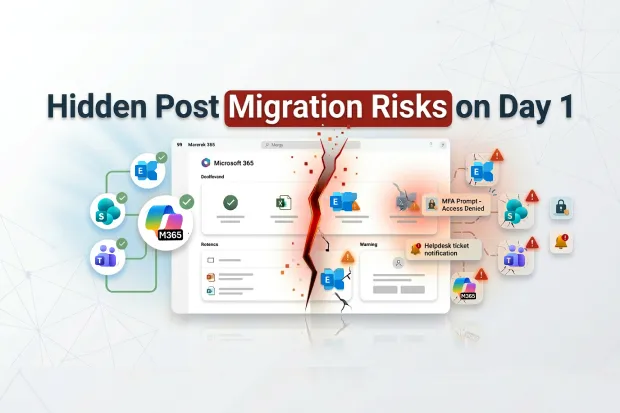
In many M&A tenant migrations, cutover feels like the finish line. Microsoft 365 mailboxes, Teams, and SharePoint are moved, domains are switched, and users are now in the new tenant. On paper, it looks like the hardest part is done.
But that is also the moment things can start going wrong in ways that directly affect employee productivity and executive confidence.
The problem is that migration success is often measured by whether Microsoft 365 workloads were moved, not by whether people can sit down the next day and work without friction. A user may be in the new tenant, but still run into login issues, repeated MFA prompts, broken Outlook profiles, mobile sign-in problems, missing Teams history, device compliance gaps, or weaker search and AI experiences.
That is why Microsoft 365 post-migration validation matters. It shows whether the migration is only technically complete or whether the new environment is actually ready for people to use.
Why Post-Migration Validation Is Harder Than It Looks
Moving workloads is one thing. Proving that the full user experience works after the move is something else.
Most teams validate only their own area. Identity checks sign-in. Messaging checks mail flow. Collaboration checks Teams and SharePoint. Security checks policy enforcement. Each of those steps matters, but none of them shows you the full Day-1 experience from the user’s side.
That is where the gap shows up.
Everything may look healthy in the project status update, while users are still dealing with login failures, Outlook rebuilds, mobile sign-in issues, Teams disruption, and device compliance problems. The M365 Tenant migration may be complete from a technical standpoint, but not from a business one.
Where Day-1 Disruption Shows Up First
Most of these issues are not new on their own. The real problem is that in M&A migration, they tend to hit at the same time, across a large group of users, right when leadership expects things to settle down.
Login and MFA friction
One of the first problems users hit is access. On Day-1, some people are not sure which tenant to select. Cached credentials fail. MFA prompts start appearing across devices, and in some cases registrations need to be recreated.
From IT’s perspective, that quickly turns into a spike in helpdesk volume. “Can’t log in” tickets start coming in from all directions, including senior leaders and business-critical teams. From leadership’s point of view, it does not feel like a small post-migration issue. It feels like access was not fully ready when the migration was called complete.
Outlook, Mobile, and Teams Disruption
Then come the application issues that slow people down immediately.
- Outlook profiles often need to be rebuilt, which can leave users with 30 to 60 minutes of lost time while profiles are recreated and OST caches rebuild.
- Mobile apps may require a sign-out, sign-in, or full reinstall before they function correctly.
- Microsoft Teams may show left channels, stale presence, or missing chat history until caches are cleared.
Users may not describe this as a Microsoft 365 tenant migration issue. They just feel like the tools they depend on are suddenly unreliable. And to leadership, it looks like productivity dropped right when integration was supposed to be gaining momentum.
Profiles, search, and AI continuity gaps
Some of the disruptions are quieter, but still frustrating.
- User photos, presence, and personal Teams settings do not always carry over cleanly.
- Search takes time to rebuild.
- Copilot and other AI tools lose context and have to start fresh in the new tenant.
That can make the new environment feel slower, less familiar, and less useful than the one employees just left behind. Things that used to be easy to find now take more effort. AI features that were supposed to help may feel less useful at exactly the moment the business is trying to build confidence in the move.
What It Really Costs the Organization
It is easy to dismiss these problems as normal post-migration noise. But the impact does not stay inside IT.
Repeated login failures, productivity issues, and slow incident recovery can quickly reach executive leadership and even the board. At that point, the story starts to change. Instead of IT being seen as enabling the merger, IT starts to look like one of the risks inside it.
There is also a compliance side to this. During the messy post-migration period, gaps in access control, device compliance, or data residency may not be obvious right away. But they can show up later in audit or regulatory review, when they are much harder to explain.
And then there is the human side. Acquired employees are already adjusting to new leadership, new processes, and a new environment. If their core tools suddenly become harder to use, that sends the wrong message fast. It adds friction at exactly the moment you are trying to build trust and stability.
The financial effect is easy to underestimate too. A one- to four-week productivity dip across a large user group can slow down synergy timelines, increase support costs, and weaken the business case that leadership has already committed to.
By the time these issues show up in steering meetings, the business is already paying for them.
The good news is that most of these risks are preventable, if the right questions are asked before Day-1
The Executive Checklist for Day-1 Readiness
If you want to turn this from an IT concern into a business conversation, here are the questions worth asking before Day-1.
1. Who owns the full experience?
Is one person clearly accountable for post-migration validation across identity, mail, collaboration, devices, and security?
Have you defined the critical user journeys that must work on Day-1, such as executives, sales teams, service teams, or executive assistants?
2. Do you have repeatable validation?
Are you using a repeatable validation process that can produce evidence, or are teams still relying on manual checks, screenshots, and spreadsheets?
If something changes during cutover, how quickly can you re-run validation and confirm what was affected?
3. Is identity, MFA, and device readiness treated as a real workstream?
Do you have a clear plan for MFA re-registration, including communication, staging, and hands-on support for high-impact users?
Do you also have a concrete plan for Intune and device re-enrollment so endpoints do not sit in a temporary unmanaged or non-compliant state?
4. Have you planned for Day-1 and hyper-care?
Have you run a realistic Day-1 rehearsal with pilot users, live support flows, and actual communications, not just technical testing in isolation?
Do you have a defined hyper-care plan for the first two to four weeks, including staffing, escalation paths, SLAs, and reporting?
5. Can you measure the business impact?
How will you track the post-migration productivity dip through ticket volume, time to resolution, login success, collaboration usage, and similar indicators?
And how will you connect those signals back to synergy delivery, user adoption, and early signs of disengagement?
If you can answer those questions clearly, post-migration stabilization stops being just an IT cleanup task. It becomes part of how you protect deal value.
Final Thought
In M&A tenant migration, cutover is not the end of the risk. It is the moment when the user experience starts revealing whether the migration truly worked.
The teams that manage this well do more than move workloads. They make sure critical user journeys function as expected, prepare for support and recovery, and treat post-migration stabilization as a core part of the migration, not an afterthought.
That is the difference between a migration that looks complete in a status meeting and one that actually works for the people living through it. The migrations that protect deal value are not necessarily the ones with the cleanest cutover, but the ones that ensure employees can work confidently the very next morning.
This is where a solution like Apps4.Pro Migration Manager fits naturally into the process. It helps enterprise teams validate the post-migration experience more effectively, identify blind spots before they become Day-1 incidents, and support users through hypercare and stabilization until the transition is fully complete. For organizations navigating M&A tenant migrations, that added visibility across identity, mail, collaboration, devices, and security can make the difference between a technically finished migration and a truly successful one.

















 Migrate
 Manage
 Migrate Microsoft 365








