
Products

1 min readCreate or Link Microsoft Planner tasks with dependencies

1 min readCreate or Link Microsoft Planner tasks with dependencies

Set task dependencies

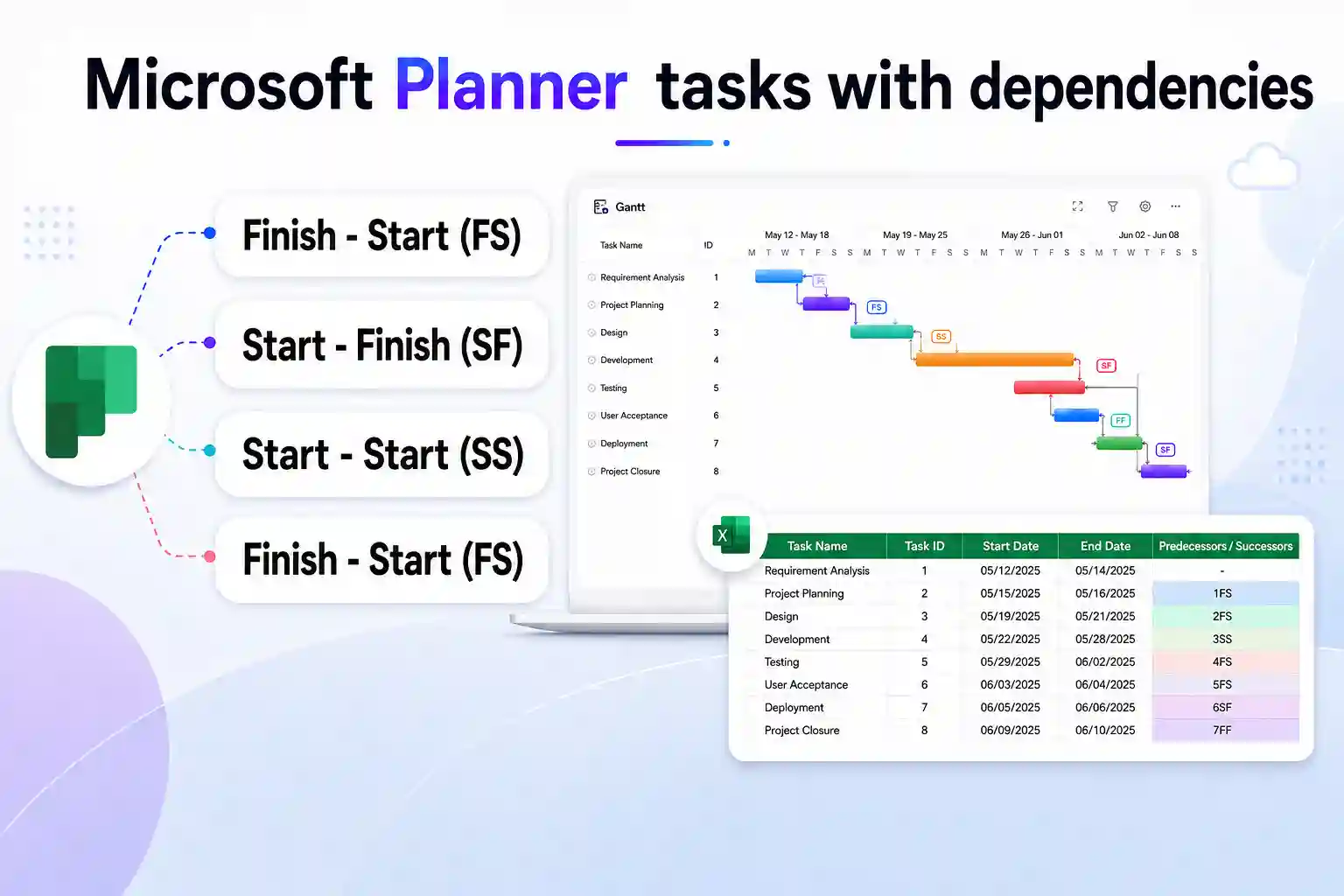
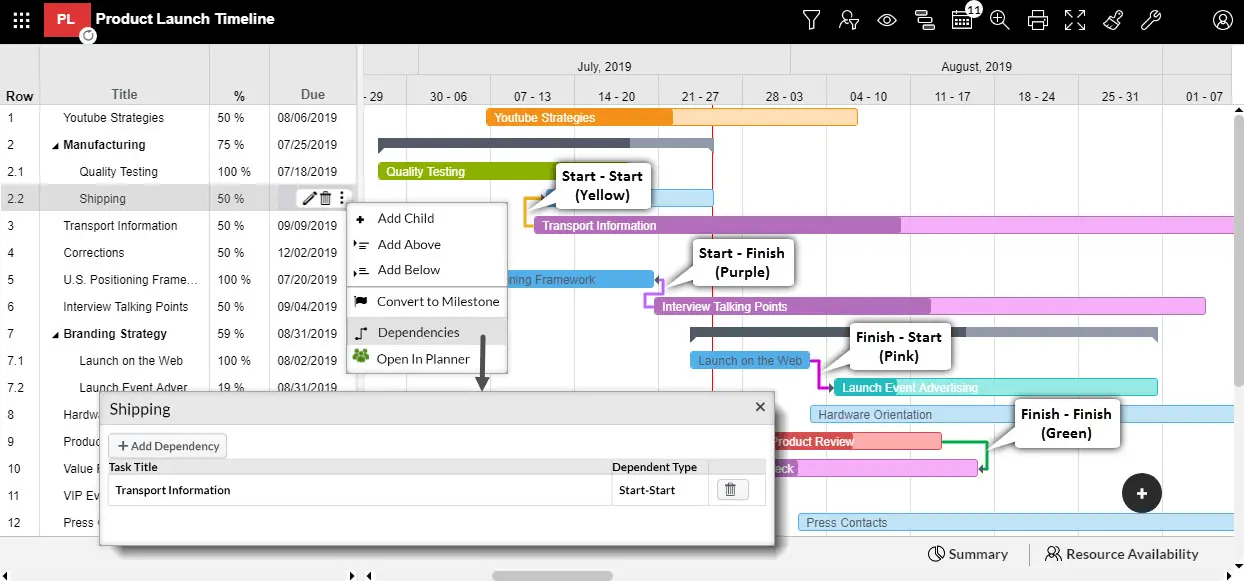
Apps4.Pro Gantt helps you to set dependencies for Planner tasks, so you can set which tasks needs to be completed before starting another task. You can set the following dependencies

  • Finish – Start (FS)
  • Start – Finish (SF)
  • Start – Start (SS)
  • Finish – Finish (FF)

Set dependency from Gantt UI
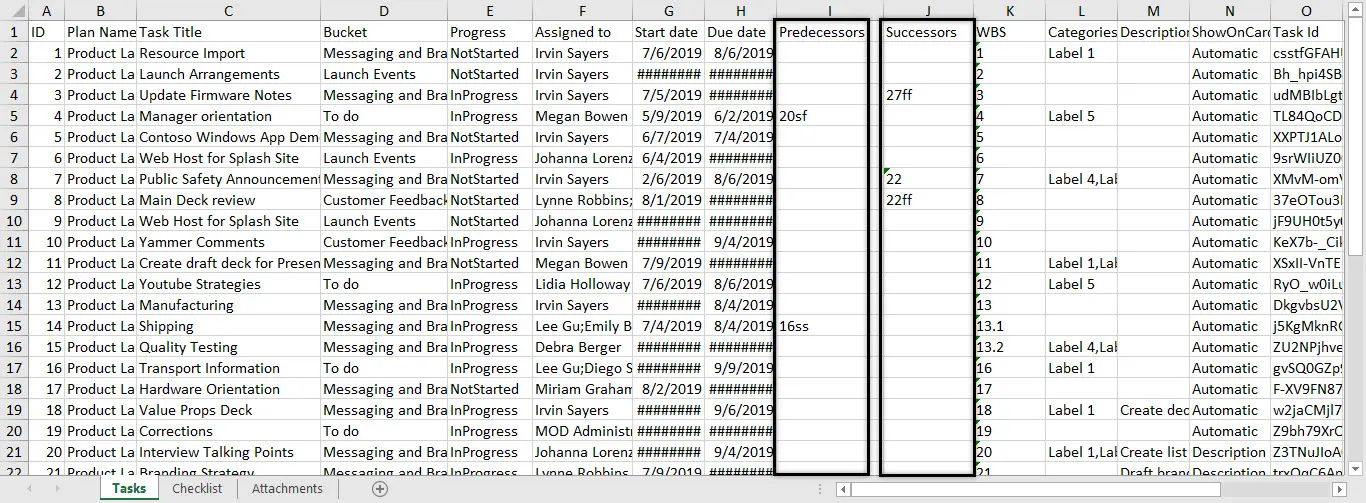
Set dependency from Excel (Available in Planner Manager Chrome Extension)

This will be helpful when you create tasks from scratch. Add a column in Excel for Predecessors / Successors and enter the taskID succeeded by its dependency type (By default it will be considered as Finish – Start). Example: 7SS, 21SF.
For more details visit https://apps4.pro/office365-planner-addin-gantt-chart.aspx

Migrate Everything to Microsoft 365

Exchange Online SharePoint Online OneDrive For Business Microsoft Teams Microsoft Planner Viva Engage (Yammer) Microsoft Bookings Microsoft Forms Power Automate Microsoft Power BI Exchange Online SharePoint Online OneDrive For Business Microsoft Teams Microsoft Planner Viva Engage (Yammer) Microsoft Bookings Microsoft Forms Power Automate Microsoft Power BI
  • No Data Loss
  • Zero Downtime
  • ISO-Certified Protection

Start your free 15-days trial today !


4.5 out of 5

Bot Logo

Apps4.Pro Bot

Hey!👋 Ready to make your Microsoft 365 migration journey easier? Tell me what you’re looking.

What gets migrated?
I have a sales question
I'm here for tech support
Learn about Apps4.Pro



















