


Microsoft Teams is an excellent communication and collaboration tool as it combines all users in your organization to chat, video calls, file storage, and other Office 365 app integration in one place. Microsoft Teams is the widely accepted and adopted tool for enterprises using Office 365.
In some instances, the Teams and its channel needs to migrate from One Office 365 Group to another. It can be in the same tenant or another tenant. Some cases are:
“Move Teams and its Channels for information flow between different departments. “
In the case of company mergers or acquisitions.
In Case 1 – the migration of Teams is between the same tenant but to different Office 365 Group.
In Case 2 – the migration is between 2 different Office 365 tenants.
Apps4.Pro Migration Manager is the pioneer and real migration app for Microsoft Teams, which handles both these cases. This app migrates not only the Chat, Posts, and Files but also migrates Microsoft Planner, Private channel, OneNote, and Wiki data as well. Hence Apps4.Pro serves as the complete migration app.
Apps4.Pro migrates the following components from Microsoft 365 Teams:
- Team creation (Public/Private//EDU Templates)
- Team Settings (including Member settings, Guest settings, Message settings)
- Membership (Owner & Members)
- General, Private, and shared Channels
- Teams Chat (1:1 & Group Chat)
- Meeting Chats & Recordings
- Files Tab
- Planner (Standalone and Tab), OneNote Tab Migration
- Office 365 Tabs.
Apps4.Pro Migration Manager is available as a browser extension in the Microsoft Edge addons store. You can add it from the store to your Edge browser and configure it for migration.
Now let us jump in and see how it works – It works in just three simple steps.
Step 1:
Create new jobs in the app for migration. A job is nothing but the set
of configurations to run at any time.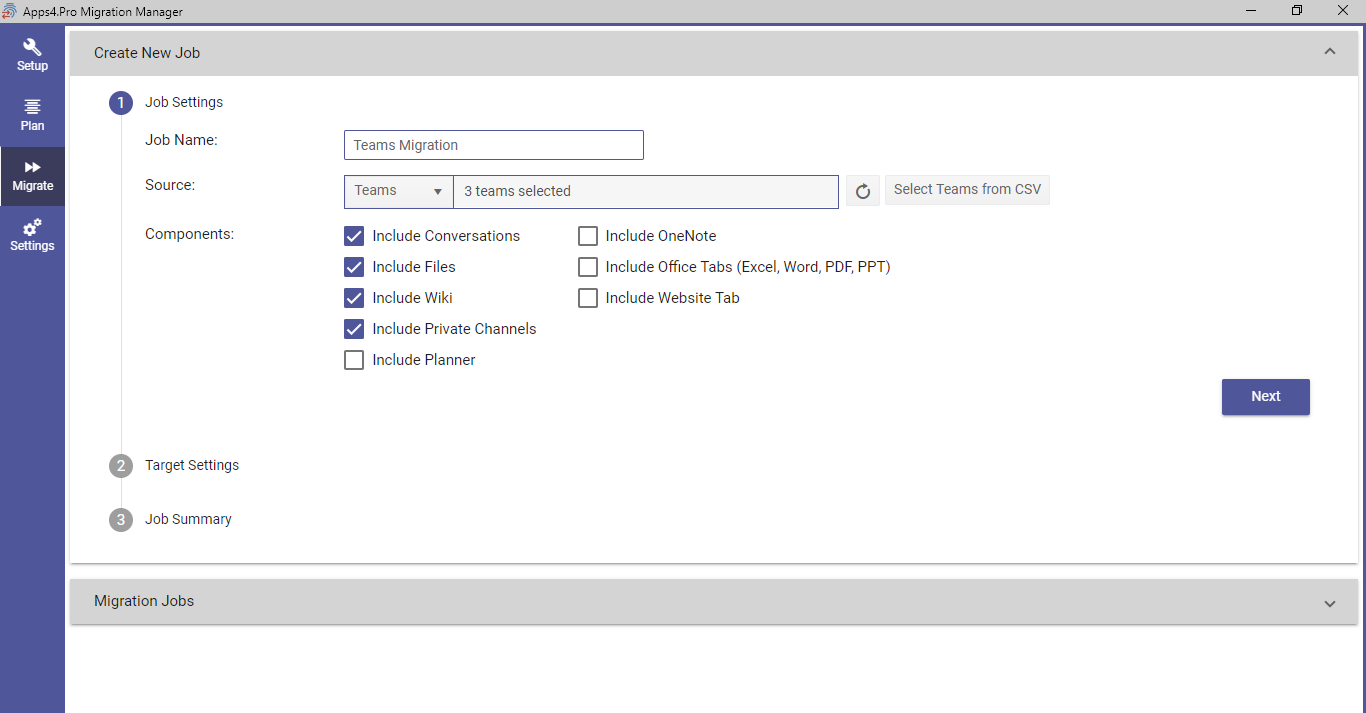
Step 2: Target Tenant Settings
In this step you can decide to create new Office 365 group for your team or can use existing available Group to migrate the Team in the target tenant.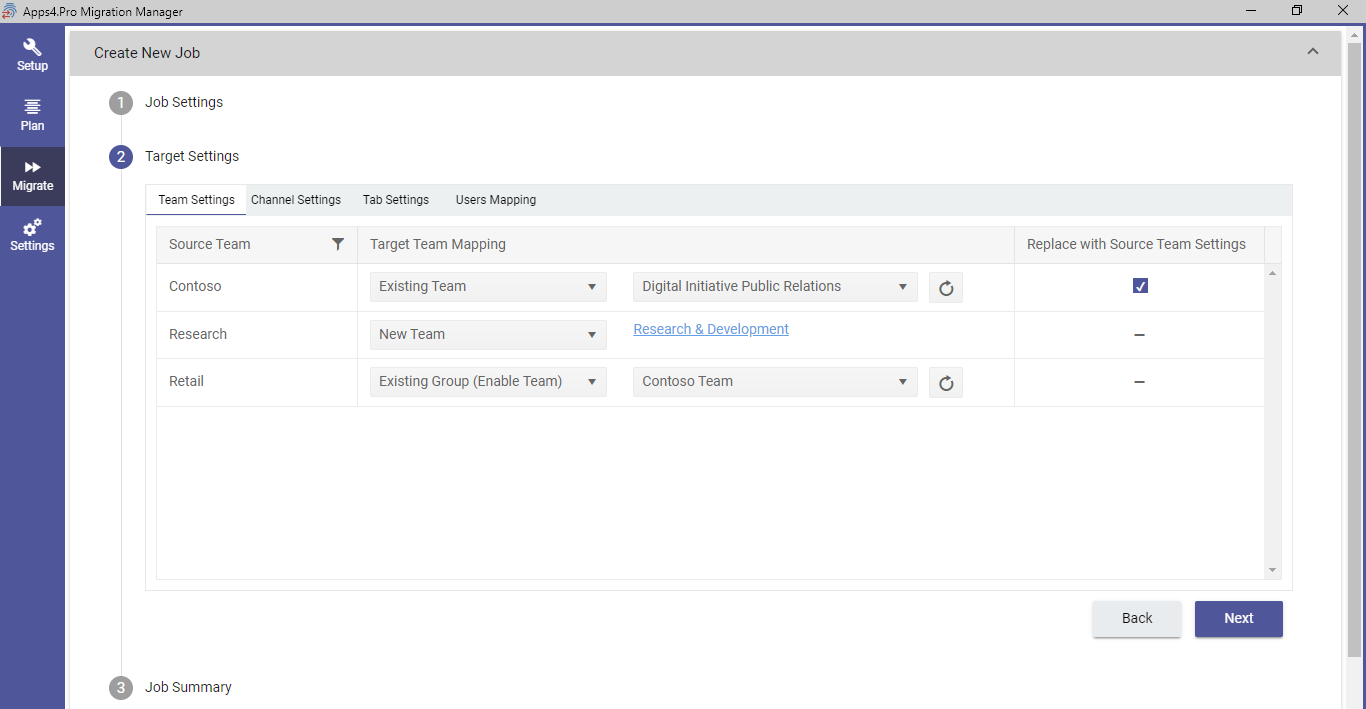
Step 3: Job summary
Now You can start the migration.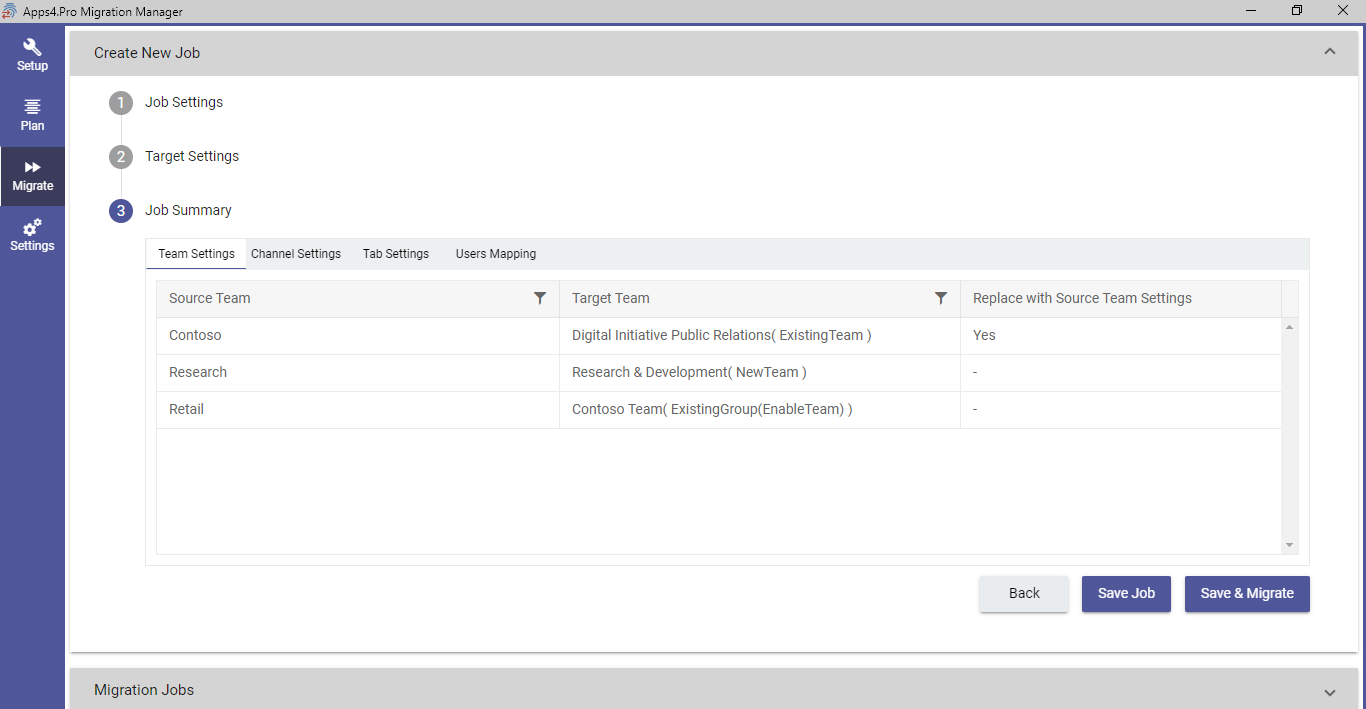
As Microsoft Teams is heavily integrated with useful services; this makes the migration of the Microsoft Teams from one tenant to another tenant tedious. With “Apps4.Pro Migration Manager”, we are making the tedious migration process simple.
Apps4.Pro offers ‘Microsoft Teams Migration’ as a service. For further details, please visit Microsoft Teams Migration tool |Microsoft 365

















 Migrate
 Manage
 Migrate Microsoft 365





 Migrate
 Manage