



Microsoft Planner is the most widely adopted tool for agile task management between set of users (Groups). Due to its easy-to-use nature and mobile app made this app popular even from the frontline workers till the managers for task review and approval.
“Small progress is still progress” – this adage matches Planner app. Microsoft includes new features to this app, but it progresses slowly. One such recent introduction is “File Recommendations”.
Admin center defines this feature as “Planner will recommend related files to attach to your tasks”. Let us dive deep and check what is there.
What are suggested attachments in Planner?
This new Planner feature allows users to quickly add attachments to their tasks from an intelligently curated list of relevant files. The recommendations are based on the task and the user.
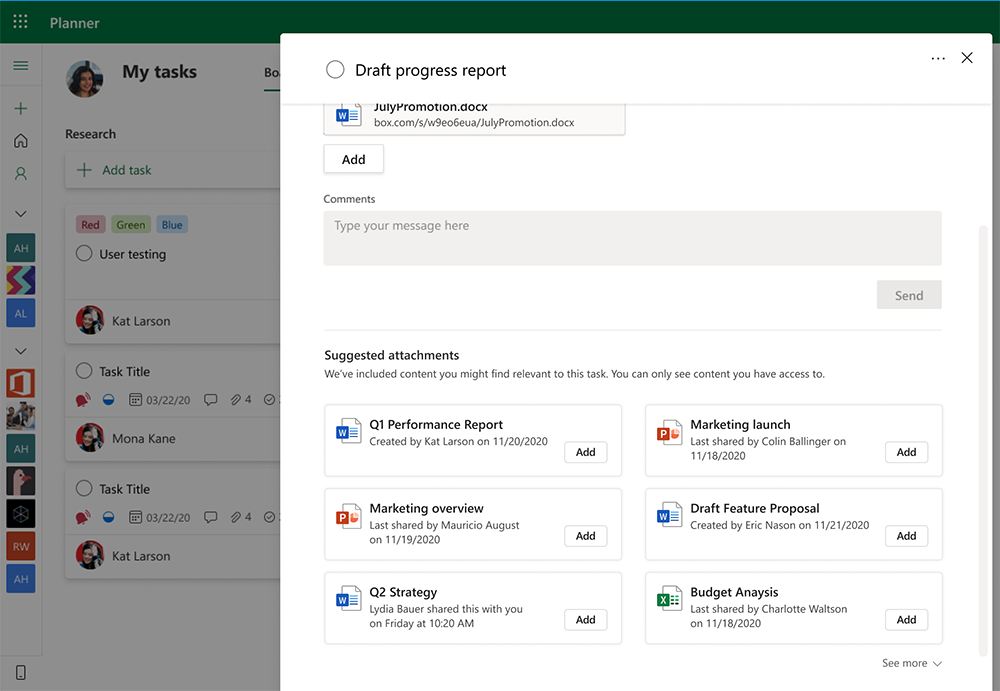
This new feature is now available for all Planner users, and you can find suggested attachments next to comments section in the task edit window.
Where do these suggested files come from?
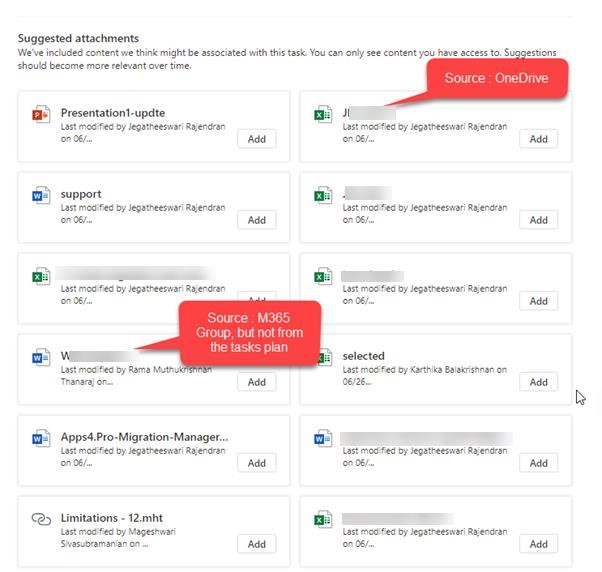
- Files stored in the SharePoint document library associated with all plans you are member of.
- Files available in OneDrive
PS: It would be a welcome move if the Planner clearly suggests the source of each file displayed as suggestions.

















 Migrate
 Manage
 Migrate Microsoft 365

