


- What Is Microsoft Viva Insights?
- How Microsoft Viva Insights Works
- Key Features of Microsoft Viva Insights
- Benefits of Microsoft Viva Insights for Organizations
- Microsoft Viva Insights Use Cases
- Microsoft Viva Insights Licensing & Availability
- Integration of Microsoft Viva with Microsoft 365
- Final Thoughts: Is Microsoft Viva Insights Worth It?
- Frequently Asked Questions
In today’s fast-paced digital workplace, productivity, employee well-being, and data-driven decision-making are more important than ever. Microsoft Viva Insights is designed to help organizations improve work patterns, reduce burnout, and drive smarter business outcomes using real-time workplace analytics.
In this complete guide, you’ll learn what Microsoft Viva Insights is, how it works, its key features, benefits, use cases, pricing overview, and frequently asked questions—specifically for Microsoft 365 users.
What Is Microsoft Viva Insights?
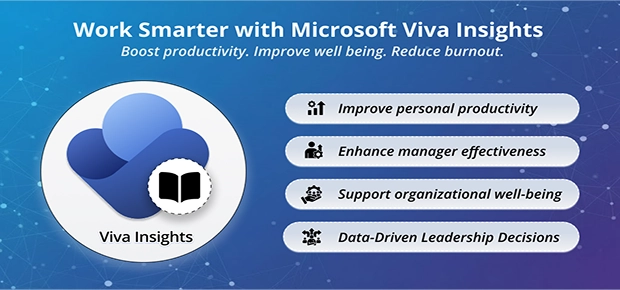
Microsoft Viva Insights is a data-driven employee experience and productivity analytics tool within the Microsoft Viva employee experience platform. It uses anonymized data from Microsoft 365 services like Outlook, Teams, and SharePoint to provide actionable insights into how people work.
Its main goal is to:
- Improve personal productivity
- Enhance manager effectiveness
- Support organizational well-being
- Enable leadership decision-making with data
Viva Insights was formerly known as MyAnalytics and Workplace Analytics, now unified into a single intelligent insights platform.
How Microsoft Viva Insights Works
Microsoft Viva Insights analyses collaboration signals from Microsoft 365 (emails, meetings, chats, calendar activity) while maintaining strict privacy controls. The platform delivers insights at four levels:
- Personal insights – For individual employees
- Manager insights – For team leaders
- Leader insights – For business decision-makers
- Advanced insights – For HR and analysts using Power BI
All data is either private to the user or aggregated and anonymized for leadership reporting.
Key Features of Microsoft Viva Insights
1. Personal Productivity & Well-Being Insights
Employees receive private dashboards inside Microsoft Teams and Outlook that show:
- Focus time vs. meeting time
- After-hours work patterns

Image Courtesy: Microsoft InsideTrack - Collaboration habits
- Well-being reminders like breaks and reflection

Image Courtesy: Microsoft Adoption
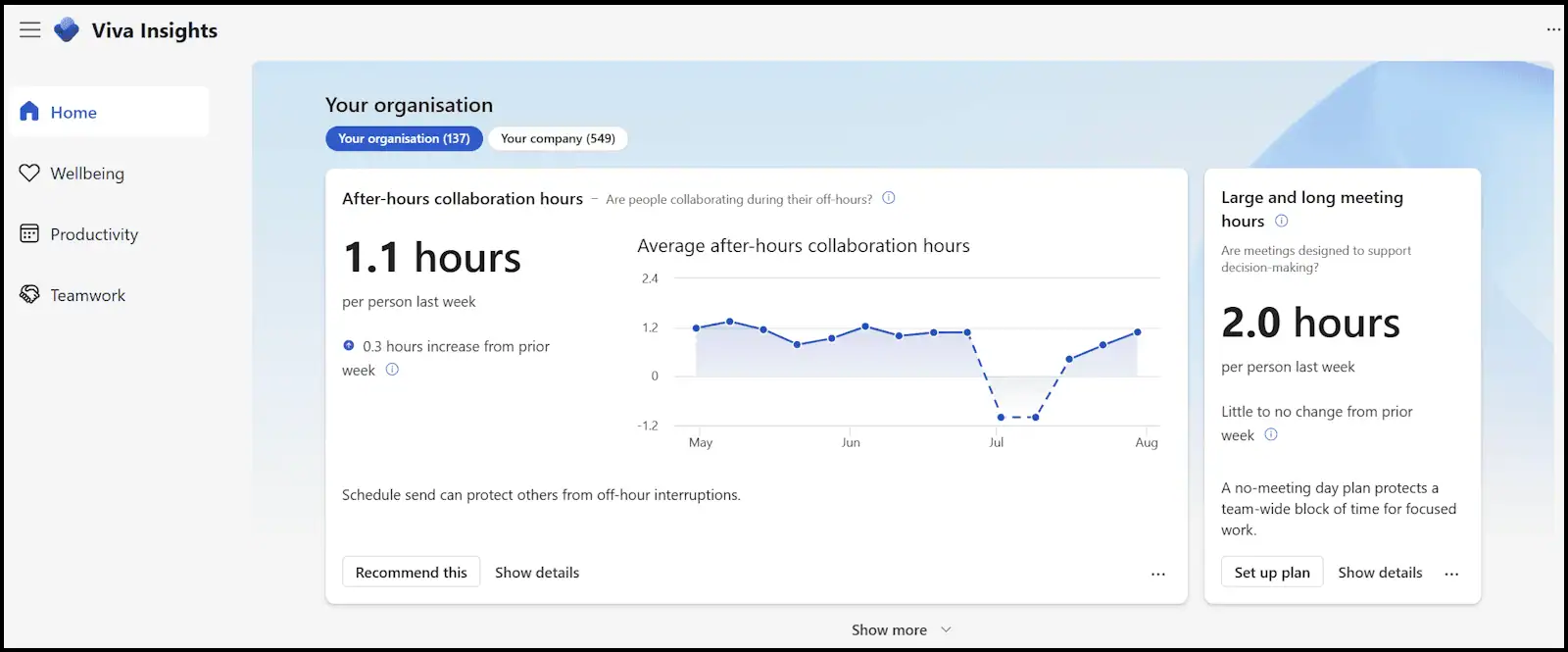
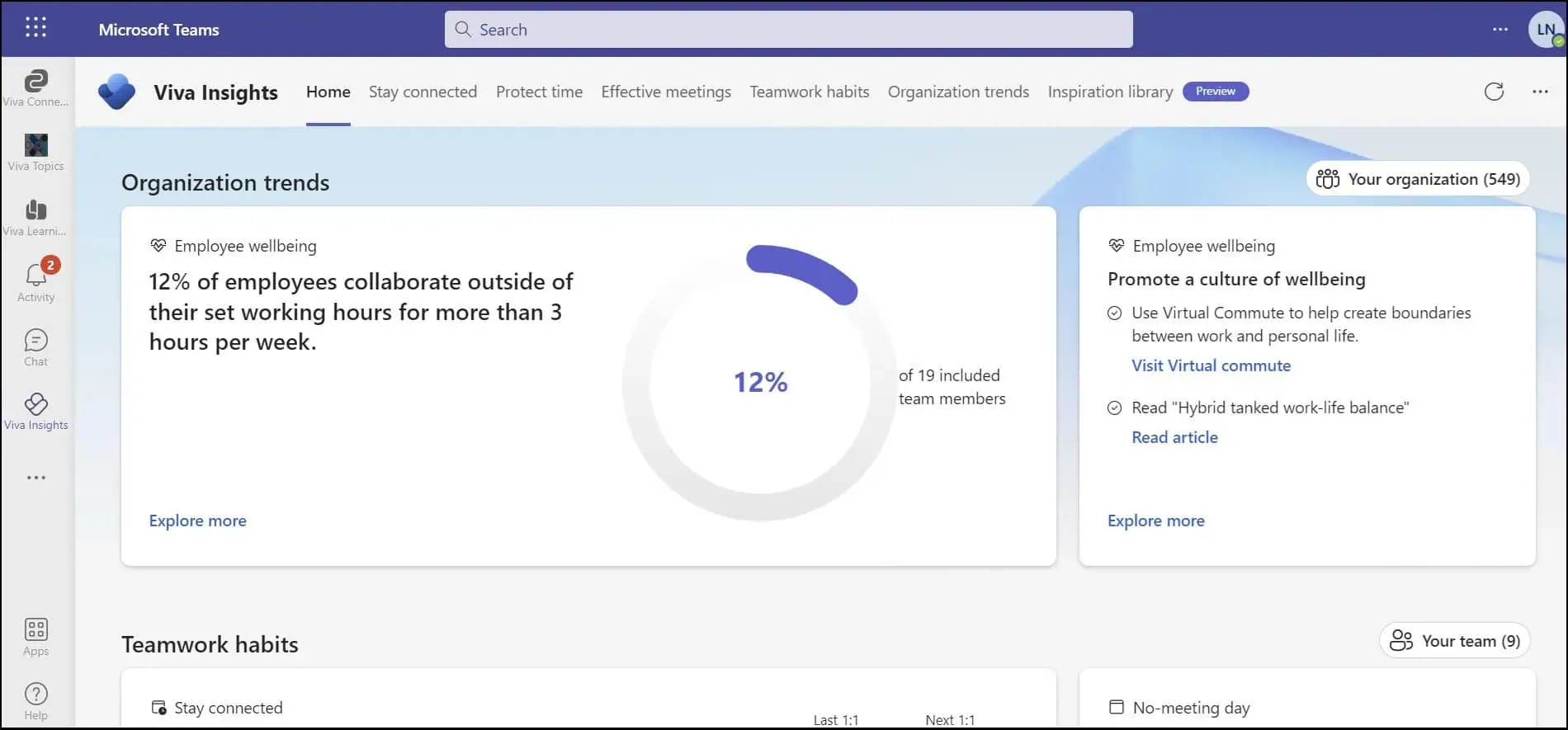
These insights help individuals build healthier work habits without sharing personal data.
2. Manager Insights for Team Effectiveness
Managers can view aggregated insights about their teams, such as:
- Workload balance
- Meeting overload
- Collaboration trends
- Burnout risk indicators
This enables better resource planning, workload distribution, and employee engagement.
3. Leader Insights for Executive Decision-Making
Senior leaders get access to organization-wide trends, such as:
- Hybrid work effectiveness
- Cross-team collaboration
- Email and meeting culture
- Change adoption metrics
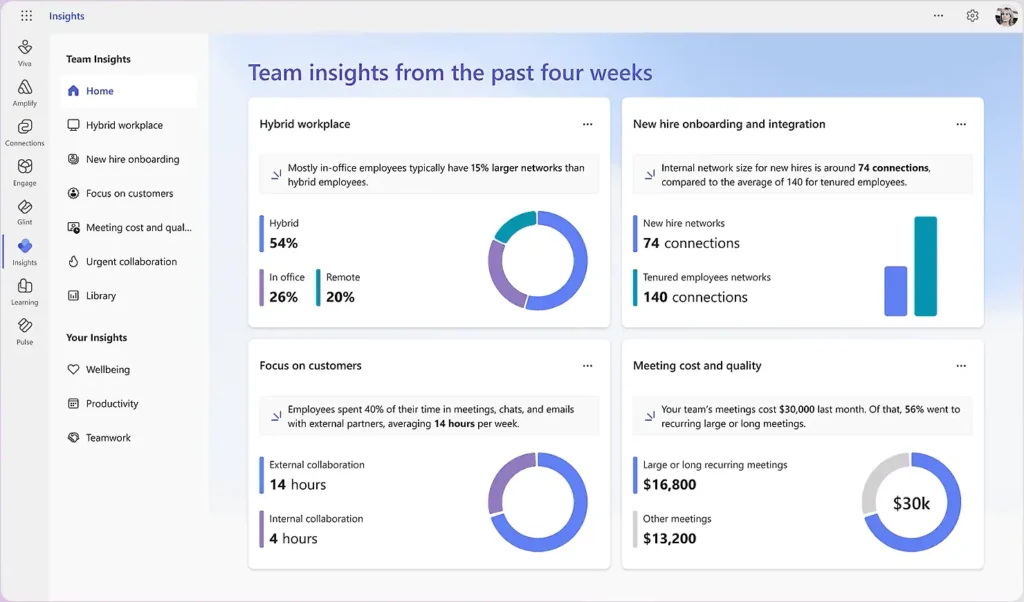
Image Courtesy: Microsoft Dot Com
These insights support strategic workforce planning and digital transformation initiatives.
4. Advanced Insights with Power BI
For HR, analytics teams, and transformation leaders, Advanced Insights provides:
- Customizable datasets
- Organizational network analysis (ONA)
- Trend forecasting
- Deep workforce analytics using Power BI
This is ideal for enterprise-level decision-making and large-scale workforce optimization.
5. Built-in Employee Privacy & Data Protection
Microsoft Viva Insights is designed with privacy by default:
- Personal insights are visible only to the individual
- Manager and leader reports show aggregated, anonymized data
- No employee-level activity tracking is shared with management
- Fully compliant with Microsoft 365 security and compliance standards
Benefits of Microsoft Viva Insights for Organizations
Using Microsoft Viva Insights delivers multiple business benefits:
✅ Improved employee productivity
✅ Better work-life balance and reduced burnout
✅ Data-driven workforce decisions
✅ Healthier meeting and collaboration culture
✅ Stronger hybrid and remote work strategies
✅ Enhanced employee engagement and retention
For HR and leadership teams, Viva Insights becomes a strategic planning tool, not just a reporting dashboard.
Microsoft Viva Insights Use Cases
Microsoft Viva Insights is widely used across industries for:
- Hybrid workforce management
- Digital workplace transformation
- Employee wellness programs
- Change management & adoption tracking
- Leadership productivity optimization
- Burnout risk assessment
- Meeting culture improvement
It is especially valuable for organizations that rely heavily on Microsoft Teams, Outlook, and remote collaboration tools.
Microsoft Viva Insights Licensing & Availability
Microsoft Viva Insights includes multiple licensing options:
- Microsoft 365 Business Premium
- Microsoft 365 E3 and E5
- Viva Insights Add-on Plans
Basic personal insights are available to many Microsoft 365 users, while manager, leader, and advanced insights require additional licensing.
Organizations can scale Viva Insights deployment based on:
- Employee size
- Analytics depth
- HR and leadership reporting needs
Integration of Microsoft Viva with Microsoft 365
Microsoft Viva Insights seamlessly integrates with:
- Microsoft Teams
- Outlook
- SharePoint Online
- Power BI
- Other Microsoft Viva modules like Viva Connections, Viva Learning, and Viva Goals
This creates a unified employee experience platform directly inside Microsoft 365.
Final Thoughts: Is Microsoft Viva Insights Worth It?
Microsoft Viva Insights transforms raw Microsoft 365 activity data into meaningful, privacy-safe productivity and well-being insights. For organizations focused on employee engagement, hybrid work success, and data-driven leadership, Viva Insights is no longer optional—it’s essential.
Whether you’re a Microsoft 365 administrator, HR leader, or business decision-maker, Viva Insights offers the tools needed to build a smarter, healthier, and more productive workplace.

















 Migrate
 Manage
 Migrate Microsoft 365








