


When cutover weekend started, everything looked under control.
The plan was signed off. The waves were agreed. Your team had tested the Power BI migration in a sandbox tenant. It felt predictable.
By Monday morning, it wasn’t.
The sales director couldn’t access her revenue dashboard. Finance said the numbers looked wrong. An operational refresh hadn’t run since Friday.
Nothing exploded, but the gaps were obvious.
But the real issue didn’t begin during the cutover.
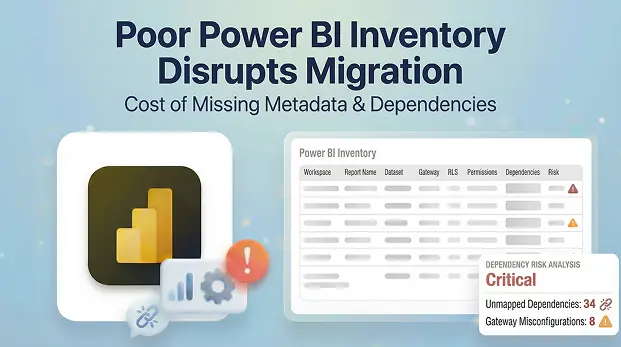
It began earlier, when the Power BI pre-inventory never went deep enough to expose the data sources, gateway bindings, dependencies, refresh configurations, permission and Row-Level Security (RLS) rules underneath.
The migration didn’t surprise you.
The missing visibility did.
- The Power BI Migration That Looked Simple (Until It Wasn’t)
- Where Poor Power BI Inventory Shows Up in Real Life
- The Real Culprit: Missing Metadata and dependencies
- How Permission Gaps Become Trust Problems
- How Missing Metadata Quietly Undermines MSP Margins
- Turning Inventory from Internal Task to Billable Product
- Where Apps4.Pro Fits In
The Power BI Migration That Looked Simple (Until It Wasn’t)
On paper, the tenant looked manageable.
A few hundred Power BI workspaces. Several thousand reports and datasets. Nothing unusual.
You exported the workspace list and reviewed admin views. It felt like a “good enough” picture.
Your Power BI migration inventory focuses on counts and names, not relationships or dependency chains.
But inside the tenant, complexity was layered.
A “simple” report depended on a shared dataset feeding five teams. A small workspace held the only financial model with complex RLS. A gateway used by “just a few reports” powered a mission-critical dashboard.
None of this appeared in your surface-level Microsoft Power BI inventory.
Because the dependency chain: report → dataset → data source → gateway → permissions was never mapped, you walked into migration with blind spots.
Blind spots rarely show up in planning meetings – they surface during execution.
They show up after the cutover.
Where Poor Power BI Inventory Shows Up in Real Life
Poor inventory doesn’t fail loudly.
It creates small but persistent operational issues.
A dataset moves, but gateway bindings weren’t fully captured. Credentials don’t align. The refreshing fails silently.
Reports are open. But the numbers haven’t been updated.
That’s when support queries begin
Then comes permissions issues. An admin loses access. A business team can’t edit content. Another group sees more data than they should because RLS didn’t transfer exactly.
You followed the Microsoft Power BI migration plan.
But the plan was built on incomplete visibility.
The Real Culprit: Missing Metadata and dependencies
Most Power BI pre-migration inventories capture:
- Workspace names
- Report counts
- Dataset counts
That creates a directory.
It does not create intelligence.
What’s missing is relationship mapping:
- Which reports rely on which shared datasets
- Which datasets connect to which gateways
- Which gateways serve critical refresh chains
- How RLS roles are structured and inherited
- How permissions flow across apps, service principals, and embedded scenarios
Without that metadata layer, some dependencies may be overlooked
You aren’t just migrating reports.
You’re migrating to live, interconnected data ecosystem.
Moving the ecosystem without mapping its relationships can lead to unexpected issues.
How Permission Gaps Become Trust Problems
Access issues after migration may cause temporary confusion for stakeholders
“I can’t see my report.”
Access issues after migration look like governance failure, not a small technical oversight.
Most of these issues are preventable.
When permissions are inventoried at workspace, dataset, and report level before migration:
- Access roles can be mapped deliberately
- RLS configurations can be validated
- Admin and service principal access can be confirmed
- App audiences can be tested
The result?
Fewer support tickets.
Fewer escalations.
Fewer late-night remediation sessions.
The Power BI migration feels quiet.
And quiet migrations feel competent.
How Missing Metadata Quietly Undermines MSP Margins
Poor Power BI inventory creates total failure
It creates unplanned effort.
- Extra troubleshooting hours.
- Consultants pulled off billable projects.
- Rework that wasn’t priced into the scope.
Internally, your team says:
“We keep getting surprised.”
Externally, the client says:
“The migration had issues.”
They don’t remember undocumented RLS roles or hidden gateway dependencies.
They remember instability.
That’s the true cost of missing metadata.
It can introduce additional responsibility and potential cost to your before cutover.
Because the right metadata upfront is what protects your delivery margin later.
delivery plan
And once you’ve committed to timeline and price, that risk becomes yours to absorb.
Turning Inventory from Internal Task to Billable Product
This is where forward thinking MSPs shift the model.
Instead of treating Power BI inventory as a hidden internal step, they productize it.
Not as “discovery.”
Not as “prep work.”
But as a structured, billable pre-migration assessment.
A defined service with:
- Tenant wide dependency mapping
- Gateway and refresh analysis
- Permission and RLS validation
- Usage and critical visibility
- Risk classification before scope commitment
Now you’re not just moving workspace.
You’re providing clarity.
That changes commercial conversation.
You price visibility.
You explain scope with evidence.
You quantify risk before committing delivery timelines.
And that protects margins before the first object moves.
Where Apps4.Pro Fits In
This is the gap Apps4.Pro Migration Manager is designed to close. It helps teams build a complete, tenantwide view of their Power BI environment before migration, including dependencies, gateways, permissions, and refresh paths.
Instead of discovering issues after cutover, risks are visible early. And when the metadata is clear from the start, migrations tend to stay quieter, smoother, and far easier to deliver.

















 Migrate
 Manage
 Migrate Microsoft 365








