


What is new in Apps4.Pro Migration Manager v1292? With this release, we are happy to announce the following capabilities to the application.
- Group mailbox migration.
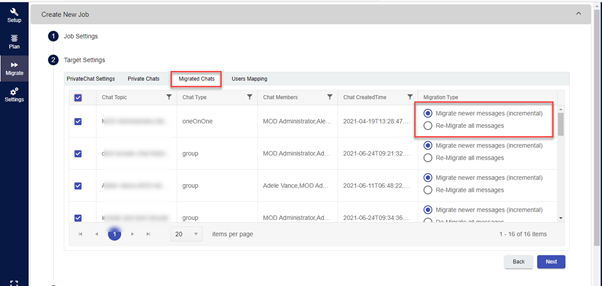
- Select the chats to be migrated in Personal chats.
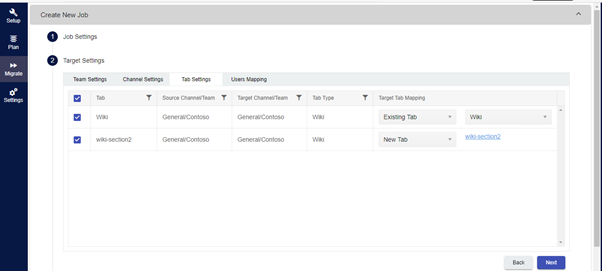
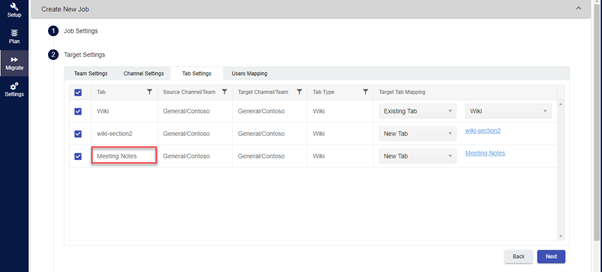
- Migrate multiple Wiki tabs in the Teams channel.
- Migrate Meeting notes.
When a Group migration job is created, you can include the mailbox and the migration in addition to the Group and its plan.
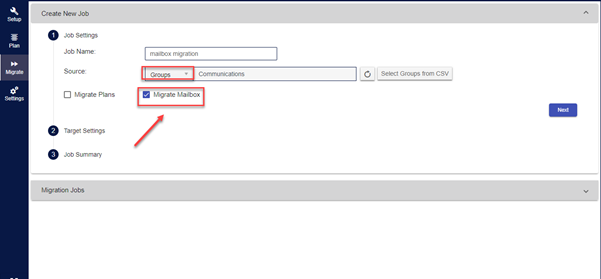
What is supported in Group mailbox migration?
Supported:
- Date time
- Subject
- Body
- Size
- Item Class
- Attachments
- Importance
Not Supported:
- Sensitivity
- Exceptions for recurring meetings
Personal chats migration
We have introduced a separate tab to show the previously migrated data, which helps you find the previously migrated chats, you can migrate the migrated chats or you can also do incremental migration from this tab.
Migrate multiple Wiki tabs in a channel
Previously Apps4.pro Migration manager supports migration single wiki tab in Teams. Now we support multiple wiki tabs in Teams channel in migration. The application will deftly discover whether the Wiki tab is available in the target tenant and if available it will map it otherwise create a new tab.
Meeting notes
Migrate ‘Meeting Notes’ tab in Teams as the part of the migration.
Why Apps4.Pro Migration Manager?
Apps4.pro Migration Manager app is a great application to move the Office365 workloads from one tenant to another tenant without stress. This app turns successfully from the beginning because of its unique features, many consultants and customers using this app and traveling the functionality quite easily. The application helps you effectively migrate the Office365 data between two Office 365 tenants or manage the Teams within the same tenant.
With this release, we are moving a step ahead in delivering the complete solution for your Office365 migration. Soon we will support the migration of the SharePoint Online and Exchange online.
Convinced? Try 15 days free trial right now! – https://apps4.pro/microsoft-teams-migrator/#freetrial
Still unconvinced? Read more to know what to expect in the upcoming releases of the application?
Our R&D and Team are working sleeplessly to introduce the support for new workloads to migrate. In the coming months, we will support the following workloads migration.
- Power platform (Power Automate and Power BI)
- Project online
- Microsoft Bookings
- Microsoft Shifts
- Whiteboard in teams
- Teams rooms
Click to chat with our product experts with your questions via Microsoft teams
You are in good company – Apps4.Pro (JiJi Technologies Private Limited) is a Microsoft Gold Application Development Partner and Microsoft Preferred SharePoint application development partner.
About Apps4.Pro Migration Manager
Apps4.Pro Migration Manager is the only provider in the Tenant-to-Tenant Migration market offering seamless migration for Power BI, Power Automate, Viva Engage, Teams User Chat, Teams Education, Microsoft Forms, and Bookings. It also supports migrations for Exchange Online (EXO), SharePoint Online (SPO), Teams, OneDrive for Business (ODB), and Planner. The app includes a 15-day free trial.
To surf through the frequently asked questions, please visit the Support Portal
Write to us at sales@apps4.pro to know more.
















