


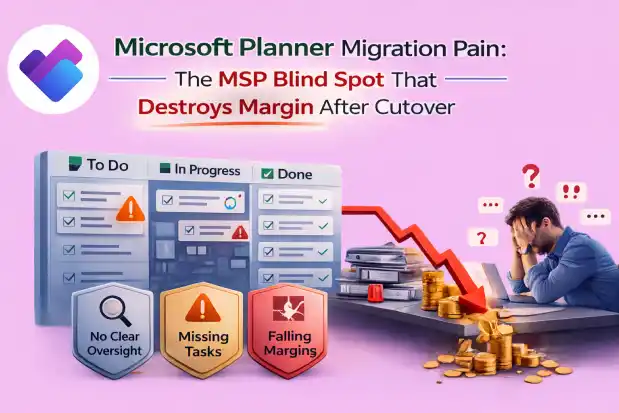
If you’re an MSP, Planner rarely causes problems during discovery.
It creates escalations after cutover.
That moment when users log in and say:
“Where’s my board?”
And suddenly, your clean migration plan turns into emergency remediation.
Skipping proper Microsoft Planner pre-inventory isn’t saving time.
It’s choosing to fly blind into a workload that quietly runs real business operations.
Planner isn’t a sticky note app.
It’s embedded inside projects, onboarding, audits, campaigns, and leadership tracking across your client’s tenant.
And if you don’t see it fully before migration, you’ll feel it later.
What’s Actually Hiding Inside Planner
When your “ M365 Planner inventory” is just a list of plan names, this is what you’re missing:
- Personal plans tied to user accounts
Leadership and managers often run critical initiatives in personal boards. If the account changes, the board disappears from visibility.
- Orphaned plans from deleted users
The employee is gone. The plan remains. No ownership trail. No documentation. Still in use.
- Plans buried inside Microsoft 365 Groups
Miss the Group, and you silently miss every plan attached to it.
- Attachments scattered across SharePoint
One board can reference multiple sites and libraries. After migration, users click tasks and see “File not found.”
- Planner tabs inside Teams
Move Teams without mapping Planner correctly and tabs open to empty or mismatched boards.
- Power Automate flows connected to Planner
Plan IDs change. Connections break. Flows fail quietly. Work stalls with no obvious error.
- Archived Teams still hosting live plans
“Old project” Teams often contain active boards users still rely on.
- Tasks assigned to deleted users
After migration, no one owns the backlog, but the business still expects progress.
- Lost checklists, comments, and activity history
If you don’t inventory deeply, you don’t just lose tasks you lose decision trails.
None of this shows up in a surface-level discovery call.
Why “We’ll Script It” Doesn’t Fix the Problem
Most MSPs try the same workaround:
“We’ll use Graph API and PowerShell.”
In reality:
- One engineer maintains the script.
- You export CSVs and stitch data together.
- You manually validate random boards.
- You still don’t get a migration-ready, consolidated view.
Hard limits:
- Slow and labour-intensive.
- Fragile if the script owner leaves.
- Often misses checklist detail, comments, labels, and activity history.
- Doesn’t automatically flag ownerless or risky plans.
You end up with partial visibility not true Microsoft 365 Planner inventory.
And partial visibility is what creates post-cutover pain.
What It Actually Feels Like When You Skip Planner Inventory
You’ve probably experienced this:
Go-live week becomes emergency week.
Your team rebuilds boards, remaps tabs, fixes attachments under pressure.
Support tickets spike immediately.
Missing boards. Blank Teams tabs. “My tasks are gone.”
Your project plan collapses.
Instead of validating, you’re reverse-engineering Planner usage after migration.
Margin erodes 10–25%.
Unplanned remediation hours aren’t recoverable.
Client confidence drops.
One missing high-visibility board leads to:
“If you missed this, what else did you miss?”
That question changes everything.
This isn’t poor execution.
It’s predictable when Planner wasn’t mapped properly upfront.
What Planner Pre-Inventory Should Actually Include
If Planner exists in the tenant, it deserves its own discovery phase.
A non-negotiable MSP-level inventory should give you:
Complete Plan Discovery
Every group and personal plan across HR, IT, Marketing, Sales, Finance, Leadership without relying on users to remember what exists.
Ownership & Risk Visibility
Owners, co-owners, ownerless plans, and plans tied to deleted or inactive users clearly flagged.
Full Task-Level Detail
Tasks, descriptions, checklists, labels, comments, statuses, and timelines so you know which boards are business-critical.
Dependency Mapping
SharePoint storage paths, Teams tabs, and Power Automate connections surfaced before migration.
One Migration-Ready Export
A consolidated dataset your team can use for scoping, pricing, mapping, execution, and validation.
With this clarity, Planner becomes predictable instead of reactive.
The Simple Rule for MSPs
If Planner exists in the tenant, it is not “small.”
The rule is simple:
- Inventory first.
- Map ownership and dependencies.
- Then migrate.
That’s the difference between:
“We survived that project.”
And:
“We’re proud to show this migration in our next sales call.”
Where Apps4.Pro Migration Manager Changes the Story
As an MSP, you can’t afford to guess what’s inside Planner.
Apps4.Pro Migration Manager gives you:
- Automatic tenant-wide Planner discovery (group + personal plans)
- Ownerless and risky plans flagged
- Deep task-level insight (checklists, comments, labels, statuses)
- Dependency visibility across Teams, SharePoint, and Power Automate
- A structured, migration-ready Planner inventory report
Instead of scripts and assumptions, you walk into migration with facts.
You scope accurately.
You reduce post-cutover surprises.
You protect margin.
You protect credibility.
Planner will always be messy if you only meet it at cutover.
See it fully before you move anything and your migrations stay controlled, professional, and predictable.

















 Migrate
 Manage
 Migrate Microsoft 365








