


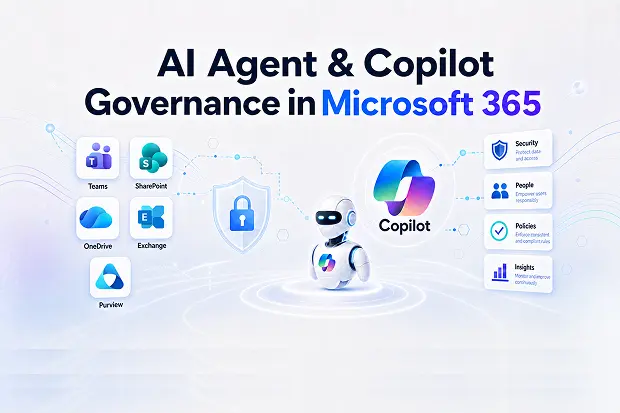
Copilot Without Governance Is A Risk Multiplier
AI agents and Microsoft 365 Copilot can make daily work faster, smarter, and far more productive. But without proper governance, the same tools can expose sensitive content, expand access risks, and create security blind spots across Microsoft 365.
That is why agentic AI governance is no longer optional. As Copilot, Copilot Studio, and custom AI agents become part of everyday work, every organization needs a clear plan to control who can build, use, share, and manage them.
Good governance does not slow innovation down. It gives organizations the confidence to adopt AI in a way that is secure, compliant, and aligned with business goals.
Why AI Agent Governance Matters In Microsoft 365
AI agents in Microsoft 365 do more than answer prompts. They can surface information, connect to business systems, automate tasks, and act on behalf of users across connected environments.
That power is exactly why governance matters. If permissions are messy, data is overshared, or agent creation is left unchecked, AI can magnify existing security and compliance issues instead of solving them.
Without strong AI agent governance, organizations often face issues such as:
- Sensitive files becoming easier to discover through Copilot and Microsoft 365 search experiences.
- Unapproved agents being created without ownership, monitoring, or lifecycle controls.
- Limited visibility into what agents can access, which connectors they use, and how they behave over time.
With the right governance model in place, organizations can:
- Define clear ownership and accountability for every agent.
- Apply security and compliance controls consistently across Copilot and custom agents.
- Reduce risk while still enabling teams to innovate with AI.
Governance Reality Check
A Governance Reality Check can be positioned as a focused workshop that helps customers:
- Review how Copilot and AI agents are being used today.
- Identify oversharing risks, ownership gaps, and ungoverned automation.
- Prioritize cleanup steps before a broader AI rollout, following Microsoft’s secure and governed data foundation blueprint for Microsoft 365 Copilot.
Key Risks: Oversharing, Shadow Agents, And Orphaned Automation
One of the biggest challenges in Microsoft 365 is that AI does not create permission problems on its own. It exposes and accelerates the problems that already exist.
If outdated SharePoint permissions, broad Teams access, or poorly governed content already exist, Copilot can make that information easier to find and use. The result is often oversharing at a scale which many organizations may not expect.
Some of the most common risk patterns include:
- Oversharing at scale
- Old or overly broad permissions in SharePoint and Teams become more visible when AI can summarize and surface content quickly.
- Forgotten files, legacy sites, and stale collaboration spaces may suddenly become business risks again.
- Shadow agents
- Users or makers may build Copilot Studio agents in environments with limited oversight.
- Those agents may connect to business data, trigger workflows, or use connectors that have not gone through proper review.
- Orphaned automation
- Agents often outlive their original owners if no lifecycle process is in place.
- When ownership is unclear; support, updates, audits, and decommissioning become much harder.
AI Risk Radar
You can plan an AI Risk Radar assessment, which can be framed as a practical service that helps customers:
- Inventory Copilot and AI agents across Microsoft 365.
- Highlight risky connectors, exposed content paths, and missing ownership.
- Build a remediation roadmap aligned to Microsoft security and governance recommendations.
Governance Building Blocks In Microsoft 365
|
Area |
Key capability |
Where to manage |
|---|---|---|
|
Permissions and access |
Control what Copilot can surface by fixing access and permission boundaries. |
Microsoft 365 admin center, SharePoint, Teams. |
|
Agent inventory |
Track and manage agents across the tenant. |
Emerging Microsoft 365 admin tools and related admin experiences. |
|
Data security |
Protect sensitive content with labels, DLP, and related controls. |
Microsoft Purview and connected compliance tools. |
|
Copilot Studio controls |
Apply environment strategy, ALM, and governance guardrails. |
Copilot Studio and Power Platform admin tools. |
|
Monitoring and observability |
Review usage, policy coverage, and security signals over time. |
Copilot Control System, Purview, Sentinel. |
Microsoft provides a strong foundation for agentic governance across Microsoft 365, Copilot, and Copilot Studio. These capabilities help organizations manage AI securely, but they work best when paired with a clear operating model and ongoing governance discipline.
Agent Governance Blueprint
An Agent Governance Blueprint can be a strong publish-ready service concept for customers that want structure without delay.
This can include:
- Discovery of existing Copilot and AI agent usage.
- Risk analysis for permissions, data exposure, and connectors.
- Governance model design with zones, ownership, and lifecycle standards.
- Implementation planning using Microsoft native controls and other third party tools.
Native governance capabilities
Designing An Agentic Governance Model For Copilot And Agents
A successful AI rollout needs more than technical controls. It needs a governance model that is clear, repeatable, and easy for both IT teams and business users to follow.
A practical approach includes the following steps:
1. Define governance zones
Not every agent carries the same level of risk. Microsoft guidance supports structured governance approaches that separate low-risk experimentation from sensitive or business-critical use cases.
Typical zones may include:
- A sandbox or innovation zone for low-risk experimentation with limited connectors.
- A business zone for department-level agents with approved use cases and controlled data access.
- A mission-critical zone for agents handling sensitive data or acting more directly on behalf of users.
2. Standardize lifecycle management
Every AI agent should have an owner, a defined purpose, and a process for review. That includes approvals, change tracking, support expectations, and retirement steps when the agent is no longer needed.
Strong lifecycle management should include:
- A clear intake and approval model.
- Mandatory ownership and backup ownership.
- Documentation for connectors, use cases, and data sources.
- Retirement and reassignment workflows tied to employee or business changes.
3. Enforce data and connector policies
Data access should always match business need. Governance policies should control which environments, connectors, and content sources each class of agent can use.
That often means:
- Restricting high-risk connectors.
- Applying DLP and sensitivity labels consistently.
- Limiting access to trusted data sources only.
4. Monitor and improve continuously
Governance is not a one-time setup. AI environments change quickly, which means controls, policies, and reviews need to keep evolving too.
Ongoing governance should include:
- Monitoring agent activity and usage trends.
- Reviewing audit data and investigating unusual behavior.
- Updating controls as new agents, connectors, and business needs emerge.
Learn More: Recommended Microsoft Resources
For readers who want to explore this topic further, these official Microsoft resources are useful starting points:
- Data, privacy, and security for Microsoft 365 Copilot
- Secure and governed data foundation for Microsoft 365 Copilot
- Copilot Control System security and governance
- Governance and security best practices overview for Copilot Studio
- Microsoft Copilot Studio guidance documentation
- Phase 2: Architecture and design
- How Microsoft is tackling Microsoft 365 Copilot governance internally
- Microsoft Agent 365

















 Migrate
 Manage
 Migrate Microsoft 365








