


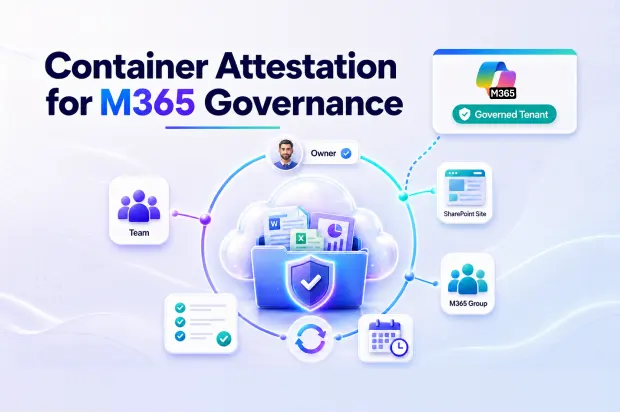
Microsoft 365 collaboration spaces are easy to create. A new Team, SharePoint site, or Microsoft 365 Group can be launched quickly to support a project, department, customer engagement, or internal initiative.
That flexibility helps business users move faster. But over time, it also creates a governance problem.
Most organizations keep creating new collaboration spaces without regularly reviewing whether those spaces are still needed, properly owned, correctly permissioned, or safe to keep active. As a result, Microsoft 365 tenants slowly accumulate old Teams, unused SharePoint sites, orphaned groups, stale external access, and unmanaged content.
This becomes more serious in the Copilot era. Copilot respects Microsoft 365 permissions, but if the tenant already contains outdated access and forgotten workspaces, those problems become more visible.
This is where container attestation becomes important.
Microsoft’s own internal governance practice includes regular attestation of shared workspace containers. Every container must be reviewed on a defined cadence by a named full-time employee. For other organizations, this is a useful model: governance should not depend on one-time cleanup projects. It should operate as a continuous review process.
- What Is Container Attestation?
- Why Microsoft’s Internal Practice Is a Strong Signal
- The Governance Gap in Most Microsoft 365 Tenants
- Why This Matters Before Copilot Rollout
- The Cost of Event-Driven Governance
- What a Good Attestation Review Should Include
- Using Microsoft 365 Groups Expiration Policy
- Building a Continuous Governance Cadence
- Practical Steps to Get Started
- Final Thought
What Is Container Attestation?
Container attestation is the process of periodically reviewing a Microsoft 365 collaboration space and confirming whether it is still valid, owned, and governed.
A container may be a Microsoft Team, SharePoint site, Microsoft 365 Group, or another shared workspace that stores content and grants access to users. Attestation asks whether the workspace still has a business purpose, whether the owner is still valid, whether members still need access, and whether external sharing is still appropriate.
It also helps decide what should happen next. Some containers should remain active. Some should be archived. Some should be restricted. Others may need to be deleted after retention and compliance requirements are considered.
The goal is simple: no collaboration space should live forever without review.
Why Microsoft’s Internal Practice Is a Strong Signal
Many organizations look at Microsoft 365 governance only from the perspective of available features and admin settings. But Microsoft’s own internal approach gives a more practical lesson.
Large tenants need clear ownership and recurring review. They cannot rely on informal responsibility or occasional cleanup. By requiring shared workspace containers to be attested every 6 months by a named full-time employee, Microsoft creates accountability at the container level.
That is the key point for governance leaders.
A workspace should not be vaguely owned by “the business” or “IT.” It should have a specific accountable person who can confirm whether the container is still required and whether it is being managed properly.
Most organizations have some controls for new workspace creation, such as naming conventions, provisioning forms, or approval flows. Fewer organizations have a mature process for reviewing existing workspaces after they have been created. That gap is where long-term governance debt begins.
The Governance Gap in Most Microsoft 365 Tenants
Microsoft 365 containers often outlive the business activity that created them.
A project ends, but the Team remains. A customer collaboration space is no longer used, but guests may still have access. A department is reorganized, but its old SharePoint site continues to store documents. A group owner leaves the company, but the container remains active.
These situations are common because container lifecycle governance is not fully automatic. Microsoft 365 gives organizations tools to manage expiration, ownership, access, and reporting, but these controls must be configured and operated intentionally.
Without a defined review process, the tenant becomes harder to manage every year. IT teams lose visibility. Security teams inherit access risk. Compliance teams struggle to prove ownership and control. Business users may not even know which spaces they are still responsible for.
Why This Matters Before Copilot Rollout
Copilot does not create new permissions. It works within the access users already have.
That is exactly why container governance matters.
If employees have access to old or unnecessary workspaces, Copilot may be able to use information from those locations when responding to their prompts. If sensitive files are stored in a forgotten site with broad permissions, the issue is not Copilot itself. The issue is that the content and access model were never reviewed.
Before Copilot, these problems were easier to ignore because users had to manually search for content. With Copilot, information discovery becomes easier, which makes poor governance harder to hide.
Container attestation helps reduce this risk by forcing periodic review of workspaces before they become permanent blind spots.
The Cost of Event-Driven Governance
Many organizations only review Microsoft 365 governance during specific events: an audit, a security incident, a merger, a restructuring, or a Copilot readiness program.
This approach is reactive.
By the time a review begins, the organization may already have years of workspace sprawl to clean up. The number of containers is larger, ownership is unclear, and remediation becomes more disruptive. What could have been a routine review becomes a major project.
Continuous governance changes that pattern. Instead of waiting for problems to accumulate, organizations review containers on a predictable cadence. Issues are identified earlier, owners are kept current, and cleanup becomes more manageable.
A 6-month attestation cycle is a practical starting point because it creates regular accountability without overwhelming business teams.
What a Good Attestation Review Should Include
A strong container attestation process should be easy for owners to complete and detailed enough for governance teams to trust.
Each review should confirm whether the container is still needed, whether the listed owners are correct, whether membership is appropriate, and whether external users still require access. It should also check whether the container follows internal policies for sensitivity, sharing, retention, and lifecycle management.
The outcome should be clear. The owner should be able to renew the container, request changes, archive it, or flag it for deletion based on business and compliance requirements.
This turns attestation from a simple checkbox into a meaningful governance control.
Using Microsoft 365 Groups Expiration Policy
Microsoft 365 Groups expiration policy can help support container lifecycle management. It allows organizations to set an expiration period for groups and ask owners to renew them when they are still needed.
This is useful because many Teams and SharePoint-connected workspaces are backed by Microsoft 365 Groups. Renewal prompts create a natural opportunity for owners to confirm whether the workspace should continue.
However, expiration policy alone does not solve the full attestation problem. Renewal confirms that a group is still needed, but it may not fully validate permissions, external access, sensitivity, stale links, or ownership quality.
For Copilot readiness and mature governance, organizations need a broader review process around the renewal action.
Building a Continuous Governance Cadence
A continuous governance cadence gives structure to Microsoft 365 lifecycle management.
The organization should define which containers require review, how often reviews must happen, who is accountable, what evidence must be captured, and what happens when owners do not respond.
For some organizations, a 6-month cadence may be enough. For highly regulated environments, high-risk containers may require quarterly review. Lower-risk spaces may follow a longer cycle. The important point is that the cadence must be documented, tracked, and enforced.
Governance should also be supported by reporting. Teams should be able to see which containers are due for review, which were attested, which failed review, and which need remediation.
Without reporting, attestation becomes a policy statement. With reporting, it becomes an operating process.
Practical Steps to Get Started
Start by identifying the containers that need attestation. This usually includes Microsoft Teams, SharePoint sites, and Microsoft 365 Groups, especially those with external sharing, sensitive content, or broad access.
Next, assign accountable business owners. Every container should have at least one valid owner, and ideally more than one to reduce the risk of orphaned workspaces.
Then define the review cadence. A 6-month cycle is a strong baseline, with shorter review periods for high-risk or regulated areas.
Finally, track outcomes. Governance teams should know which containers were renewed, which need changes, which are inactive, and which should be archived or removed.
Final Thought
Microsoft 365 governance becomes difficult when collaboration spaces are created continuously but reviewed only occasionally.
Container attestation solves this by introducing a regular ownership and lifecycle review. It helps organizations confirm which workspaces are still needed, who is responsible for them, and whether access remains appropriate.
Microsoft’s internal practice shows that large-scale collaboration requires more than creation controls. It requires recurring accountability.
For organizations preparing for Copilot, this is especially important. Copilot readiness is not only about licensing and adoption. It also depends on whether the information inside Microsoft 365 is properly owned, permissioned, and governed.
A 6-month container attestation cadence is a practical way to reduce sprawl, improve accountability, and keep governance from becoming another future cleanup project.
















