


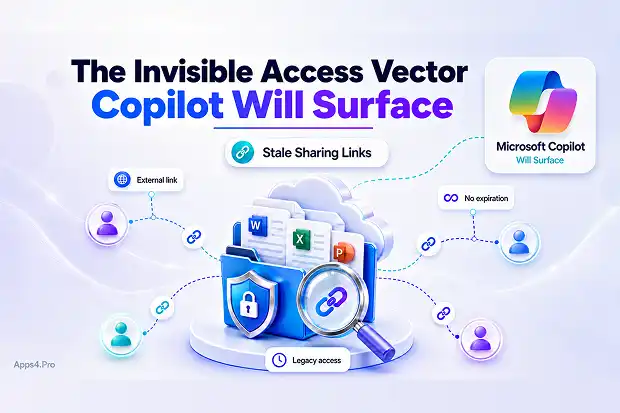
Microsoft 365 Copilot does not create new permissions. It works within the access model already present in your tenant. That is why stale sharing links are a serious pre-Copilot concern.
For years, users have shared SharePoint and OneDrive files through links created for vendors, customers, contractors, partners, and internal teams. Many of those links may still be active today. Some may have no expiration date. Some may point to sensitive business content. Some may still grant access to people who no longer have any business reason to see the file.
Before Copilot, these links were often invisible because no one was actively looking for them. After Copilot, they can become part of a broader access and compliance conversation.
Why Stale Sharing Links Matter Before Copilot
Sharing links are convenient, but they are also persistent access paths. A file may appear secure because site permissions look clean, yet an old sharing link can still allow access outside the expected permission structure.
This becomes more important in a Copilot-ready tenant because Copilot respects existing Microsoft 365 permissions. If a user already has access to a file through a sharing link, Copilot can surface information from that file when responding to prompts.
The issue is not that Copilot bypasses security. The issue is that old access decisions become easier to discover.
The Hidden Risk in Long-Lived Tenants
In mature Microsoft 365 environments, sharing links accumulate over time. A sales team may have shared a proposal with a customer three years ago. A project manager may have shared documents with an external consultant. A finance team may have shared a spreadsheet for review. In many cases, those links were created for a temporary purpose but never removed.
Over time, these links become difficult to track. Users move roles. External partners leave. Projects end. Customers churn. But the links may remain active unless someone reviews and remediates them.
This creates an invisible access layer across SharePoint and OneDrive.
Why Policy Changes Are Not Enough
Microsoft has tightened sharing defaults over time, and organizations can configure sharing-link expiration policies for new links. This is an important step, but it does not fully solve the problem.
The main limitation is that updated sharing-link policies usually affect new sharing activity. They do not automatically clean up every old link created before the policy was changed.
That means a tenant can have strong sharing controls today while still carrying years of older, unmanaged sharing links. This is the real pre-Copilot gap.
What Can Go Wrong
Stale sharing links can allow departed users, former vendors, ex-customers, or inactive collaborators to retain access to files. Even when access is not actively abused, the presence of those links can become a security and audit concern.
For security teams, the problem is exposure. For M365 admins, the problem is scale. For compliance teams, the problem is proving that access is appropriate and current.
Once Copilot is introduced, stale links become harder to ignore because sensitive content may become easier for authorized users to discover through natural language prompts.
A Practical Remediation Approach
The first step is visibility. M365 admins should perform a tenant-wide review of sharing links across SharePoint and OneDrive, with special focus on anonymous links, external sharing links, links without expiration, and links pointing to sensitive or business-critical content.
The next step is prioritization. Not every old link carries the same level of risk. Links to confidential, financial, legal, HR, customer, or executive content should be reviewed first. Sites with broad external collaboration should also be treated as high priority.
After that, admins can apply expiration or remove links where appropriate. This may require PowerShell-based remediation, SharePoint Advanced Management capabilities, and clear communication with users so business teams understand why old links are being expired.
The final step is prevention. Organizations should enforce link expiration for new sharing links, reduce anonymous sharing where possible, encourage named-user sharing, and regularly review external access.
Communication Matters
Removing or expiring old links without communication can create business friction. Users may suddenly find that a customer, vendor, or partner can no longer access a file.
A better approach is to explain the change clearly. The message should be simple: old sharing links create unnecessary access risk, and the organization is cleaning them up as part of Copilot readiness and broader security hygiene.
Admins should also provide guidance on how users can re-share content safely when there is a valid business need.
Recommended Admin Checklist
Start by identifying old sharing links across SharePoint and OneDrive. Review anonymous links, external links, and links without expiration. Prioritize sensitive sites and business-critical libraries. Remove or expire links that no longer have a valid business purpose. Communicate the change before enforcing broad cleanup. Update sharing policies so new links expire by default. Repeat the review regularly as part of ongoing Copilot governance.
Final Thoughts
Stale sharing links are easy to overlook because they do not always appear in normal permission reviews. But they can quietly preserve access long after the original business need has ended.
Copilot makes this issue more urgent because it increases the value of clean permissions and controlled access. The best time to review stale sharing links is before Copilot is broadly adopted, not after sensitive content appears in an audit finding.
For M365 admins and security leads, this is not just a cleanup task. It is a necessary part of preparing Microsoft 365 for AI-powered discovery.
















