


Introduction
In September 2024, Ireland’s Data Protection Commission fined Meta €91 million after finding the company had stored hundreds of millions of user passwords in plaintext, some left unencrypted in its internal systems as far back as 2012 (DPC: Meta €91 million fine). One missing control. A €91 million consequence.
Database compliance is the work of following data protection and security rules so that your company doesn’t get fined, or lose money because of database problems.
You design your systems, operate them, and prove they follow the rules that govern the data inside. Privacy laws. Industry standards. Internal policies.
This guide explains what database compliance means, the regulations and standards organizations must follow, and the security controls that help pass audits and avoid regulatory penalties.
What Database Compliance Means in Practice
Database Compliance means following the laws, regulations, industry standards, and company policies that govern how data is stored, accessed, processed, protected, and retained in a database.
Database compliance lines up a database environment with three layers of rules:
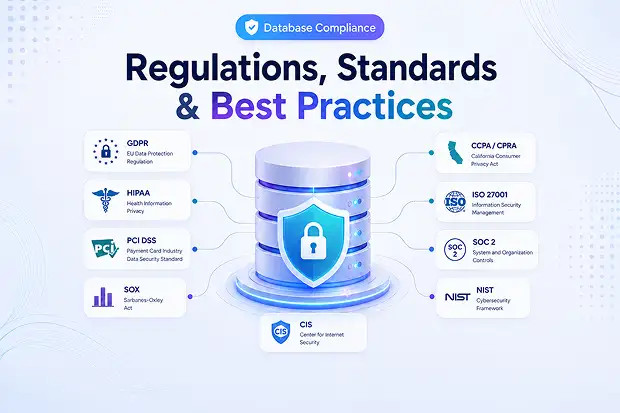
- Laws and regulations that govern the data inside it. GDPR, HIPAA, PCI DSS, SOX, CCPA, regional privacy acts.
- Standards and frameworks that tell you how to operate it securely. ISO/IEC 27001, NIST CSF and SP 800-53, SOC 2 Trust Services Criteria, CIS Benchmarks.
- Internal policies and customer contracts. Retention schedules, ata residency, sub-processor restrictions, breach notification SLAs.
The simplest test: when a regulator, customer auditor, or your own internal audit team says “show me evidence,” can you produce the evidence in hours rather than weeks? Database compliance is what makes the answer “yes.”
A quick clarification, since the two phrases get mixed up constantly:
- Database compliance – Your database complies with and follows the applicable rules, regulations, and requirements.
- Regulatory database – A reference database used to look up laws, regulations, and compliance requirements.
Laws and Regulations Governing Database Compliance
You don’t need to memorize every clause of every law. However, you do need to understand which regulations apply to your database, what they require, and what the consequences are if you fail to comply with them.
GDPR (European Union)
The General Data Protection Regulation governs personal data about anyone in the EU and EEA, no matter where your databases sit. It expects a lawful basis for processing, data minimization, integrity and confidentiality through encryption and access control, and the ability to honor data subject rights. Access, correction, erasure, portability.
HIPAA (US healthcare)
The HIPAA (Health Insurance Portability and Accountability Act) Security Rule sets technical safeguards for any database that stores or transmits electronic Protected Health Information (ePHI). The five categories translate directly into database settings: access control, audit controls, integrity, authentication, and transmission security.
PCI DSS 4.0 (payment cards)
If a database stores, processes, or transmits cardholder data, even a single PAN (Primary Account Number), PCI DSS 4.0 (Payment Card Industry Data Security Standard) applies. Future-dated requirements became enforceable on 31 March 2025 .
For databases, the heaviest sections are Requirement 3 (protect stored cardholder data with strong cryptography), Requirement 7 (least privilege), Requirement 8 (MFA for all access into the cardholder data environment), and Requirement 10 (audit logging). Requirement 10 sets the bar at 12 months retention, with the last 3 months immediately available for analysis.
SOX (US public companies)
SOX (Sarbanes-Oxley) Section 404 requires public companies to maintain strong controls over financial data and reporting. Any database that stores or processes financial information, such as ERP, General Ledger (GL), revenue, or payroll systems, falls under its scope.
Auditors check that employees have only the access they need (segregation of duties), all changes are properly approved and documented (change management), administrator activities are logged (privileged access logging), and financial data cannot be altered outside approved business processes. The goal is to ensure financial reports are accurate and prevent fraud.
CCPA / CPRA (California)
California’s privacy law applies to businesses that meet certain revenue levels or handle large amounts of personal data. It gives consumers the right to know what personal information a company collects, request that their data be deleted, correct inaccurate information, and opt out of the sale or sharing of their data.
Under the 2025 regulations, companies must conduct annual cybersecurity audits (introduced gradually between April 2028 and April 2030) and perform risk assessments before carrying out high-risk data processing activities. Both of these requirements must be reviewed and approved by company executives.
Statutory damages run $100–$750 per consumer per incident, plus civil penalties up to $7,500 per intentional violation.
Sector and regional rules
Most teams also juggle some combination of:
- GLBA (US financial services privacy)
- FERPA (US student records)
- DORA (EU financial sector operational resilience, fully applicable since January 2025)
- EU AI Act (governs AI systems that process personal data; phased enforcement through 2026–2027)
- DPDP Act (India)
- LGPD (Brazil)
- PIPEDA / Law 25 (Canada / Quebec)
- Industry-specific rules from FDA, OSHA, EPA, FINRA, and similar regulators
Quick comparison
Regulation | Scope | Key database obligation | Maximum penalty |
|---|---|---|---|
GDPR | EU/EEA personal data | Lawful basis, encryption, breach notification (72 hrs), data subject rights | €20M or 4% global revenue |
HIPAA | US ePHI | Access controls, audit logs, integrity, MFA, encryption | $71,162 per violation, up to $2.13M/year per category |
PCI DSS 4.0 | Cardholder data | Encryption of stored PAN, MFA, 12-month log retention | Card brand fines + loss of processing rights |
SOX | US public co. financial data | Internal controls over financial reporting, change/access logs | Up to $5M fines, criminal liability for officers |
CCPA/CPRA | California consumer PI | Reasonable security, DSAR fulfillment, annual cyber audit (phased) | $7,500 per intentional violation + statutory damages |
The Standards That Prove It
Regulations tell your organization what needs to be done. Standards, on the other hand, show you how to do it in a secure and proven way. They also provide audit reports that you can use to demonstrate compliance to your customers.
- ISO/IEC 27001 / 27017 / 27018. The international information security management standard, with cloud-specific extensions for service providers and PII (Personal Identifiable Information) processors.
- SOC 2 Type 2. An AICPA attestation against the five Trust Services Criteria: Security, Availability, Processing Integrity, Confidentiality, Privacy. Evaluated over 6–12 months. The de-facto evidence enterprise buyers ask for.
- NIST Cybersecurity Framework 2.0 and SP 800-53. Risk-based control catalogs used as the structure underneath custom compliance programs and US federal contracts.
- CIS Benchmarks. Configuration baselines for specific database platforms (SQL Server, Oracle, PostgreSQL, MySQL, MongoDB) that map cleanly to most regulations.
- FedRAMP (Federal Risk and Authorization Management Program) is a US government program that ensures cloud services meet strict security requirements before federal agencies can use them.
- HITRUST CSF (Common Security Framework) is a comprehensive security and privacy framework widely used in healthcare. HITRUST combines controls from multiple frameworks into a single framework. Instead of proving compliance with HIPAA, NIST, ISO, and PCI separately, an organization can undergo a HITRUST assessment that covers requirements from all of them.
Implement one strong framework, such as SOC 2 or ISO 27001. Then align the controls and requirements of other regulations with that framework. By doing this, compliance management becomes easier, duplicate work is reduced, and audit effort is significantly minimized.
Seven Best Practices That Hold Up in an Audit
These are the controls that turn “we’re trying” into “here’s the evidence.” Most regulations want all seven.
1. Discover and classify the data first
Build a data map before any other control. Every database, every schema, what regulated data lives there (PII, PHI, PAN, financial), the owner, the host, and the retention period.
Classify each store as Public, Internal, Confidential, or Restricted, and tag rows or columns the regulation calls out (cardholder data, ePHI, special-category personal data). It’s the first artifact every auditor asks for.
2. Encrypt at rest, in transit, and where the risk is highest
- Encrypt stored data (at rest) using AES-256 and FIPS 140-2 validated encryption modules. Encrypt data in transit using TLS 1.2 or preferably TLS 1.3.
- Disable outdated and insecure protocols/ciphers such as SSL, RC4, DES, and 3DES.
- Store and manage encryption keys in a dedicated Key Management System (KMS), separate from the data. Rotate encryption keys regularly and maintain audit logs for key access and changes.
- Apply the same security controls to backups, exports, and archived data as production databases.
- Follow PCI DSS 4.0 recommendations by using strong cryptographic controls, including HMAC-based integrity protection, instead of relying only on disk-level encryption.
3. Enforce Least Privilege and Use MFA for All Data Access
- Use unique IDs for every user and service account. Don’t use shared accounts. Standards like HIPAA, PCI DSS, and SOC 2 do not allow shared accounts.
- Implement Role-Based Access Control (RBAC). Access permissions should be based on a person’s job role, not assigned individually.
- Enable MFA (Multi-Factor Authentication) for all access to sensitive data. Use stronger methods such as security keys or built-in device authenticators whenever possible.
- Use Privileged Access Management (PAM) for admins. Provide temporary elevated access only when needed, record admin sessions, and require approval for critical actions.
- Review user access every quarter. Data owners should verify who still needs access, and unnecessary access should be removed within a defined timeframe.
4. Log everything that matters and keep it long enough to use
Capture: authentication, schema and config changes, privileged actions, sensitive data access, failed attempts, exports. Then keep them.
Framework | Minimum retention |
|---|---|
PCI DSS 4.0 Req 10.5.1 | 12 months, with last 3 months immediately available |
HIPAA (HHS guidance + § 164.316) | 6 years |
SOX | 7 years for records supporting financial statements |
GDPR (no fixed period) | Aligned to processing purpose; commonly 1–2 years |
SOC 2 CC7.2 / ISO 27001:2022 A.8.15 | “Sufficient for incident investigation,” usually 12+ months |
Logs should be tamper-evident, stored separately from the database they describe, and monitored. A log nobody reviews is a log that won’t help in court.
5. Minimize, retain, and delete by policy
- Collect only the data you need, keep it only as long as necessary, and delete it when no longer needed.
- Maintain a retention policy that defines the data type, owner, retention period, and deletion method.
- Automate data deletion or de-identification when the retention period ends.
- Create DSAR processes to locate user data across all systems and respond within legal deadlines (45 days for CCPA, 30 days for GDPR).
- If data cannot be deleted, use pseudonymization or anonymization to protect personal information.
6. Patch, Scan, and Harden Continuously
- Monitor security vulnerabilities using NIST NVD and CVE feeds.
- Fix critical vulnerabilities within days, not months.
- Regularly run authenticated vulnerability scans on servers and networks.
- Follow CIS Benchmarks and continuously monitor for security configuration drift.
7. Plan and Test Incident Response
- Create an incident response (IR) plan with clearly assigned roles and escalation procedures.
- Define breach notification timelines based on applicable regulations (e.g., GDPR, HIPAA).
- Have agreements in place with external legal and forensic experts before an incident occurs.
- After every incident, review what happened and improve security controls accordingly.
Organizations using security AI and automation extensively across prevention workflows saved an average of USD 2.2 million per breach in 2024. Automation is a cost-of-breach lever, not a luxury.
A Practical Database Compliance Roadmap (First 90 Days)
If you’re just starting a compliance program, or you’ve recently taken over an existing one, this 90-day roadmap will help you make important improvements without unnecessary confusion or getting overwhelmed.”
Days 1–30: See what you have.
Inventory every database, including dev and analytics. Classify the data. Identify which regulations apply (GDPR, HIPAA, PCI, SOX, CCPA, sector rules). Pick one framework (SOC 2 or ISO 27001) as the spine.
Days 31–60: Close the highest-risk gaps.
Turn on encryption at rest and in transit where it isn’t already. Enforce MFA on all administrative access. Eliminate shared accounts. Extend log retention to at least 12 months. Write a retention schedule and a DSAR runbook.
Days 61–90: Make it provable.
Run an internal audit against your chosen framework’s control list. Stand up a quarterly access review. Lock down vendor DPAs for every sub-processor that touches regulated data. Decide on your external audit (SOC 2 Type 2 timeline, ISO 27001 stage 1 + 2) and book it.
By day 90, you should be able to show an auditor a data map, a control matrix, a retention schedule, log evidence, and a tested incident response plan. That’s the foundation everything else builds on.

















 Migrate
 Manage
 Migrate Microsoft 365








