


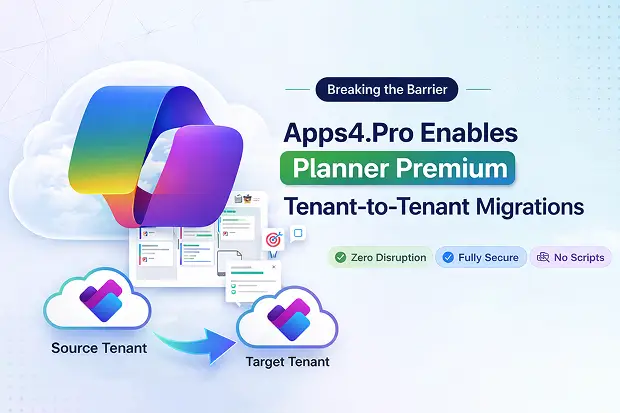
Microsoft Planner Premium is quickly becoming the hub for structured project delivery and Agile execution – but moving it between tenants has been a major roadblock for IT teams and service providers. With Apps4.Pro Migration Manager, that barrier is finally gone. Now you can migrate both Basic and Premium plans tenant to tenant, at scale, and without a single line of script.
If you are consolidating tenants after M&A, splitting business units, or standardizing on a single Microsoft 365 environment, Apps4.Pro gives you a predictable, repeatable way to move Planner Premium without disrupting delivery teams.
Why Planner Premium Migration Matters
For Project Managers, Agile teams, cross-functional groups, and PMOs, Planner Premium adds richer planning capabilities like Sprints, Dependencies, Goals, and History that teams rely on every day. During M&A, re-orgs, or divestitures, this structured data must move cleanly – otherwise teams fall back to spreadsheets, shadow tools, and manual tracking.
This is why a reliable migration solution is critical:
- Preserve complex Timelines, Dependencies, and Milestones across tenants so in-flight projects stay on track.
- Avoid costly, error-prone manual rebuilds of Premium plans after consolidations or carve-outs.
- Keep Agile boards, Backlogs, and Sprints intact so delivery velocity and stakeholder visibility are not impacted by IT change.
When you position Apps4.Pro as your as your Microsoft 365 tenant migration engine, you are not just moving data – you are protecting roadmaps, commitments, and business outcomes.
Start your Premium Planner migration with complete visibility
Reach out to us to get a detailed Inventory Report of your Planner landscape and identify exactly what needs to move before you start.
Premium Planner Migration: What’s New for Microsoft Partners and IT Admins
Apps4.Pro already supports Microsoft Planner tenant-to-tenant migration, covering Plans, Buckets, Tasks, Attachments, Due Dates, and Memberships. Now, it adds full support for Planner Premium plans, making it one of the pioneers offering true end-to-end Premium Planner tenant-to-tenant migration.
This unlocks a broader service opportunity for IT teams and MSPs:
- Migrate classic Planner and Premium plans in one unified tool and one standardized process.
- Run large-scale migrations with no custom scripts or in-house tooling to build and maintain.
- Move Planner and Premium plans connected to Microsoft Teams and Microsoft 365 Groups into the target tenant while preserving full plan details.
You can position Apps4.Pro as the backbone of your Microsoft 365 project and work management migration offering.
Start your 15-day free trial and migrate your first Planner Premium plan with Apps4.Pro. Experience an end-to-end, no-script migration that:
- Automatically maps users and groups between tenants for clean ownership and assignments.
- Preserves key Premium features including Progress, Dependencies, Goal, and more.
- Moves plans, tasks, files, comments, and Teams-linked tabs with full fidelity.
- Provides real-time progress tracking and detailed, audit-ready reports that your CIO and compliance teams will appreciate.
Deep Support for Planner Premium Features
Microsoft Planner Premium introduces richer fields that matter to Project Managers, Agile teams, and PMOs – and these are exactly the fields that often break in generic or manual migrations. Apps4.Pro is designed to move this data reliably when migrating from one tenant to another.
Supported Premium capabilities include:
- % Complete: Preserve task progress and execution status for every work item.
- Sprint: Keep sprint assignments and cadence intact for Agile backlogs and releases.
- Effort: Retain estimations for accurate resource and capacity planning in the target tenant.
- Dependencies: Maintain task relationships and critical paths so schedules and risks remain visible.
- Goal: Carry forward goal-linked tasks and plans to keep outcome-based delivery aligned.
- Sub-tasks: Divide big tasks into small steps for clearer progress tracking and team accountability.
- Custom Fields: Add task metadata like department, project phase, or risk level to organize and report work.
📌 Note: With Microsoft’s recent alignment of Planner conversations with Microsoft Teams, conversation migration is on our near-term roadmap.
Enterprise-grade Planner Migration for IT and MSPs
Beyond Premium Planner Migration, Apps4.Pro delivers an enterprise-ready approach to Basic Planner migration with the control, reporting, and automation that IT admins and service providers expect. It is part of a broader Microsoft 365 migration suite, allowing you to standardize on a single vendor for multiple workloads.
Core capabilities:
- Migrate plans between tenants as new or existing plans, including those tied to Microsoft Teams and Microsoft 365 Groups.
- Transfer Tasks, Buckets, Labels, Attachments, Checklists, Start/Due Dates, and Assignments with full integrity.
- Support cross-tenant and intra-tenant moves (team-to-team, group-to-group) to handle complex restructuring scenarios.
- Automate migrations without PowerShell, enabling unattended, large-scale runs that reduce operational effort.
- Provide real-time progress tracking, detailed reports, and audit trails that reduce risk and simplify governance.
This makes Apps4.Pro an attractive platform for MSPs who want to package fixed-fee migration offerings and for enterprises that need repeatable migration processes.
Experience the fastest way to migrate Microsoft Planner
Apps4.Pro moves Planner and Premium plans seamlessly between tenants so your teams stay focused on delivering projects, not fixing migrations.
Book a live demo to see it in action and discuss your specific migration scenario with our experts.
Frequently Asked Questions
- Generate an Inventory Report and plan the migration.
- Purchase Apps4.Pro Planner license.
- Connect the source and destination tenants.
- Map users/plans to prepare for migration.
- Run the migration using Apps4.Pro’s automated engine.
- Validate the Premium plans in the destination tenant.

















 Migrate
 Manage
 Migrate Microsoft 365








