


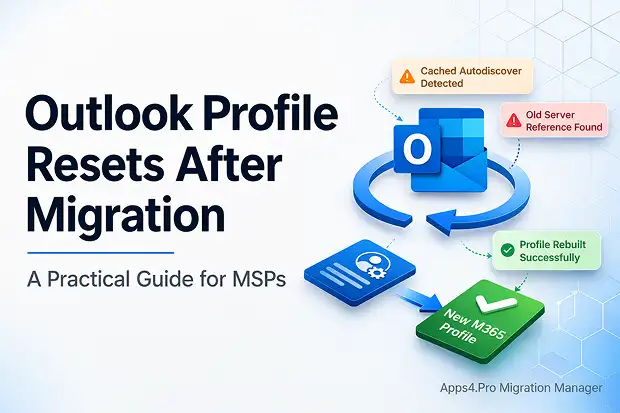
On migration day, everything comes down to one moment: a user clicks the Outlook icon. If Outlook misbehaves, all the planning and clean execution behind the scenes suddenly doesn’t matter because the experience is what people remember.
You can move the mailbox, update DNS, and see everything reporting healthy yet Outlook still tries to talk to the old server. With classic Outlook, it can even appear to “snap back” after an Office update, which is why it feels so unpredictable in the moment.
If you’re the person running the tenant to tenant migration, that quickly turns into:
- Outlook reconnects to the old server even though the mailbox is already in Microsoft 365.
- Users see prompts or offline status and (fairly) assume email is down.
- Your help desk takes the hit right when the client expects a smooth first day.
If you get ahead of this, you’re not just “fixing Outlook.” You’re protecting trust – your relationship with the client, your team’s time, and the confidence they’ll have in you for the next project.
Why Outlook Profiles Break After Migration
Microsoft Outlook is great at remembering things sometimes a little too great. After a Microsoft 365 tenant-to-tenant migration, it may still hang on to server hints and older Autodiscover results in the Windows profile and registry. The move to Microsoft 365 doesn’t automatically wipe that history, so Outlook keeps trying what used to work.
In practice, you usually see a mix of:
- Cached Autodiscover results (or hard-coded hints) that still point to legacy endpoints.
- Long-lived MAPI profiles with old Exchange server names baked in.
- DNS and Autodiscover behavior that still lets the old setup get discovered during or after cutover.
When you explain this to a client in plain language, “Outlook keeps looking for the old office until we point it to the new one” – you turn frustration into understanding and get everyone back on the same team.
The Hard Truth: A Profile Reset Is Often the Cleanest Fix
Here’s the part nobody loves: sometimes the fastest, cleanest fix is simply to remove the Outlook profile and let it build a fresh one against Exchange Online. And on a small number of machines, you may only get real stability after creating a new Windows user profile (or, rarely, reimaging).
In real life, that looks like:
- Using tools or scripts to remove existing Outlook profiles so the next launch creates a clean Microsoft 365 profile.
- Watching classic Outlook chase the old server until the profile is rebuilt from scratch.
- Dealing with a few stubborn devices that only settle down after a fresh Windows profile or a reimage.
Proactive Fixes: GPO, Intune, and (Where Appropriate) the New Outlook
The good news: you don’t have to solve this one laptop at a time. With Group Policy, Intune, and a clear Outlook standard, you can make profile issues predictable and fixable at scale.
Practical steps you can roll into every Microsoft 365 tenant migration:
- Use GPO or Intune to push standard settings and scripted resets so Outlook can start clean without hands-on work per PC.
- Combine logon scripts with features like ZeroConfigExchange so Outlook can configure itself against Exchange Online with minimal user input.
- Double-check Autodiscover DNS and access policies before cutover, so Outlook has one obvious place to go.
- Pilot the new Outlook for Windows where it fits; it uses a different connection model that can reduce exposure to quirky legacy profile issues.
When you build this into your process, you’re telling the client: “We’ve done this before. We plan for the rough edges. And we’ll be here if anything pops up.”
Reducing Help Desk Pain With Change Management
On cutover day, most users just want answers to two questions: “What’s happening?” and “What do I need to do?” If you communicate early and simply, you can turn a stressful day into something calm and manageable.
You can support them with:
- Short, plain-language emails ahead of time: “Outlook may ask you to sign in again or reconfigure – here’s what that will look like.”
- A quick guide or 60-second video showing the first-run steps, so nobody has to guess.
- A clearly advertised “hyper-care” window, so people know where to go for fast, friendly help.
When users feel informed and supported, small bumps stay small and you earn more trust for the next change.

















 Migrate
 Manage
 Migrate Microsoft 365








