


- Why Coexistence Becomes a Credibility Test in Week One
- Why Coexistence Problems Hurt More Than They Should
- Multi-Tenant Organization (MTO): Bugs and Limitations to Expect
- Domain Cutover: The Bounce Window That Triggers Escalations
- Why Domains Get Stuck at the Worst Possible Time
- How Teams Shrink the Cutover Blast Radius
- Post-Cutover Mail Flow: Why It’s Inconsistent Across Senders
- Why Scheduling Feels Broken During Coexistence
- Why People Disappear From Search After Wave 1
- Caching: The Ticket Multiplier Nobody Sees Coming
- What “Stable” Looks Like During Coexistence
You can plan a tenant-to-tenant migration perfectly, mailboxes mapped, files staged, DNS ready and still get judged by Monday morning.
Because users don’t experience “workloads moved.” They experience bounced mail, broken scheduling, and missing people in search.
And the moment one of those things feels off, the project stops being measured by progress and starts being measured by trust.
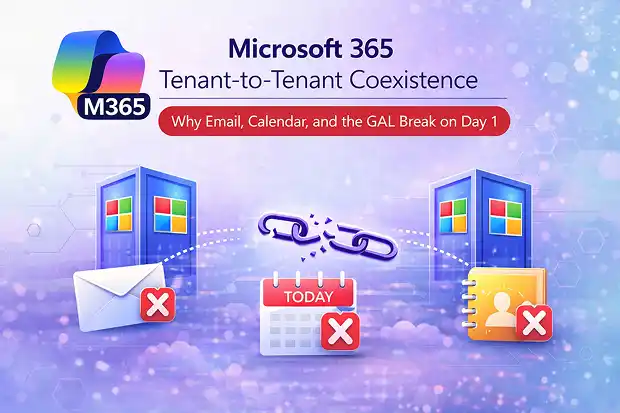
This post focuses on the issues that surface first, often before anyone questions whether the migration itself was successful:
- Mail routing during the domain transfer gap
- Free/busy and calendar behavior across tenants
- Global Address List (GAL) visibility during phased moves
Why Coexistence Becomes a Credibility Test in Week One
Most tenant to tenant migrations don’t fail dramatically.
Mailboxes move. Files transfer. Accounts exist.
But if mail flow, meetings, search, or sign-in feels unstable, the entire project stops feeling controlled.
You know the moment: a bounce screenshot lands in a leadership thread with one line:
“Is email down?”
From that point, the work becomes less about migration tasks and more about restoring trust that the environment is stable.
And the first thing that can trigger that moment is domain cutover.
Why Coexistence Problems Hurt More Than They Should
Coexistence issues rarely look like a clean outage.
They look like “mostly working” systems that create constant friction.
That’s what makes them expensive.
A few early bounces, missing names in search, or calendar delegation gaps can flip a controlled migration into reactive triage.
Support volume spikes. Escalations multiply. Delivery time gets consumed by reassurance instead of progress.
Coexistence isn’t just a technical phase. It’s the phase where confidence is won or lost.
Before you even get to domain cutover, many teams try to make coexistence easier by leaning on Microsoft’s native Multi-Tenant Organization model.
Multi-Tenant Organization (MTO): Bugs and Limitations to Expect
Multi-Tenant Organization (MTO) sounds like a clean native answer for coexistence.
But in practice, many teams find it hard to run reliably, especially once they start syncing real users and relying on it for day-to-day collaboration.
The reason is simple: MTO is still relatively new, and Exchange Online integration and support maturity haven’t fully caught up yet. For teams that attempt MTO, issues can be frequent.
When it goes wrong, the breakpoints are painful. User sync can bug out, the Outlook-integrated calendar experience still isn’t truly shared, and shared mailbox permissions may not apply cleanly to synced users. Teams can also behave in limited or inconsistent ways across tenants.
The hardest part is what happens next. Errors may appear without clear error codes or usable logs, support responses can be slow, and investigations can stretch into weeks.
The takeaway isn’t “never use MTO.” It’s to treat it like a native option that isn’t fully reliable yet: pilot it early, test the exact workflows you depend on, and keep a fallback plan ready for the coexistence window.
And even if you avoid MTO complexity, the first coexistence problem most teams still have to face is domain cutover.
Domain Cutover: The Bounce Window That Triggers Escalations
Domain transfer is usually described like a clean sequence.
Remove the domain from the source tenant. Add it to the target tenant. Update DNS. Done.
The catch is simple and unforgiving: only one tenant can own the domain. There’s no overlap.
That creates a cutover window where the domain is in transition. In practice, you can hit a period where it’s effectively in neither tenant while it releases and reattaches.
When that happens, emails sent to the domain can bounce.
And bounces are instantly political. They don’t arrive as a quiet ticket. They arrive as screenshots, forwarded threads, and “why is this happening?” messages.
There’s also no native mail queue bridge during this transfer window. If mail arrives while the domain is in limbo, it won’t be held automatically.
Why Domains Get Stuck at the Worst Possible Time
Cutover delays usually come from small leftovers, not big failures.
Before a domain can be transferred, Microsoft requires it to be removed from every object in the source tenant.
That includes users, shared mailboxes, distribution groups, mail enabled security groups, contacts, and proxy addresses.
Miss even one dependency and the domain won’t release cleanly.
Now you’re searching for a forgotten object while everyone is watching the clock.
How Teams Shrink the Cutover Blast Radius
A few preparation steps reduce the risk significantly.
Hunt hidden dependencies before cutover. Lower DNS TTL early (commonly 300 seconds) 24–48 hours ahead of time.
Schedule cutover during off-hours. If inbound mail loss is unacceptable, use a mail routing service that can temporarily queue messages during the transfer window.
Even when the domain attaches successfully, email behavior can still look inconsistent. That’s where confusion begins.
Post-Cutover Mail Flow: Why It’s Inconsistent Across Senders
After you attach the domain and update DNS, it’s natural to expect consistency everywhere.
It rarely happens instantly.
DNS propagation depends on caching behavior across the internet and can take anywhere minutes to hours (and sometimes longer) depending on caching and sender systems.
External senders refresh routing at different times. Partner mail gateways cache routing information differently. Some regions catch up quickly; others take longer.
Hybrid routing or additional security layers can make the picture even more uneven.
So, Monday can look like delayed mail from specific partner domains, intermittent bounces, autocomplete resolving old addresses, or compliance behavior that feels different than before.
None of this automatically means the migration failed.
But on a business day, uneven behavior quickly becomes a simple conclusion:
“Email is unstable.”
What helps most is reducing surprises. Lower TTL before cutover, explain what normalizing looks like, and give users a short Day 1 note describing what to expect and when to escalate.
Once email mostly stabilizes, the next friction point usually appears in scheduling.
Why Scheduling Feels Broken During Coexistence
During phased migration, users are temporarily split across tenants.
But meetings aren’t.
Leaders still schedule. Assistants still coordinate. Delegation still needs to behave normally.
Cross tenant free/busy can be configured using organization relationships in Exchange Online. On paper, that sounds like coexistence.
In reality, it’s limited lookup, not real calendar continuity. Free/busy across tenants works more like a query than a synchronized calendar.
So free/busy is typically time blocks only. Subject and location visibility may be allowed. Full calendar delegation across tenants does not work natively.
That quickly creates friction. Assistants can’t manage executive calendars across tenants. Delegation behaves inconsistently depending on mailbox location. Meeting coordination becomes manual.
Calendar issues rarely cause a headline outage. Instead, they create constant small delays, and that’s often where patience disappears.
Reducing escalation usually comes down to expectation setting. Brief impacted teams before the first wave, define temporary workflows, and provide guidance on who is still in which tenant.
If the business can’t tolerate the gap, temporary shared calendars or third-party calendar sync tools are often used to bridge coexistence.
Even when mail and meetings are mostly stable, another surprise appears quickly: the address book.
Why People Disappear From Search After Wave 1
Right after Wave 1, someone says it:
“I can’t find half the team.”
Nothing is technically broken. But the Global Address List is tenant scoped.
When users move between tenants, directory visibility changes.
What’s happening is simple: contact objects from the source tenant do not automatically appear in the target tenant GAL.
Cloud mailboxes typically see only the Default Global Address List unless alternative views are designed.
Cross tenant synchronization may provision users, but it doesn’t guarantee address book visibility without explicit configuration. In some cases, it can also collide with existing contact objects, creating duplicates or inconsistent results.
What people experience is even simpler: coworkers missing from search, autocomplete suggesting old addresses, and multiple entries for the same person.
Directory fragmentation is normal during phased migration. Confusion doesn’t have to be.
Clear guidance on how to find colleagues during coexistence prevents unnecessary noise and mistakes.
And even when objects do sync, address book visibility can still be fragile without deliberate design. That’s why many teams rely on GAL sync approaches or custom address lists as a bridge during coexistence.
Caching: The Ticket Multiplier Nobody Sees Coming
Caching is the aftershock that turns a clean migration into a noisy week.
Outlook caches autocomplete. Devices store authentication tokens. Browsers maintain active sessions.
So even when everything is technically correct, you may see legacy addresses suggested, duplicate contacts appearing, repeated prompts to sign in, and old profile data lingering longer than expected.
Caching doesn’t break migrations.
But it amplifies small inconsistencies into a flood of support tickets.
A simple Day 1 hygiene note can reduce ticket volume quickly: restart Outlook, sign out and back in if prompted, and expect brief sign-in refreshes.
What “Stable” Looks Like During Coexistence
Most tenant to tenant migrations succeed technically.
But people remember something much simpler:
Did Monday feel normal?
That means bounce screenshots stop appearing in leadership threads.
Scheduling stops requiring workarounds. Search returns the coworkers people expect. Sign-in prompts stop surprising people.
The goal isn’t perfection.
It’s fewer moments where someone thinks:
“Something feels different.”
Because when mail, meetings, search, and sign-in feel normal again, everything else in the migration finally gets room to breathe.

















 Migrate
 Manage
 Migrate Microsoft 365








