


If you’re an MSP leading a Microsoft 365 tenant to tenant migration, the technical move isn’t what usually damages your margin or reputation.
It’s what happens on Monday morning.
That’s when your helpdesk gets flooded, SLAs start slipping, and one VP email turns into a war-room.
Not because the data didn’t copy but because links, permissions, and guest identities changed underneath users.
Users don’t complain about “cross-tenant architecture.”
They complain that:
- A link in Microsoft Teams doesn’t open
- A file in Microsoft SharePoint suddenly says “no access”
- A partner can’t enter a shared workspace
These issues are predictable. And because they’re predictable, you can plan for them and reduce the impact instead of being surprised every time.
Let’s break down the three failure zones that almost every Microsoft 365 tenant migration encounters and how you, as an MSP, can turn them from surprises into controlled outcomes.
1. Sharing Links: The Support Ticket Storm You Can See Coming
In a modern Microsoft 365 environment, users don’t “browse” to content, they click links.
Those links live inside:
- Emails
- Teams chats
- Project plans
- CRM notes
- External partner communications
In a cross-tenant move, the SharePoint/OneDrive URL changes, which means the link users saved is pointing to the old tenant location.
Result: “Not found” and “Access denied” tickets, fast.
Expect three categories of breakage:
- Old internal links shared in Teams/Email (some may redirect, many won’t)
- Externally shared links (these usually die completely)
- Links embedded inside documents (they break silently until someone clicks later)
From a user perspective, this feels like data loss even when the file is technically present and safe.
What this means for you as an MSP
If you don’t proactively communicate this risk:
- Your helpdesk becomes the “link repair desk”
- Users lose confidence in the migration
- Stakeholders start to question your planning maturity
A Structured Approach
Instead of hoping links survive, you treat breakage as a known, manageable risk:
1. Make link breakage part of your risk register
Document it. Present it. Normalize it as something you’re managing, not something you “missed.”
2. Communicate clearly before cutover
Tell users which types of links may stop working and show them how to recreate or resend links from the new tenant.
3. Use tooling strategically
Where feasible, update known URL patterns in commonly edited file types, while accepting that some links will always need to be manually regenerated.
No tool can preserve every historical sharing link, especially external ones. The win is reducing the second-order tickets, the “the link is broken… and now I also don’t have access” problem.
Apps4.Pro Migration Manager won’t restore every old link, but it helps ensure that when users re-share from the new tenant, permissions are already mapped correctly, so the follow-up access tickets drop.
2. Unique Permissions: Years of Exceptions Colliding in One Weekend
Over time, every tenant builds up permission sprawl:
- A folder shared “just this once”
- A file with broken inheritance
- A library with dozens of manual entries
- Legacy access granted to people who’ve changed roles
Individually, each change feels harmless. Collectively, they’re dangerous.
During migration, this web of unique permissions becomes fragile:
- Inherited access paths change
- Parent structures evolve
- Group mappings behave differently
- Old exceptions carry forward, even when no one remembers why they exist
The MSP Risk
If you blindly migrate everything as-is:
- Some users lose access unexpectedly
- Others gain broader access than intended
- You inherit technical debt into the new tenant
- Post-migration audits and reviews become painful and time-consuming
The Smarter Strategy
Treat migration as a permission hygiene opportunity, not just a copy job.
Before moving content:
- Scan for sites and libraries with excessive unique permissions
- Identify areas with broken inheritance at scale
- Engage content owners to confirm what truly needs to remain unique
- Reset noisy areas back to clean inheritance models where it’s safe to do so
Then and only then, migrate intentional complexity.
With Apps4.pro Migration Manager, permissions can be preserved as long as related users and groups are properly mapped into the target tenant. That means complexity is carried forward by design, not by accident.
For an MSP, that’s the difference between “we migrated everything” and “we migrated it cleanly.”
3. Guest Access: Same Email Address, Completely New Identity
This is the area many MSPs underestimate until it blows up.
To your users, nothing seems to have changed.
Their email address looks the same, their laptop looks the same.
But in the target tenant, they are a new identity.
In Entra ID terms, it’s a new user object with a new immutable ID.
Partner tenants still reference the old guest object, so the relationship is orphaned, even if the email address looks identical.
External organizations that previously invited them as guests still reference the old identity object in their directory. Those references do not automatically update.
The result:
- External Teams channels stop working
- Shared SharePoint sites deny access
- Partner collaboration stalls
- Executives escalate quickly because relationships are on the line
The Reality
Guest identities are tenant-bound.
Migration creates new directory objects for your users.
There is no built-in automatic reconciliation between old guest entries and new user identities across tenants.
The MSP Playbook
Instead of waiting for angry calls, you plan for this in advance:
1. Identify collaboration-heavy users early
Account managers, project leads, customer-facing teams, executives.
2. Notify partner organizations in advance
Explain that guests will effectively become new identities and will need re-invitation to their tenant.
3. Coordinate re-invites post-cutover
Remove stale guest objects and invite new identities cleanly, ideally in bulk.
4. Pre-stage where possible
If guest accounts exist in the target tenant before migration, tools like Apps4.Pro Migration Manager can map permissions accordingly, but only if the target identity is already there.
The key lesson is, the identity must exist before it can be mapped.
Seeing the Pattern (This Is Where MSPs Win or Lose)
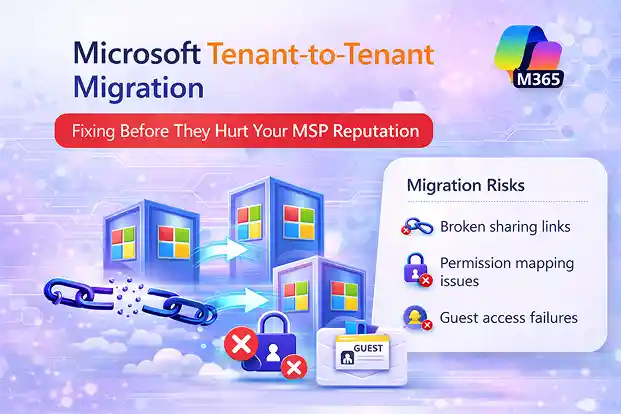
Broken links.
Permission chaos.
Guest identity conflicts.
These aren’t three random edge cases.
They’re symptoms of the same underlying reality:
Tenant migration changes URLs, inheritance paths, and identity objects all at once.
If you treat migration as a pure data copy exercise, you will fight fires.
If you treat it as an identity and access transition, you stay in control.
How to Position This to Clients
Your credibility as an MSP increases when you:
- Call out predictable risks before they happen
- Present mitigation strategies clearly
- Explain what tools solve and what they don’t
- Frame clean-up and rationalization as added value, not “extra work”
A structured migration approach looks like this:
- Pre-migration assessment (links, permissions, guests)
- Identity mapping strategy
- Controlled permission rationalization
- Clear communication plan
- Execution using a migration engine like Apps4.pro Migration Manager
- Post-cutover validation and external coordination
That’s not just “moving tenants.”
That’s protecting operational continuity.
Final Thought for MSPs
The real damage in tenant-to-tenant projects rarely comes from data loss.
It comes from:
- Broken trust
- Unexpected access issues
- Partner disruption
- Support overload
Links, permissions, and guest access are not edge cases. They’re core business continuity factors.
When you plan for them deliberately and use tools that let you map identities and preserve intentional permissions, you don’t just complete a migration.
You deliver stability.
And in the MSP world, stability is what clients remember.

















 Migrate
 Manage
 Migrate Microsoft 365








