


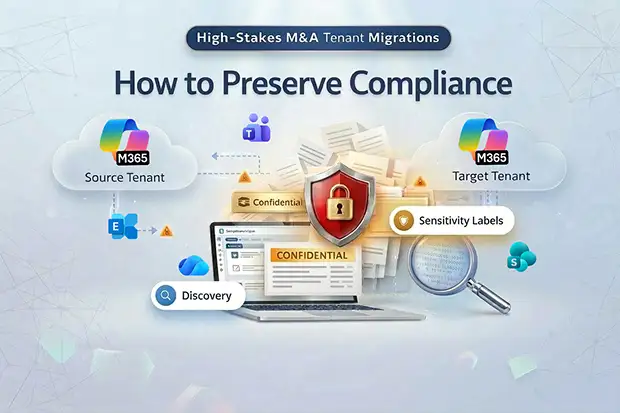
Your organization is 90 days into a merger. The TSA clock is ticking. IT is pushing hard to move everyone into a single Microsoft 365 tenant, and leadership is betting that compliance will simply come along. In reality, this is exactly where compliance continuity in a high-stakes M&A tenant migration can quietly put legal exposure, regulatory risk, and deal value on the line.
Why M&A Tenant Migrations Are Riskier Than Leadership Thinks
Most executives hear “Microsoft 365 tenant migration” and picture mailbox cutover and Teams coexistence, not the invisible fabric of eDiscovery, legal holds, retention, DLP, and insider risk signals that are all tenant-bound. Those controls do not migrate by default, and there is no big red “move compliance” button in Purview.
Behind the scenes, your legal, privacy, and security posture lives in hundreds of policies, labels, baselines, and audit logs that are tightly coupled to a single tenant. When you cross tenants during M&A, you are effectively dismantling and rebuilding your compliance engine while the business is still driving at highway speed.
Identifying compliance risks before signing? See Litigation Holds in M&A: Migration Risks Before Signing for the pre-deal litigation hold and SPA representation framework.
- Deep Technical Pain Points with Executive-Level Impact
- What These Twelve Risks Have in Common
- Organizational-Level Consequences If You Get This Wrong
- Strategic Framework: A CISO Checklist for Compliance-Safe Tenant Migration
- Three Moves That Separate Smooth Integrations From Headline Failures
- Practical Scripts: Pre-Migration Compliance Discovery
- FAQs: Compliance in High-Stakes M&A Tenant Migrations
Deep Technical Pain Points with Executive-Level Impact
1. eDiscovery Cases and Legal Holds Do Not Transfer
Active eDiscovery cases, holds, and review sets are tenant-bound and do not move to the target tenant in a standard cross-tenant migration. If you decommission the source tenant too early, you can lose access to preserved evidence or alter its state, triggering spoliation risk.
Business and compliance impact:
- Legal exposure in ongoing litigation or investigations if preserved content is altered or deleted.
- Inability to prove chain of custody to regulators or courts once the TSA period ends.
- Emergency, unplanned extensions of TSAs and migration timelines to regain access to evidence.
Practical addition: eDiscovery case Inventory Script is added in the Scripts section for quick case assessment.
2. Litigation Hold Mailboxes Block Cross-Tenant Migration
Mailboxes under Litigation Hold or legacy In-Place Hold cannot be migrated using Microsoft’s native cross-tenant mailbox move. These mailboxes simply fail to move, even if the rest of the user population migrates successfully.
But the good news is, workarounds exist — PST export, third-party tools, or manual content transfer — but each introduces chain-of-custody risks that your legal team must evaluate. The compliance problem is not that migration is technically impossible; it is that every available workaround weakens the evidentiary integrity that the hold was designed to protect.
Business and compliance impact:
- Critical users are stuck in the legacy tenant, forcing dual-tenant operations and extended coexistence.
- Project delays that spill beyond TSA timelines, adding unexpected cost and friction with the seller.
- Risky workarounds such as exporting PSTs without fully documented chain of custody.
3. Retention Policies and Labels Must Be Rebuilt
Retention policies in Microsoft Purview are tenant-specific and do not automatically migrate or “follow” content across tenants. Even when you recreate policies, item-level retention labels that were manually applied to specific documents or emails may not survive the migration path.
Business and compliance impact:
- Gaps in records retention for regulated content, especially in government, financial services, and public sector environments.
- Accidental data deletion in the target tenant while the source tenant is being wound down.
- Audit findings where regulators ask for retention proof spanning the pre- and post-migration period.
Practical addition: Retention Policy Inventory Script added in the Scripts section for quick policy assessment.
4. Sensitivity Labels and Encryption Break
Sensitivity labels configured in the source tenant frequently do not align with labels in the target tenant, and labels using user-defined permissions can prevent SharePoint content from moving at all. Post-migration, files can arrive with stripped labels or with encryption bound to identities that no longer exist.
Business and compliance impact:
- Sensitive data suddenly becomes readable to broader audiences because protection was removed in transit.
- Encrypted content becomes unreadable even to legitimate owners if keys and policies are not mapped.
- Increased insider risk during a period of heightened anxiety and potential data exfiltration.
Practical addition: Sensitivity Label Comparison Script added in the Scripts section.
5. DLP, Communication Compliance, and Information Barriers Reset
There is no native cross-tenant migration API for DLP or Communication Compliance Policies, and information barriers must be manually recreated. Tuning history, exceptions, and false-positive baselines are lost, turning carefully calibrated controls back into noisy or ineffective defaults.
Business and compliance impact:
- Data loss prevention gaps while policies are recreated and tuned in the new tenant.
- Communication between previously separated groups (for example, banking and trading) if information barriers are not rebuilt in time.
- Overwhelming alert volume that security operations cannot triage during cutover.
Practical addition: DLP Policy Export Script and Information Barrier Inventory Script added in the Scripts section.
6. Unified Audit Logs and Insider Risk Signals Fragment
Unified audit logs are tenant-bound and do not migrate, creating a hard boundary in your forensic timeline between the source and target tenants. At the same time, Insider Risk Management models reset in the target tenant, losing historical behavior patterns.
Business and compliance impact:
- Difficulty reconstructing an incident that spans the migration period because logs live in two disconnected tenants.
- A blind spot in insider threat detection when employees are most likely to exfiltrate data or behave anomalously.
- Longer incident investigations, more costly external forensics, and increased probability of executive and regulatory escalation.
Practical addition: Audit Log Export Script added in the Scripts section to export Unified Audit Logs.
7. Private Channel Compliance Model Change
Microsoft is shifting private channel message storage from user mailboxes to group mailboxes (MC1134737). The migration began rolling out in October 2025 and is expected to complete by March 2026 for worldwide tenants, with restricted cloud environments following in March 2026. If you run a M365 tenant migration during this transition without updating policies, your DLP, retention, and eDiscovery configurations may miss an entire class of private channel content.
Business and compliance impact:
- Gaps in supervision and surveillance policies that rely on capturing private channel messages for regulated communications.
- Missed DLP triggers on sensitive discussions that move to the new storage location but are not in scope for existing policies.
- Inconsistent legal discovery results where private channel messages appear in neither legacy user mailbox searches nor new group mailbox searches.
Lead with Confidence: CISO Tenant Migration Checklist
Download this Checklist(PDF) to brief your leadership team on the key security, compliance, and governance checkpoints for a successful tenant to tenant migration.
8. Multi-Geo and Data Residency Pitfalls
Cross-geo movement of data during tenant consolidation can unintentionally break data residency commitments or sector-specific regulations. Multi-Geo tenants introduce additional complexity as workloads and data sets may be spread across multiple regions.
Business and compliance impact:
- Potential GDPR and data sovereignty violations if specific data sets cross regulated borders without appropriate controls.
- Forced remediation projects and possible fines if regulators discover residency violations post-close.
- Strained trust with customers or regulators who were promised strict residency boundaries.
Edge Cases Compliance Teams Routinely Miss
9. Compliance Manager Assessments Do Not Transfer
Organizations that have invested months building out Microsoft Purview Compliance Manager scores across multiple regulatory frameworks (GDPR, ISO 27001, NIST, HIPAA) will find that assessment data, improvement action status, and evidence documentation do not carry over to the target tenant. The score resets to zero, and your audit trail of completed controls disappears.
10. Purview Data Map and Sensitivity Scanner Configurations
If your organization uses Microsoft Purview Data Map for data governance, the cataloging configurations, sensitivity scanning rules, classification patterns, and data estate mapping are all tenant-bound. Rebuilding these from scratch delays your ability to monitor and classify data in the target environment during the most vulnerable period of migration.
11. Data Subject Request (DSR) History Gaps
GDPR and privacy regulations require organizations to track and fulfill data subject requests. The history of completed DSRs, their documentation, and the audit trail of actions taken do not migrate between Office 365 tenants. If a regulator asks for proof that a specific deletion or access request was fulfilled pre-migration, that evidence may only exist in the source tenant.
12. In-Place Hold to Purview Hold Migration Gap
Organizations still running legacy In-Place Holds face an additional complication: these must be converted to modern Purview litigation holds before migration can proceed, and the conversion itself introduces a window where hold coverage may lapse. The sequencing of hold conversion, content verification, and migration must be carefully orchestrated with legal oversight.
What These Twelve Risks Have in Common
Every risk above shares the same root cause: Compliance Infrastructure is tenant-bound, invisible to migration tooling, and treated as an afterthought in most migration plans. They are all preventable with the right planning, but invisible until it is too late if you treat compliance as a post-migration task. The checklist below turns this from a list of warnings into a structured workstream.
Organizational-Level Consequences If You Get This Wrong
From a CISO or chief compliance officer viewpoint, tenant-to-tenant migration problems translate directly into organizational risk, not just IT headaches.
Key dimensions include:
Regulatory and legal risk
- Inability to produce complete eDiscovery content or audit trails across the migration boundary.
- Non-compliance with sector retention, DLP, and data residency requirements during TSA and beyond.
Executive and board escalation
- Unexpected discovery that legal holds are blocking mailbox migration after the TSA date is fixed in the SPA.
- Surprise security posture gaps (for example, Secure Score collapse in the target tenant) presented during board cyber risk reviews.
Workforce disruption
- Dual-tenant access, broken Microsoft Teams chats, and inconsistent retention leading to user confusion and workarounds like personal storage.
- Frustration from key executives whose mailboxes are “special” due to legal holds or region constraints, yet still expected to operate seamlessly.
Deal value and TSA economics
- Extended TSAs to keep the source tenant alive for eDiscovery, audit, or hold requirements, increasing cost and complexity.
- Post-close remediation projects that erode the projected synergy and cost savings from consolidating Microsoft 365 tenants.
Strategic Framework: A CISO Checklist for Compliance-Safe Tenant Migration
Use this checklist as a decision and communication tool with your CIO, GC, deal team, and board.
1. Clarify Regulatory and Legal Anchors Before Design
- Map all active litigation, investigations, and regulatory matters that depend on Microsoft 365 data.
- Inventory eDiscovery cases, holds, retention policies, and data residency commitments in both tenants.
- Align with legal on which matters require the source tenant to be preserved beyond TSA and for how long.
2. Decide the Compliance Operating Model for TSA
- Define whether the legacy tenant, the target tenant, or both will act as the “system of record” for legal and regulatory purposes during TSA.
- Establish explicit guidance on which tenant to use for: new eDiscovery matters, new retention policies, and new DLP rules.
- Document which compliance capabilities must be live in the target tenant before user cutover (for example, baseline DLP, key retention, core labels).
3. Design Migration Waves Around Compliance Constraints
- Segregate users and data tied to Litigation Holds or critical investigations into dedicated migration waves with specialized tooling and legal oversight.
- Plan the eDiscovery export and case recreation timeline before decommissioning any source workloads.
- Sequence high-risk workloads (Microsoft Teams, SharePoint Online, OneDrive) so that sensitivity labels, DLP, and information barriers are in place in the target before those data sets move.
4. Rebuild and Validate Purview Controls in the Target
- Recreate retention and DLP policies using documented baselines, not ad-hoc manual clicks during cutover night.
- Reimplement communication compliance and information barriers with specific sign-off from risk and legal.
- Validate that private channels, new Teams storage models, and multi-geo data flows align with updated Purview policies.
5. Preserve Evidence and Observability Across the Boundary
- Export and archive unified audit logs from the source tenant into an external SIEM or evidence repository before sunset.
- Define how your SOC will correlate incidents across two tenants, including alert routing, playbooks, and reporting.
- Accept and document any unavoidable “gap windows” in telemetry as part of your risk register and board reporting.
6. Align Executive Communication and Governance
- Build a concise “Compliance in Tenant Migration” briefing for the deal steering committee, highlighting red-flag areas and decision points.
- Tie migration milestones directly to regulatory outcomes: “We cannot deprecate Tenant A until cases X, Y, Z are recreated and validated in Tenant B.”
- Agree on escalation paths when compliance blockers threaten TSA dates, so you are not negotiating hold removal on the weekend before cutover.
Three Moves That Separate Smooth Integrations From Headline Failures
For CISOs and Legal/Compliance leaders facing a Microsoft 365 tenant-to-tenant migration under TSA pressure, three moves consistently separate smooth integrations from headline-level failures.
1. Put compliance at the center of the migration design
- Treat eDiscovery, legal holds, retention, DLP, and data residency as first-class design constraints, not afterthoughts.
- Require every major migration decision to answer: “How does this preserve or change our regulatory posture?”
2. Create a joint Migration Risk Office
- Stand up a small cross-functional team spanning CISO, GC, CIO, and business integration that owns the risk register for tenant migration.
- Give this group explicit authority to slow or re-sequence migration waves when compliance blockers appear.
3. Use specialized tooling and external expertise where native capabilities stop
- Acknowledge that Microsoft’s native cross-tenant tools do not cover litigation, hold migrations, DLP moves, or case transfer, and plan for third-party or partner solutions where necessary.
- Bring in advisers who have seen multiple high-stakes migrations and can benchmark your plan against industry practice.
Practical Scripts: Pre-Migration Compliance Discovery
The following PowerShell scripts help your compliance and security team inventory the compliance posture of both tenants before migration begins. Run these in both the source and target tenants to build your compliance baseline and rebuild checklist.
All scripts require appropriate admin permissions and the relevant PowerShell modules (ExchangeOnlineManagement, Microsoft.Graph, and the Security & Compliance PowerShell module).
Script 1: Export Unified Audit Logs Before Source Tenant Decommission
Audit logs do not migrate and are permanently lost when the source tenant is decommissioned. Export them into your SIEM or evidence repository.
# Connect to Security & Compliance PowerShell

Connect-IPPSSession -UserPrincipalName admin@sourcetenant.com

# Define date range (adjust to cover your full audit history)

$startDate = (Get-Date).AddDays(-180)  # 6 months back

$endDate = Get-Date

$outputPath = "C:\AuditExport"

if (-not (Test-Path $outputPath)) { New-Item -ItemType Directory -Path $outputPath }

# Export in 24-hour chunks to avoid throttling and 50k record limits

$currentDate = $startDate

while ($currentDate -lt $endDate) {

    $chunkEnd = $currentDate.AddDays(1)

    $fileName = "AuditLog_$($currentDate.ToString('yyyy-MM-dd')).csv"

    $results = Search-UnifiedAuditLog `

        -StartDate $currentDate `

        -EndDate $chunkEnd `

        -ResultSize 5000 `

        -SessionCommand ReturnLargeSet

    if ($results) {

        $results | Export-Csv -Path "$outputPath\$fileName" `

            -NoTypeInformation -Append

        Write-Host "Exported $($results.Count) records for $($currentDate.ToString('yyyy-MM-dd'))"

    }

    $currentDate = $chunkEnd

}

Write-Host "Audit log export complete. Files saved to $outputPath"
Note: For tenants with high activity volume, you may need to paginate further within each day. Consider using the SessionId parameter for sessions exceeding 50,000 records per day. Store exports in an immutable storage location (Azure Blob with legal hold, or your SIEM) to maintain evidentiary integrity.
Script 2: Inventory All eDiscovery Cases, Holds, and Scope
Maps all active eDiscovery cases and their associated holds across the source tenant. This inventory tells your legal team exactly what is at stake before any O365 tenant migration begins.
# Connect to Security & Compliance PowerShell

Connect-IPPSSession -UserPrincipalName admin@sourcetenant.com

 # Get all eDiscovery cases (Standard and Premium)

$cases = Get-ComplianceCase -CaseType eDiscovery

$premiumCases = Get-ComplianceCase -CaseType AdvancedEdiscovery

$allCases = @($cases) + @($premiumCases)

 Write-Host "Found $($allCases.Count) eDiscovery cases" -ForegroundColor Cyan


$report = foreach ($case in $allCases) {

    $holds = Get-CaseHoldPolicy -Case $case.Identity -ErrorAction SilentlyContinue

     foreach ($hold in $holds) {

        $holdRule = Get-CaseHoldRule -Policy $hold.Identity `

            -ErrorAction SilentlyContinue

         [PSCustomObject]@{

            CaseName     = $case.Name

            CaseStatus   = $case.Status

            CaseType     = $case.CaseType

            HoldName     = $hold.Name

            HoldEnabled  = $hold.Enabled

            HoldQuery    = if ($holdRule) { $holdRule.ContentMatchQuery } else { 'N/A' }

            Locations    = ($hold.ExchangeLocation + $hold.SharePointLocation `

                + $hold.PublicFolderLocation) -join '; '

            CreatedDate  = $hold.WhenCreatedUTC

        }

    }

}

 $report | Export-Csv -Path "eDiscovery_Case_Inventory.csv" -NoTypeInformation

Write-Host "Report saved to eDiscovery_Case_Inventory.csv"
Script 3: Export Retention Policies and Rules
Documents all retention policies, their scope, duration, and action type. Use this as your rebuild checklist for the target tenant.
# Connect to Security & Compliance PowerShell

Connect-IPPSSession -UserPrincipalName admin@sourcetenant.com

$policies = Get-RetentionCompliancePolicy

Write-Host "Found $($policies.Count) retention policies" -ForegroundColor Cyan

$report = foreach ($policy in $policies) {

    $rules = Get-RetentionComplianceRule -Policy $policy.Identity

    foreach ($rule in $rules) {

        [PSCustomObject]@{

            PolicyName        = $policy.Name

            PolicyEnabled     = $policy.Enabled

            PolicyMode        = $policy.Mode

            ExchangeLocations = $policy.ExchangeLocation -join '; '

            SPLocations       = $policy.SharePointLocation -join '; '

            TeamsLocations    = ($policy.TeamsChannelLocation + `

                $policy.TeamsChatLocation) -join '; '

            RuleName          = $rule.Name

            RetentionDuration = $rule.RetentionDuration

            RetentionAction   = $rule.RetentionComplianceAction

            ContentMatch      = $rule.ContentMatchQuery

        }

    }

}

$report | Export-Csv -Path "Retention_Policy_Inventory.csv" -NoTypeInformation

Write-Host "Report saved to Retention_Policy_Inventory.csv"
Script 4: Compare Sensitivity Labels Between Source and Target Tenants
Identifies mismatches, gaps, and naming conflicts between sensitivity label configurations in both tenants before migration. Run this script once connected to each tenant and compare the outputs.
# Connect to Security & Compliance PowerShell for each tenant

# Run separately for source and target, then compare outputs

Connect-IPPSSession -UserPrincipalName admin@tenant.com

$labels = Get-Label

$report = foreach ($label in $labels) {

    [PSCustomObject]@{

        LabelName          = $label.DisplayName

        LabelGuid          = $label.ImmutableId

        Priority           = $label.Priority

        ParentLabel        = $label.ParentLabelDisplayName

        ContentType        = $label.ContentType

        EncryptionEnabled  = $label.EncryptionEnabled

        EncryptionProtType = $label.EncryptionProtectionType

        AutoLabeling       = if ($label.Conditions) { 'Yes' } else { 'No' }

        Tooltip            = $label.Tooltip

        Disabled           = $label.Disabled

    }

}

# Save output for each tenant with a clear filename

$report | Export-Csv -Path "SensitivityLabels_[TenantName].csv" `

    -NoTypeInformation

Write-Host "Label inventory saved. Compare source vs target files."
Comparison tip: After exporting from both tenants, use a simple diff or Excel VLOOKUP on the LabelName column to identify labels that exist in the source but not the target, labels with the same name but different encryption settings, and labels with conflicting priority order.
Script 5: Export DLP Policies and Rules
Documents all DLP policies, conditions, and actions. Since there is no cross-tenant DLP migration API, this export becomes your manual rebuild specification for the target tenant.
# Connect to Security & Compliance PowerShell

Connect-IPPSSession -UserPrincipalName admin@sourcetenant.com

$dlpPolicies = Get-DlpCompliancePolicy

Write-Host "Found $($dlpPolicies.Count) DLP policies" -ForegroundColor Cyan

$report = foreach ($policy in $dlpPolicies) {

    $rules = Get-DlpComplianceRule -Policy $policy.Identity

    foreach ($rule in $rules) {

        [PSCustomObject]@{

            PolicyName          = $policy.Name

            PolicyEnabled       = $policy.Enabled

            PolicyMode          = $policy.Mode

            ExchangeLocations   = $policy.ExchangeLocation -join '; '

            SPLocations         = $policy.SharePointLocation -join '; '

            OneDriveLocations   = $policy.OneDriveLocation -join '; '

            TeamsLocations      = $policy.TeamsLocation -join '; '

            RuleName            = $rule.Name

            RulePriority        = $rule.Priority

            SensitiveInfoTypes  = ($rule.ContentContainsSensitiveInformation | `

                ForEach-Object { $_.name }) -join '; '

            Actions             = $rule.BlockAccess

            NotifyUser          = $rule.NotifyUser

        }

    }

}

$report | Export-Csv -Path "DLP_Policy_Inventory.csv" -NoTypeInformation

Write-Host "Report saved to DLP_Policy_Inventory.csv"
Script 6: Inventory Information Barrier Policies
Critical for financial services and other regulated industries where information barriers separate groups that must not communicate. These must be manually recreated in the target tenant.
# Connect to Security & Compliance PowerShell

Connect-IPPSSession -UserPrincipalName admin@sourcetenant.com

# Get all information barrier policies

$ibPolicies = Get-InformationBarrierPolicy

$ibSegments = Get-OrganizationSegment

Write-Host "Found $($ibPolicies.Count) IB policies, " `

    "$($ibSegments.Count) segments" -ForegroundColor Cyan

# Export segments

$ibSegments | Select-Object Name, UserGroupFilter, CreatedBy | `

    Export-Csv -Path "IB_Segments.csv" -NoTypeInformation

# Export policies

$ibPolicies | Select-Object Name, State, AssignedSegment, `

    SegmentsAllowed, SegmentsBlocked | `

    Export-Csv -Path "IB_Policies.csv" -NoTypeInformation

Write-Host "Information barrier inventory exported."
Run each of these scripts against both tenants. The source tenant output becomes your compliance baseline documentation. The target tenant output (post-recreation) becomes your validation proof. The delta between the two is your compliance risk register for the migration.
Identifying compliance risks before signing? See Litigation Holds in M&A: Migration Risks Before Signing for the pre-deal litigation hold and SPA representation framework.

















 Migrate
 Manage
 Migrate Microsoft 365








