


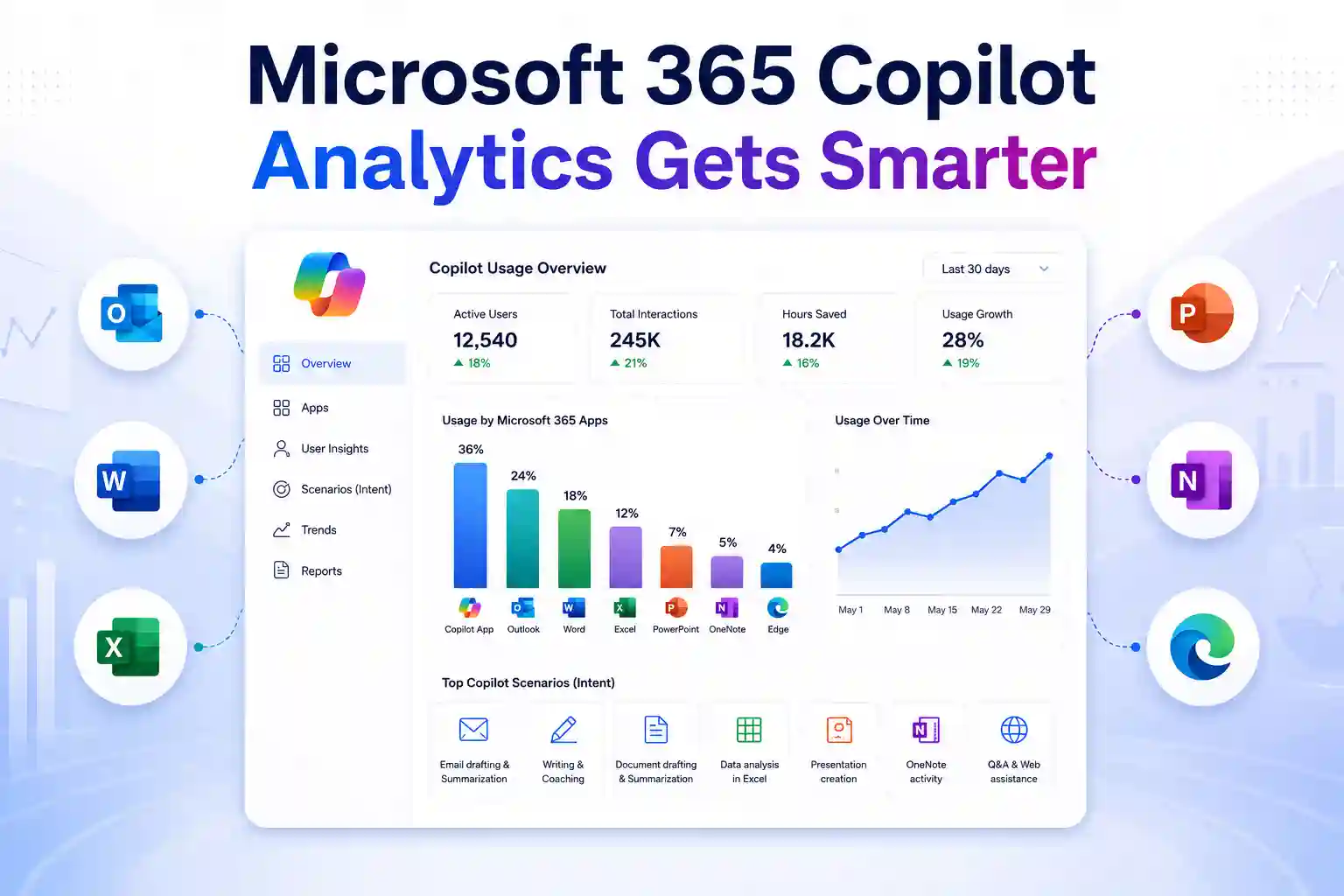
Microsoft is expanding Microsoft 365 Copilot Analytics with richer, app-level usage metrics that help you see how Copilot supports work across your organization. Rather than relying only on license assignments or high-level adoption numbers, you can gain a more practical view of where Copilot is being used, and which experiences are driving engagement.
The update adds stronger visibility across the Microsoft 365 Copilot app, Microsoft Edge, OneNote, Outlook, Word, Excel, and PowerPoint. It also simplifies Copilot Chat reporting, making it easier to build a more consistent picture of Microsoft 365 Copilot adoption across your workplace.
Why Comprehensive Copilot Metrics Matter
Assigning Microsoft 365 Copilot licenses is only the beginning. To understand whether Copilot is making a difference, you need to know how employees are using it in their everyday work.
Are teams using Copilot to write content, summarize information, analyse spreadsheets, prepare presentations, respond to emails, or find answers faster? More detailed Microsoft 365 Copilot metrics can help you answer these questions with greater confidence.
Copilot Analytics provides a clearer view of adoption, usage patterns, and potential business impact. Through the Microsoft Copilot Dashboard and Advanced Reporting in Viva Insights, you can explore how Copilot activity changes across teams, Microsoft 365 apps, and work scenarios.
The enhanced reporting experience can help you assess:
- Which Microsoft 365 apps have the strongest Copilot engagement
- Where employees are using Copilot most frequently
- Which departments may benefit from focused enablement
- How usage differs across roles and business functions
- Whether Copilot adoption is becoming consistent over time
- Which use cases can be shared as internal success stories
Instead of treating Copilot adoption as one broad metric, you can use the data to build a more informed and targeted enablement strategy.
Expanded Microsoft 365 Copilot App Metrics
Copilot is used across many applications, not in just one workspace. An employee may draft an email in Outlook, summarize meeting notes in OneNote, analyse data in Excel, refine a proposal in Word, and create a presentation in PowerPoint within the same day.
The expanded Copilot Analytics metrics help you understand activity across these connected work experiences.
You can track Copilot usage in:
- Microsoft 365 Copilot app
- Microsoft Edge
- OneNote
- Outlook
- Word
- Excel
- PowerPoint
This broader view helps you identify where Copilot is becoming part of daily work. It also gives you a better foundation for creating role-based training, adoption campaigns, and internal support resources.
For example, your marketing team may be using Copilot heavily in Word and PowerPoint to create campaign content and presentations. Your finance team may be using Copilot in Excel to explore data, create formulas, and identify trends.
These patterns can help you move beyond generic Copilot training and focus on the Microsoft 365 apps and use cases that matter most to each team.
Copilot Analytics view for tracking usage across supported Microsoft 365 experiences
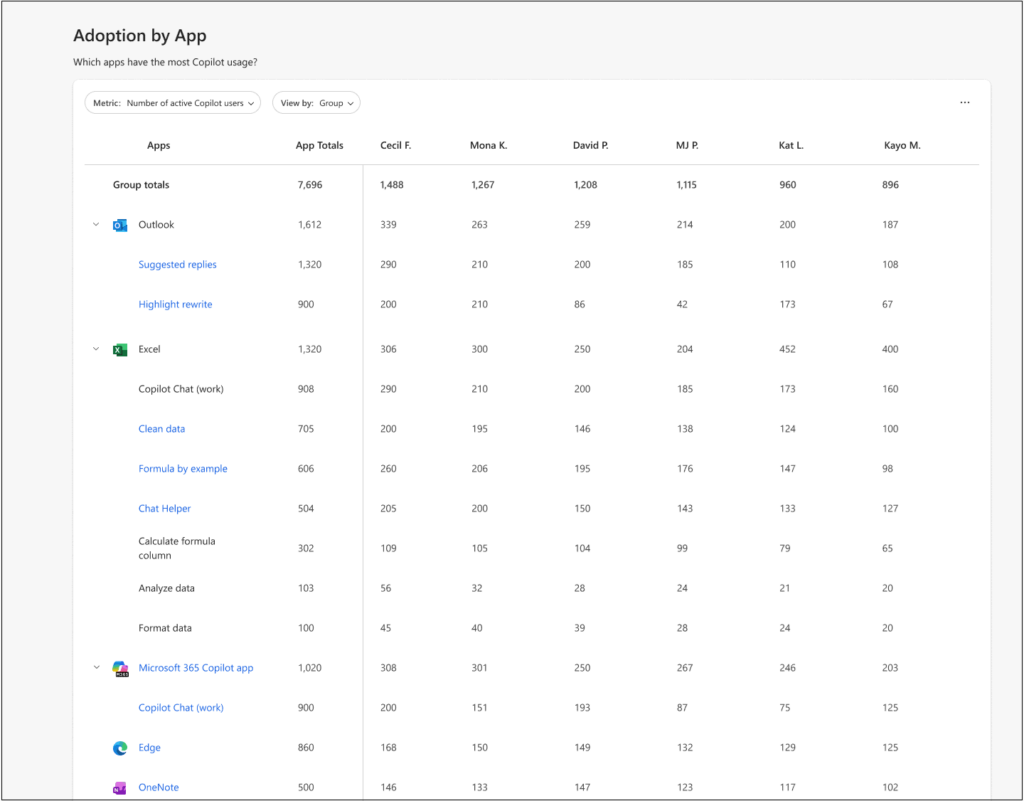
See Intent, Not Just Activity
A user opening Copilot is useful information, but it does not show the whole story. The real value comes from understanding what people are trying to accomplish with Copilot in their daily work.
Microsoft is expanding intent-based Copilot metrics across Outlook, Word, Excel, and PowerPoint. This provides deeper visibility into the types of work employees complete with Copilot assistance.
Measured scenarios can include:
- Suggested replies and email drafting in Outlook
- Translation support across Microsoft 365 apps
- Writing and communication coaching
- Word document drafting, rewriting, and summarization
- Excel formula generation, data analysis, and data cleanup
- PowerPoint presentation creation and content development
- OneNote Copilot activity
- Copilot-supported actions in the Microsoft 365 Copilot app and Edge
Intent-based reporting can make Copilot adoption data more meaningful. It helps you understand whether employees are using Copilot for practical tasks, rather than simply measuring whether they accessed the service.
You may find that one team uses Copilot primarily for faster communication, while another relies on it to analyse data or create business content. That insight can shape your internal guidance, training programs, and adoption communications.
🎯 Find Your Copilot Moment
Encourage employees to identify one recurring task where Copilot improves speed, quality, or clarity.
- Ask teams to share a successful prompt or workflow
- Highlight examples from Outlook, Word, Excel, OneNote, and PowerPoint
- Turn the most useful examples into short internal Copilot tips
Simplified Copilot Chat Reporting
Microsoft is simplifying Copilot Chat reporting in Copilot Analytics by consolidating the metrics previously associated with Copilot Chat (Work) and Copilot Chat (Web) into one unified Copilot Chat metric.
The former Copilot Chat (Work) will be renamed as Copilot Chat, and
Copilot Chat (web) will be renamed as Copilot Chat (legacy web).
This creates a clearer, more consistent view of Copilot Chat engagement across work and web-based experiences. It can also reduce reporting complexity when sharing adoption insights with stakeholders.
If you use Advanced Reporting or custom Copilot Analytics queries, review any reports that rely on the earlier metric names. Recurring custom queries and published reports built on the previous metrics may stop refreshing after the report-template update.
You may need to rerun affected queries using the renamed metrics and republish those reports. Prebuilt Power BI template reports, including previously published versions, are not affected.
What Analytics Teams Should Review
To keep Copilot reporting accurate and uninterrupted, review the following areas:
- Recurring custom queries that use older Copilot Chat metric names
- Published reports based on Copilot Chat (Work) or Copilot Chat (Web)
- Power BI datasets or dashboards that rely on legacy metric fields
- Internal KPI definitions and Copilot reporting documentation
- Leadership reports that compare Copilot Chat usage across teams
A proactive reporting review can help you avoid broken data refreshes and ensure that decision-makers continue to see reliable Microsoft 365 Copilot adoption insights.
Turn Copilot Data Into Adoption Action
Copilot metrics are most valuable when they lead to practical action. The purpose of reporting is not simply to measure usage, but to understand where people need support and where successful adoption can be scaled.
The Microsoft Copilot Dashboard helps you assess readiness, adoption, impact, and sentiment. It can provide visibility into active users, app-level engagement, usage trends, returning-user behavior, and adoption across organizational groups.
You can use these insights to explore questions such as:
- Which departments show the strongest Microsoft 365 Copilot adoption?
- Which Microsoft 365 apps are driving the most Copilot engagement?
- Which groups have assigned licenses but limited activity?
- Are employees becoming regular Copilot users over time?
- Which roles need use-case-specific training?
- Which internal teams can act as Copilot champions?
Microsoft identifies active Copilot users as licensed employees who have completed at least one Copilot activity in the previous 28 days. The Copilot Dashboard can also help you understand usage depth through categories such as novice, habitual, and power users.
This can help you identify the right next step for each audience. New users may need introductory guidance, while habitual users may be ready for more advanced prompts, scenario-based training, and workflow improvements.
📊 Copilot Adoption Scorecard for Business Leaders
Build a short monthly update that turns Copilot data into a clear leadership action plan.
- Highlight the three teams with the strongest active-user growth
- Identify one department that needs targeted enablement
- Share one successful Microsoft 365 Copilot use case
- Recommend one practical action for business leaders to support adoption
From Adoption Metrics to Business Impact
Usage data shows where Copilot is being used. Business-impact analysis can help you explore whether that usage supports outcomes that matter to your organization.
Copilot Analytics supports this broader measurement approach through the Copilot Dashboard, Advanced Reporting, and business-impact analysis capabilities. You can combine Copilot usage data with your own business data to explore relationships between adoption and business performance.
Depending on your business priorities, you may want to examine metrics such as:
- Sales pipeline progression and deal size
- Customer retention and response time
- Marketing leads and campaign-production speed
- IT ticket volume and issue-resolution time
- Customer service case handling and resolution rates
- Finance forecasting accuracy
- Employee onboarding time
- Contract-review efficiency and error reduction
For example, an IT team may evaluate whether Copilot use in Outlook, Microsoft 365 Copilot Chat, and Word supports faster incident communication, documentation, and knowledge sharing.
A marketing team may look at whether Copilot usage in Word and PowerPoint helps teams produce campaign assets, customer presentations, and internal briefs more efficiently.
Microsoft describes measures such as Copilot assisted hours and Copilot assisted value as estimates. They are designed to help you understand potential value and directional trends, not to function as exact employee time tracking or formal financial-accounting measures.
🚀 Role-Based Copilot Clinics
Deliver short, practical sessions built around the work each department already does.
- Sales teams can create account briefs, meeting summaries, and follow-up messages
- Finance teams can analyse Excel data, generate formulas, and explore trends
- Marketing teams can draft content, build presentations, and refine campaign messaging
- IT teams can summarize incidents, create documentation, and speed up knowledge discovery
What This Update Means for Microsoft 365 Teams
The expanded Copilot metrics update gives your organization a clearer view of how Microsoft 365 Copilot is used across everyday apps and business workflows.
With app-level activity, intent-based scenarios, and unified Copilot Chat reporting, you can better understand adoption patterns and take more focused action.
Key priorities include:
- Review Copilot Analytics dashboards and existing reports
- Check custom queries that use older Copilot Chat metrics
- Identify teams with low adoption or high-growth usage
- Create role-specific training based on the apps and scenarios employees use most
- Use adoption insights to improve Copilot enablement, governance, and business-impact measurement
The goal is not simply to increase Copilot usage. It is to help employees use Copilot confidently where it can improve productivity, communication, and everyday work outcomes.
Learn More from Microsoft
Explore these Microsoft resources to understand Copilot Analytics, dashboard metrics, and admin reporting in more detail.
















