


When you migrate Power BI between Microsoft 365 tenants, you discover something quickly:
There is no native Microsoft tool to move it.
- No automated workspace transfer
- No built-in dataset migration engine
- No permission or Role-Level Security (RLS) carryover
- No direct rebind of gateways or data sources
Microsoft Power BI assets are tenant bound by architecture.
Power BI Workspaces, datasets, gateways, and permissions are tied to tenant specific Azure AD object IDs, workspace identifiers, and security configurations. When tenants change, those references no longer exist.
There is no “move” operation. Only reconstruction.
So, what happens instead?
MSPs rely on manual export and import methods, downloading PBIX files, recreating workspaces, rebuilding permissions, reconfiguring gateways, and re-authenticating data sources.
And that’s where migration stops being a transfer and starts becoming reconstruction.
The Manual Export and Import Method MSPs Use
With no native migration path available, the process typically involves:
- Exporting PBIX files
- Recreating workspaces
- Re-importing reports
- Reconfiguring data connections
- Rebuilding gateways
- Reassigning permissions and RLS
At a high level, this seems manageable.
But each step depends on tenant specific configurations. Every asset must be rebuilt and revalidated in the new environment.
That’s where risk begins to accumulate.
What Breaks During Manual Power BI Migration
The issue isn’t exporting files.
It’s everything that doesn’t migrate with them.
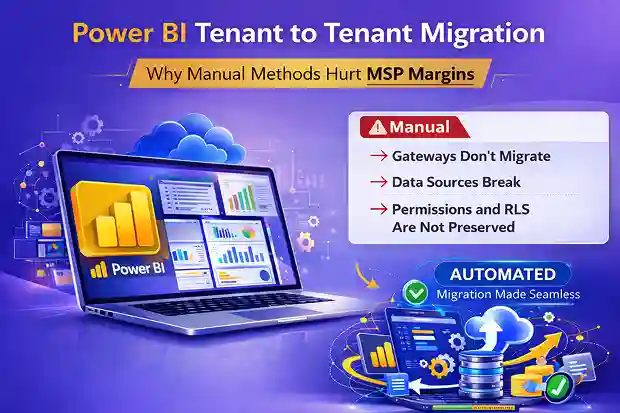
1. Gateways Do Not Migrate
The Power BI On-premises Data Gateway connects cloud datasets to internal systems like SQL Server, SAP, Oracle, and file shares.
Here’s the critical detail:
A gateway is registered to a specific Microsoft tenant. It is not portable.
It must be:
- Re registered in the target tenant
- Reconfigured with data source connections
- Manually mapped to every dataset
Miss one mapping, and scheduled refresh stops working.
Often silently.
2. Data Sources Lose Their Configuration
When reports are exported and re-imported, connection references do not carry over cleanly.
They often include:
- Credentials stored in the source tenant
- Gateway identifiers tied to the source environment
- Tenant-specific configuration settings
After import, those references become invalid.
Each data source must be manually:
- Re authenticated
- Rebound to the correct gateway
- Tested for refresh reliability
Across multiple workspaces, this becomes repetitive and time-consuming, and the risk compounds with scale.
3. Permissions and RLS Are Not Preserved
Permissions and Row-Level Security rely on Azure AD users and groups.
When tenants change:
- Object IDs change
- Security groups must be recreated
- RLS mappings must be reassigned
If mishandled:
- Users lose access
- Or worse, gain unintended access
Both scenarios create post go live escalations.
The Real Impact on MSP Projects
Manual reconstruction doesn’t just increase technical effort.
It changes project economics.
It leads directly to:
- Rework
- Increased senior engineering involvement
- Extended validation cycles
- Longer timelines
- Reduced margins
Why This Scales Poorly
Power BI Manual export/import may work in small environments.
It starts breaking down when:
- Dozens of workspaces exist
- Shared datasets are widely reused
- Gateways connect to multiple sources
- Premium capacity is involved
- Embedded analytics support production systems
The more business-critical Power BI becomes, the more fragile manual migration becomes.
The Hidden Cost: Margin Erosion
For MSPs, this is the real risk.
Manual Power BI migration:
- Requires senior engineers
- Increases validation effort
- Introduces unpredictable troubleshooting
- Extends post-cutover support
What looks like a 20 hour effort often becomes 40+ once reconfiguration and validation are included.
That additional effort rarely gets billed.
It comes directly from margin.
Moving Beyond Manual Reconstruction
Power BI tenant migration doesn’t have to be a rebuild exercise.
When manual reconstruction becomes risky at scale, structured automation changes the equation.
This is where Apps4.Pro Migration Manager reduces risk and uncertainty.
How Apps4.Pro Reduces Power BI Migration Risk and Effort
Apps4.Pro Migration Manager provides a structured approach by:
- Automating asset transfer
- Replicating workspace structures
- Assisting with permission mapping
- Reducing manual dataset reconfiguration
- Providing centralized migration visibility
Instead of exporting files and rebuilding piece by piece, you operate within a controlled workflow.
This reduces human error, gateway misconfiguration, RLS mapping mistakes, and post migration refresh failures.
Most importantly, it restores predictability.
Final Thought
Microsoft Power BI data migration hurts not because it’s impossible.
It hurts because there is no native Microsoft pathway, only building blocks.
Manual export/import works.
But it shifts complexity onto the MSP.
More effort. More rework. More margin pressure.
When reporting drives executive decisions, migration cannot rely on manual reconstruction alone.
It requires structure.
And the difference between manual grind and controlled automation is often the difference between firefighting and predictable delivery.

















 Migrate
 Manage
 Migrate Microsoft 365








