


If you deliver Microsoft 365 tenant to tenant migrations, Power Automate is not a minor workload.
It’s a delivery and margin risk, especially if you assume it will “just work” after migration.
On paper, migrating flows looks simple. Export. Import. Done.
In reality, many of your clients’ flows stop working immediately after migration.
The reason is straightforward: every flow contains tenant specific references, connection IDs, SharePoint URLs, environment IDs, user object IDs, approval of references, and service principals. When the tenant changes, those identifiers no longer exist.
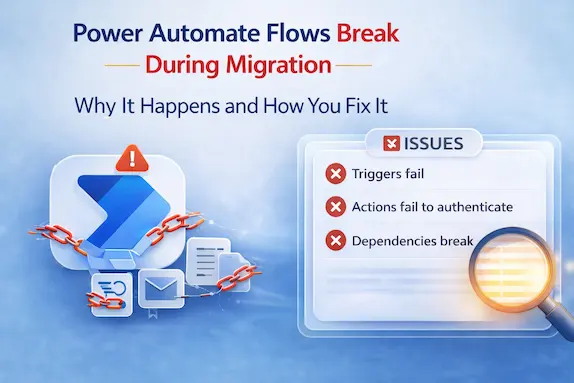
Triggers fail. Actions fail to authenticate. Dependencies break.
Day one after cutover, the automations your client depends on such as approvals, notifications, invoice processing, reporting are stop running.
This isn’t a bug.
It’s how the platform is built.
Why Flows Break During Tenant Migration
Microsoft Power Automate flows are built using absolute references tied to a specific tenant and environment. These include:
- Connector authentication tokens
- SharePoint site URLs
- Microsoft 365 Group IDs
- Task IDs
- User identities (object IDs, UPNs)
- Environment-specific configurations
- Approval references and service principals
When you export and import a flow into a new tenant, the logic transfers.
The references do not.
The new tenant has different IDs, authentication tokens, and security contexts. Power Automate does not automatically remap these dependencies across tenants.
Every reference must be recreated or reconfigured.
That is where remediation effort begins.
The Business Impact on Day One
When flows stop, your client’s business processes stall.
- Invoices don’t go out.
- Approvals sit pending.
- Customer emails go unanswered.
- Reports stop updating.
What seems like a technical issue quickly turns into a business disruption.
And for you, that means unplanned remediation hours, shrinking margins, and reactive support calls right after go-live.
Why This Becomes Your Problem
If you handle Microsoft 365 tenant migrations regularly, this isn’t a rare scenario. You’ve likely seen some version of it before.
Power Automate is deeply embedded in modern Microsoft 365 environments. When it breaks, the business feels it is immediately.
Here’s what that looks like in real projects:
- Critical automations fail.
- Your delivery team shifts from structured execution to emergency troubleshooting.
- Unplanned remediation eats into billable hours.
- SLAs come under pressure.
- Clients start asking hard questions.
The challenge isn’t complexity.
It’s scale.
Fixing one flow is manageable. Fixing 60, 120, or 300 + across multiple environments becomes an operational risk.
Manual Power Automate Migration
It is important to distinguish between mechanical transfer and structured migration.
Exporting and importing flows is not true for migration planning. It simply moves the flow package from one tenant to another. It does not analyze dependencies, map identities, or reduce risk before cutover.
Manual migration typically involves:
- Exporting the flow package from the source tenant
- Importing it into the target tenant
- Reconfiguring connections, credentials, and resource references
After importing, you must manually:
- Recreate connectors using new tenant credentials
- Update SharePoint URLs and environment references
- Rebind user identities and approvals
- Validate triggers and actions
This works in small environments.
But it lacks:
- Automated discovery of dependencies
- Connector and identity mapping
- Pre-migration risk analysis
- Controlled remediation workflows
You are effectively identifying issues after importing and repairing them one by one.
At scale, this becomes time-intensive and margin sensitive.
What a Structured Migration Approach Looks Like
If export and import is just a mechanical transfer, then what does a structured migration actually look like?
It means you reduce risk before cutover, instead of repairing damage afterward.
A structured approach gives you visibility and control. It includes:
- Automated discovery of flows and their dependencies
- Mapping connectors, identities, and environment references between tenants
- Identifying risk before migration day
- Controlled remediation instead of reactive fixes
- Validation steps that prevent post-cutover surprises
The goal isn’t just to move flows.
It’s to protect your delivery.
Where Apps4.Pro Fits
This is where Apps4.Pro Migration Manager changes the dynamic.
Instead of reopening and fixing Power Automate flows one by one, it helps you:
- Remap connections and identities automatically
- Translate tenant-specific references
- Reduce post-migration failures
- Shorten remediation time
- Protect SLA commitments
The difference is straightforward:
Export/import transfers the flow design.
Apps4.Pro Migration Manager manages the migration risk.
If you handle frequent or large-scale tenant migrations, that difference shows where it matters most, delivery predictability and margin protection.

















 Migrate
 Manage
 Migrate Microsoft 365








