


Introduction
Security teams are dealing with more alerts, more tools, and fewer skilled analysts. Every investigation takes time. Every delayed response increase risk.
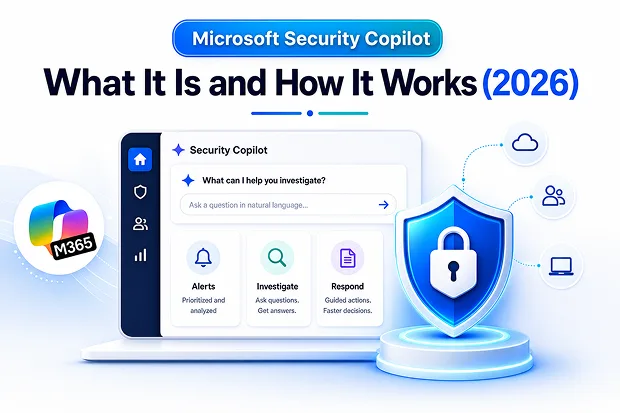
Microsoft Security Copilot helps solve that problem by bringing generative AI into security operations. It helps analysts investigate incidents, summarize threats, understand risk, and take faster action across Microsoft security tools.
Whether you call it Microsoft Security Copilot, Security Copilot, or Microsoft Copilot for Security, the goal is the same: help security teams turn hours of manual investigation into faster, guided decisions.
What Is Microsoft Security Copilot?
Microsoft Security Copilot is a generative AI-powered security solution from Microsoft. It lets security and IT teams ask questions in natural language and get contextual answers from their security data. Instead of writing complex queries or switching between multiple dashboards, analysts can ask questions like:
- Which users or devices were affected?
- Is this phishing email dangerous?
- What happened in this incident?
- What should I do next to contain this threat?
Security Copilot then helps summarize the issue, explain the risk, and recommend next steps based on Microsoft security signals, threat intelligence, and connected tools.
The main benefit is speed. It does not replace security analysts. It helps them work faster and make better decisions.
How Microsoft Security Copilot Works
It pairs an AI language model with Microsoft’s threat intelligence and security signals, then interprets, summarizes, and recommends actions in real time. Connectors extend its reach across first-party tools, third-party services, and trusted external sources. It fits your team’s workflow two ways:
- Standalone portal — for running investigations, promptbooks, and reports.
- Embedded experience — help surfaced directly inside Defender, Entra, Intune, and Purview.
How Microsoft Security Copilot Agents Save Time
Purpose-built AI agents handle repetitive and high-volume tasks across cloud, identity, data, and network security, while keeping humans in control of the final decisions.
The most relevant agents for IT leaders include:
- Phishing Triage Agent (Defender) – Automatically analyzes and classifies reported phishing emails, reducing the amount of manual review required.
- Threat Intelligence Briefing Agent – Creates customized threat intelligence reports that would normally take days to prepare.
- Conditional Access Optimization Agent (Entra) – Identifies gaps in identity and access policies and recommends quick fixes.
- Vulnerability Remediation Agent (Intune) – Highlights the most important vulnerabilities and provides step-by-step guidance to fix them.
- Access Review Agent – Speeds up access review and approval decisions within Microsoft Teams.
No additional training or licensing is required, and organizations can also build custom agents to meet their specific needs.
Important:
Several of these agents are currently in public preview, which means they are still prerelease features. Their recommendations should be reviewed carefully before taking action.
What Does Microsoft Security Copilot Cost?
Microsoft Security Copilot pricing is based on Security Compute Units (SCUs).
Think of an SCU as the computing power or capacity that Security Copilot uses to process prompts, investigations, reports, and AI agents.
Pricing element | How it works |
|---|---|
Provisioned SCU | Used for steady, ongoing workloads. Costs approximately $4 per SCU per hour, billed hourly, with a minimum of 1 SCU. |
Overage SCU | Used for unexpected usage spikes. Costs approximately $6 per SCU per hour. You pay only for what you use, up to your configured limit. |
Microsoft 365 E5/E7 perk | Provides 400 SCUs per month for every 1,000 licenses, up to a maximum of 10,000 SCUs per month (announced at Ignite 2025 and being rolled out in phases). |
A 400-seat organization receives 160 included SCUs per month, and agents simply draw from that pool.
For context, a single provisioned SCU running around the clock is roughly $2,920 per month, so most teams start small, 1 to 3 SCUs, and scale to actual usage. Standalone provisioning needs an Azure subscription and Microsoft Entra ID, while eligible E5 and E7 tenants are auto-provisioned and don’t have to set up capacity manually.
Why IT Leaders Are Adopting Microsoft Security Copilot
IT and security leaders are adopting Microsoft Security Copilot because it helps improve speed, consistency, and analyst productivity.
Security Copilot can help teams:
- Triage alerts faster – Prioritizes and analyzes security alerts so analysts can identify the most critical threats quickly instead of reviewing every alert manually.
- Summarize incidents clearly – Converts complex security events into plain-language summaries, making it easier to understand what happened, who was affected, and what actions are needed.
- Investigate threats using natural language – Lets analysts ask questions in everyday language (for example, “Show me all devices affected by this attack”), without writing complex queries or scripts.
- Support junior analysts with guided response steps – Provides recommended investigation and remediation steps, helping less-experienced analysts respond to incidents more confidently and consistently.
- Generate security reports faster – Automatically creates incident summaries, investigation reports, executive updates, and documentation, reducing manual report writing.
- Review identity, endpoint, and data risks – Analyzes security signals across users, devices, and sensitive data to identify potential vulnerabilities, compromised accounts, or risky activity. Example: Weak MFA policies, vulnerable devices, or exposed confidential files.
- Reduce repetitive manual work – Automates routine security tasks such as data collection, summarization, and analysis, allowing analysts to focus on higher-value investigations.
For organizations dealing with alert fatigue, talent shortages, and growing attack volume, Security Copilot provides a practical way to scale security operations without depending only on additional headcount.
Final Thoughts
Microsoft Security Copilot brings AI assistance into everyday security operations.
It helps analysts investigate faster, reduce repetitive work, summarize complex incidents, and respond with more confidence. For IT leaders, the value is not just automation. It is helping security teams scale their expertise across more alerts, more users, and more risk.
Used with the right governance, Microsoft Security Copilot can become an important part of a modern security operations center.

















 Migrate
 Manage
 Migrate Microsoft 365








