


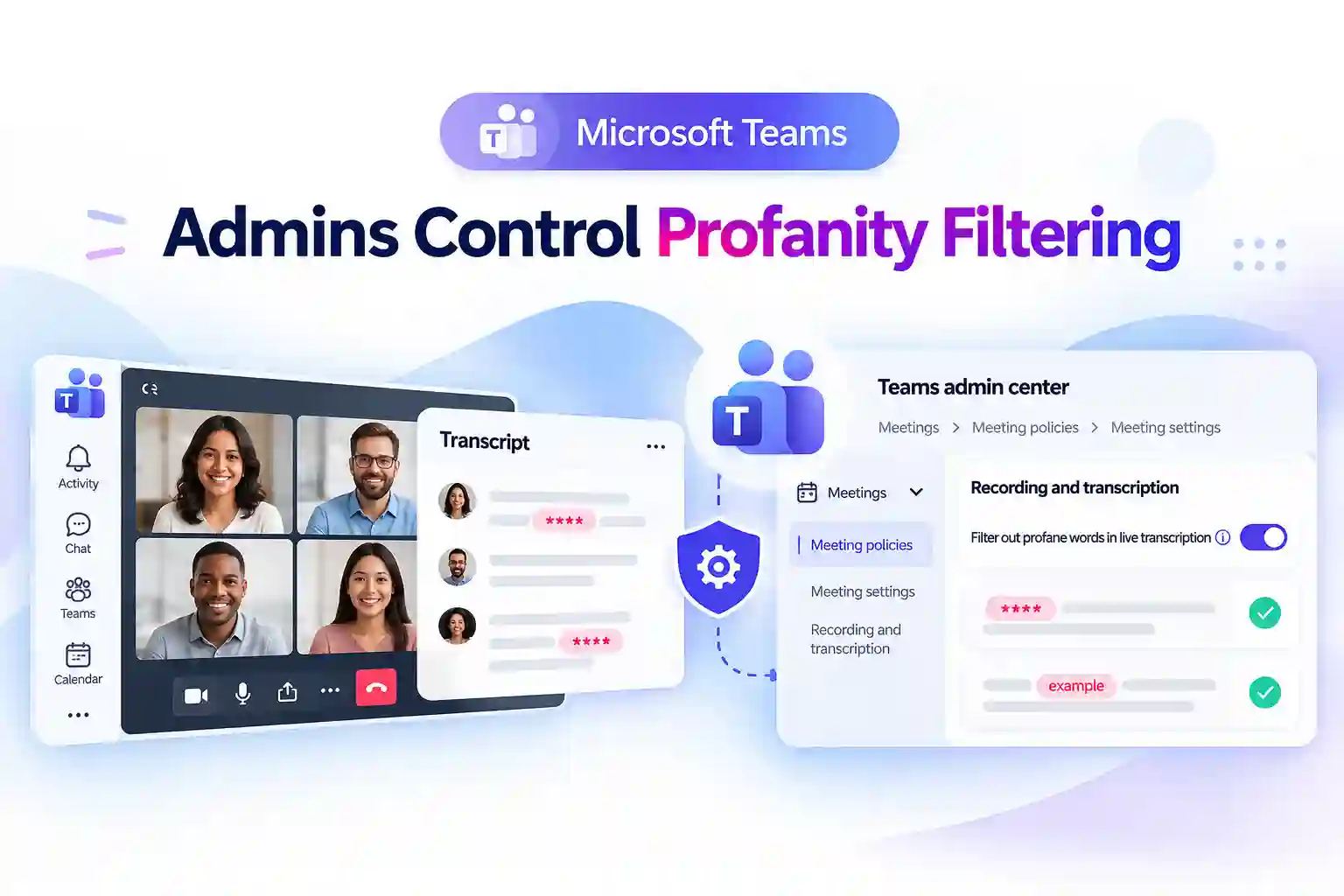
Microsoft Teams is adding a more flexible way to manage profanity filtering in meeting transcripts. This update gives your organization better control over whether profane words are masked or displayed in full during live transcription and in saved meeting transcripts.
For teams that depend on accurate meeting documentation, this can make a meaningful difference. Whether you manage customer conversations, training sessions, technical discussions, investigations, or internal reviews, transcript content can now better reflect your organization’s operational and compliance requirements.
A New Teams Admin Control for Transcript Accuracy
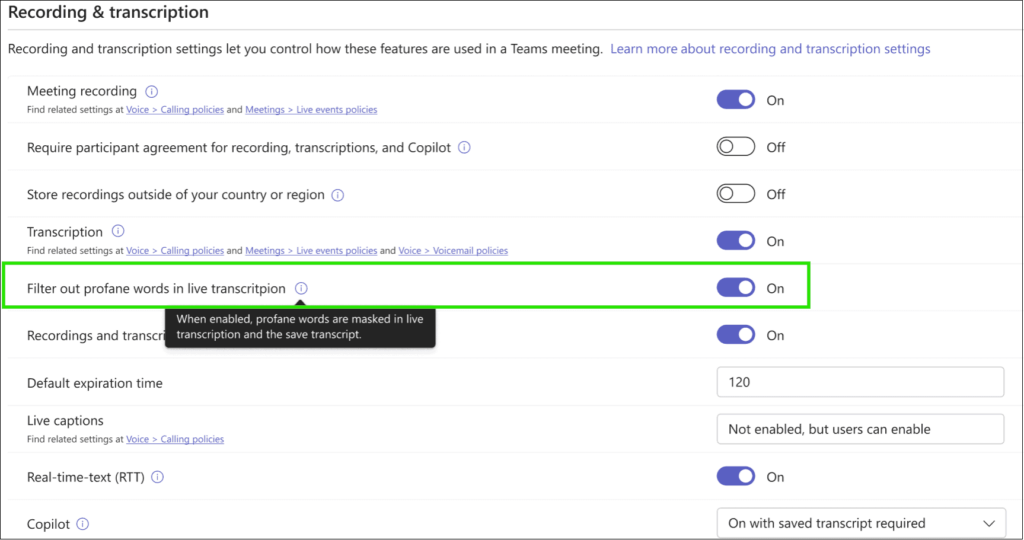
A new setting called Filter out profane words in live transcription will be available in the Teams admin center under:
Meetings > Meeting policies > Meeting settings > Recording and transcription
The setting is enabled by default, so your existing experience will remain unchanged unless an administrator updates the assigned meeting policy.
When profanity filtering is enabled, Teams masks profane words in live transcription and saved transcripts. When the setting is disabled, those words can appear in the transcript as spoken.
This gives your organization the flexibility to decide how meeting conversations should be captured and retained.
- Keep the existing masked-transcript experience by leaving the setting enabled
- Allow more complete, word-for-word transcription by disabling the setting
- Apply the setting through Teams meeting policies
- Control transcript behavior based on the policy assigned to the meeting organizer
- Maintain a consistent approach across scheduled meetings
Teams admin center setting for Profanity Filtering under Meeting settings
How Profanity Filtering Works in Teams Transcripts
This update gives your Teams administrator a clear way to manage what appears in meeting transcripts.
Profanity filtering setting | Live transcription | Saved meeting transcript |
|---|---|---|
Enabled | Profane words are masked | Profane words are masked |
Disabled | Profane words can appear as spoken | Profane words can appear as spoken |
The policy assigned to the meeting organizer determines how transcription behaves for that organizer’s scheduled meetings.
This means the setting is not controlled separately for every meeting. Instead, it follows the Teams meeting policy assigned to the organizer, helping your organization maintain a consistent transcription experience across different users and departments.
Note
Meeting organizers and co-organizers do not have a separate per-meeting option to change this setting.
💬 Start a Transcript Accuracy Conversation
Consider discussing these questions internally:
- Which teams need word-for-word meeting records?
- Are there customer-facing, legal, technical, or training scenarios where unmasked language is important?
- Should different departments follow different transcript policies?
- Are there meetings where the default masking behavior should remain in place?
A short internal poll or policy review can help identify where a separate Teams meeting policy may be useful.
Admins Can Match Policies to Business Needs
Not every department needs the same transcript experience. With Teams meeting policies, your organization can continue using the default profanity filtering setting for most users while creating a separate policy for teams that need more detailed meeting records.
This can help you balance transcript accuracy with the needs of your workplace culture, compliance requirements, and information governance practices.
A separate meeting policy may be useful for:
- Customer support and call-quality reviews
- Technical incident discussions and post-incident analysis
- Legal, HR, compliance, and investigation workflows
- Training sessions that require accurate documentation
- Research interviews and recorded feedback sessions
- Teams that review meetings for coaching, auditing, or operational improvement
For example, a customer support team may need an exact record of a difficult customer interaction for quality assurance. In that case, a policy that allows unmasked transcription may provide a clearer and more complete record of the conversation.
At the same time, general internal meetings can continue using the default filtering setting to maintain the familiar masked-transcript experience.
🔐 Turn Policy Changes Into a Compliance Checkpoint
A simple review process can help your organization make the right decision.
- Confirm the business reason for allowing unmasked transcript content
- Review internal compliance, legal, HR, and data-governance requirements
- Consider retention and eDiscovery requirements for meeting transcripts
- Inform helpdesk and support teams about the change
- Update internal guidance for meeting organizers and transcript viewers
- Ensure relevant stakeholders understand that saved transcripts may include explicit language
This approach helps ensure that your Teams transcription settings support both operational accuracy and responsible information management.
Live Captions and Meeting Transcripts Are Different
It is important to understand the difference between live captions and meeting transcripts.
The new Teams admin setting controls profanity filtering in live transcription and saved meeting transcripts. It does not change an individual participant’s personal preference for profanity filtering in live captions.
This means different users may still have different live-caption experiences based on their personal Teams settings.
Here is the distinction:
- The Teams meeting policy controls profanity filtering for live transcription and saved transcripts
- A participant’s personal live-caption preference continues to apply to their own caption experience
- The meeting organizer’s assigned policy determines transcript behavior for their scheduled meetings
- Organizers and co-organizers cannot override the transcription profanity setting for an individual meeting
Keeping this distinction clear can help avoid confusion when users compare what they see in captions with what appears in the saved transcript.
🧩 Build a Clear Helpdesk Message
Your IT or helpdesk team can share a simple explanation that outlines how the setting works and where users should go for support.
Suggested internal message:
Microsoft Teams now allows administrators to control whether profane words are masked in live transcription and saved meeting transcripts.
You can also include these reminders in your internal guidance:
- The default setting keeps profanity filtering enabled
- Transcript behavior is based on the meeting organizer’s assigned policy
- Meeting organizers cannot change the setting for a single meeting
- A participant’s live-caption preference remains separate from transcript policy settings
- Users with questions about transcript content should contact the IT or Teams support team
Key Takeaway for Teams Administrators
The new profanity filtering control gives your organization more flexibility in how Microsoft Teams meeting transcripts capture spoken language.
Leaving the setting enabled keeps the current masked-word experience in place. Disabling it allows live and saved transcripts to include words as spoken, which can support teams that require more complete meeting documentation.
The right setting depends on how your organization uses transcripts, the type of meetings being held, and the compliance or business requirements involved.
A thoughtful policy review, clear communication, and the right Teams meeting policy assignment can help you create a transcription experience that works for both your users and your organization.
Final Thoughts: Smarter Control for Teams Transcripts
Microsoft Teams gives your organization more flexibility to manage profanity filtering in live and saved meeting transcripts. Through a policy-based setting, you can choose whether words remain masked or appear as spoken.
The default setting preserves the current masked-transcript experience. For teams that need more accurate meeting records, custom meeting policies can allow unmasked transcription where appropriate.
Before making a change, review your transcript use cases, compliance expectations, and user communication plan. With the right policy approach, you can balance transcript accuracy, governance, and employee expectations across Teams.
🔎 Official Microsoft Resources
Explore these official Microsoft resources for detailed guidance on configuring and managing transcription, captions, and profanity filtering in Teams meetings.

















 Migrate
 Manage
 Migrate Microsoft 365








