
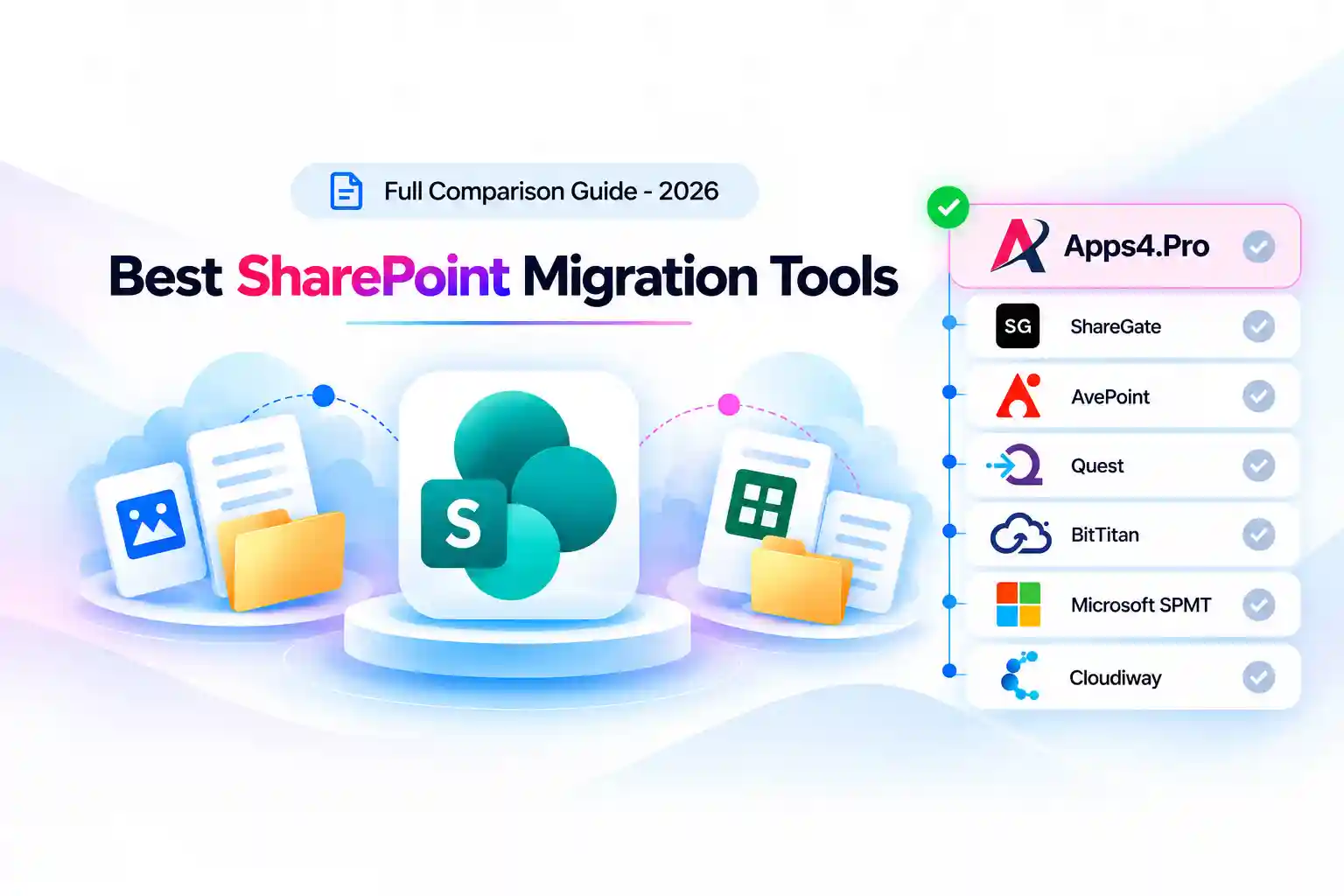
- Key Takeaways
- Why Choosing a SharePoint Migration Tool Is Harder Than It Looks
- What Is a SharePoint Migration Tool?
- How We Compared the Best SharePoint Migration Tools in 2026
- SharePoint Migration Tools at a Glance
- The Best SharePoint Migration Tools in 2026
- Apps4.Pro Migration Manager
- ShareGate Migrate
- AvePoint (Fly / Cloud Migration)
- Quest (On Demand Migration / Content Matrix)
- BitTitan MigrationWiz
- Microsoft SharePoint Migration Tool (SPMT) and Migration Manager
- Cloudiway
- Which SharePoint Migration Tool Should You Choose?
- Where Apps4.Pro Fits in the Market
- The Bottom Line
- Frequently Asked Questions
Key Takeaways
- The best SharePoint migration tools in 2026 depend on your scenario: source environment, tenant-to-tenant needs, and permission complexity determine the fit, not a leaderboard.
- Microsoft’s free SPMT and Migration Manager cannot move content between SharePoint Online tenants; cross-tenant work needs a separate licence or a third-party tool.
- Microsoft’s native cross-tenant SharePoint site migration is still in private preview, is a one-time move with no incremental sync, and is Enterprise Agreement-only.
- Third-party tools (Apps4.Pro, ShareGate, AvePoint, Quest) add tenant-to-tenant migration, permission remapping, and pre-migration reporting that native tooling lacks.
- Apps4.Pro Migration Manager handles SharePoint Online tenant-to-tenant migration with incremental passes, parallel migration, and CSV site mapping across 10+ Microsoft 365 workloads.
- Pricing models differ sharply: free (native), flat annual (ShareGate), one-time perpetual (Apps4.Pro), and quote-based per-user (AvePoint, Quest).
- SharePoint Server 2016 and 2019 reached end of support on 14 July 2026, giving on-premises organizations a hard reason to move.
Why Choosing a SharePoint Migration Tool Is Harder Than It Looks
Picking a SharePoint migration tool is rarely about finding the single “best” product. It’s about matching a tool to the shape of your migration. A team moving a handful of on-premises SharePoint Server sites into SharePoint Online has almost nothing in common with a team consolidating two Microsoft 365 tenants after an acquisition, yet both searches land on the same “best SharePoint migration tools” page.
The trouble with most feature lists is that they compare tools as if every migration were identical. In practice, the questions that decide your tool are specific:
- Is your source on-premises or already in the cloud?
- Are you moving between two Microsoft 365 tenants?
- How much do preserved permissions and metadata actually matter to the business?
- Do you need to restructure content on the way in, or lift and shift it as-is?
The timing pressure is real, too. SharePoint Server 2016 and 2019 reached the end of extended support on 14 July 2026, so on-premises estates on those versions no longer receive security updates or patches. The only supported on-premises path left is SharePoint Server Subscription Edition, and for many organizations, that deadline is what finally moved migration off the “someday” list.
This comparison evaluates every tool against the same criteria, stays honest about where each one falls short, and maps tools to real scenarios instead of crowning a universal winner. The goal is a shortlist you can defend for an actual 2026 project.
What Is a SharePoint Migration Tool?
A SharePoint migration tool is software that moves SharePoint content, sites, document libraries, lists, files, folders, metadata, permissions, and version history from a source environment into a SharePoint destination, usually SharePoint Online. Depending on the tool, the source can be an on-premises SharePoint Server, a file share, another cloud platform, or a different Microsoft 365 tenant.
Good migration tools do more than copy files. They preserve content context, ownership, change history, and classification; report on what exists before you move it; and let you run repeated or incremental passes so a cutover doesn’t lose the days of activity that happen during a project.
How We Compared the Best SharePoint Migration Tools in 2026
Every tool below is measured against the same criteria, drawn from vendor documentation and Microsoft Learn rather than marketing copy:
- SharePoint coverage, Online, Server, or both
- Source and destination support, on-premises, file shares, cloud platforms, tenants
- Tenant-to-tenant capability, moving SharePoint Online content between Microsoft 365 tenants
- Metadata and permission preservation, including item-level permissions
- Lists and libraries, structure, columns, attachments, item-level detail
- Site and page migration, team, communication, classic, hub, and associated sites
- Incremental migration, moving only new or changed content after an initial pass
- Pre-migration assessment, inventory and risk reporting before you move
- Reporting, real-time tracking and post-migration validation
- Automation and scheduling, parallel migration, CSV mapping, batching
- Scalability, ease of use, pricing, and support
- Microsoft 365 workload coverage, whether the tool also handles Teams, OneDrive, Exchange, and more
SharePoint Migration Tools at a Glance
Legend: “Limited” means partial or scenario-dependent support. Where a native tool is destination-only for SharePoint Online, its source scope is explained in the profile below.
|
Tool
|
SharePoint Online
|
SharePoint Server
|
Tenant-to-Tenant
|
Permissions
|
Metadata
|
Lists / Libraries
|
Incremental
|
Pre-Migration Assessment
|
Other M365 Workloads
|
Pricing
|
|---|---|---|---|---|---|---|---|---|---|---|
|
Apps4.Pro Migration Manager
|
SharePoint Online
Yes
|
SharePoint Server
Not the focus (SPO T2T)
|
Tenant-to-Tenant
Yes
|
Permissions
Yes (item-level)
|
Metadata
Yes
|
Lists / Libraries
Yes
|
Incremental
Yes
|
Pre-Migration Assessment
Yes (free inventory report)
|
Other M365 Workloads
Teams, OneDrive, Exchange, Planner, Forms, Power BI, Power Automate, Viva Engage, Bookings
|
Pricing
One-time from $5,995
|
|
ShareGate Migrate
|
SharePoint Online
Yes
|
SharePoint Server
Yes (2010–SE)
|
Tenant-to-Tenant
Yes
|
Permissions
Yes (remapping)
|
Metadata
Yes
|
Lists / Libraries
Yes
|
Incremental
Yes
|
Pre-Migration Assessment
Yes (source analysis)
|
Other M365 Workloads
Teams, OneDrive, Exchange, Planner, file shares, Google
|
Pricing
Flat annual, 5,995–17,995/yr
|
|
AvePoint (Fly / Cloud)
|
SharePoint Online
Yes
|
SharePoint Server
Yes
|
Tenant-to-Tenant
Yes
|
Permissions
Yes (enterprise)
|
Metadata
Yes
|
Lists / Libraries
Yes
|
Incremental
Yes
|
Pre-Migration Assessment
Yes
|
Other M365 Workloads
Teams, OneDrive, Exchange, Google, Box, Dropbox
|
Pricing
Quote-based
|
|
Quest On Demand / Content Matrix
|
SharePoint Online
Yes
|
SharePoint Server
Yes (Content Matrix)
|
Tenant-to-Tenant
Yes
|
Permissions
Yes
|
Metadata
Yes
|
Lists / Libraries
Yes
|
Incremental
Yes
|
Pre-Migration Assessment
Yes
|
Other M365 Workloads
Exchange, OneDrive, Teams, directory / Entra ID
|
Pricing
Quote-based, per-user
|
|
BitTitan MigrationWiz
|
SharePoint Online
Yes
|
SharePoint Server
Limited
|
Tenant-to-Tenant
Yes
|
Permissions
Yes
|
Metadata
Yes
|
Lists / Libraries
Yes
|
Incremental
Limited (source-dependent)
|
Pre-Migration Assessment
Basic
|
Other M365 Workloads
Exchange, OneDrive, Teams (add-on), Google
|
Pricing
14/user(mailbox,50GB);~17.50/user (bundle); ~$114/10 GB (public folders)
|
|
Microsoft SPMT
|
SharePoint Online
Destination only
|
SharePoint Server
Yes (source, 2010–2019)
|
Tenant-to-Tenant
No
|
Permissions
Basic
|
Metadata
Basic
|
Lists / Libraries
Yes
|
Incremental
Yes (not T2T)
|
Pre-Migration Assessment
Yes (SPMT scan)
|
Other M365 Workloads
OneDrive, Teams (as destinations)
|
Pricing
Free
|
|
Microsoft Migration Manager
|
SharePoint Online
Destination only
|
SharePoint Server
No (source)
|
Tenant-to-Tenant
No
|
Permissions
Basic
|
Metadata
Basic
|
Lists / Libraries
Yes
|
Incremental
Yes
|
Pre-Migration Assessment
Basic
|
Other M365 Workloads
OneDrive, Teams (as destinations)
|
Pricing
Free
|
|
Cloudiway
|
SharePoint Online
Yes
|
SharePoint Server
Yes (source)
|
Tenant-to-Tenant
Yes
|
Permissions
Yes
|
Metadata
Yes
|
Lists / Libraries
Yes
|
Incremental
Yes
|
Pre-Migration Assessment
Yes
|
Other M365 Workloads
Exchange, OneDrive, Teams, Google
|
Pricing
Quote-based / per-item
|
The Best SharePoint Migration Tools in 2026
1. Apps4.Pro Migration Manager
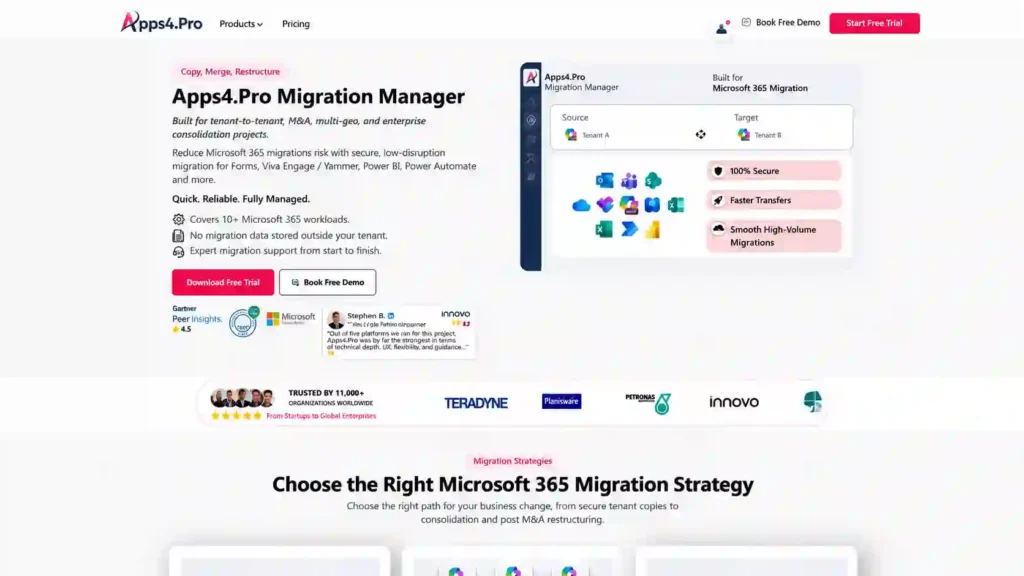
Apps4.Pro Migration Manager is a Microsoft 365 tenant-to-tenant migration platform from JiJi Technologies. It moves SharePoint alongside Teams, Exchange Online, OneDrive, Planner, Planner Premium, Forms, Power BI, Power Automate, Viva Engage, and Bookings from one Microsoft 365 tenant to another using native Microsoft APIs. It runs as a Windows application connected to both source and target tenants, needs no scripting, and is licensed as a one-time perpetual purchase rather than an annual subscription.
Best for: SharePoint Online tenant-to-tenant migrations, mergers, acquisitions, divestitures, rebranding, and tenant consolidation, especially where SharePoint moves alongside other Microsoft 365 workloads and a single coordinated platform reduces the number of tools in play.
SharePoint capabilities: Apps4.Pro focuses on SharePoint Online-to-SharePoint Online migration across tenants. Its documented capabilities include:
- Sites: team sites (connected with Microsoft 365 Groups and Teams), communication sites, classic sites, hub sites, associated sites, and subsites
- Document libraries: folders, files, custom columns, metadata, and settings, with the choice to migrate all versions or only the latest
- Lists: default and custom list rows, columns, attachments, item metadata, and both list-level and item-level permissions
- Site pages, content types, and site structure
- Permissions: site-, list-, and item-level, with cross-tenant identity mapping between source and target
- Metadata: created date, modified date, author, and term store / managed metadata where the required mapping is configured
- Version history preservation
- Incremental migration: only new or modified files, list items, and site pages move after the initial pass
- Parallel migration driven by CSV-based site mapping
- Pre-migration reporting: a full tenant-level SharePoint inventory, offered as a free report, to surface content and risk before you begin
- Real-time progress tracking and post-migration reporting with per-site error detail
Migration scenarios: SharePoint Online → SharePoint Online across tenants; tenant consolidation; M&A and divestiture; and content restructuring during the move (consolidating tenants, moving selected subsites, or reshaping site structure).
Microsoft 365 coverage: This is the part worth weighing carefully. Because Apps4.Pro is a Microsoft 365-wide platform, SharePoint can be migrated in the same project as Teams, OneDrive, Exchange Online, Planner (including Planner Premium), Forms, Power BI, Power Automate, Viva Engage, and Bookings. In a real tenant-to-tenant move, SharePoint rarely travels alone; connected group content and user OneDrive data usually move with it, and handling them in one tool cuts coordination overhead.
Key strengths:
- Purpose-built for the SharePoint Online tenant-to-tenant scenario native tools handle least well
- Item-level permission preservation with automated cross-tenant identity mapping
- Broad Microsoft 365 workload coverage in one platform
- One-time perpetual licensing, which is often more predictable than annual subscriptions for a defined project
- No scripting; free pre-migration inventory report
Limitations:
- Built for SharePoint Online tenant-to-tenant work, it is not the tool for migrating legacy on-premises SharePoint Server farms into the cloud, where SPMT, ShareGate, or Quest Content Matrix fit better.
- Custom JSON column formatting and managed-metadata bindings should be spot-checked in the target after migration, as with any cross-tenant tool.
- Fidelity is ultimately bounded by what Microsoft’s Graph and SharePoint APIs expose, a constraint shared by every tool in this category.
- A newer brand in enterprise SharePoint migration than ShareGate or Quest, so there is less independent community discussion to lean on.
Pricing: One-time perpetual licensing from $5,995 per installation, covering all supported workloads, with customized plans for specific requirements. A 15-day free trial is available, limited by number of sites rather than data volume. See the Apps4. Pro SharePoint migration tool page.
Best fit: SharePoint Online tenant-to-tenant migrations where SharePoint moves alongside other Microsoft 365 workloads, item-level permissions matter, and predictable one-time licensing is preferred.
2. ShareGate Migrate
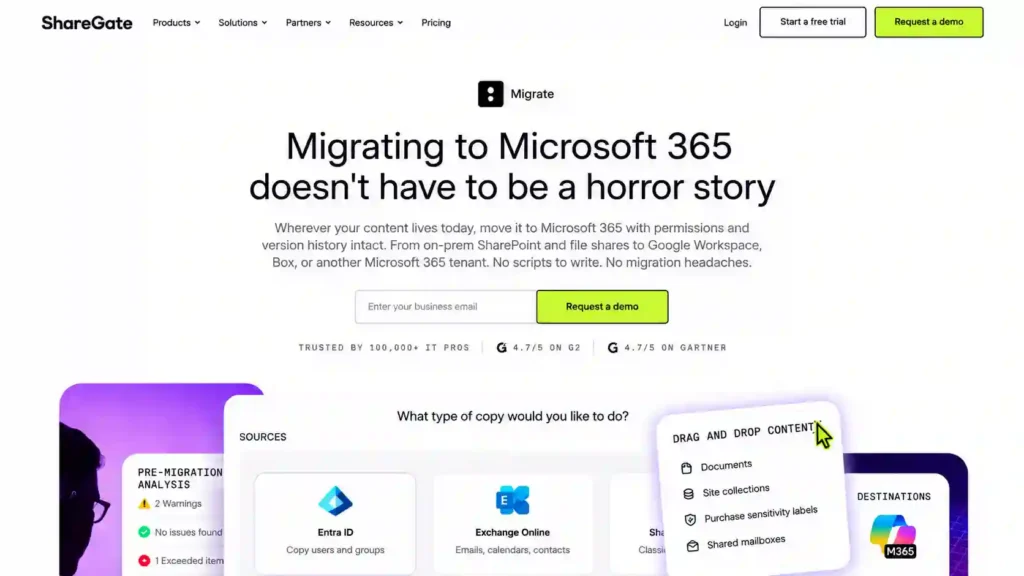
ShareGate Migrate, part of Workleap, is a client-side Windows tool and one of the most widely used SharePoint migration products. It covers SharePoint, Teams, OneDrive, and Exchange Online, with sources including on-premises SharePoint Server, file shares, Google Workspace, and other Microsoft 365 tenants.
Best for: SharePoint-heavy migrations that need content restructuring, detailed pre-migration reporting, and mid-market tenant-to-tenant moves.
SharePoint capabilities: ShareGate migrates SharePoint Online and on-premises SharePoint Server (2010, 2013, 2016, 2019, and Subscription Edition), handling sites, lists, libraries, files, folders, metadata, content types, managed metadata, version history, and permissions. It preserves permissions and metadata reliably, offers permission remapping through its interface, and supports incremental passes and validation reporting. Its drag-and-drop mapping is consistently rated the most approachable in the category. One caveat straight from ShareGate’s own guidance: custom code, third-party add-ins, and apps built outside SharePoint don’t migrate and need rebuilding for the modern environment.
Migration scenarios: SharePoint Server → SharePoint Online; SharePoint Online → SharePoint Online (tenant-to-tenant); on-prem → on-prem; file shares → SharePoint; Google Workspace → Microsoft 365; and restructuring within a tenant.
Microsoft 365 coverage: SharePoint, Teams, OneDrive, Exchange Online (tenant-to-tenant mailbox migration was added more recently), Planner, and file shares, with Google Workspace and Box as sources on higher tiers.
Key strengths:
- Easiest tool to learn, with a mature drag-and-drop interface
- Strong metadata, content-type, and permission fidelity for complex environments
- Rich source analysis and validation reporting
- PowerShell integration for automation and repeatable projects
- Flat-rate pricing with unlimited data and users
Limitations:
- Overkill and comparatively expensive for mail-only or very small migrations
- Desktop-based; concurrency is tied to machine activations per plan
- Custom solutions and non-native apps require rebuilding, not migration
Pricing: Flat-rate annual subscription based on machine activations: Essentials from $5,995/year (1 activation), Pro from $9,995/year (up to 5), Enterprise from $17,995/year (up to 25, with 24/7 support). Unlimited data, users, and tenants across tiers.
Best fit: SharePoint restructuring and mid-market tenant-to-tenant migrations where ease of use and detailed reporting are priorities.
3. AvePoint (Fly / Cloud Migration)
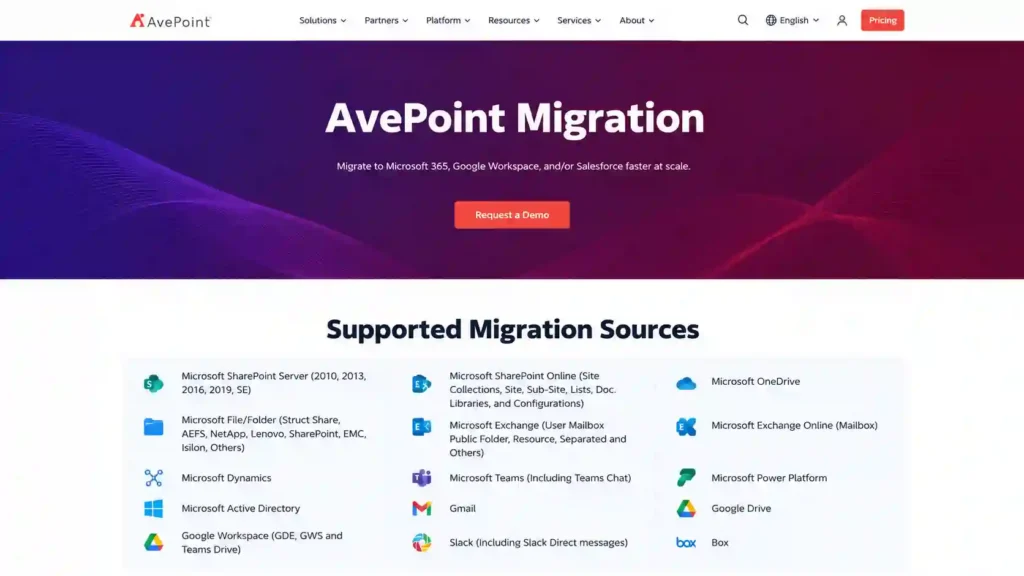
AvePoint Fly is a cloud-native SaaS migration platform for SharePoint and the wider Microsoft 365 ecosystem, aimed at complex, multi-source enterprise migrations. It supports SharePoint, Teams, OneDrive, and Exchange, plus source platforms including Google Workspace, Box, Dropbox, and file shares.
Best for: Complex, multi-workload enterprise migrations, particularly where SharePoint and Teams permission fidelity, sensitivity-label preservation, and cross-platform consolidation matter, and where Nintex workflow migration is a requirement.
SharePoint capabilities: AvePoint migrates SharePoint Online and SharePoint Server content, including sites, lists, libraries, metadata, content types, and granular permissions, with enterprise-grade permission mapping. It supports automated content restructuring during migration, incremental passes, pre-migration content analysis with cleanup recommendations, and compliance-grade audit logging. It also handles Nintex forms and workflows, which most tools do not.
Migration scenarios: SharePoint Server → SharePoint Online; tenant-to-tenant; multi-platform consolidation (Google, Box, Dropbox, file shares → Microsoft 365); and regulated-industry migrations requiring audit trails.
Microsoft 365 coverage: SharePoint, Teams, OneDrive, Exchange, plus Google Workspace, Box, and Dropbox as sources, with strong permission and label fidelity across workloads.
Key strengths:
- Widest source-platform support for cross-platform consolidation
- SaaS deployment with a centralized console for multi-tenant migrations
- Strong permission and sensitivity-label fidelity for regulated industries
- Nintex workflow migration capability
Limitations:
- Quote-based, per-user or per-GB pricing that can escalate on large estates
- Steeper learning curve than ShareGate for straightforward SharePoint moves
- Content passes through AvePoint’s cloud infrastructure, which some organizations must review
- Less community documentation than the most common tools
Pricing: Contact vendor (quote-based).
Best fit: Complex enterprise migrations with strict permission and compliance requirements, multi-platform sources, or Nintex workflows.
4. Quest (On Demand Migration / Content Matrix)

Quest offers two relevant products. On Demand Migration (ODM) is a SaaS platform built for tenant-to-tenant migration of SharePoint, OneDrive, Teams, Exchange, Power BI, and directory objects. Content Matrix (formerly Metalogix, now Quest-branded) is an established on-premises tool for complex, version-to-version SharePoint reorganizations. Together they cover both cloud-to-cloud and legacy-heavy scenarios.
Best for: Large, identity-heavy tenant-to-tenant migrations (ODM) and complex legacy SharePoint Server consolidations with custom solutions and workflows (Content Matrix).
SharePoint capabilities: Content Matrix migrates sites, lists, libraries, files, folders, metadata, content types, version history, permissions, and workflows, including Nintex forms and workflows, from SharePoint 2007 through 2019 and file shares into SharePoint 2019 or SharePoint Online, with pre-migration analysis, incremental migration, content reorganization, custom scripting, and a database-attach option for maximum throughput. On Demand Migration handles SharePoint, OneDrive, Teams, and Power BI tenant-to-tenant moves with coexistence, conflict resolution, and centralized tracking, and leads when Active Directory / Entra ID identity merging is the dominant complexity.
Migration scenarios: SharePoint Server (2007–2019) → SharePoint Online (Content Matrix); tenant-to-tenant (ODM); M&A and divestiture with directory merging; and large legacy consolidations with custom solutions.
Microsoft 365 coverage: SharePoint, OneDrive, Teams, Exchange, Microsoft 365 Groups and Chats, Power BI, email domains, and directory/Entra ID objects, providing the broadest identity coverage among the tools compared.
Key strengths:
- The strongest identity engine for concurrent AD and Entra ID merging
- Content Matrix handles the most complex legacy and custom-solution migrations
- Database-attach option for maximum throughput on large estates
- Coexistence during migration for phased enterprise cutovers
Limitations:
- The most expensive tools to license, with a procurement cycle that can outlast a small migration
- Content Matrix has a steep learning curve and a dated interface; no SaaS option for that product.
- Complex scenarios require experienced migration engineers
Pricing: Contact vendor (quote-based, typically per-user for ODM).
Best fit: Enterprise tenant-to-tenant migrations where identity complexity dominates, or complex legacy SharePoint Server consolidations.
5. BitTitan MigrationWiz
BitTitan MigrationWiz is a cloud-based SaaS migration service, well known among MSPs for mailbox migrations, with document migration extending to SharePoint, OneDrive, and Google Shared Drives. It runs on a per-workload, license-per-user model with nothing to install.
Best for: Email- and OneDrive-heavy migrations, cross-cloud moves (Google Workspace → Microsoft 365), and narrower-scope SharePoint document migrations run under time pressure.
SharePoint capabilities: MigrationWiz migrates SharePoint document libraries, files, and permissions, preserving folder structure and metadata, and supports tenant-to-tenant document migration through project templates and job orchestration. It does not migrate SharePoint lists. Its SharePoint capability is solid for document and library moves but less robust for complex hub topology and deep permission fidelity than ShareGate, AvePoint, or Quest.
Migration scenarios: Tenant-to-tenant document and library migration; Google Workspace / cross-cloud → Microsoft 365; and mailbox-plus-document moves.
Microsoft 365 coverage: Exchange Online, OneDrive, SharePoint, and Teams (via add-on modules), with strong cross-cloud source support.
Key strengths:
- Pure SaaS, nothing to install; fast to start
- Excellent for mailbox and OneDrive migration at scale
- Per-workload pricing suits MSPs and narrow-scope projects
- Strong cross-cloud (Google → Microsoft 365) support
Limitations:
- Migrates document libraries only; SharePoint lists are not supported
- Less robust for complex hub topology and granular SharePoint permissions
- Some sources lack true delta / incremental passes
- Data-size limits in pricing tiers can raise costs on large libraries
- Support is ticket-based
Pricing: Per-user licensing, at about $14 per user for a mailbox (up to 50 GB) and about $17.50 per user for the User Migration Bundle, which adds archives, documents from OneDrive and Google Drive, and Microsoft Teams private chat with unlimited data. Public folders are priced by data volume, at about $114 per 10 GB.
Best fit: Email- and OneDrive-centric migrations, cross-cloud moves, and narrower-scope SharePoint document migrations.
6. Microsoft SharePoint Migration Tool (SPMT) and Migration Manager
Microsoft provides two free native tools. SPMT is a downloadable Windows application that moves content from on-premises SharePoint Server and file shares into SharePoint Online, OneDrive, and Teams. Migration Manager, built into the SharePoint admin center, orchestrates multiple agents for large file-share and cloud-source migrations. Both are free and fully supported by Microsoft.
Best for: Straightforward lift-and-shift from on-premises SharePoint Server or file shares into SharePoint Online, and, for Migration Manager, large file-share and cloud-source jobs.
SharePoint capabilities: SPMT migrates from SharePoint Server 2010–2019 (and SharePoint Foundation 2010/2013) and file shares into SharePoint Online, handling sites, lists, libraries, pages, versions, permissions, metadata, term store/taxonomy, and certain out-of-the-box and SharePoint Designer 2010/2013 workflows, with incremental sync and an integrated scan for assessment. Migration Manager extends coverage to cloud sources (Google Drive, Box, Dropbox, Egnyte) and scales file-share migrations across multiple agents, but does not migrate SharePoint Server sites.
The critical limitation: Neither SPMT nor Migration Manager can migrate SharePoint Online content between tenants. Microsoft does offer a native cross-tenant SharePoint site migration, but as of 2026 it remains in private preview, is a one-time move with no incremental sync that cannot merge into an existing target site, and requires Cross-Tenant Shared Data Migration licences sold per 100 GB to Enterprise Agreement customers. For most organizations, that makes a third-party tool the practical route for tenant-to-tenant SharePoint work today.
Microsoft 365 coverage: SharePoint Online, OneDrive, and Teams as destinations. These are content-migration tools, not identity or multi-workload orchestration.
Key strengths:
- Free, with full Microsoft support
- Native, direct path to the SharePoint Online migration API
- SPMT scan provides content inventory and risk assessment
- Handles the common lift-and-shift sources well
Limitations:
- No generally available tenant-to-tenant SharePoint Online migration
- Lift-and-shift only, no information-architecture restructuring on the fly
- Basic permission fidelity and no permission-remapping UI
- Bound by SharePoint Online API throttling; parallelism via a single machine (SPMT) or agents (Migration Manager)
Pricing: Free. (The native cross-tenant SharePoint licence is a separate, EA-only, per-100 GB purchase; contact Microsoft.)
Best fit: Free lift-and-shift from on-premises SharePoint Server or file shares into SharePoint Online, not tenant-to-tenant work.
7. Cloudiway
Cloudiway is a fully SaaS migration platform covering SharePoint, OneDrive, Teams, and Exchange, with support for tenant-to-tenant and cross-platform migrations. There’s no client software to install; it migrates from on-premises SharePoint and other sources such as Google Workspace into SharePoint Online using modern APIs.
Best for: Hybrid and cloud-to-cloud SharePoint migrations, and organizations wanting broad multi-workload tenant-to-tenant coverage in one SaaS platform without provisioning migration hardware.
SharePoint capabilities: Cloudiway migrates SharePoint sites, lists, libraries, permissions, and groups into Microsoft 365, with incremental sync, pre-migration assessment, and reporting. It supports both on-premises and cloud sources and positions itself around broad workload coverage, including Teams (with private chats) and coexistence features.
Migration scenarios: SharePoint on-premises → SharePoint Online; tenant-to-tenant; Google Workspace → Microsoft 365; and multi-workload consolidations.
Microsoft 365 coverage: SharePoint, OneDrive, Teams, and Exchange, plus Google as a source.
Key strengths:
- Fully SaaS, no hardware or client to manage
- Broad multi-workload tenant-to-tenant coverage, including Teams private chats and coexistence
- Incremental sync and modern-API-based transfers
Limitations:
- Lower brand recognition and a smaller community than Quest, ShareGate, or BitTitan, which can mean fewer independent references when troubleshooting
- Pricing is not always transparent and may require a quote
- Fewer enterprise reference deployments publicly documented
Pricing: Contact vendor (quote-based / per-item).
Best fit: Cloud-to-cloud and hybrid SharePoint migrations where a single SaaS platform covering multiple workloads is preferred.
Which SharePoint Migration Tool Should You Choose?
Rather than crowning one winner, match the tool to the scenario:
- SharePoint Online tenant-to-tenant (M&A, consolidation): Apps4.Pro, ShareGate, AvePoint, Quest On Demand, or Cloudiway. Native Microsoft tools don’t cover this without a separate, EA-only, preview-stage licence.
- On-premises SharePoint Server → SharePoint Online: Start with SPMT (free). Add ShareGate or Quest Content Matrix for restructuring, custom solutions, or complex publishing sites.
- File share → SharePoint Online: SPMT for small-to-mid volumes; Migration Manager for large-scale file shares across agents.
- Large enterprise migration with identity complexity: Quest On Demand Migration, for concurrent AD / Entra ID merging.
- Permission-heavy migration (item-level fidelity): Apps4.Pro, AvePoint, or ShareGate.
- M&A migration with multiple workloads: Apps4.Pro or Quest, which move SharePoint alongside Teams, OneDrive, Exchange, and more in one project.
- Multi-workload / cross-platform (Google, Box, Dropbox): AvePoint or Cloudiway for the widest source coverage.
- Budget-sensitive migration: SPMT and Migration Manager (free) for supported sources.
- Detailed reporting: ShareGate or AvePoint for rich inventory and validation; Apps4.Pro for free pre-migration inventory plus post-migration reports.
- Incremental passes required: Apps4.Pro, ShareGate, AvePoint, Quest, or Cloudiway; the native cross-tenant SharePoint path does not support incremental sync.
- Complex site restructuring: ShareGate, AvePoint, or Quest Content Matrix; Apps4.Pro supports restructuring and CSV-based site mapping for SPO tenant-to-tenant projects.
Where Apps4.Pro Fits in the Market
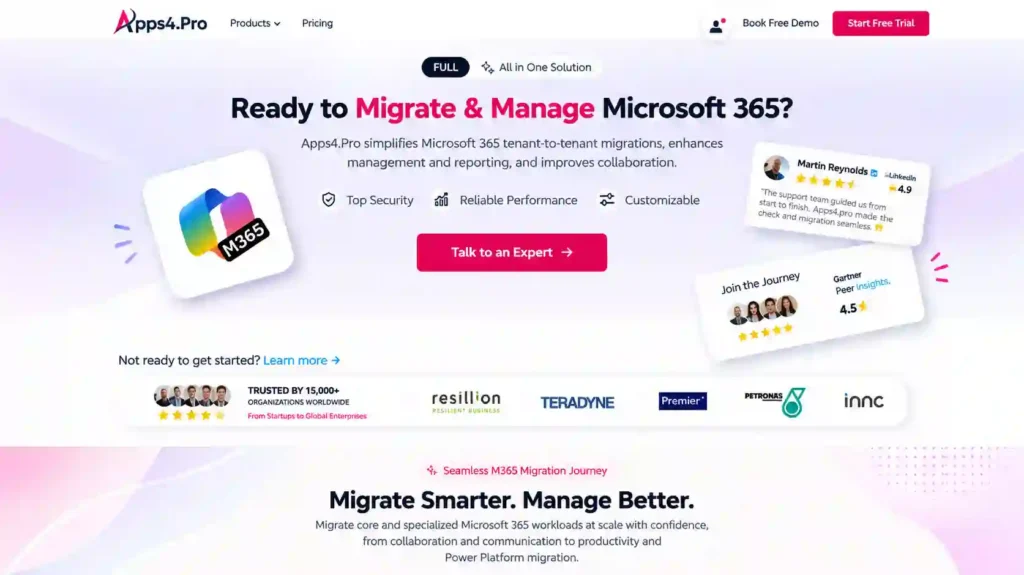
Apps4.Pro is best understood as a SharePoint Online tenant-to-tenant specialist inside a broader Microsoft 365 migration platform. Its documented strengths cluster around the scenarios native Microsoft tools handle least well, and where a coordinated, multi-workload move matters most:
- SharePoint tenant-to-tenant migration with preserved site structure, metadata, item-level permissions, and version history
- Microsoft 365 workload breadth: SharePoint moves in the same project as Teams, OneDrive, Exchange, Planner, Planner Premium, Forms, Power BI, Power Automate, and Viva Engage.
- Incremental and parallel migration with CSV-based site mapping for large, multi-site estates
- Pre-migration inventory (offered as a free report) and post-migration validation reporting
- Restructuring during SPO-to-SPO consolidation
It isn’t positioned as a legacy SharePoint Server migration tool, and it doesn’t claim to lead on Active Directory / Entra ID identity merging; that’s Quest’s territory. For the widest cross-platform source coverage (Box, Dropbox, Notes), AvePoint or Cloudiway are stronger.
The honest takeaway: the right SharePoint migration tool depends on the environment and project requirements. Where the project is a SharePoint Online tenant-to-tenant migration, especially one that moves alongside other Microsoft 365 workloads, needs item-level permissions preserved, and benefits from predictable one-time licensing, Apps4.Pro’s documented capabilities make it a strong candidate to shortlist.
You can compare it directly on the vendor’s own pages: Apps4.Pro vs ShareGate, Apps4.Pro vs Quest, Apps4.Pro vs AvePoint, and Apps4.Pro vs BitTitan.
The Bottom Line
The “best” SharePoint migration tool is the one that fits your source, your destination, and the complexity in between. Microsoft’s free tools are hard to beat for lift-and-shift into SharePoint Online, but they stop at the tenant boundary. For tenant-to-tenant work, the scenario driving most 2026 migration projects, the decision comes down to how much your project depends on preserved permissions, multi-workload coordination, identity merging, and predictable cost.
Map the tool to the project, verify capabilities against current documentation, and run a scoped pilot before committing. For SharePoint Online tenant-to-tenant migrations that move alongside the rest of Microsoft 365, Apps4.Pro Migration Manager earns a place on the shortlist on the strength of its documented capabilities, not because any single tool wins every category.