


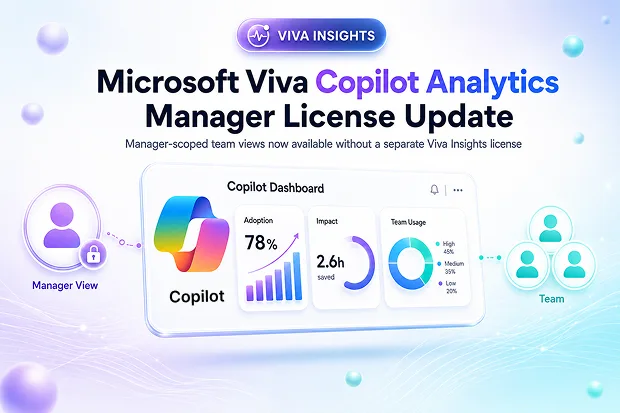
If you are investing in Microsoft 365 Copilot, a major risk is flying blind on how AI is actually changing work across your teams. Without manager level analytics, it is hard to tell whether Copilot is truly improving collaboration, focus and outcomes.
This Viva Insights Copilot Analytics update fixes that by allowing managers access to team views without a separate Viva Insights license, when eligibility and admin settings allow it. You get faster visibility into Copilot adoption so you can make sharper, data informed decisions about where to invest or coach.
- What are manager scoped team views in Copilot Analytics?
- What is changing in Viva Insights Copilot Analytics?
- Why this matters for Copilot adoption and governance
- Who is impacted by this Copilot Analytics license update?
- What will managers and admins experience now?
- Action checklist: How should your organization respond?
What are manager scoped team views in Copilot Analytics?
Manager scoped team views in Copilot Analytics are dashboards and reports that show how Microsoft 365 Copilot is used within a manager’s own team rather than the entire organization. They are automatically tailored using Viva Insights manager settings and minimum team size thresholds to decide which groups appear.
These views usually include:
- Copilot Dashboard cards that highlight adoption, impact and learning metrics for the manager’s team, such as how many people use Copilot and in which scenarios.
Sample Report: Adoption by app
- Ready to use Copilot Analytics reports in the Viva Insights web app that analysts publish and that are automatically filtered to each manager’s team.

Because they are scoped to specific teams, these views help managers and their delegates spot where Copilot usage is strong or weak, identify groups that need more coaching and track whether AI is improving collaboration and focus time.
What is changing in Viva Insights Copilot Analytics?
Previously, managers needed a Viva Insights or equivalent license to access manager scoped team views in Copilot Analytics. With this update, that license requirement is removed, and access now depends on admin configuration, eligibility rules and Copilot Analytics settings.
Eligible managers and delegates can access Copilot Analytics through Viva Insights manager settings and Viva Feature Access Management(VFAM) controls, without individual user licenses. The feature is on by default for qualifying tenants, helping organizations expand access without changing their licensing model.
You should be aware that:
- Access is manager scoped, so you see insights only for your own team or delegated scope.
- Delegates inherit the same analytics visibility as the managers they support.
- Manager settings continue to define who qualifies as a measured people manager within Viva Insights.
Why this matters for Copilot adoption and governance
By removing the Viva Insights license requirement for managers, Microsoft lowers the barrier for leaders to use analytics to guide Copilot adoption. You can see how your team uses Microsoft 365 Copilot, spot underused scenarios and understand how AI is affecting collaboration, meetings and information work, without requesting extra licenses for each manager.
Governance remains intact because existing admin settings still control who is measured, which teams are in scope and how privacy thresholds apply. This broader access with strong controls makes Copilot Analytics more practical for large organizations managing workplace analytics and AI usage data.
Key benefits for you and your organization include:
- Reduced dependency on individual Viva Insights license assignments for manager analytics access.
- A consistent governance model through Viva Insights manager settings and Copilot Dashboard configuration.
- Clearer insights on AI adoption and impact at the team level through ready to use Copilot Analytics reports.
Glimpse of the Manager Settings page in Viva Insights web app

📌 Refer article “Configure manager settings” for guidance for Viva Insights Administrators and AI admins on configuring Manager settings.
📈 Copilot Adoption Pulse mini campaign
Create a recurring “Copilot Adoption Pulse” update where you share a short internal guide on reading Copilot Analytics team views and invite managers to answer two simple questions, such as
- What is one insight you learned this month? and
- What is one action you will take based on your dashboard?
This helps leaders connect data with everyday decisions.
Who is impacted by this Copilot Analytics license update?
This change largely affects organizations that already use Viva Insights Copilot Analytics and have manager scoped insights enabled.
Groups most impacted include:
- Tenants with at least 50 Microsoft 365 Copilot Premium licenses or 50 Viva Insights licenses assigned.
📌 Refer the Microsoft article “Environment requirements for Viva Insights” to know how these licenses can be combined to meet the criteria. - Viva Insights and Copilot admins who manage Copilot Dashboard and reporting settings.
- People managers with teams that meet minimum size criteria for workplace analytics.
- Delegates such as chief of staff roles or HR partners who have manager level access to Copilot Dashboard.
- Analysts and HR data teams who publish Copilot reports and share Power BI content with leaders.
For many tenants, there is already a requirement to have a certain number of Microsoft 365 Copilot or Viva Insights licenses to enable Copilot Analytics experiences. This update works within those existing tenant level criteria rather than replacing them, which keeps your licensing strategy predictable.
What will managers and admins experience now?
From your perspective as a manager or delegate, the experience is designed to be familiar. When you meet the eligibility criteria and your admins have enabled manager insights, you can open the Viva Insights web app and view Copilot Analytics reports that focus on your team’s Copilot usage and impact.
Admins continue to use Viva Insights and Copilot Dashboard settings to control which managers and delegates qualify for access. The main difference is that they do not need to track and assign Viva Insights licenses specifically for managers to unlock these team views, which reduces administrative overhead.
As a manager, you typically can:
- See Copilot Dashboard views and Copilot Analytics reports scoped to your team or delegated team.
- Explore metrics about Copilot adoption, prompt activity and AI impact on collaboration and work patterns.
- Access shared Power BI reports or published analytics content that analysts have configured in Viva Insights.
Admins will usually:
- Configure manager settings to define who is a measured people manager and what minimum group size applies.
- Manage Copilot Dashboard and Viva Insights web app settings to ensure appropriate Copilot Analytics access.
- Rely on tenant level eligibility instead of assigning individual Viva Insights licenses to each manager for analytics.
Action checklist: How should your organization respond?
Microsoft indicates that you do not need to take immediate action, but it is smart to use this change as an opportunity to refine your Copilot measurement and governance approach. If you support Copilot adoption, workplace analytics or HR strategy, you can treat the update as a trigger to validate your access model and communication plan.
Recommended actions for you and your stakeholders:
- Ask your admins to review Viva Insights manager settings and confirm which managers are measured and in scope for analytics.
- Validate that eligible managers and delegates who can access Copilot Analytics team views in the Viva Insights web app.
- Confirm that minimum team size thresholds and VFAM controls match your organization’s privacy and compliance expectations.
- Refresh your Copilot adoption playbooks to highlight manager scoped analytics as a standard tool for tracking AI impact.
- Share clear communications explaining who now has access to Copilot Analytics, what they can see and how they should use these insights responsibly.
📘 Copilot Analytics playbook for managers
Develop a concise internal playbook that explains:
- How managers access Viva Insights Copilot Analytics
- Which top metrics they should monitor
- How to turn those insights into practical actions like coaching, meeting norms or workflow changes.
Include annotated screenshots of the Copilot Dashboard and key reports so that managers can follow each step visually.
Learn more from official Microsoft resources
If you want deeper detail on setup, configuration and Copilot measurement practices, you can explore official Microsoft resources that expand on Viva Insights and Copilot Analytics capabilities, such as:
- Manage settings for the Microsoft Copilot Dashboard and Viva Insights web app to configure Copilot analytics experiences
- Copilot Analytics introduction explaining how to set up and use the Copilot Dashboard and advanced reporting for Microsoft 365 Copilot
- Guidance for accessing and investigating ready to use Copilot Analytics reports that show Copilot adoption and impact across your organization
- Product overview content describing Viva Insights as a workplace analytics solution for employee productivity, wellbeing and AI driven transformation

















 Migrate
 Manage
 Migrate Microsoft 365








