


Introduction
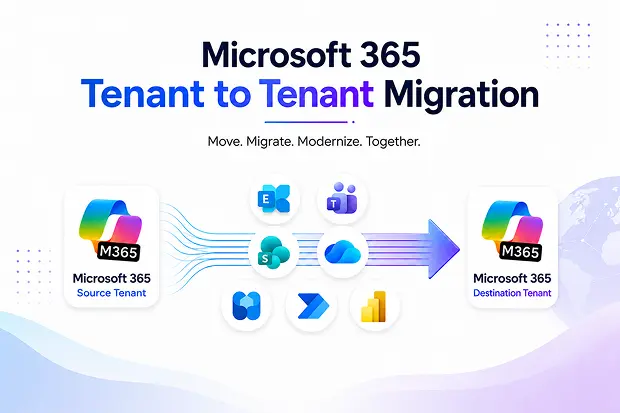
Microsoft 365 tenant-to-tenant migration is common during mergers, acquisitions, divestitures, rebranding, domain consolidation, and organizational restructuring. These projects may involve moving mailboxes, OneDrive content, SharePoint sites, Microsoft Teams data, permissions, metadata, user identities etc.
While Microsoft offers native migration capabilities, many organizations also evaluate third-party tools to simplify planning, execution, reporting, validation, and post-migration management. This guide compares popular Microsoft 365 tenant-to-tenant migration solutions and highlights how each type of tool fits different business needs.
- Quick Overview of Microsoft 365 Migration Tools
- Understanding the Main Migration Challenges
- Feature-by-Feature Comparison
- Tool-by-Tool Comparison
- Common Challenges During and After Migration
- How Apps4.Pro Addresses These Challenges
- Use Case Scenarios
- Pricing Considerations
- Why Organizations Evaluate Apps4.Pro
- Conclusion
Quick Overview of Microsoft 365 Migration Tools
Tool | Best For | Strengths | Considerations |
|---|---|---|---|
Microsoft Native Tools | Basic Microsoft 365 workload migration | Built into Microsoft 365; suitable for selected workloads | May require PowerShell, licensing, and workload-specific setup |
ShareGate | SharePoint, Teams, OneDrive, Exchange Online, and tenant migration | User-friendly migration planning, reporting, and validation | Better suited for dedicated migration projects |
BitTitan MigrationWiz | Mailbox, document, Teams, and tenant migrations | Structured SaaS migration tool for defined workloads | May require separate planning and validation |
Quest On Demand Migration | Enterprise migration and coexistence | Enterprise-focused discovery, migration, and coexistence | Better suited for larger environments |
Cloudiway | Cross-platform and tenant-to-tenant migrations | Supports Microsoft 365, Google Workspace, and coexistence scenarios | May require careful planning for complex projects |
Kernel Migration Tools | Microsoft 365 workload migration and recovery scenarios | Supports specific migration and recovery requirements | Best evaluated by workload scope |
Apps4.Pro | Microsoft 365 tenant-to-tenant migration and validation | Supports multiple Microsoft 365 workloads, mapping, visibility, and validation | Best evaluated based on workload and validation needs |
Understanding the Main Migration Challenges
Tenant-to-tenant migration is rarely just a data transfer task. IT teams usually need to understand what content exists, which users and workloads must be moved, who has access to what, and how permissions should be preserved or updated.
They also need to plan user continuity, validate the destination tenant, and manage post-migration cleanup. Because of this, organizations often compare tools based on migration execution, workload coverage, reporting, permissions handling, and validation.
Feature-by-Feature Comparison
| Feature | Microsoft Native Tools | ShareGate | BitTitan | Quest | Cloudiway | Kernel | Apps4.Pro |
|---|---|---|---|---|---|---|---|
| Exchange Online Migration | ✔ | ✔ | ✔ | ✔ | ✔ | ✔ | ✔ |
| SharePoint Migration | ✔ | ✔ | ✔ | ✔ | ✔ | ✔ | ✔ |
| OneDrive Migration | ✔ | ✔ | ✔ | ✔ | ✔ | ✔ | ✔ |
| Microsoft Teams Migration | Limited / evolving | ✔ | ✔ | ✔ | ✔ | Varies | ✔ |
| Permission Reporting | Limited | ✔ | Limited / project-based | ✔ | Varies | Varies | ✔ |
| Governance Capabilities | Limited | ✔ | Limited | ✔ | Limited | Limited | Post-migration focused / depends on use case |
| Bulk Management | Limited | ✔ | Limited | ✔ | Varies | Varies | Depends on workload |
| Pre-Migration Assessment | Limited | ✔ | Varies | ✔ | Varies | Varies | Supported for migration planning / depends on workload |
| Post-Migration Validation | Limited | ✔ | Varies | ✔ | Varies | Varies | ✔ |
| Automation | PowerShell-based | ✔ | Limited / workflow-based | ✔ | Varies | Varies | ✔ for mapping and migration workflows |
| Best Fit | Simple or Microsoft-led migration | Migration-focused projects | Mailbox and workload migrations | Enterprise migrations | Cross-platform migration | Specific migration needs | Multi-workload M365 migration and validation |
Tool-by-Tool Comparison
Microsoft Native Tools
Microsoft native tools can support selected cross-tenant migration scenarios, but they may require workload-specific configuration, licensing, PowerShell, and careful planning.
Best suited for: Organizations with strong Microsoft 365 expertise handling selected migration workloads.
ShareGate
ShareGate is widely evaluated for Microsoft 365 migration projects involving SharePoint, OneDrive, Teams, Exchange Online, and tenant-to-tenant scenarios. It is often used by teams that want migration planning, visibility, and reporting in a dedicated tool.
Best suited for: IT teams that want a migration-focused platform with planning, execution, and reporting capabilities.
BitTitan MigrationWiz
BitTitan MigrationWiz is commonly evaluated for mailbox, document, Teams, and Microsoft 365 tenant migration projects. It is useful when organizations need a structured SaaS migration tool for defined workloads.
Best suited for: Organizations managing mailbox, document, Teams, and workload-specific Microsoft 365 migrations.
Quest On Demand Migration
Quest On Demand Migration is often evaluated by larger organizations with complex tenant-to-tenant migration needs. It supports structured discovery, coexistence, migration management, and enterprise-level controls.
Best suited for: Large enterprises, regulated environments, and complex migration projects.
Cloudiway
Cloudiway supports Microsoft 365 tenant-to-tenant and cross-platform migration scenarios, including Exchange Online, OneDrive for Business, SharePoint Online, Microsoft Teams, Intune, and coexistence.
Best suited for: Cross-platform migrations and organizations moving between cloud ecosystems.
Kernel Migration Tools
Kernel Migration Tools may be evaluated for Microsoft 365 workload migration and recovery-focused scenarios. It can support defined migration needs across workloads such as mailboxes, SharePoint, OneDrive, Teams, and related Microsoft 365 data.
Best suited for: Microsoft 365 workload migration and recovery-focused scenarios.
Apps4.Pro
Apps4.Pro is positioned as a Microsoft 365 tenant-to-tenant migration solution that also supports post-migration validation and management needs. It is especially relevant for organizations migrating multiple Microsoft 365 workloads such as Exchange Online, Teams, SharePoint, OneDrive, Planner, Forms, Power BI, Power Automate, and Viva Engage/Yammer.
In addition to moving data, Apps4.Pro can help with migration mapping, workload visibility, permission handling, and post-migration validation.
Best suited for: Organizations that need multi-workload Microsoft 365 tenant-to-tenant migration with validation support.
Common Challenges During and After Migration
Organizations often face challenges such as:
- Managing permissions across multiple SharePoint sites and Teams
- Getting centralized migration visibility and reports
- Reducing dependency on multiple tools or manual scripts
- Understanding licensing, setup, and administration costs
- Validating migrated data, permissions, and configurations after migration
These challenges are why many IT teams look beyond basic migration execution and evaluate tools that also support planning, reporting, mapping, and validation.
How Apps4.Pro Addresses These Challenges
Challenge: Permission management across SharePoint sites and Microsoft 365 workloads
How Apps4.Pro helps:
- Helps migrate and preserve permissions across supported Microsoft 365 workloads
- Supports SharePoint migration with sites, libraries, lists, files, permissions, metadata, versions, and file structures
- Supports Teams migration with teams, channels, conversations, permissions, OneNote, tabs, and files
- Helps reduce manual effort during permission mapping and post-migration validation
Challenge: Lack of Microsoft 365 migration visibility
How Apps4.Pro helps:
- Supports migration visibility and reporting for supported workloads
- Helps admins manage multiple migration workloads from one focused solution
- Supports mapping of users, groups, teams, and permissions between tenants
- Helps validate migrated data, permissions, and configurations after migration
Challenge: Post-migration cleanup and validation
How Apps4.Pro helps:
- Helps IT teams review migrated Microsoft 365 workloads
- Supports post-migration validation for data, permissions, and configurations
- Helps reduce manual effort during post-migration checks
- Supports smoother transitions during mergers, acquisitions, rebranding, and tenant consolidation
Challenge: Manual Microsoft 365 migration effort
How Apps4.Pro helps:
- Reduces manual migration complexity for supported Microsoft 365 workloads
- Supports tenant-to-tenant migration across multiple Microsoft 365 services
- Helps migrate Microsoft 365 data more efficiently across supported workloads
- Helps IT teams save time compared to fully manual migration approaches
Use Case Scenarios
Scenario 1: Small Business Migration
A small business moving a limited number of users, mailboxes, and OneDrive accounts may start with Microsoft native tools or a focused migration utility.
Recommended approach: Microsoft native tools or a focused migration tool for simple migrations, with Apps4.Pro considered when multiple workloads, mapping, and validation are required.
Scenario 2: Mid-Sized Organization
A mid-sized organization may need to migrate mailboxes, SharePoint sites, OneDrive accounts, and Teams. Tools like ShareGate, BitTitan, Cloudiway, Kernel, or Apps4.Pro may fit depending on workload scope.
Recommended approach: Choose the migration tool that fits the workload scope, and evaluate Apps4.Pro when the project requires multi-workload Microsoft 365 migration, mapping, reporting, and validation.
Scenario 3: Large Enterprise
A large enterprise involved in a merger, acquisition, or divestiture may require staged migration, coexistence, compliance controls, and detailed reporting.
Recommended approach: Enterprise migration platforms may fit highly complex projects, while Apps4.Pro can be evaluated for multi-workload Microsoft 365 migration and post-migration validation needs.
Pricing Considerations
When comparing Microsoft 365 migration tools, pricing should be evaluated beyond the initial license cost. Important factors include:
- One-time project cost vs ongoing subscription
- Per-user vs per-tenant pricing
- Per-workload or per-module pricing
- Data volume limits
- Setup and onboarding effort
- Internal administration time
- Support and maintenance requirements
A lower upfront cost may still require more manual effort, while a more advanced tool may be valuable when it reduces project risk and saves IT time.
Why Organizations Evaluate Apps4.Pro
Organizations evaluate Apps4.Pro when they need a Microsoft 365 tenant-to-tenant migration solution that supports multiple workloads and helps reduce manual migration effort.
Key reasons include:
- Microsoft 365 tenant-to-tenant migration support
- Support for Exchange Online, Teams, SharePoint, OneDrive, Planner, Forms, Power BI, Power Automate, and Viva Engage/Yammer
- Migration mapping for users, groups, teams, and permissions
- Post-migration validation for data, permissions, and configurations
- Reduced dependency on fully manual migration approaches
- Support for mergers, acquisitions, rebranding, restructuring, and tenant consolidation
Apps4.Pro fits best when organizations want to migrate multiple Microsoft 365 workloads and validate the destination tenant after migration.
Conclusion
Each Microsoft 365 migration tool serves a different purpose. Microsoft native tools may be suitable for straightforward migration needs, while ShareGate, BitTitan, Quest, Cloudiway, and Kernel can support different migration workloads depending on project size, complexity, and platform requirements.
For organizations looking for Microsoft 365 tenant-to-tenant migration across multiple workloads, along with post-migration validation and management support, Apps4.Pro is worth evaluating alongside other migration solutions.
The best approach is to select the right migration solution for the move, then validate the destination tenant to ensure data, permissions, and configurations are migrated correctly.
Disclaimer:
Microsoft, ShareGate, BitTitan, Quest, Cloudiway, Kernel, and all other product or company names mentioned on this page are trademarks of their respective owners. Apps4.Pro and JiJi Technologies Private Limited are not affiliated with, endorsed by, or sponsored by these companies.
This comparison is provided for informational purposes and is based on publicly available information as of July 2026. Product features, pricing, licensing, and availability may change. Please verify the latest information directly with each vendor. This comparison does not constitute a warranty or guarantee of any product’s performance or suitability.

















 Migrate
 Manage
 Migrate Microsoft 365








