


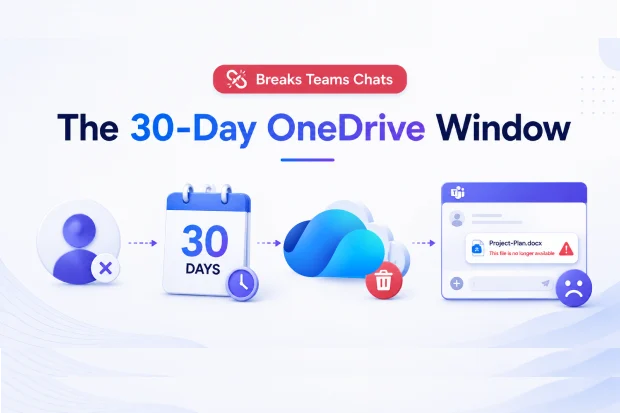
When an employee walks out the door, an invisible countdown starts inside Microsoft 365. Thirty days later, their OneDrive and every file they ever shared into a Teams chat is silently deleted, leaving colleagues staring at broken links in conversations that suddenly make no sense.
If you run M365 for a regulated business, this isn’t a theoretical risk. It’s happening in your tenant right now, and the default settings make it worse, not better.
What actually happens at offboarding
Microsoft 365’s default behavior is straightforward and unforgiving:
- A departing user’s OneDrive enters a 30-day retention period.
- During that window, a secondary owner (typically the manager) can be assigned to access the OneDrive.
- After 30 days, the OneDrive is permanently deleted along with all content.
The retention default exists because OneDrive is architected as personal storage, and Microsoft chose 30 days as a balance between data preservation and storage cost. That trade-off doesn’t match the retention requirements of most regulated industries.
Why Teams chats break months later
This is the part most admins miss.
Teams chat file-sharing does not copy the file. It creates a reference that points back to the sender’s OneDrive. The file itself never leaves the sender’s personal storage.
When the sender departs and their OneDrive is deleted, the chat reference persists but the content is gone. The failure surfaces in someone else’s chat, often months after the offboarding, with no audit log entry connecting the two events.
This pattern is universal in Teams-using organizations.
The three impacts to put in front of leadership
- Compliance gaps – business-relevant content in deleted OneDrives creates audit findings, especially in regulated industries where retention requirements exceed 30 days.
- Broken collaboration history – Teams chats lose the files that made them make sense, eroding institutional knowledge.
- User frustration and ticket volume – recipients of the broken files file support tickets that admins struggle to explain because no event ties the failure back to the original offboarding.
The native tooling gap
Default Microsoft 365 tooling gives you:
- A 30-day retention period
- Secondary owner access during that window
- File-level move operations
What it doesn’t give you:
- Automatic content migration to durable storage at offboarding
- OneDrive-account-level reorganization at scale
- Visibility into which OneDrive content is referenced in active Teams chats
That gap is where every “broken file six months later” ticket originates.
A five-step fix you can deploy this quarter
You don’t need new tooling to start. You need a policy stack that closes the gap before the 30-day clock runs out.
- Extend OneDrive retention to 90, 180, or 365 days via a Purview retention policy aligned to your regulatory profile.
- Assign a secondary owner – typically the departing user’s manager – through Microsoft Graph or the manager-of-departed-user attribute, so someone retains access during the window.
- Pre-departure: prompt users to relocate durable content from OneDrive into Teams channel files or SharePoint.
- Post-departure: assess the OneDrive for business-relevant content before retention expires, and migrate anything referenced in Teams chats to a durable location.
- Set a sharing policy that durable content is shared from Teams channel files (not personal OneDrive) and reinforce it with user training and periodic governance audits.
The storage taxonomy your users need
A root cause sits upstream of departures: users routinely store collaborative content in personal OneDrive when it belongs elsewhere, because the UI offers all three locations with nearly identical interactions.
|
Location |
Purpose |
|---|---|
|
OneDrive |
Personal, transient working files |
|
Teams channel files |
Collaborative, actively co-edited content (lives in the Team’s SharePoint site) |
|
SharePoint sites |
Durable, broadly shared organizational content |
The table above is the decision your users are making every day – usually without guidance.
What to do before next Friday
Pick one action and ship it this week:
- Open Purview and check your current OneDrive retention setting. If it’s still 30 days, draft a policy proposal.
- Pull a list of departures from the last 90 days and check which OneDrives are inside the deletion window right now.
- Audit one active Team’s chat history for files shared from personal OneDrive – you’ll find the pattern faster than you expect.
Every user departure triggers this scenario. The only question is whether you find out from a policy you wrote – or from a user ticket six months from now.
Native Microsoft tooling supports file-level moves but not OneDrive-account-level reorganization at scale. That gap is what purpose-built migration tooling exists to close.
Want help identifying misplaced OneDrive content before your next offboarding wave?

















 Migrate
 Manage
 Migrate Microsoft 365








