


Your organization is 90 days into a merger. The TSA clock is ticking, leadership is watching integration milestones closely, and most of the visible migration work appears to be on track.
But buried in that progress is a workload that almost every integration team underestimates: Microsoft Power Platform. During Microsoft tenant to tenant migration, Power Automate, Power BI, and Power Apps are tied to tenant-specific environments, connectors, gateways, permissions, and user identities.
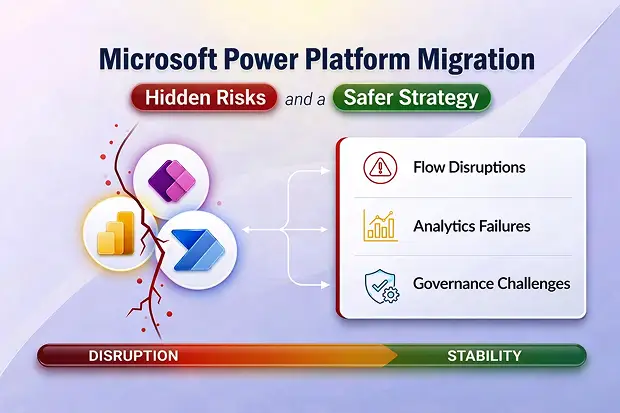
If these dependencies are not addressed during M&A, approvals can fail, analytics can go dark, apps can break, and customer-facing experiences can be disrupted at exactly the wrong time.
Doing pre-deal Power Platform discovery?
Shadow flows and citizen-developer apps rarely appear in the data room – and they’re some of the biggest post-close surprises. See The M365 Pre-Deal Due Diligence Problem: Why You’re Pricing What You Can’t See for the shadow Power Platform assessment framework. For the shadow Power Platform assessment framework.
- Why Power Platform Is Harder Than It Looks
- Microsoft Power Automate: Hidden Breakage in Core Business Processes
- Microsoft Power BI: Analytics Blackouts for Leadership
- Architecture, Licensing, and Governance
- Additional High-Risk Scenarios
- How CIOs and CTOs Should Look at This
- A Safer Way to Migrate Power Platform in M&A
Why Power Platform Is Harder Than It Looks
At first glance, Microsoft Power Platform can seem like a mix of workflows, dashboards, and low-code apps. In reality, it is a tightly connected set of services, each dependent on tenant-specific configurations and relationships. These workloads do not move cleanly between tenants and rebuilding them can take days or even weeks depending on complexity.
During M&A, that tenant-bound design collides with TSA deadlines, overlapping governance models, and different licensing structures. The result is that flows, apps, and analytics may appear migrated on paper, but fail after cutover in ways that are difficult to spot in advance – often after leadership believes the integration is complete.
1. Microsoft Power Automate: Hidden Breakage in Core Business Processes
Flow Connection breakage
After M365 tenant transfer, connection references may move, but the underlying connector configurations do not. As a result, flows are suspended with errors such as “connections not configured.”
Power Automate Approvals stop, onboarding and offboarding workflows fail, and back-office automations stall at the moment the business needs stability most.
Power Automate Flow ownership issues
Microsoft Power Automate Flow owners and co-owners are tied to source tenant identities, which may no longer be resolved in the target tenant.
Business teams lose visibility and control over critical flows, while IT inherits orphaned automations and becomes the bottleneck for every change or incident.
Most of these orphaned flows were built by citizen developers IT never inventoried – a gap that belongs in pre-deal due diligence, not Week 1 of integration.
Tenant isolation blocking flows
New tenant isolation and DLP policies can immediately suspend cross-tenant flows. Policy propagation delays can make the failures appear random.
Cross-company processes break without warning, frontline teams lose confidence in automation, and trust in the merged platform erodes.
2. Microsoft Power BI: Analytics Blackouts for Leadership
Dataset GUID changes and relinking
Microsoft Power BI Datasets republished in the target tenant receive new GUIDs, which breaks dependent reports until they are manually rebound.
Executive dashboards for synergy tracking, revenue, and integration KPIs go dark during critical reporting cycles.
Region moves that delete data (TSA)
Power BI region remaps can delete all data and metadata in the source region, including usage logs, unless backups are taken in advance.
Historical usage and performance telemetry is lost, making it harder to prove adoption, justify investments, or reconstruct incident timelines.
Gateway remapping
On-premises gateways are tied to the source tenant ID. After migration, scheduled refreshes fail until gateways and data sources are reconfigured.
Reports silently become stale, executives make decisions using outdated data, and analytics reliability becomes a recurring escalation.
Embedded analytics failures
Embedded Power BI content depends on tenant-specific workspace IDs and tokens that become invalid in the target tenant.
Internal and customer-facing dashboards break, sales and support teams lose visibility, and customer trust is affected at a particularly sensitive time.
3. Architecture, Licensing, and Governance
Environment mapping complexity (TSA)
Source environments and DLP policies do not map cleanly to the target environment model. Each environment carries its own rules and isolation settings.
Critical flows may be blocked by overly restrictive policies, or risky data movement may be unintentionally re-enabled across the merged organization.
Licensing misalignment
Different Microsoft Power Platform licensing tiers across tenants can cause premium capabilities and features to disappear after consolidation.
Previously working apps and flows degrade or stop, creating business disruption and forcing unplanned license spend.
Gateway and integration dependencies
Service principals, managed identities, custom connectors, and gateways are tenant-specific and must be rebuilt.
Missed identities or OAuth applications create silent failures in finance, HR, and operational systems. These issues present as business problems rather than clear IT errors, making them exceptionally difficult to diagnose and slow to resolve.
4. Additional High-Risk Scenarios
Solution-aware vs. non-solution flows
Non-solution flows, especially those built in the default environment, cannot be moved through standard environment transfers and often must be manually exported or rebuilt.
Premium connector licensing cliff
M365 Power Automate flows that rely on premium connectors such as SQL, HTTP, or custom connectors may stop working if the target tenant’s licensing does not match. In many cases, the issue becomes visible only when the flow is triggered.
Embedded Power Apps in Teams
Embedded app tabs may break after migration because app references, permissions, and dependencies do not transfer cleanly.
Power Apps Dataverse relationships and business rules
Complex Dataverse table relationships, business rules, and dependent logic may not migrate cleanly and can alter application behavior.
Power Apps Custom connector secrets
OAuth secrets and API keys do not transfer and must be reconfigured carefully.
Power Pages and Power Virtual Agents
Portals and bots often require near-rebuilds because of tenant-specific authentication, domain configuration, and connected services.
Copilot and AI personalization
Training history, search context, and personalization may reset after migration.
Taken together, these risks form a pattern that is hard to detect until it’s too late. Each failure mode is tenant-specific, often silent, and most damaging at exactly the moment the business expects stability.
How CIOs and CTOs Should Look at This
Microsoft Power Platform migration is not just a technical activity. In M&A, it is an operational risk and a direct factor in value realization.
- Rebuild effort: Rebuilding flows, apps, dashboards, and embedded experiences can take weeks or months.
- Integration risk: Missed service principals, connectors, gateways, or secrets can create silent failures across business functions.
- Visibility risk: Analytics outages reduce insight into integration progress, synergy tracking, and emerging issues.
- Governance risk: Misaligned DLP policies, tenant isolation, and licensing can create compliance exposure or unnecessarily block the business.
Leading organizations treat Power Platform as a dedicated M&A workstream, with structured discovery, design, execution, and validation.
A Safer Way to Migrate Power Platform in M&A
If you want Power Platform to accelerate your merger instead of slowing it down, you need a structured approach:
- Start with full discovery: inventory environments, flows, apps, reports, gateways, custom connectors, approvals, portals, bots, and license usage, and classify them by business criticality and M&A phase. That same discovery data also feeds your cost model – see Estimating M365 Migration Cost Before You Have Admin Access for how to turn it into a defensible pre-deal budget.
- Design a target‑state architecture that aligns environments, DLP policies, tenant isolation, and licensing across both organizations before you move anything.
- Use automation for repetitive work like connector mapping, GUID relinking, and environment inventory, but accept that manual remediation is inevitable for approvals, embedded experiences, Dataverse logic, and sensitive secrets.
- Roll out a phased enablement plan, bringing flows, apps, and analytics back online in waves, with monitoring, rollback options, and business sign‑off, instead of betting everything on one big‑bang weekend.
Many organizations also accelerate this work using specialized tools such as Apps4.Pro Migration Manager, which provides end-to-end inventory, GUID relinking automation, and environment mapping across Power Platform workloads helping IT teams minimize silent failures and maintain business continuity through cutover.
Microsoft Power Platform does not have to be a source of post-merger regret. With the right preparation, it can become one of the fastest workloads to stabilize, and a foundation for the operational efficiency your merger was designed to create.
Planning a tenant-to-tenant migration and not sure where to start with Power Platform? Reach out to discuss a structured discovery and migration approach tailored to your M&A timeline.
















