


- Key Takeaways
- How We Evaluated Quest Alternatives
- Why Organizations Look For A Quest On Demand Migration Alternative
- What Quest On Demand Migration Is, And Where It Fits
- The Best Quest On Demand Migration Alternatives In 2026 At A Glance
- Best Quest On Demand Migration Alternatives in 2026: Features, Pricing & Comparison
- Which Quest On Demand Migration Alternative Should You Choose?
- Apps4.Pro vs. Quest On Demand Migration: A Focused Comparison
- What To Evaluate Before Choosing A Tenant-To-Tenant Migration Tool
- Conclusion
- Frequently Asked Questions
Key Takeaways
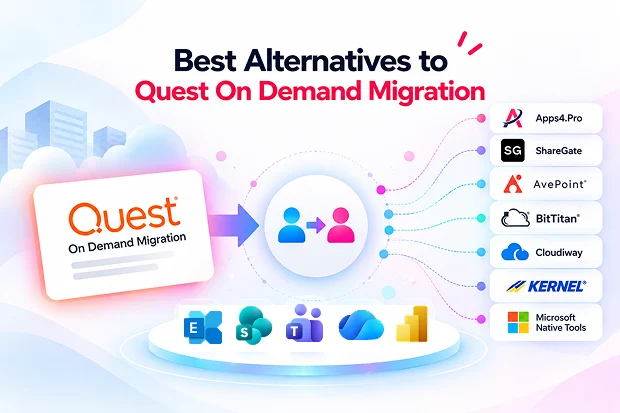
- The best Quest On Demand Migration alternatives in 2026 are Apps4.Pro, ShareGate, AvePoint Fly, BitTitan MigrationWiz, Cloudiway, Kernel, and Microsoft’s native cross-tenant tools, each is best suited to a specific migration scenario.
- Apps4.Pro moves Microsoft 365 workloads Quest does not, including Planner Premium, Power BI personal workspaces, Viva Engage, Microsoft Forms, and Microsoft Bookings, under one per-installation license.
- Quest migrates only the last 15, 30, or 60 days of Teams chats as live messages and archives the rest to HTML; Apps4.Pro migrates chats as live Teams messages from any start date.
- Quest remains the leader for identity-led projects: Entra ID and Active Directory migration, directory sync, domain moves, and Windows device reconfiguration.
- Apps4.Pro does not migrate identities, devices, or Power Apps, so projects where those sit on the critical path favour Quest, AvePoint Fly, or BitTitan with PowerSyncPro.
- Quest is licensed per migrated user; Apps4.Pro and ShareGate are licensed per machine, so cost does not grow with headcount.
- Run a pre-migration inventory first: identity and coexistence point to Quest or AvePoint; Microsoft 365 workload breadth points to Apps4.Pro.
Most tenant-to-tenant projects that start on Quest go well where Quest is strongest. Accounts are provisioned, mail flows between tenants during the waves, and domains move without downtime. Then user acceptance testing starts. Someone asks why their Teams chats from last year now sit in an HTML file, why the PMO’s Planner Premium plans did not arrive, or where the HR team’s Forms and the sales team’s Bookings pages went.
That gap between what an identity-led platform migrates and what your tenant actually contains is why teams evaluate Quest On Demand Migration alternatives. Quest is a strong tool. It is simply built around identity and coexistence, and priced per user, which does not fit every project. This guide walks through the alternatives worth considering in 2026, what each one actually migrates, and which scenario each fits best.
How We Evaluated Quest Alternatives
Migration comparison articles often repeat the same tool lists without verifying whether each product still delivers the features it claims. We took a more evidence-based approach. Every tool included in this comparison had to meet four criteria:
- Actively available in 2026: Each tool has current documentation and a live product or pricing page.
- A viable alternative to Quest: It must support Microsoft 365 tenant-to-tenant content migration or provide an alternative to Quest’s identity and coexistence capabilities. Tools limited to moving files between consumer cloud services were excluded.
- Verified using primary sources: Capabilities and pricing were checked against vendor documentation, knowledge-base articles, Microsoft Learn, and official pricing pages in October 2026, rather than relying on third-party summaries.
- A distinct use case: Each tool addresses a specific migration scenario that helps differentiate it from the other options.
Based on these criteria, we selected seven options: Apps4.Pro, ShareGate, AvePoint Fly, BitTitan MigrationWiz, Cloudiway, Kernel, and Microsoft’s native cross-tenant migration tools. Instead of assigning an arbitrary overall ranking, we evaluate each option using the same criteria, helping you identify the right fit for your migration scope and requirements. Since product capabilities and pricing can change, verify the latest details with the respective vendors before making a purchasing decision.
Why Organizations Look For A Quest On Demand Migration Alternative
Teams often consider Quest alternatives not because the product performs poorly, but because their migration requirements, pricing expectations, or preferred delivery model call for a different solution. Common reasons include:
- Per-user licensing at scale: Quest licenses every migrated user through quote-based T3, T5, and T7 subscriptions. On a 3,000-user content-only migration, that is 3,000 licenses; per-installation tools charge the same for 300 users or 30,000.
- Teams chat history: Quest migrates the last 15, 30, or 60 days of chats to live chat and archives older messages to HTML files. Users who expect years of searchable chat history in Teams notice the difference.
- Workloads outside Quest’s scope: Planner Premium is unsupported, Power BI personal workspaces are not migrated, and Viva Engage, Microsoft Forms, and Microsoft Bookings are not listed in Quest’s documentation.
- Identity already handled: When destination accounts already exist, or Microsoft’s own tools handle identity, an identity-led platform’s main strength goes unused.
- Pricing transparency: Quest publishes no list price. Teams that need a budget figure before a sales cycle often shortlist tools with public pricing.
- Source diversity: File shares, Box, Slack, and Google Chat are handled differently across tools, and some projects need one of them alongside Microsoft 365.
These are not shortcomings of Quest; they are simply limitations in scope. The more useful question is not “Which tool is best?” but “Which tool best fits the workloads, identity requirements, and budget of my migration?”
What Quest On Demand Migration Is, And Where It Fits
Quest On Demand Migration (ODM) is a 100% Azure-hosted SaaS platform from Quest Software for Microsoft 365 tenant-to-tenant migration. It combines content migration with Active Directory and Entra ID migration, directory synchronization, and domain moves, managed from one dashboard.
Commonly used for: mergers, acquisitions, and divestitures where users, groups, devices, and domains must move along with mail and files, often across phased waves with a coexistence period.
Migration scenarios and sources: Microsoft 365 tenant-to-tenant, Exchange on-premises and IMAP to Microsoft 365, PST files, hybrid and on-premises Active Directory, and Entra ID.
Microsoft 365 workloads: Exchange Online mailboxes and public folders, OneDrive, SharePoint Online lists and libraries, Teams and Microsoft 365 Groups (including channel conversations, plans, and chats), Power BI, and email domains. Since 4 August 2026, Power Apps and Power Automate are also supported (Quest announcement).
Identity and coexistence: provisions target users, groups, and contacts with password sync for AD accounts; keeps migrated and unmigrated users in sync; shares a unified address list and an email domain across tenants; and moves Windows devices to the new tenant.
Permissions and fidelity: preserves metadata, site and document permissions, sensitivity labels, encryption policies, and access scopes across tenants.
Assessment and reporting: a project dashboard for staging, scheduling, and real-time progress, plus AI-driven log analysis that filters migration logs down to errors.
Security: ISO/IEC 27001, 27017, and 27018 certified, with SOC 2 Type 2 attestation and data centers in Australia, Canada, North Europe, the UK, and the US.
Pricing: quote-based, per migrated user, under T3, T5, and T7 subscriptions; Active Directory, Directory Sync, and Domain Move capabilities vary by tier or are sold as add-ons. No list price is published.
Quest On Demand Migration limitations to plan around
Each item below is documented by Quest. None makes it a poor tool. They are scope boundaries that decide whether it fits a given project.
- Teams private chat history is split: only the last 15, 30, or 60 days migrate as live chat; remaining messages are archived to HTML files. Quest recommends an add-on Teams Chat SKU for faster archiving (Quest KB 4251204).
- Planner Premium is unsupported: Quest cites a Microsoft Graph API limitation and gives no release date (Quest KB 4378497).
- Power BI covers shared workspaces only: personal workspaces are not migrated.
- Large OneDrives need splitting: Quest recommends dividing OneDrives of 500 GB or more, or with hundreds of thousands of files, into two or more jobs (Quest OneDrive guide).
- Teams for Education is only partially supported.
- Viva Engage, Microsoft Forms, and Microsoft Bookings are not listed as migratable workloads.
- Pricing is quote-only and per user, so budget figures require a sales engagement and cost scales with headcount.
Suitable for: identity-led tenant-to-tenant programmes, typically mergers, acquisitions, and divestitures, where accounts, devices, domains, and mail coexistence are the critical path and the content scope is mostly Exchange, OneDrive, SharePoint, and Teams channels.
The Best Quest On Demand Migration Alternatives In 2026 At A Glance
|
Tool |
Best-fit scenario |
Standout capability |
Where it stops |
|---|---|---|---|
|
Apps4.Pro |
Best-fit scenario Microsoft 365 to Microsoft 365 (All workloads) |
Standout capability Teams chat as live messages from any date, Planner Premium, Power BI personal workspaces, Viva Engage, Forms, Bookings in one license |
Where it stops No identity, device, or Power Apps migration; Google Workspace not currently supported |
|
ShareGate |
Best-fit scenario SharePoint-heavy moves with file share, Box, or Google sources |
Standout capability SharePoint restructuring, permissions matrix, flat per-machine pricing |
Where it stops No Teams private chat; Entra ID in preview; no coexistence |
|
AvePoint Fly |
Best-fit scenario Large multi-source enterprise programmes |
Standout capability SaaS orchestration, Teams chats, Power Platform, device moves, managed option |
Where it stops Quote-only pricing |
|
BitTitan MigrationWiz |
Best-fit scenario Mailbox-led moves with predictable per-user cost |
Standout capability Public per-user pricing; identity and devices via PowerSyncPro |
Where it stops Per-user cost scales with size; PowerSyncPro needs a Windows server |
|
Cloudiway |
Best-fit scenario MSP projects spanning Teams, Slack, and Google Chat |
Standout capability Cross-platform chat, coexistence, non-expiring licenses |
Where it stops Less enterprise validation than Quest |
|
Kernel |
Best-fit scenario Small, budget mailbox-first moves |
Standout capability Low entry cost, desktop install |
Where it stops No identity, coexistence, Planner, or Power Platform |
|
Microsoft native tools |
Best-fit scenario Mailbox and OneDrive moves on a tight budget |
Standout capability One-time per-user add-on, no third-party tool |
Where it stops PowerShell-driven; shared workloads handled separately |
7 Best Quest On Demand Migration Alternatives in 2026: Features, Pricing & Comparison
Each tool below is covered on the same criteria: what it is, best-fit scenario, identity and coexistence, Microsoft 365 workloads, tenant-to-tenant support, permissions and fidelity, reporting and automation, pricing, and limitations.
1. Apps4.Pro: The Workload-Breadth Alternative To Quest
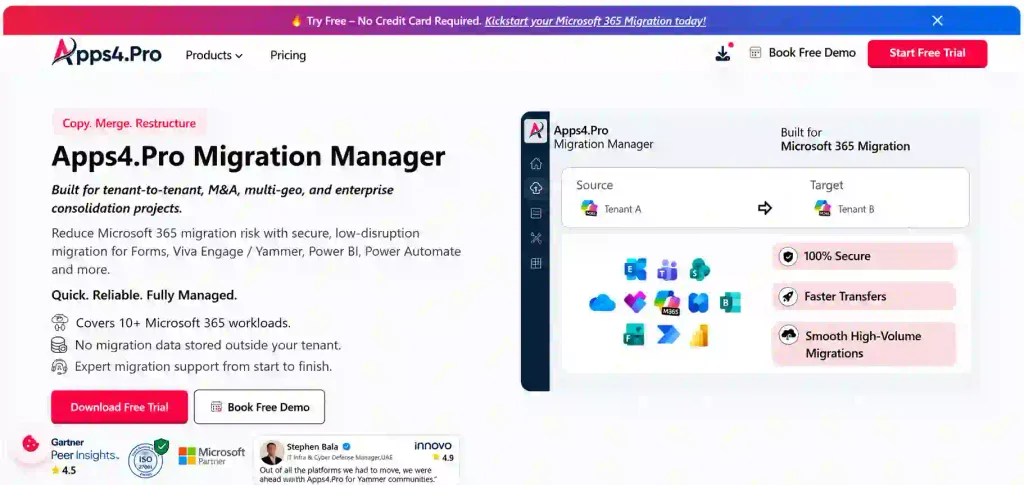
Apps4.Pro Migration Manager, from JiJi Technologies, is designed to address a specific gap in Microsoft 365 migrations. It supports a broader range of Microsoft 365 collaboration workloads than Quest under a single license, while identity migration remains outside its scope. When identities are already provisioned and the migration extends beyond Exchange, SharePoint, OneDrive, and Teams channels, Apps4.Pro can serve as a direct alternative for content migration. The details below are based on current Apps4.Pro product documentation, verified in October 2026.
- Best suited for: Microsoft 365-to-Microsoft 365 migrations involving mergers, acquisitions, divestitures, rebranding, or tenant consolidations, especially when the migration covers a broad range of workloads and identity is managed separately through Microsoft tools or an identity platform.
- Identity and coexistence: Identity migration and coexistence are not included. Destination users must already exist and are mapped to source accounts through CSV files so ownership and permissions can be preserved.
- Microsoft 365 workloads: Supports Exchange Online (user, shared, archive, and group mailboxes, plus public folders), SharePoint Online, OneDrive, Teams chats, and Teams channels—the same core workloads supported by Quest. It also covers workloads that Quest does not migrate, including Planner Premium, Power BI personal workspaces, Viva Engage, Microsoft Forms with responses, Microsoft Bookings, Power Automate, and Teams for Education.
- Tenant-to-tenant: Tenant-to-tenant migration is the primary use case. Teams chats—including 1:1, group, and meeting chats—are migrated as live Teams messages from the selected start date rather than being split into HTML archives. Large OneDrive migrations can also be handled as a single scope without dividing them into separate jobs.
- Permissions and fidelity: Preserves site permissions, metadata, version history, and content structure. Power BI migration includes reports, semantic models, gateways, connections, dashboards, role-based permissions, and scheduled refresh settings.
- Reporting and automation: Provides a free pre-migration inventory report, item-level reports, validation summaries, and downloadable audit logs. Incremental (delta) passes transfer only new or changed content before cutover, while parallel execution supports scaling across 1-, 5-, or 20+-machine installations. No scripting is required.
- Pricing (list price, verified October 2026): Essentials costs $5,995 for 1 machine, Growth costs $8,995 for 5 machines, and Enterprise costs $17,995 for 20+ machines. A 15-day trial is available with no credit card required. Mailbox, OneDrive, SharePoint, Teams channels, Teams chats, and Planner migrations are unlimited across all tiers. See the Apps4.Pro pricing page for details. The product is ISO 27001 and ISO 27701 certified and is offered by a Microsoft Solutions Partner for Modern Work.
- Limitations: Does not migrate Entra ID or Active Directory, provide directory synchronization, or reconfigure Windows devices. Power Apps migration is not supported, and Google Workspace is currently unavailable as a source. Viva Engage, Forms, Power Automate, and Power BI usage is metered according to the selected tier, as detailed below.
|
Metered workload |
Essentials |
Growth |
Enterprise |
|---|---|---|---|
|
Viva Engage communities |
Essentials 10 |
Growth 20 |
Enterprise 50 |
|
Microsoft Forms |
Essentials 300 |
Growth 500 |
Enterprise 2,000 |
|
Power Automate flows |
Essentials 50 |
Growth 100 |
Enterprise 200 |
|
Power BI workspaces |
Essentials 10 |
Growth 25 |
Enterprise 100 |
The licensing model is where Apps4.Pro and Quest diverge most. A 3,000-user content-only migration consumes 3,000 Quest user licenses; on Apps4.Pro, one Growth license at $8,995 covers all 3,000 users.
Best-fit use case. Tenant consolidations where identity is already provisioned and the inventory shows Teams chat history, Planner Premium, Power BI, Viva Engage, Forms, or Bookings that must move.
2. ShareGate Migrate
A Windows desktop migration tool from ShareGate, known for SharePoint mapping, restructuring, and permissions reporting, sold alongside the separate ShareGate Protect governance product.
- Best suited for: SharePoint-centred migrations where restructuring, mapping, and validation reporting matter, and where sources include file shares, Box, or Google Workspace.
- Identity and coexistence: Entra ID migration of users, security groups, and Microsoft 365 groups is in preview on Pro and Enterprise. No directory coexistence, domain moves, or device reconfiguration.
- Microsoft 365 workloads: SharePoint, OneDrive, Teams and Channels, Planner Basic, and Exchange Online mailboxes (Pro and Enterprise only).
- Tenant-to-tenant: supported, plus imports from file shares, Box, Google Drive, Gmail, and Google Calendar (Pro and up).
- Permissions and fidelity: content, structure, metadata, versions, and permissions; Microsoft Purview sensitivity label migration on Pro and Enterprise.
- Reporting and automation: Source Analysis and inventory reports, a Permissions Matrix report, incremental migrations, and a PowerShell module on Pro and Enterprise.
- Pricing (list, verified October 2026): Essentials $5,995/year (1 machine activation, no Exchange); Pro $9,995/year (5 activations); Enterprise from $17,995/year (25 activations). Unlimited users and data; 15-day trial. See ShareGate pricing.
- Limitations: Teams private chat migration is currently unavailable; ShareGate disabled its beta Copy-Chat command in May 2026 (ShareGate Help). Planner Premium, Power BI, Power Automate, Forms, and Viva Engage migration are not listed as supported workloads.
Best-fit use case. SharePoint restructuring or non-Microsoft sources where chat history and identity coexistence are out of scope.
3. AvePoint Fly
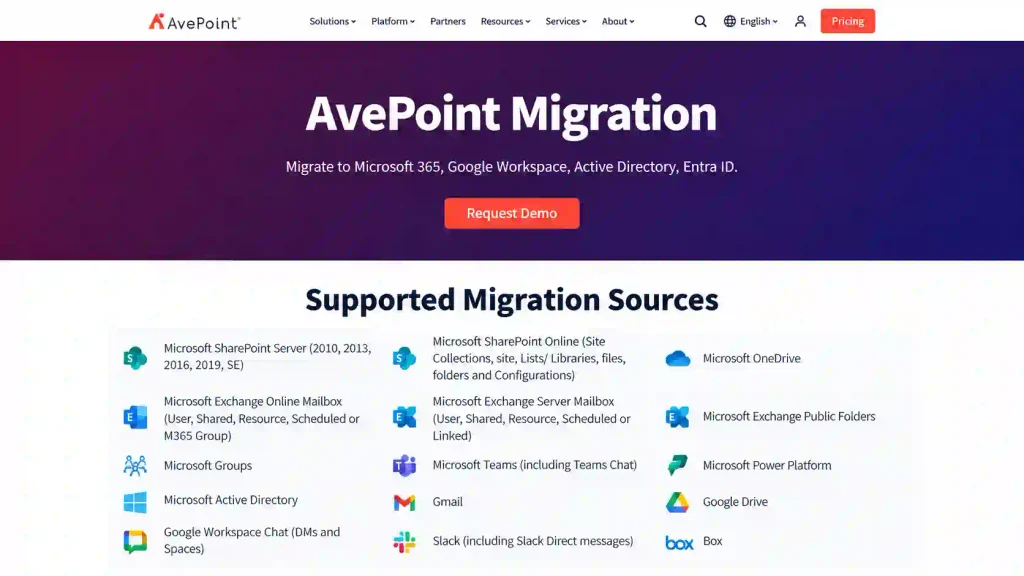
A SaaS migration platform from AvePoint, offered self-managed or as an AvePoint-managed service, positioned for large multi-workload programmes.
- Best suited for: large or complex consolidations spanning many sources, where cloud orchestration or a fully managed service matters more than a fixed license.
- Identity and coexistence: Active Directory and Entra ID migration, plus device migration across mergers, acquisitions, divestitures, and tenant consolidations.
- Microsoft 365 workloads: Exchange Online, SharePoint Online, OneDrive, Microsoft 365 Groups, Teams (all channel types, including shared channels), Teams 1:1, group, and meeting chats, Planner, public folders, and Power Platform (Power Apps and Power Automate).
- Tenant-to-tenant: a core strength, including shared-channel migration to and from GCC High tenants. Sources also include Exchange on-premises, Google Workspace (including Google Chat DMs and Spaces), and other cloud platforms.
- Permissions and fidelity: full-fidelity migration within or across tenants, with mapping, filtering, and restructuring.
- Reporting and automation: free pre-migration discovery, a status dashboard, migration trend reports, and Azure BLOB staging to reduce throttling.
- Pricing: quote-based; no public list price on the product pages reviewed.
- Limitations: opaque pricing; Viva Engage, Forms, Bookings, and Power BI personal workspaces are not listed on the pages reviewed.
Best-fit use case. Enterprise M&A programmes that need identity, devices, and broad sources, especially where a managed service is preferred.
4. BitTitan MigrationWiz
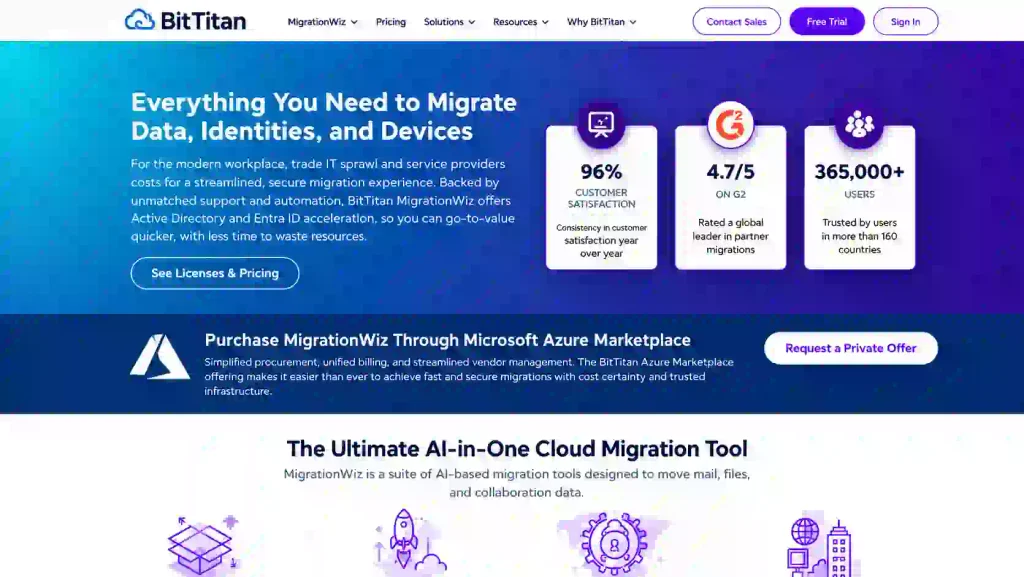
A SaaS migration service owned by Idera, known for the widest mailbox source list and public per-user pricing, with identity and device migration through its PowerSyncPro products.
- Best suited for: mailbox-led tenant-to-tenant moves where predictable per-user pricing and online self-service purchase fit the team.
- Identity and coexistence: Entra ID to Entra ID and AD to Entra ID migration (SMB edition up to 1,000 users); Directory Sync for users, groups, contacts, SID history, and passwords; Migration Agent for Windows devices. PowerSyncPro products need a Windows server to host the service.
- Microsoft 365 workloads: Exchange mailboxes, archives, and public folders; OneDrive; SharePoint shared documents; Teams and channels; and Teams private chat, included in the User Migration Bundle.
- Tenant-to-tenant: supported, with sources including Google Workspace and Google Drive.
- Permissions and fidelity: shared-document migration preserves files, folders, permissions, versions, and metadata.
- Reporting and automation: Teams auto-discovery and import, with project monitoring at the individual team level; no agents for MigrationWiz itself.
- Pricing (per user, verified October 2026): see table below.
- Limitations: per-user pricing scales with tenant size; Teams and shared-document migration in the Tenant Migration Bundle are capped at 100 GB; Planner Premium, Power BI, Viva Engage, Forms, and Bookings are not listed.
|
License |
Price |
Covers |
|---|---|---|
|
Mailbox |
Price $14/user |
Covers Full-fidelity mailbox, up to 50 GB |
|
User Migration Bundle |
Price $17.50/user |
Covers Mailbox, archives, documents, Teams private chat, unlimited data |
|
Tenant Migration Bundle |
Price $57/user |
Covers User bundle plus Teams or 100 GB shared documents |
|
Teams Collaboration |
Price $48/team |
Covers Teams, channels, conversation history, up to 100 GB |
|
Active Directory / Entra ID (SMB) |
Price $6.25/user |
Covers Identity migration, up to 1,000 users |
|
Migration Agent |
Price $13.50/device |
Covers Windows device migration between AD, Entra ID, and workgroups |
Source: BitTitan pricing.
Best-fit use case. Email-led moves with moderate user counts, where buying identity and device migration à la carte is acceptable.
5. Cloudiway
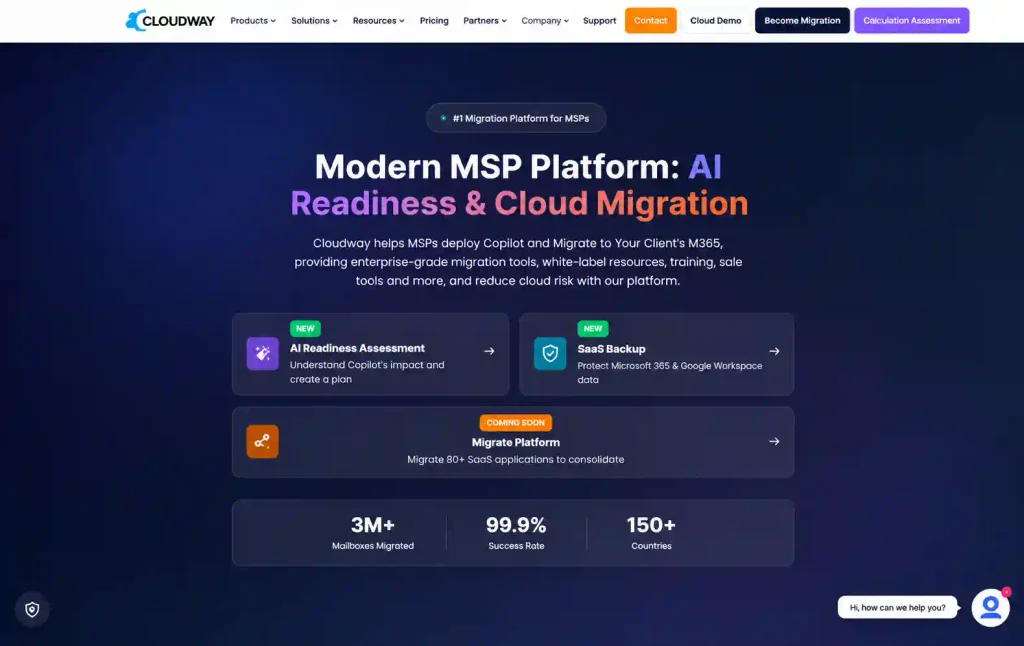
A SaaS migration platform aimed at MSPs and IT teams running multi-platform moves with built-in coexistence.
- Best suited for: service providers migrating Microsoft 365 alongside Slack or Google Chat for several clients.
- Identity and coexistence: mail forwarders route messages to the correct tenant during batch migration; cross-tenant device migration joins laptops to the target tenant and reconfigures Office licenses.
- Microsoft 365 workloads: Exchange (including shared, room, and equipment mailboxes and distribution lists), OneDrive, SharePoint, Teams, and Teams 1:1 chats.
- Tenant-to-tenant: supported, plus Slack, Google Chat, Google Sites, and Google Vault sources.
- Permissions and fidelity: permissions and metadata across supported workloads; confirm object-level detail for your scope.
- Reporting and automation: fully SaaS; unlimited delta passes; licenses that never expire; 24×5 support.
- Pricing: license packs; Cloudiway’s own comparison lists tenant-migration licenses at $40 and mail licenses at $9.50 (Cloudiway).
- Limitations: less enterprise brand presence than Quest; Planner Premium, Power BI, Viva Engage, Forms, and Bookings are not listed.
Best-fit use case. MSP-run migrations spanning Teams, Slack, and Google Chat, where non-expiring licenses suit staggered client projects.
6. Kernel Office 365 Migration
A Windows desktop tool from Nucleus Technologies (KernelApps) for mailbox-first Office 365 migrations.
- Best suited for: small organizations moving a limited number of mailboxes on a tight budget.
- Identity and coexistence: not offered.
- Microsoft 365 workloads: mailboxes, archive mailboxes, public folders, and Microsoft 365 Groups; the Complete Tenant to Tenant plan adds SharePoint, OneDrive, and Teams.
- Tenant-to-tenant: direct migration between source and destination tenants, with automatic mapping for bulk mailboxes.
- Permissions and fidelity: emails, contacts, calendars, and notes; confirm SharePoint permission fidelity for your scope.
- Reporting and automation: selective migration filters, migration reports, and scheduling.
- Pricing: tiered by mailbox count, with frequent promotional prices; confirm on the Kernel pricing page.
- Limitations: no identity, coexistence, Teams chat, Planner, or Power Platform migration; desktop-only.
Best-fit use case. A small business that needs mail, and possibly a few sites, moved quickly and cheaply.
7. Microsoft Native Tools (Cross-Tenant User Data Migration)
Microsoft’s own cross-tenant mailbox and OneDrive migration, run through Exchange Online and SharePoint Online PowerShell, plus a separate cross-tenant SharePoint site migration.
- Best suited for: budget-first moves of mailboxes and OneDrive accounts by admins comfortable with PowerShell.
- Identity and coexistence: none; identities must be mapped before migration.
- Microsoft 365 workloads: Exchange Online mailboxes and OneDrive; SharePoint sites through a separate cross-tenant site migration.
- Tenant-to-tenant: native, via an organization relationship between tenants. Moves are one-time, and OneDrive sites must not exist in the target before migration (Microsoft Learn).
- Permissions and fidelity: native moves; a redirect is left in the source.
- Reporting and automation: PowerShell status cmdlets; no migration dashboard.
- Pricing: the Cross-Tenant User Data Migration add-on, a one-time per-user license covering mailbox and OneDrive moves.
- Limitations: no Teams channels, chats, Planner, Power Platform, Viva Engage, or Forms; no reporting dashboard; PowerShell skills required.
Best-fit use case. Small, mailbox- and OneDrive-only moves where cost is the priority and no collaboration workloads must follow.
Which Quest On Demand Migration Alternative Should You Choose?
The dividing lines are identity, workload breadth, and how cost scales. Match the tool to the scenario:
- Microsoft 365 to Microsoft 365 with Teams chat history, Planner Premium, Power BI personal workspaces, Viva Engage, Forms, or Bookings in scope: Apps4.Pro, which covers those workloads in one license, provided identity is handled elsewhere.
- Large user counts on a content-only migration: Apps4.Pro or ShareGate, whose per-machine licenses do not grow with headcount.
- Identity-led tenant-to-tenant with coexistence, domain moves, and devices: Quest On Demand Migration remains the benchmark; AvePoint Fly is the closest like-for-like alternative.
- SharePoint restructuring, file shares, or Box: ShareGate.
- Email-led moves with published per-user pricing: BitTitan MigrationWiz, adding PowerSyncPro for identity and devices.
- Multi-platform collaboration moves (Slack, Google Chat) run by an MSP: Cloudiway.
- Small, budget mailbox moves: Kernel or Microsoft’s native cross-tenant tools.
In large consolidations, these tools are not mutually exclusive. A common pattern pairs Quest, AvePoint, or BitTitan for accounts, coexistence, and devices with Apps4.Pro for the Microsoft 365 workloads the others do not move. Because Apps4.Pro is licensed per installation, adding it does not add a second per-user bill. See mergers and acquisitions migration.
Apps4.Pro vs. Quest On Demand Migration: A Focused Comparison
Both are established tenant-to-tenant migration tools with publicly available documentation, making a direct comparison straightforward. In most cases, the choice comes down to migration scope and requirements rather than overall product quality.
|
Area |
Apps4.Pro |
Quest On Demand Migration |
|---|---|---|
|
Core workloads (Exchange, SharePoint, OneDrive, Teams channels) |
Apps4.Pro Yes |
Quest On Demand Migration Yes |
|
Teams 1:1 / group / meeting chat |
Apps4.Pro Live Teams messages from any start date |
Quest On Demand Migration Last 15, 30, or 60 days live; rest archived to HTML |
|
Planner |
Apps4.Pro Basic and Premium |
Quest On Demand Migration Basic only; Premium unsupported |
|
Power BI |
Apps4.Pro Shared and personal workspaces (metered) |
Quest On Demand Migration Shared workspaces only |
|
Power Automate |
Apps4.Pro Yes (metered) |
Quest On Demand Migration Yes (since Aug 2026) |
|
Power Apps |
Apps4.Pro No |
Quest On Demand Migration Yes (since Aug 2026) |
|
Viva Engage / Forms / Bookings |
Apps4.Pro Yes (Viva Engage and Forms metered) |
Quest On Demand Migration Not listed |
|
Teams for Education |
Apps4.Pro Yes |
Quest On Demand Migration Partial |
|
Large OneDrive (500 GB+) |
Apps4.Pro Single scope |
Quest On Demand Migration Split into two or more jobs recommended |
|
Entra ID / Active Directory migration |
Apps4.Pro No |
Quest On Demand Migration Yes |
|
Directory sync, domain move, coexistence |
Apps4.Pro No |
Quest On Demand Migration Yes |
|
Windows device reconfiguration |
Apps4.Pro No |
Quest On Demand Migration Yes |
|
Google Workspace source |
Apps4.Pro Not currently supported |
Quest On Demand Migration Yes |
|
Sensitivity labels |
Apps4.Pro Not listed |
Quest On Demand Migration Yes |
|
Delivery |
Apps4.Pro Installed application |
Quest On Demand Migration 100% SaaS |
|
Reporting |
Apps4.Pro Free inventory, item-level reports, audit logs |
Quest On Demand Migration Dashboard, AI log analysis |
|
Certifications |
Apps4.Pro ISO 27001, ISO 27701; Microsoft Solutions Partner |
Quest On Demand Migration ISO 27001, 27017, 27018; SOC 2 Type 2 |
|
Pricing model |
Apps4.Pro Per installation, published |
Quest On Demand Migration Per migrated user, quote-based |
|
Entry pricing |
Apps4.Pro Essentials $5,995 (1 machine) |
Quest On Demand Migration Quote only |
|
Mid tier |
Apps4.Pro Growth $8,995 (5 machines) |
Quest On Demand Migration T3 / T5 / T7 by quote |
|
Top tier |
Apps4.Pro Enterprise $17,995 (20+ machines) |
Quest On Demand Migration Add-ons by quote |
|
Free trial |
Apps4.Pro 15 days, no credit card |
Quest On Demand Migration Trial with per-workload quotas |
The main differences lie in workload coverage and migration capabilities. Apps4.Pro supports workloads Quest does not cover, including Planner Premium, Power BI personal workspaces, Viva Engage, Forms, and Bookings. It also migrates Teams chat history as live messages and offers pricing that does not increase with the number of users. Quest, on the other hand, supports identity, device, domain, and Power Apps migration, which Apps4.Pro does not provide. The two tools address different migration requirements and may be used together in large-scale mergers. For a detailed feature-by-feature comparison, see the Apps4.Pro vs. Quest comparison.
What To Evaluate Before Choosing A Tenant-To-Tenant Migration Tool
Start by running a pre-migration inventory of both tenants. This early assessment can help identify requirements and prevent costly surprises later. Use the findings to evaluate the following factors:
- Identity: Determine whether destination users, groups, and devices need to be created and mapped, and whether coexistence is required. If identity migration is a priority, consider Quest, AvePoint Fly, or BitTitan with PowerSyncPro. Apps4.Pro requires identity migration to be handled separately.
- Workload scope: Identify the Microsoft 365 workloads currently in use and those that must be migrated. Teams chat history, Planner Premium, Power BI personal workspaces, Viva Engage, Forms, and Bookings are key areas where tool capabilities differ.
- Chat history: Establish how much historical chat content must remain searchable as live Teams messages rather than being stored in archived files.
- Source platforms: Check whether the migration involves Google Workspace, file shares, Box, Slack, or on-premises Exchange. Source compatibility varies by tool.
- Incremental migration and cutover: Check whether the tool supports delta migration passes, allowing users to continue working in the source tenant until the final cutover.
- Scale and throughput: Evaluate support for parallel machine installations and concurrent migration jobs to determine whether the tool can meet your cutover deadline.
- Reporting: Look for pre-migration assessment reports, item-level validation, and downloadable audit logs to demonstrate progress and results to stakeholders.
- Pricing model: Compare flat-rate, per-installation pricing (Apps4.Pro and ShareGate), per-user pricing (Quest and BitTitan), and quote-based pricing (AvePoint and some Quest offerings). Microsoft native tools may have different licensing and service costs. Calculate the total cost using your actual user count and migration scope.
- Security and compliance: Verify ISO certifications, SOC 2 compliance, data residency requirements, and the permissions each tool needs in the source and destination tenants.
- Support and delivery: Determine whether the solution is SaaS-based, an installed application, or a managed service. Also check whether onboarding, implementation guidance, and technical support are included.
Conclusion
The best Quest alternative depends on your identity requirements, workload scope, and budget. Quest, AvePoint Fly, or BitTitan with PowerSyncPro may suit projects requiring identity and device migration. Apps4.Pro is a strong option when identity is handled separately and the migration includes Teams chats, Planner Premium, Power BI personal workspaces, Viva Engage, Forms, or Bookings. ShareGate, Cloudiway, Kernel, and Microsoft native tools suit other specific migration needs.
Start with a pre-migration inventory to identify your requirements, then choose the tool that best fits your project. You can start a free 15-day Apps4.Pro trial or book a demo to evaluate its suitability.
















