


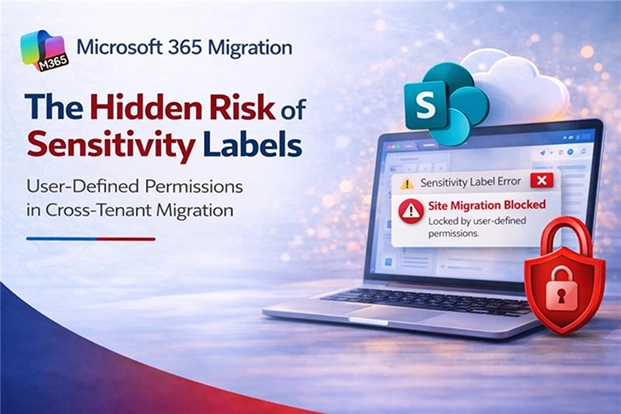
If you deliver Microsoft 365 cross-tenant migrations as an MSP, you can run a clean discovery, lock a fixed-fee scope, and still hit a blocker that only shows up once execution starts: a SharePoint site won’t migrate, the error details are thin, and your timeline and margin start slipping while everyone asks for answers.
One of the most common root causes is a sensitivity label configured with “Let users assign permissions when they apply the label.” In practice, this creates two MSP-unfriendly outcomes: Microsoft’s native tooling can block the SharePoint cross-tenant migrations for affected sites, and some third-party tools can move the files but drop the original protection, leaving you with rework and a potential compliance gap.
Because it’s easy to miss in pre-sales discovery and painful to remediate mid-project, this is one of those issues that turns into a schedule slip, a surprise change order conversation, or a client-trust problem, unless you plan for it up front.
- Why Sensitivity Labels With User-Defined Permissions Break Tenant Migrations
- What Makes User-Defined Permission Labels Hard to Migrate Across Tenants
- How Dropped or Blocked Labels Create Compliance Risk During Migration
- What You Can Do When Sensitivity Labels Block the Migration
- MSP Playbook: How to Scope, Price, and Deliver Around This Risk
- What to Audit Before You Scope a Tenant Migration Involving Sensitivity Labels
Why Sensitivity Labels With User-Defined Permissions Break Tenant Migrations
In MSP delivery, sensitivity labels with user-defined permissions are a predictable execution risk: Microsoft’s native cross-tenant migration tooling explicitly blocks SharePoint sites that contain labels configured this way. Practically, that means a hard stop during a migration wave and an immediate impact on schedule, resourcing, and fixed-fee margin unless you’ve scoped remediation up front.
This isn’t a rare edge case or a transient service issue, it’s a documented limitation. That means you should treat it as a known constraint when you select tools, build the runbook, and price the engagement.
Third-party tools can create a different kind of risk. Some can move the files successfully but do not preserve the original sensitivity labels. The content reaches the target tenant, but the label-based protection does not move with it, so your cutover checklist needs to validate protection outcomes, not just file counts.
That is what makes this hard to catch during delivery. The move can look successful at the file level while failing at the protection level.
To plan around that risk, you first need to understand why these labels do not carry across tenants cleanly.
What Makes User-Defined Permission Labels Hard to Migrate Across Tenants
The challenge starts with how these labels work.
A user-defined permission label does more than classify a file. It applies protection tied to the source tenant’s identities, permissions, and encryption model.
When that content moves to another tenant, there is no automatic way to remap those user-defined rights into the destination environment.
That is why this is not just a tooling issue. The file can still be moved, but the permissions and protection behind it do not carry across tenants cleanly.
And once that protection breaks, the issue quickly becomes more than technical. It turns into a compliance and delivery risk that is easy to underestimate until migration is already underway.
How Dropped or Blocked Labels Create Compliance Risk During Migration
That technical limitation becomes a much bigger problem once tenant migration starts.
This gets more serious in regulated engagements. When sensitivity labels are part of day-to-day operations, a broken label isn’t a minor technical defect, it’s potential exposure of protected information, a delivery escalation, and a credibility hit for the MSP leading the migration.
In healthcare, finance, legal, and other regulated environments, labels often protect the highest-risk sites and libraries, exactly the data sets your migration plan cannot afford to stumble on mid-cutover.
If labels are dropped during migration, the content may still arrive in the destination tenant, but the protection expected around it may no longer be there.
That creates a compliance gap that is easy to miss during cutover.
It also creates delivery risk for you. A blocked site cannot simply move forward on schedule. Someone has to review the label settings, assess the affected content, and work through the remediation needed to keep the project moving.
That effort is rarely included in the original estimate.
And when a single site contains thousands of files, identifying exactly which items were affected by dropped or blocked labels becomes difficult during a broader tenant migration.
The harder part is that label loss is not always obvious. Files can appear in the destination exactly where the client expects them. Users can open them. The migration can look complete until someone checks whether the original protection is still there.
By then, the issue is no longer just technical. It affects timeline, scope, and client trust.
That’s why the response must be planned in advance, with a clear line between what can be migrated through mapping and what will need manual handling.
What You Can Do When Sensitivity Labels Block the Migration
Once you identify this issue, the next step is to separate what can be handled through mapping from what will require manual work.
There is no fully automated fix for sensitivity labels that use user-defined permissions in a cross-tenant migration.
For standard sensitivity labels that use admin-defined permissions, some migration tools can map and migrate labels between tenants. That can cover the portion of labeled content that can be handled through structured mapping.
For user-defined permission labels, the practical path is usually manual.
That means identifying those labels before migration, determining which files or sites depend on them, deciding how that content will be handled, and reapplying the appropriate protection in the target tenant afterward.
Label mapping scripts can also help reduce some of the manual effort. They can help you identify source and target labels and organize the mapping work.
They do not solve the underlying encryption and permission issue, but they can make remediation more manageable.
The important point is simple: once this issue is in scope, it has to be treated as planned migration work, not last-minute cleanup.
The best way to avoid that cleanup becoming a surprise is to audit these labels before scope, pricing, and timelines are finalized.
MSP Playbook: How to Scope, Price, and Deliver Around This Risk
For MSPs, the goal isn’t just to understand why the limitation exists, it’s to keep it from turning into an unplanned remediation sprint. The simplest approach is to treat user-defined permission labels as a known constraint and build explicit discovery, assumptions, and validation steps into your engagement.
SOW-ready assumption (example): “Content protected with sensitivity labels configured to let end users assign permissions may be excluded from automated cross-tenant migration and may require separate remediation and re-protection services. Any effort to investigate, remediate, re-label, or re-protect such content will be handled via change control or a separately scoped workstream.”
- Pre-sales / discovery: Ask whether sensitivity labels are in use for SharePoint and OneDrive, and specifically whether any label is set to “let users assign permissions.”
- Scope language: Call out that content protected with user-defined permissions may be blocked by Microsoft’s native migration and may require manual remediation and/or post-migration re-protection.
- Tooling due diligence: If you use third-party migration tools, confirm (in writing) how they handle sensitivity labels, and whether they preserve the label and the underlying protection.
- Pricing and change control: Treat investigation and remediation for blocked sites, plus re-protection effort, as a separately estimated workstream (or an explicit assumption/contingency) to protect fixed-fee margin.
- Delivery runbook: Add a checkpoint to identify any sites containing user-defined permission labels before you start the migration wave.
- Cutover validation: Validate a sample of previously labeled content for expected access behavior in the target tenant (not just file presence, metadata, or timestamps).
- Exception handling: Define an escalation path (MSP lead + client security/compliance owner) for decisions on re-labeling, alternative protection, or exclusions.
- Client communication: Explain the difference between “files copied” and “protection preserved” so stakeholders know what you are validating and why.
With those controls in place, the next step is straightforward: audit label configuration early enough that the outcome can inform your scope and migration approach.
What to Audit Before You Scope a Tenant Migration Involving Sensitivity Labels
Before you finalize scope, pricing, or timeline, audit the label configuration.
Look at which sensitivity labels are in use, which of them use user-defined permissions, which sites or files depend on those labels, and which labels can be migrated through mapping versus manual handling.
That discovery step matters because a successful file move does not always mean protection was preserved.
If you catch this early, you can scope the manual work correctly, set expectations with the client, and avoid unnecessary disruption during delivery.
If you miss it, you are likely to inherit extra remediation work after migration begins.
For MSPs, the takeaway is simple: audit sensitivity labels for user-defined permissions before you commit to a migration approach. It’s one of the highest leverage checks you can do to protect margin, avoid delivery escalations, and keep compliance outcomes intact at cutover.
For regulated clients especially, this should be part of discovery, not something left until after migration begins.
















