


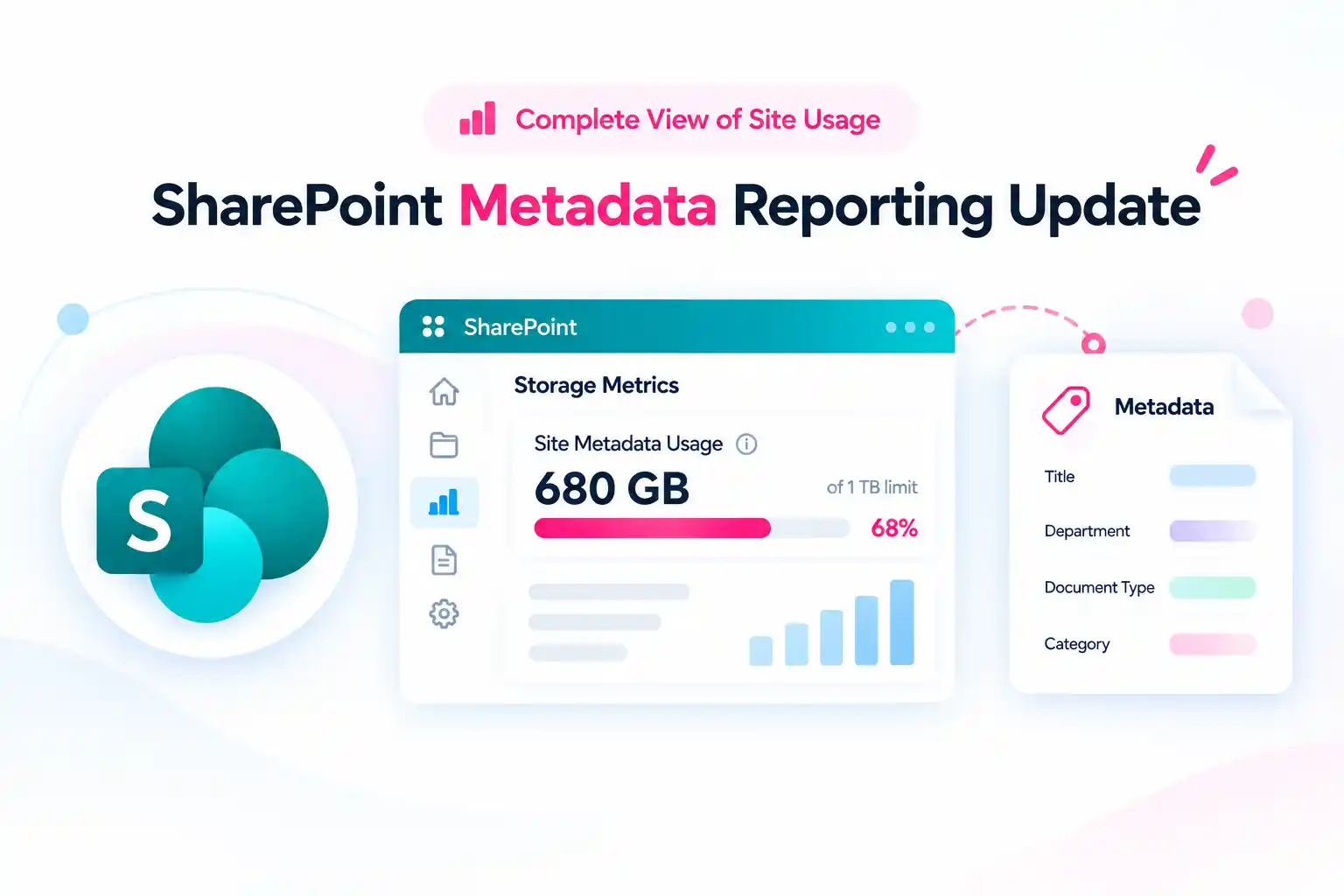
A SharePoint site can appear to have a larger metadata footprint even when no files have been added, moved, or deleted. That can be surprising, especially for site owners who carefully monitor storage and content growth.
Microsoft is improving SharePoint site metadata size reporting so that document library field data is included in the calculation. This gives a more complete view of the metadata already used across a SharePoint site.
Your content is not changing. Files, folders, documents, lists, and existing metadata remain where they are. The key difference is that metadata usage reporting can become more accurate, and some sites may show a higher total than before.
The 1 TB site metadata limit remains unchanged. For most sites, the difference may be small. However, if a site is already close to the limit, the updated reporting can bring an important capacity risk into view.
Why SharePoint Metadata Size May Suddenly Look Larger
Metadata is the information that helps organize, classify, filter, search, manage, and govern SharePoint content. It can include document library columns, field values, content classifications, and information attached to files and list items.
With improved SharePoint metadata size reporting, document library field data is included in the reported metadata calculation. This means the number displayed in Storage Metrics may be larger than it was previously.
That does not mean a site has suddenly gained new content or consumed more storage overnight. Instead, the site’s existing metadata footprint is being measured more completely.
Here is what does not change:
- No documents or list items are removed.
- No content is moved to another location.
- Existing files remain accessible.
- The SharePoint site metadata limit remains 1 TB.
- Most sites should continue operating as usual.
The main impact is visibility. A site that appeared to be safely below the metadata limit may now show a higher value because the reporting includes more of the metadata already present in document libraries.
The Key Risk: New Metadata Can Be Blocked
The most important consideration applies to sites that reach or exceed the 1 TB metadata limit.
If a site goes beyond the limit, existing content remains accessible. Users can still view and work with the content already stored in the site.
However, the site can be blocked from adding new metadata until the metadata usage is reduced below the limit.
This may affect activities such as:
- Adding new columns to a document library or list.
- Updating metadata values on files or list items.
- Creating new content that requires metadata.
- Applying classifications or labels that add metadata.
- Running automated processes that write or update metadata.
- Making changes to business processes that depend on metadata fields.
For many organizations, metadata supports daily operations. It helps teams classify documents, improve search, manage content lifecycles, apply governance policies, and support business workflows.
That is why it is important to identify metadata-heavy sites before they reach the limit.
📣 Poll Your SharePoint Community
How often is SharePoint site storage and metadata usage reviewed?
- Every month
- Every quarter
- Only after a warning appears
- It is not reviewed regularly
This simple poll can reveal whether SharePoint governance is proactive or reactive.
If site storage and metadata usage are reviewed only after a warning appears, there may be an opportunity to introduce a more consistent review process. Even a basic quarterly check can help site owners identify risks earlier and avoid unexpected restrictions.
Who Should Pay Attention First?
Most SharePoint sites are unlikely to need immediate action. However, some sites deserve closer attention because they are more likely to have high metadata usage.
Start with sites that have large document libraries, many custom fields, extensive version histories, or long-running content repositories.
Priority sites may include:
- Large project sites with years of accumulated documents.
- Department sites with many document libraries and custom columns.
- Sites used for HR, finance, legal, quality, or regulated records.
- Sites with extensive use of content types and metadata classifications.
- Libraries with a large number of file versions.
- Sites that contain duplicate documents across libraries.
- Sites that already display storage or metadata warnings.
- Lists with a high volume of historical items.
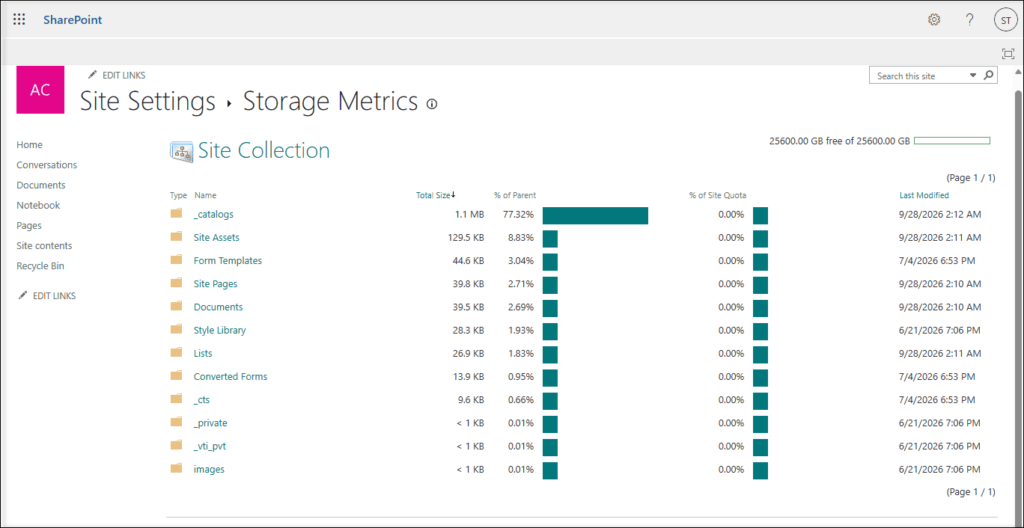
SharePoint provides additional visibility through the Storage Metrics page. For sites that reach 80% of the metadata limit, a metadata size breakdown becomes available to help identify areas that need attention.
How to Review SharePoint Metadata Usage
The Storage Metrics page is the starting point for reviewing metadata usage in a SharePoint site.
Use this page to understand how much metadata the site is consuming and identify libraries or lists that may need cleanup. A focused review helps avoid unnecessary changes and allows site owners to concentrate on the areas with the greatest impact.
Access SharePoint Storage Metrics from Site Settings
When reviewing metadata usage, focus on areas that commonly contribute to unnecessary growth:
- Document libraries with outdated files.
- Libraries retaining a high number of old file versions.
- Lists with obsolete or duplicate entries.
- Duplicate documents stored across several libraries.
- Old project content that is no longer required.
- Libraries with metadata fields that are no longer used.
- Sites with inactive business processes or outdated content structures.
A practical cleanup approach can include the following steps:
- Review the Storage Metrics page for the affected site.
- Identify the largest document libraries and lists.
- Remove outdated content that no longer has business value.
- Delete duplicate files where appropriate.
- Review older file versions and retain only what is necessary.
- Follow any warning guidance shown within SharePoint.
- Check Storage Metrics again after cleanup.
This approach helps reduce metadata usage while also improving site organization and content discoverability.
🧹 The Five-Minute Metadata Hygiene Challenge
Choose one active document library and spend five minutes checking whether its content and metadata still support current business needs.
Look for the following:
- Old file versions that are no longer required.
- Duplicate files stored in more than one location.
- Outdated list items that can be removed.
- Unused library columns or metadata fields.
- Content that should be archived, moved, or deleted based on internal policies.
This activity does not need to be a major cleanup project. Small improvements made consistently can reduce unnecessary metadata growth and make SharePoint easier for users to navigate.
Compliance and Governance Considerations
Metadata plays an important role in SharePoint governance. It can support document classification, records management, retention, search, reporting, and automated workflows.
When a site reaches the metadata limit, restrictions on adding new metadata can affect business processes that depend on metadata updates. This may be especially important for sites that support critical operational, legal, compliance, or records-management activities.
Consider reviewing metadata usage more closely for sites used to manage:
- Employee records and HR documentation.
- Financial documents and approvals.
- Legal agreements and case files.
- Quality management records.
- Project documentation and deliverables.
- Regulated or sensitive business content.
- Retention labels and records classifications.
- Automated approval and document lifecycle workflows.
The reporting update does not remove content or change access to existing documents. However, it can reveal where metadata capacity needs attention before users face restrictions.
A proactive review helps ensure that important SharePoint sites continue supporting daily work, governance requirements, and compliance processes without interruption.
💬 Ask the Question That Reveals Risk
A useful governance question is:
Which SharePoint sites would cause a business disruption if users could no longer add or update metadata?
The answer can quickly identify high-priority critical sites.
Once critical sites are identified, create a simple review list that includes:
- Site name.
- Site owner.
- Business purpose.
- Current metadata usage.
- Libraries or lists with the highest activity.
- Cleanup actions required.
- Next review date.
This turns metadata reporting into a practical governance activity rather than a last-minute response to a warning.
A More Accurate View, Not a New Storage Limit
Improved SharePoint metadata size reporting provides a clearer view of the metadata already stored within a site. It does not introduce a new 1 TB limit, remove content, or change the way existing files can be accessed.
For many sites, this will simply improve reporting accuracy with little or no noticeable impact.
For metadata-heavy SharePoint sites, it is a timely reminder to review content lifecycle practices, document versioning, duplicate files, list management, and metadata design.
A cleaner SharePoint environment is easier to manage, easier to govern, and easier for users to search and navigate. Reviewing metadata usage before a site reaches the limit can help prevent disruption and support a more sustainable Microsoft 365 content management strategy.
Explore the Official Microsoft Guidance
Use these official Microsoft resources to validate your storage strategy and keep SharePoint sites prepared for future growth.

















 Migrate
 Manage
 Migrate Microsoft 365








