
Products

2 min readRetirement of Personal Pages from SharePoint Start

2 min readRetirement of Personal Pages from SharePoint Start

SharePoint Online retires Personal Page from Start effective April 2025

A new Microsoft SharePoint Start Experience was introduced during May 2024, featuring a user-friendly approach that reduces the effort required for creating SharePoint sites and pages. Microsoft received a considerable amount of feedback expressing concerns about potential compromises to the content policy, particularly regarding Personal Pages.

And hence during April 2025, the ability for SharePoint users to create Personal Pages from SharePoint Start was retired.

Prior to this retirement, users had the capability to create Personal Pages independent of any SharePoint site through the new “Start” Experience.

At present, following the retirement, users are shown a notification stating, “Creating new personal pages that are not linked to sites is no longer supported.”
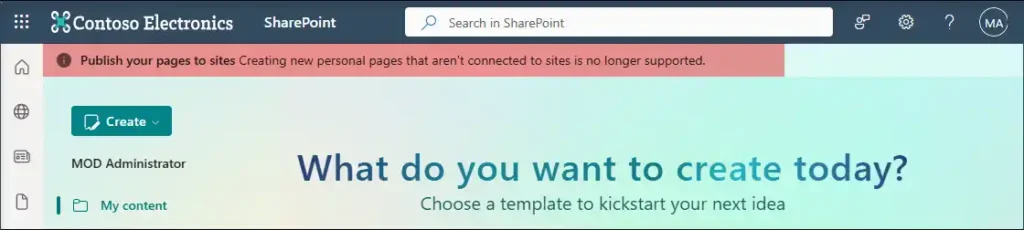
SharePoint Start page warning: Personal pages not linked to sites no longer supported.

Steps to create a new page connected to site from SharePoint’s Start Page is listed below.

Step 1: Click ‘Go To Pages’.
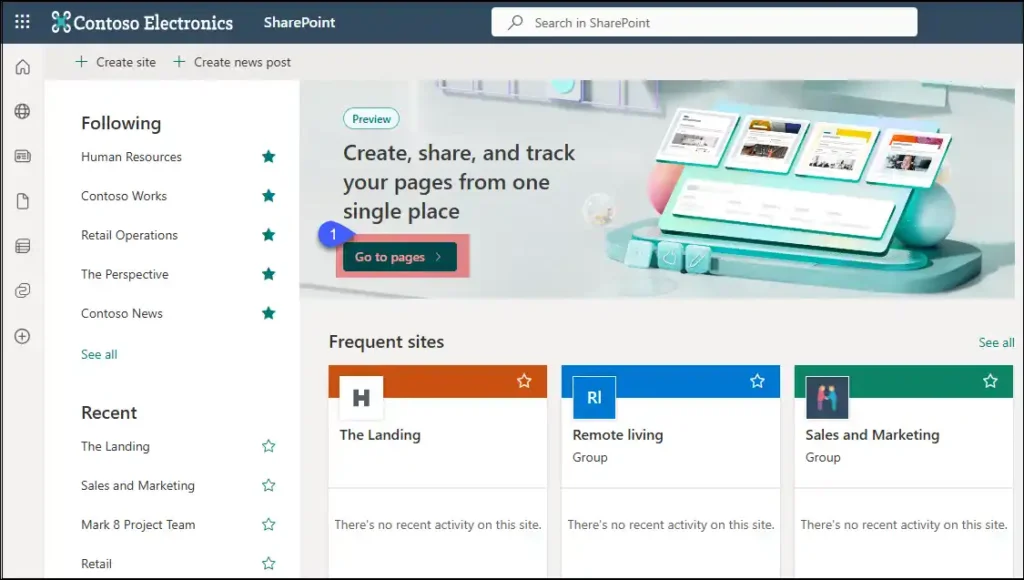
SharePoint Start page with Go to pages

Step 2: Create page

Way 1: From Create Drop Down >> Click “Blank Page”.

Way 2: Create a Blank Page or from Template from “Create a page” section in the center.
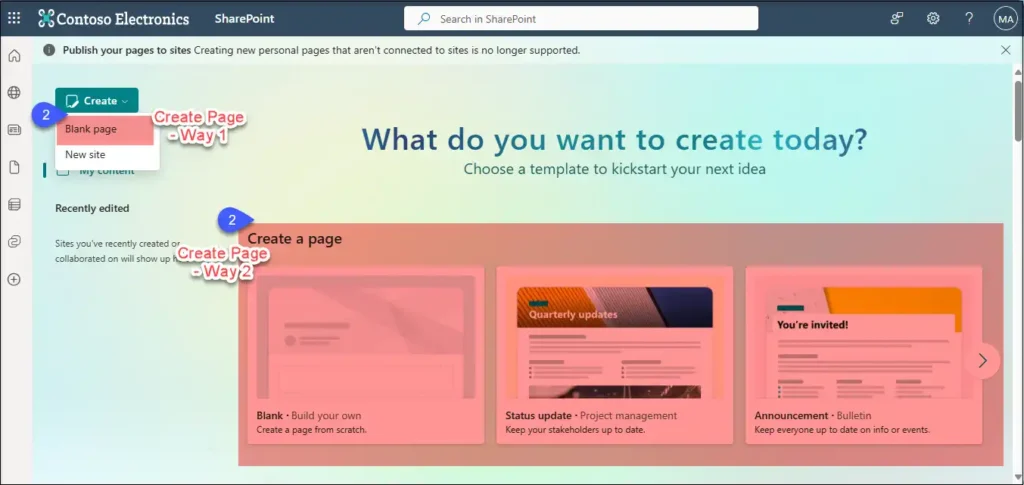
SharePoint interface showing two ways to create a page: via the 'Create' button (Blank page, New site) or by selecting a template

Step 3: Tag it to a SharePoint Site from the listed ones and click ‘Create’.
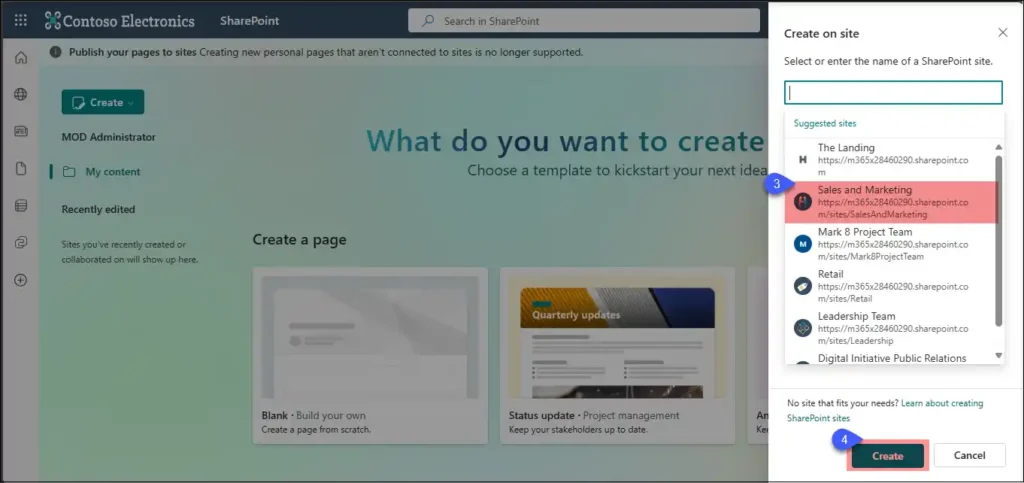
SharePoint panel to create a new page with suggested Existing SharePoint sites

Migrate Everything to Microsoft 365

Exchange Online SharePoint Online OneDrive For Business Microsoft Teams Microsoft Planner Viva Engage (Yammer) Microsoft Bookings Microsoft Forms Power Automate Microsoft Power BI Exchange Online SharePoint Online OneDrive For Business Microsoft Teams Microsoft Planner Viva Engage (Yammer) Microsoft Bookings Microsoft Forms Power Automate Microsoft Power BI
  • No Data Loss
  • Zero Downtime
  • ISO-Certified Protection

Start your free 15-days trial today !


4.5 out of 5

Bot Logo

Apps4.Pro Bot

Hey!👋 Ready to make your Microsoft 365 migration journey easier? Tell me what you’re looking.

What gets migrated?
I have a sales question
I'm here for tech support
Learn about Apps4.Pro














