


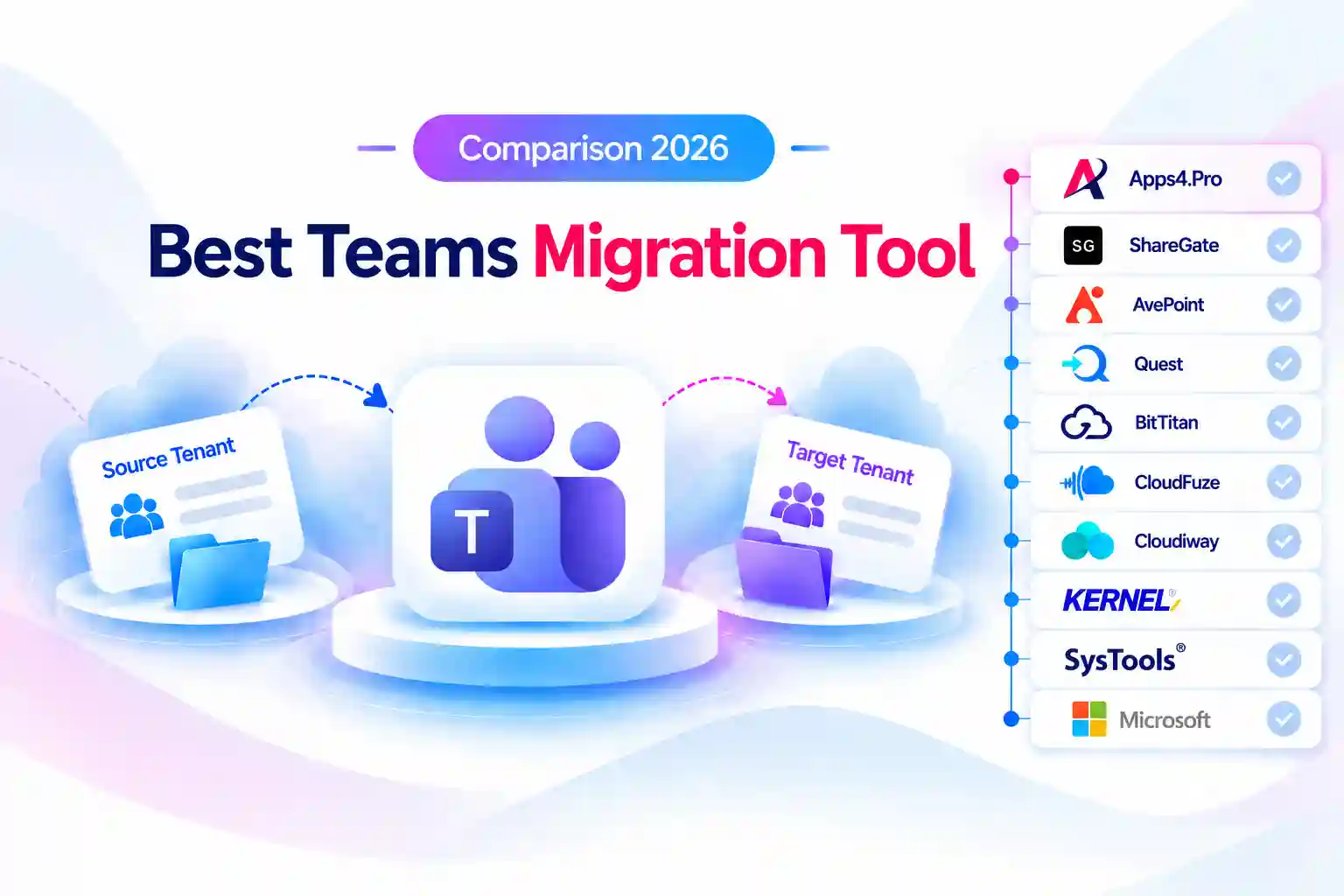
- Quick Answer
- Key Takeaways
- How We Compared These Tools
- Teams Migration Feature Comparison Matrix
- Which Teams Migration Tool Fits Your Scenario?
- Apps4.Pro Migration Manager: Best Overall for Full Teams and Channel Migration Between Tenants
- AvePoint Fly: Best for Enterprise Programs That Need Channel Conversion
- Quest On Demand Migration: Best for Enterprise M&A with Coexistence
- ShareGate Migrate: Best for Channel Restructuring Alongside SharePoint Work
- BitTitan MigrationWiz: Best for Pay-Per-Team Migrations Without Shared Channels
- CloudFuze: Best for Managed, Large-Volume Teams Moves
- Cloudiway: Best for MSPs Handling Teams, Slack, and Google Chat
- Kernel Microsoft Teams Migration: Best Budget Desktop Tool
- SysTools Teams Migrator: Best for Small, Simple Team Copies
- Microsoft Native Tools: No Native Teams or Channel Migration
- How to Choose a Teams Migration Tool: A 6-Step Checklist
- Teams Chat and Teams for Education Migration: Separate Comparisons
- Frequently Asked Questions
Quick Answer
The best Teams migration tool for your project depends on three things: whether you have shared channels, how much channel history must stay searchable in the Posts tab, and how many teams you are moving. Based on each vendor’s documentation:
- Apps4.Pro Migration Manager is the most complete option for tenant-to-tenant moves. It covers standard, private, and shared channels, full channel conversations, tabs, settings, and the associated SharePoint sites in one tool, priced per installation rather than per team.
- AvePoint Fly and Quest On Demand Migration fit large enterprise programs that need Teams migration inside a broader SaaS platform with coexistence.
- ShareGate Migrate fits channel restructuring alongside SharePoint work when there are no shared channels and older posts can live in an archive tab.
- BitTitan MigrationWiz fits projects that want to pay per team and have no shared channels.
- CloudFuze and Cloudiway fit managed-service buyers and MSPs running several collaboration platforms.
- Kernel and SysTools fit small, budget-limited desktop migrations.
- Microsoft has no native tool that migrates teams or channels between tenants.
This comparison covers teams and channels only. Teams Chat and Teams for Education migration are compared in separate guides linked at the end.
Key Takeaways
- Microsoft’s Migration Orchestrator documentation states that shared data such as teams and channels is not migrated (Microsoft Learn). Microsoft’s cross-tenant SharePoint migration moves only the site content behind a team, so a third-party tool is needed.
- Shared channels separate the field. Apps4.Pro, Quest ODM, CloudFuze, and Kernel document shared-channel support, and AvePoint Fly SaaS lists it. BitTitan skips shared channels, ShareGate does not support them (ShareGate limitations), and SysTools migrates all channels as standard channels.
- Channel history limits vary widely. ShareGate copies the 50 most recent conversations per channel to the Posts tab (up to 500 with a PowerShell date parameter) and puts older ones in an HTML tab. Cloudiway limits channels to the 1,000 most recent posts. Apps4.Pro lists no limit on the number of conversations (Apps4.Pro Teams guide).
- Pricing units differ more than prices. Apps4.Pro is $5,995 per installation, ShareGate is $5,995 per year per machine activation, BitTitan is $48 per team (BitTitan pricing), Kernel is $499 for 10 teams, and AvePoint and Quest quote per user.
- Deployment models split into SaaS platforms (AvePoint, Quest, BitTitan, Cloudiway, CloudFuze) and installed desktop apps (Apps4.Pro, ShareGate, Kernel, SysTools).
What a Teams Migration Tool Has to Handle
Moving a team is more than copying files. Every tool in this comparison is judged on how it deals with the four parts of a Teams migration that most often go wrong.
1. All three channel types. Standard channels are routine. Private channels must keep their membership boundaries in the target, and shared channels (Teams Connect) need tool support that several products still lack. As shared-channel adoption grows, this one check can rule a tool out.
2. Channel history that stays searchable. Some tools post every conversation natively in the Posts tab. Others move only the most recent posts and archive the rest as HTML, which Teams search does not index. For long-running project channels, the difference decides whether users can still find their history.
3. Team settings and structure. Tools differ on whether they preserve:
- org-wide team status, team templates, and the team picture
- tab order and tabs such as Planner, OneNote, and Office files
- member, guest, @mention, and fun-stuff settings
- archived status and meetings tied to the team calendar
4. Incremental passes and cutover. Most projects run an initial copy, then delta passes before cutover. Check whether deltas pick up replies to already-migrated posts, whether they must run from the same machine, and whether they stop once a team is marked complete.
How We Compared These Tools
We evaluated all ten options against the same eight criteria:
- Channel coverage (standard, private, shared)
- Channel conversation fidelity (native posts vs. HTML archive, history limits, formatting)
- Files, tabs, Planner, and the team’s SharePoint site
- Team settings and membership
- Target flexibility (new team, existing team, channel merge, rename)
- Incremental and delta support
- Deployment model and documented limitations
- Pricing model and published price
What this review is: a comparison built from documentation. Sources, in priority order, were:
- vendor documentation and help centers
- vendor pricing pages
- Microsoft Learn
We report limitations only when the vendor or Microsoft documents them.
What this review is not: a lab benchmark. We did not run throughput tests and report no speed numbers of our own.
All prices were checked in September 2026 and should be confirmed with the vendor before purchase.
Teams Migration Tools Compared at a Glance
# | Tool | Best for | Channel types | Channel history | Deployment | Pricing model | Entry price |
|---|---|---|---|---|---|---|---|
1 | Apps4.Pro Migration Manager | Full Teams T2T with shared channels and site content | Standard, private, shared | Individual conversations or HTML file (your choice) | Installed app (Microsoft Graph) | Per installation, all workloads | $5,995 |
2 | AvePoint Fly | Enterprise programs; channel type conversion | Standard, private, shared | Native conversations | SaaS or self-hosted | Per user per year | Quote |
3 | Quest On Demand Migration | Enterprise M&A with coexistence | Standard, private, shared (filterable) | Native conversations | SaaS | Tiered per user | Quote |
4 | ShareGate Migrate | Channel restructuring alongside SharePoint work | Standard, private (no shared) | 50 recent native (500 via PowerShell); rest in HTML tab | Windows desktop app | Annual, per machine activation | $5,995/yr |
5 | BitTitan MigrationWiz | Pay-per-team moves without shared channels | Standard, private (shared skipped) | Native; later replies to migrated posts don’t sync | SaaS | Per team | $48/team |
6 | CloudFuze | Managed, large-volume Teams moves | Public, private, shared | Native threads with delta sync | SaaS + managed service | Quote | Quote |
7 | Cloudiway | MSPs; Slack and Google Chat sources too | Standard, private | Native via Import API, 1,000 most recent per channel | SaaS | License bundles | $570 (30 licenses) |
8 | Kernel Microsoft Teams Migration | Budget desktop migrations | Standard, private, shared | Native, with timestamps | Windows desktop | One-time, per number of teams | $499 (10 teams) |
9 | SysTools Teams Migrator | Small, simple team copies | All migrate as standard | Native posts and replies | Windows desktop | One-time, per team quota | Not listed |
10 | Microsoft native tools | Moving the files behind Teams only | Not migrated | Not migrated | PowerShell / M365 service | Per 100 GB (EA only) | Not published |
Teams Migration Feature Comparison Matrix
The table below shows what each vendor documents for the capabilities that most often decide a Teams migration. “Not stated” means the vendor’s public documentation does not say either way, so confirm it in a proof of concept.
Tool | Private channels | Shared channels | Into existing team | Incremental / delta | Team’s SharePoint site |
|---|---|---|---|---|---|
Apps4.Pro | Yes | Yes | Yes (Advanced mode) | Yes (re-run tasks) | Yes, migrated automatically (also exclude) |
AvePoint Fly | Yes | Yes (Fly SaaS) | Copy or consolidate after migration | yes | Not stated |
Quest ODM | Yes (filterable) | Yes (filterable) | Yes | Remigration | Yes (include or exclude) |
ShareGate | Yes | No | Yes (channels may become hidden) | Yes (same machine and account) | Not stated |
BitTitan | Yes | No (skipped) | Not stated | Partial (replies to migrated posts don’t sync) | Not stated |
CloudFuze | Yes | Yes | Not stated | Yes (unlimited delta) | Yes |
Cloudiway | Yes (not in import mode) | Not stated | Not stated | Yes (unlimited deltas) | Not stated |
Kernel | Yes | Yes | Yes | Yes | Not stated |
SysTools | No (become standard) | No (become standard) | No | Partial (stops once completed) | yes |
Microsoft native | No | No | No | No (one-time move) | Site content only |
Which Teams Migration Tool Fits Your Scenario?
Your scenario | Shortlist |
|---|---|
Merger or acquisition: all teams, channels, and site content must move | Apps4.Pro, AvePoint Fly, Quest ODM, CloudFuze |
Shared channels must be preserved | Apps4.Pro, AvePoint Fly, Quest ODM, CloudFuze, Kernel |
Private channel boundaries must stay intact | Apps4.Pro, AvePoint Fly, Quest ODM, ShareGate, BitTitan, Cloudiway, Kernel |
Channel restructuring or team consolidation within one tenant | Apps4.Pro, ShareGate, Kernel |
Pay per team for a small number of teams | BitTitan, Kernel |
MSP running Slack, Google Chat, and Teams projects | Cloudiway, CloudFuze |
Fully managed service | CloudFuze, AvePoint-managed migration, Quest Professional Services |
Lowest cost, a handful of teams |
1. Apps4.Pro Migration Manager: Best Overall for Full Teams and Channel Migration Between Tenants
Apps4.Pro Migration Manager migrates teams, all three channel types, channel conversations, tabs, files, team settings, and the associated SharePoint sites between tenants or within one tenant, in a single platform that covers other Microsoft 365 workloads.
Apps4.Pro Migration Manager is built by JiJi Technologies. It uses its own registered Azure AD application with delegated Microsoft Graph permissions, and it supports MFA and modern authentication.
Teams and channel capabilities
Per the :
- Migrates public and private teams, and standard, private, and shared channels, including shared-channel people membership.
- Carries channel conversations with inline images, GIFs, praise, approvals, stickers, code snippets, tables, formatting, and attachments.
- You can migrate channel conversations as individual conversations or as an HTML file.
- Migrates tabs (same-team OneNote, Planner, Word, Excel, PowerPoint, Website, PDF) and a detailed set of member, guest, @mention, and fun-stuff team settings.
- Automatically creates and runs the associated SharePoint site migration after each team task.
- Offers Basic mode for exact replicas, or Advanced mode to:
- rename teams and channels
- migrate into existing teams or channels
- enable Teams on an existing group
- migrate conversations from a chosen date
- consolidate teams in the target
- A private channel can be migrated into an existing standard, shared or private channel.
- Incremental migration works by re-running completed tasks, and failed items can be retried. A Teams Migration Summary report compares source and migrated counts for channels, tabs, conversations, and site content.
- A filter lets you include or exclude private and shared channels.
- Apps4.Pro states there are no limits on the number of teams, channels, conversations, permissions, OneNote files, or tabs.
Documented limitations
- Not migrated: channel connectors, show/hide channel, conversation reply settings, the team membership side of shared channels, empty folders, OneNote added from another team, custom-app upload permission, tags, team code, team picture, private/shared channel-specific settings, and channel notification and pin settings.
- @mentions migrate as plain text. The announcement icon is not shown. Code snippets arrive as attachments.
- Archived teams arrive as normal teams and must be re-archived.
- Incremental runs migrate only newly created tasks; changes to existing Planner tasks and site-level SharePoint settings are not carried over.
Pricing
- $5,995 per single-machine installation, or $8,995 for up to five installations. The pricing page describes this as a one-time purchase.
- The license covers all supported workloads with no data-volume limit and no per-team restriction (Apps4.Pro licensing).
- A 15-day free trial is available.
Best fit: M&A and consolidation projects with shared channels or a large number of teams, especially when mailboxes, SharePoint, and Planner move at the same time.
Not a fit: a project that only needs a few teams moved and has a very small budget.
2. AvePoint Fly: Best for Enterprise Programs That Need Channel Conversion
AvePoint Fly migrates teams, private channels, and shared channels between tenants as part of a SaaS or self-hosted platform, and it can convert channel types during migration.
Teams and channel capabilities
Per AvePoint’s product brochure and product page:
- Migrates teams private channels and shared channels.
- Converts channels from standard to private and back during migration.
- Migrates Teams tags, displayed inline with @mentions.
- Supports delegated app profiles for Teams migration.
- After migration, can copy or consolidate teams, channels, and groups.
Limitations
- Pricing is quote-based.
- It is more platform than a small Teams-only project typically needs.
Pricing
- Fly SaaS is priced per user per year with unlimited data (UK G-Cloud listing).
- AvePoint states SaaS and self-hosted pricing are the same.
Best fit: large enterprises that need Teams and other workloads on one subscription, or a self-hosted option.
Not a fit: a small, fixed-budget Teams-only move.
3. Quest On Demand Migration: Best for Enterprise M&A with Coexistence
Quest On Demand Migration (ODM) is a SaaS platform that migrates teams, channels, conversations, and files alongside Exchange, OneDrive, SharePoint, and Active Directory.
Teams and channel capabilities
Per Quest’s Teams migration page and the ODM user guide:
- Retains channel data, conversations, and documents during tenant-to-tenant Teams migration.
- A filter lets you include or exclude private and shared channels.
- Supports discovery, provisioning, mapping, collections, pre-migration assessment, and remigration.
- Can include or exclude the team’s SharePoint content in the same migration.
Limitations
- Quest advises against adding or removing channels, especially private channels, just before migration, because it may delay the process.
- There is no public price list.
Pricing
- Quote-based. Licenses are consumed by tier (T3, T5, T7).
Best fit: large M&A or divestiture programs needing coexistence and one console for every workload.
Not a fit: teams wanting transparent self-service pricing.
4. ShareGate Migrate: Best for Channel Restructuring Alongside SharePoint Work
ShareGate Migrate copies teams and channels between or within tenants using Microsoft Graph and Microsoft migration APIs. It is licensed per machine activation, and all plans include Teams.
Teams and channel capabilities
Per ShareGate’s Teams migration page:
- Migrates standard and private channels, posts and replies, files and folders, tabs and apps, Planner plans, team settings, permissions, and membership.
- Supports incremental copies that pick up new conversations, replies, updated files, membership, settings, and Planner changes.
- Copy options let you include or exclude messages, Planner, membership, tabs, and files. A PowerShell option lets you set a start date so up to 500 messages land in the Posts tab.
Documented limitations
- Only the 50 most recent conversations go to the Posts tab by default. The rest go to an HTML Message history tab that Teams search does not cover.
- Shared channels are not supported. Org-wide teams become public. Teams are created with the Standard template.
- The team picture, tab order, and the “allow members to upload custom apps” and “who can add tags” settings are not preserved (ShareGate limitations).
- Channels copied into an existing team may become hidden, and meetings tied to the team calendar must be recreated.
- Link previews are not copied, and @team and @channel mentions become highlighted text.
- Incremental copies must run from the same machine and user account as the initial migration.
Pricing
- Essentials $5,995, Pro $9,995, and Enterprise from $17,995 per year (ShareGate pricing).
- A 15-day trial is available.
Best fit: restructuring channels and SharePoint together, with no shared channels, where older posts can live in an archive tab.
Not a fit: estates with shared channels, or channels whose full history must stay searchable in the Posts tab.
5. BitTitan MigrationWiz: Best for Pay-Per-Team Migrations Without Shared Channels
BitTitan MigrationWiz is a SaaS tool that licenses Teams and channel migration per team.
Teams and channel capabilities
- The Collaboration license moves teams, channels, and conversation history, with autodiscovery and per-team management, up to 100 GB per team (BitTitan pricing).
- Planner content and channel tabs can be migrated as part of a Teams project.
- Can migrate document versions (up to 25) and document-library metadata for Teams files.
Documented limitations
- Per BitTitan’s Teams FAQ, shared channels are skipped, and their conversations are not migrated.
- Replies to previously migrated conversations do not sync in later passes.
- Channel tabs can only be migrated after documents and OneNote, and BitTitan recommends waiting four hours.
- For Planner, bucket and task order is not preserved on later passes, and Created By, Last Modified, and Completed By information is not migrated.
Pricing
- $48 per team (up to 100 GB). The Tenant Migration Bundle ($57 per user) includes a choice of Teams or Shared Document 100 GB.
Best fit: a known, modest number of teams without shared channels.
Not a fit: estates with many shared channels, or hundreds of teams where per-team cost adds up.
6. CloudFuze: Best for Managed, Large-Volume Teams Moves
CloudFuze combines a SaaS migration engine with a managed service, covering Teams channels, threads, files, and permissions, with unlimited delta migration.
Teams and channel capabilities
- Supports public, private, and shared channels and their SharePoint sites (CloudFuze Teams-to-Teams).
- Migrates channel threads and replies and provides audit logs to validate them.
- Offers unlimited delta migration of new or changed messages, files, and channels after the initial pass (CloudFuze delta).
- Provides dedicated migration experts, project governance, and real-time dashboards.
Limitations
- No public pricing.
- CloudFuze’s public pages describe capabilities rather than detailed not-migrated lists, so request a scope document during the proof of concept.
Pricing
- Quote-based, depending on users, channels, threads, files, and attachments.
Best fit: enterprises that want engineers, not just software.
Not a fit: buyers who need a public price list.
7. Cloudiway: Best for MSPs Handling Teams, Slack, and Google Chat
Cloudiway is a SaaS platform that migrates Teams between tenants using Microsoft’s Teams Import APIs. It also migrates from Slack and Google Chat, and its licenses never expire.
Teams and channel capabilities
Per the Cloudiway Teams migration guide:
- Uses Microsoft’s Teams Import APIs so channel conversations keep their original timestamps and authors.
- Migrates standard and private channels with membership and permissions.
- Automatically creates the team in the target tenant.
- Supports delta migration.
- Also migrates from Slack and Google Chat.
Documented limitations
- Channel conversations are limited to the 1,000 most recent posts per channel.
- Private channels cannot be created in import mode (Cloudiway cross-tenant guide).
- Delta passes into channels after an import-mode team has been closed require MFA to be removed from the target migration account.
Pricing
- The Collaborative bundle is $570 for 30 licenses (Teams, Slack, Google Chat). The Tenant Migration bundle is $580 for 20 licenses.
- Licenses never expire and include unlimited delta passes (Cloudiway pricing).
Best fit: MSPs and multi-platform collaboration projects.
Not a fit: channels with deep history that must all migrate, or security policies that forbid disabling MFA.
8. Kernel Microsoft Teams Migration: Best Budget Desktop Tool
Kernel Microsoft Teams Migration is a Windows desktop tool from KernelApps that migrates teams and channels, including shared and private channels, and is licensed by number of teams.
Teams and channel capabilities
- Migrates standard, shared, and private channels.
- Copies teams within the same tenant, and copies all or selected channels to an existing team.
- Merges two source channels into one, or two source teams into one target team.
- version 26.1 adds tab migration for OneNote, Lists, Planner, Checklists, and Whiteboard.
- Preserves message importance status.
- Supports incremental migration and CSV reports.
Limitations
- It is a desktop app, so throughput depends on your own machine.
- It requires an Azure app registration (tenant ID, client ID, client secret).
Pricing
- $499 (listed down from $599) for 10 teams.
- An unlimited Teams migration and backup bundle is $3,999 for a 1-year plan (Kernel pricing).
Best fit: small and mid-size projects on a tight budget, including team consolidation.
Not a fit: large programs that need a SaaS control plane or managed service.
9. SysTools Teams Migrator: Best for Small, Simple Team Copies
SysTools Teams Migrator is a Windows desktop tool that creates new teams in the target and migrates channels, posts, files, and members.
Teams and channel capabilities
- Migrates posts, replies, formatting, emoji, GIFs, stickers, inline images, announcements, files with timestamps, members, and guest permissions.
- Supports date filters, delta migration, retrying failed items, and reports.
Documented limitations
- Migrating into existing teams is not supported. The tool creates new teams.
- All channels migrate as standard channels, and every team member can access them. This means private-channel boundaries are not preserved.
- Delta migration stops once teams are marked as completed.
- Scheduled meetings cannot be migrated.
- No demo version is offered for this tool.
Pricing
- One-time license. Each source-to-destination team pairing consumes license quota. The product page links to purchase without listing a price.
Best fit: a few teams without private-channel requirements.
Not a fit: anything that relies on private or shared channel permissions.
10. Microsoft Native Tools: No Native Teams or Channel Migration
Microsoft does not offer a native tool that migrates teams or channels between tenants. Its two cross-tenant options explicitly leave team and channel structure behind.
What Microsoft’s tools cover
- Migration Orchestrator (preview): moves user-level data (mailboxes, OneDrive, and user-level Teams data). Its documentation states that shared data such as teams, channels, and SharePoint sites is not migrated and stays in the source tenant (Microsoft Learn).
- Cross-tenant SharePoint migration: supports group-connected sites, including those connected to Teams, but only the SharePoint site content moves. Teams content, channels, and structure are not included (Microsoft Learn).
Documented limitation
- Cross-tenant SharePoint migration is a one-time move with no delta passes.
- Target sites must not already exist.
- It is available only to Enterprise Agreement customers.
Pricing
- Cross-tenant SharePoint migration is licensed per 100 GB for Enterprise Agreement customers. No list price is published.
Best fit: moving the files behind a team when the teams themselves will be rebuilt manually.
Not a fit: any project where channel conversations, tabs, or team structure matter.
Unique Insight: Where Your Channel History Actually Lands
“Channel conversation migration” means different things in different tools. Before buying, ask how much history lands as native, searchable posts.
Tool | Channel history behavior |
|---|---|
Apps4.Pro | Individual conversations or an HTML file (your choice); conversations can start from a chosen date; no stated limit on conversations |
ShareGate | 50 recent in Posts (500 via PowerShell); older in HTML Message history tab, not covered by Teams search |
Cloudiway | Native via Teams Import API with original timestamps and authors, 1,000 most recent per channel |
BitTitan | Native conversations; replies to already-migrated posts don’t sync on later passes |
SysTools | Native posts and replies, but all channels become standard channels |
Unique Insight: The Pricing Unit Matters More Than the Price
Pricing unit | Tools | Cheapest when… |
|---|---|---|
Per installation (one-time) | Apps4.Pro | Many teams, few admins |
Per machine (annual) | ShareGate | Many teams, few admins |
Per team | Few teams | |
Per user | AvePoint, Quest | Few users, many teams |
Bundle credits | Cloudiway | MSPs spreading licenses across projects |
Custom quote | CloudFuze, AvePoint, Quest | Managed service wanted |
Worked example: 200 teams on BitTitan’s Collaboration license cost $9,600 at the published per-team rate. That is close to ShareGate Pro ($9,995 per year) and above Apps4.Pro’s single-installation price ($5,995). At 20 teams, BitTitan costs $960. Count your teams, shared channels, and admins before comparing quotes.
How to Choose a Teams Migration Tool: A 6-Step Checklist
- Count shared channels. BitTitan skips them, ShareGate doesn’t support them, and SysTools converts all channels to standard.
- Check private channel handling. Confirm private-channel membership stays private in the target.
- Check history depth. Compare how many posts per channel land natively vs. in an HTML archive.
- Decide on target structure. New teams, existing teams, merged channels, or renamed teams all need tool support.
- Check authentication policy. Some tools need MFA exceptions.
- Pilot your busiest team, then compare source and target counts for channels, posts, tabs, and files in the vendor’s report.
Teams Chat and Teams for Education Migration: Separate Comparisons
Teams chat and Teams for Education are covered in their own guides because they behave differently from standard team and channel migration.
Frequently Asked Questions
- Apps4.Pro: states no limit on the number of conversations.
- Cloudiway: the 1,000 most recent posts per channel.
- ShareGate: 50 native by default (500 via PowerShell).
- Apps4.Pro (Advanced mode) supports migrating into existing teams and channels, including a private channel into an existing standard or private channel.
- Kernel can copy channels to an existing team and merge channels.
- ShareGate can copy channels into an existing team, though they may become hidden.
- SysTools does not support migrating into existing teams.

















 Migrate
 Manage
 Migrate Microsoft 365








