


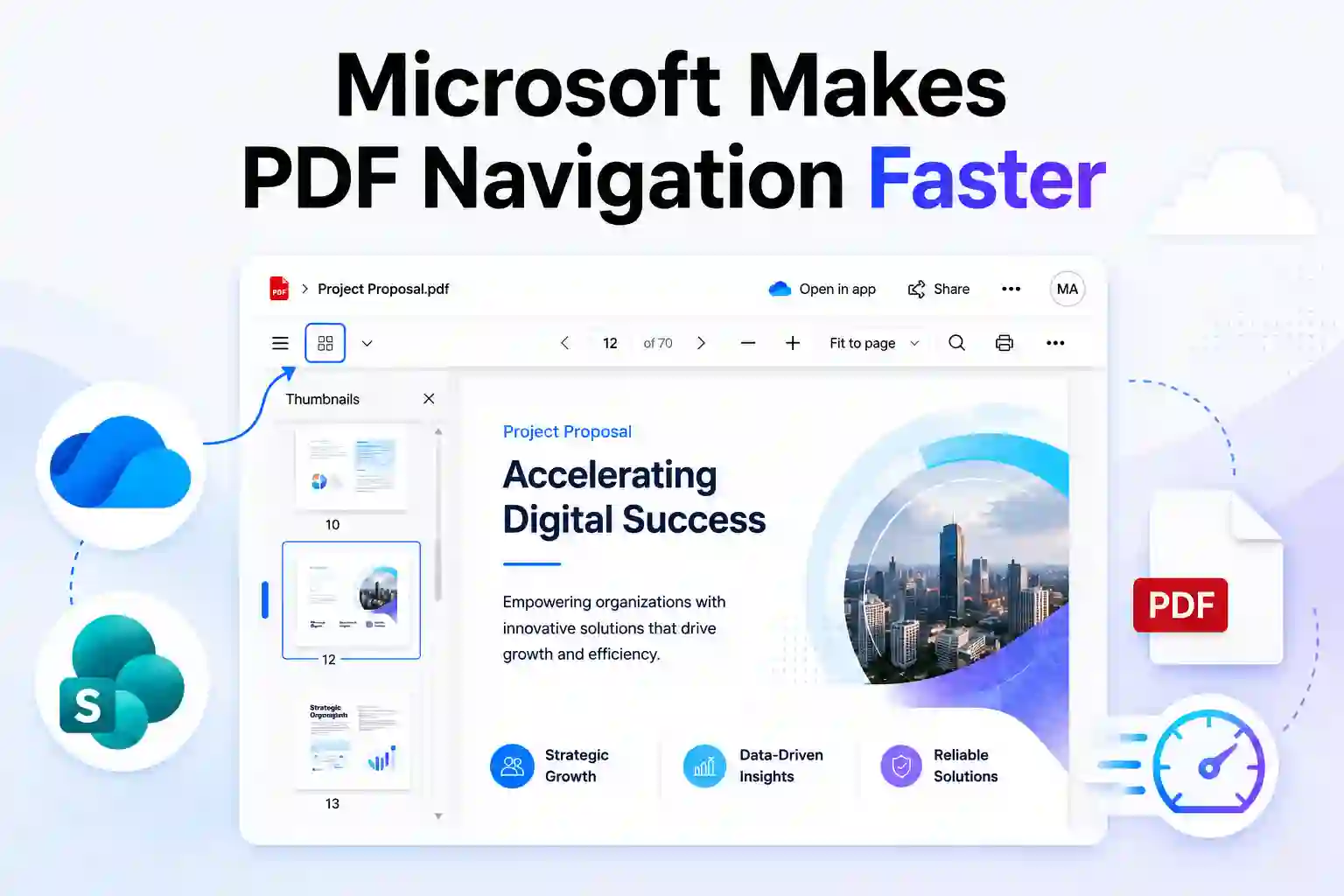
Finding the right page in a lengthy PDF should not require constant scrolling. Microsoft is improving the PDF viewing experience in OneDrive and SharePoint on the web with a visual thumbnail pane that helps users find and open the exact page they need faster.
Whether reviewing project proposals, policy documents, reports, customer files, contracts, or training materials, users can move through PDF content in a more intuitive and efficient way.
Browse PDFs Visually, Not Page by Page
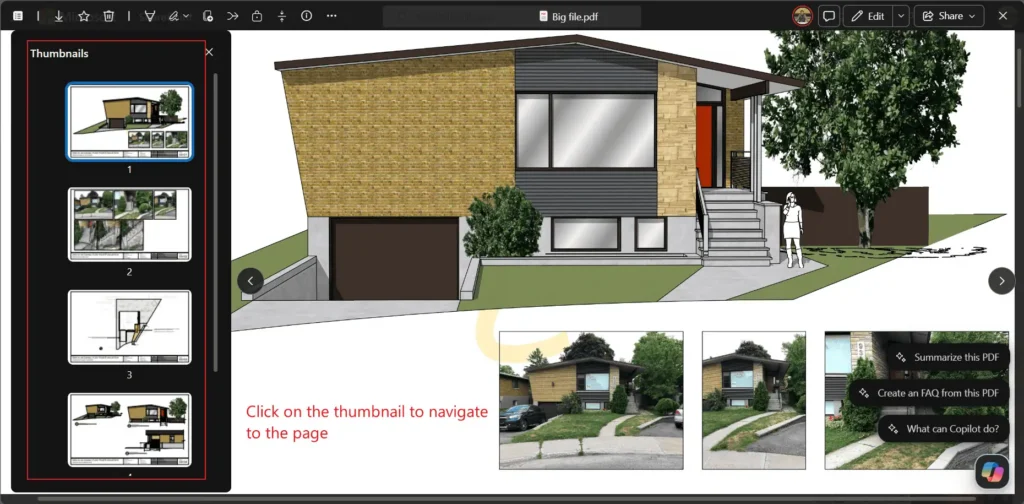
The updated PDF viewing experience in OneDrive and SharePoint on the web includes a thumbnail pane that displays visual previews of every page in a PDF.
Instead of scrolling page by page, users can open the thumbnail panel, scan the document visually, and select the page they want to view. This makes it easier to locate a specific chart, table, image, form, or section in a large document.
The thumbnail pane also highlights the page currently being viewed, providing better context while moving through the file.
Browse PDF pages with visual thumbnails:
Key Features of the PDF Thumbnail View
The PDF thumbnail view is designed to improve document navigation within Microsoft 365.
- Users will see a new option to open a thumbnail pane in the PDF viewer.
- Select a thumbnail to jump directly to a specific page
- See the currently viewed page highlighted in the thumbnail pane
- Navigate long PDF documents without repeatedly scrolling
- Use the experience in OneDrive and SharePoint on the web
- Access the feature without changing existing settings
The feature is enabled by default, allowing users to benefit from visual PDF navigation without requiring additional setup.
Why This OneDrive and SharePoint Update Matters
PDF documents are part of everyday work across nearly every department. They are used for reports, proposals, invoices, employee policies, technical documentation, contracts, audit records, presentations, and customer communications.
A visual way to browse pages can reduce the time spent finding information inside these documents. It also helps users move through content more confidently, especially when file names or page numbers alone do not provide enough context.
For example, when reviewing a 70-page project proposal, a project manager can use page thumbnails to quickly locate the pricing section, implementation plan, or visual timeline without manually scrolling through every page.
📣 Ask Your Team This “How often do long PDFs slow down everyday work?”
Use this question in an internal Microsoft Teams post, employee newsletter, or Microsoft 365 adoption update to understand where lengthy PDFs affect productivity.
Invite employees to share the documents they review most often, such as:
- Contracts and proposals
- Reports and training manuals
- Technical guides and policy documents
These responses can reveal document-heavy workflows where the updated PDF viewer may deliver the most value.
A Better Experience for Everyday Document Work
The PDF thumbnail view supports faster document navigation for files stored in SharePoint document libraries and OneDrive for Business.
It can be useful for teams that regularly need to locate information within lengthy or visually structured PDF documents.
- Project teams reviewing project plans, proposals, and status reports
- HR teams accessing employee handbooks, procedures, and policy documents
- Finance teams checking invoices, financial statements, and audit records
- Sales teams reviewing client proposals, presentations, and contracts
- IT teams referencing technical guides, architecture diagrams, and migration documents
- Compliance teams locating approval pages, evidence, forms, and regulatory records
Microsoft 365 already supports web-based file previews across a wide range of file types. The PDF thumbnail view adds a more visual and practical navigation option for users working inside PDF files.
No Changes to File Access or Governance
This update focuses on how users navigate PDF content in the browser-based viewer. It does not change existing file permissions, sharing behavior, sensitivity labels, download options, or administrative controls.
Organizations can continue using their current OneDrive and SharePoint security and governance settings while users benefit from a more streamlined PDF viewing experience.
No specific administrative configuration is required for this feature.
💡 Create a “One-Minute Microsoft 365 Tip”
Create a short “One-Minute Microsoft 365 Tip” to help employees discover the new PDF thumbnail view in OneDrive and SharePoint.
Use this format:
- Headline: New Microsoft 365 Tip: Find the right PDF page in seconds with thumbnail navigation in OneDrive and SharePoint.
- Visual: Add the PDF thumbnail view screenshot.
- Tip: Open a PDF in OneDrive or SharePoint on the web, select the thumbnail pane, and choose a page preview to jump directly to that section.
- Benefit: Spend less time scrolling through long PDFs and more time finding the information you need.
How Businesses Can Prepare
No technical deployment or configuration is required. However, organizations can help employees get more value from this OneDrive and SharePoint update by including it in existing adoption and support communications.
- Update internal Microsoft 365 guides that cover PDF viewing and document navigation
- Inform IT helpdesk teams about the updated PDF viewer experience
- Share a short employee communication explaining the thumbnail pane
- Add the feature to Microsoft 365 training sessions and digital workplace newsletters
- Encourage frequent PDF users to try thumbnails when reviewing reports, forms, manuals, and large documents
These simple steps can help users recognize the feature and apply it in relevant daily workflows.
Improve PDF Productivity Across Microsoft 365
The new PDF thumbnail view in OneDrive and SharePoint gives users a faster way to move through documents. By making each page visible in a single panel, it becomes easier to identify and open the right section without unnecessary scrolling.
For organizations focused on Microsoft 365 productivity, SharePoint document management, and OneDrive user adoption, this update offers a small but meaningful improvement to everyday file experiences.
Learn More from Microsoft Documentation
These official Microsoft resources provide more details on PDF previews, roadmap availability, and supported file viewing experiences across Microsoft 365.

















 Migrate
 Manage
 Migrate Microsoft 365








