


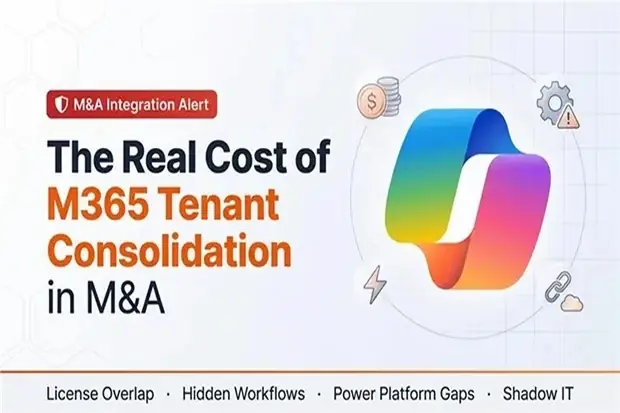
The merger has closed and integration planning is underway. As the Transition Services Agreement (TSA) timeline becomes clearer, steering committee meetings begin to revolve around a familiar question: how much will it really cost to consolidate the two Microsoft 365 tenants?
How this work is handled in the next few months can determine whether the integration stays on track or whether delays and extra costs later have to be explained to the board.
It is easy to think of Microsoft 365 migration as a simple checklist: move mailboxes, move files, change licenses, and move on. In an M&A, it is rarely that simple.
Mailbox migrations cost more than expected, license contracts do not always match, important workflows may be built in Power Platform, and TSA deadlines are often set before the real complexity of the integration is understood. What looks like a small IT task can quickly turn into a financial, contractual, and operational challenge.
Pre-LOI bid pricing? See “How to Estimate Microsoft 365 Migration Costs Pre-LOI (Without Admin Access)” for the pre-deal cost estimation framework.
What makes M365 consolidation more expensive
On paper, M365 tenant consolidation looks like a milestone in the integration plan. In practice, it affects licensing cost, contract flexibility, control design, user productivity, and the timing of synergies.
Most organizations are also running two Microsoft 365 environments at once. Each has its own Enterprise Agreements, SKUs, renewal dates, and history. As users and workloads begin to move, costs rise quickly once workflows, SaaS integrations, and governance requirements are added.
Some of the most expensive issues also sit outside the formal migration plan. Hidden automations, Teams apps, SaaS dependencies, and undocumented business processes often surface late, when they are harder and more expensive to fix.
Four cost traps that can erode deal value
For CFOs and CIOs, the question is not whether M365 consolidation needs to happen. It is whether the full cost is understood before TSA assumptions, licensing commitments, and integration timelines get locked in.
License overlap becomes stranded spend
During the transition, both tenants usually remain active. Users often need accounts in both environments while workloads migrate in stages.
What looks like a temporary buffer can quickly become real cost exposure. The issue is not just duplicate licensing, but also slow decommissioning, rigid contracts, and limited visibility when workloads can leave the legacy environment.
Overlap lasts longer than expected, savings are delayed, and licensing costs continue to erode deal synergies.
For related guidance on identifying Pre-Deal risks before signing, see The M365 Pre-Deal Due Diligence Problem: Why You’re Pricing What You Can’t See.
Where license cleanup can fund the migration
License overlap is not only a cost risk. It can also create early savings that help fund migration.
Duplicate assignments, overlapping add-ons, and underused entitlements are often identified early in the integration. In one case, savings from duplicate Power BI Pro seats alone were enough to fund the full migration project.
That is why overlap analysis should be treated as both a risk and savings exercise, not just a licensing cleanup task.
Hidden workflow remediation appears too late
Some of the most expensive work is not visible early enough to be planned properly.
A payroll process may depend on a custom integration that never made it into the inventory. A plant scheduling system may rely on a niche connector. A finance workflow may depend on an undocumented Power Automate flow built years ago by a power user.
When those dependencies surface late, critical workflows have to be rebuilt under time pressure, often with expensive specialist support. TSA milestones get harder to hit, and what should have been a controlled cutover turns into escalation, disruption, and unplanned spend.
If discovery is shallow, the cost shows up later as pressure, delay, and credibility loss.
Power Platform surprises and license mismatches
In many organizations, Power Platform quietly carries a large share of day-to-day work: approvals, notifications, data syncs, and lightweight apps.
The source tenant may have broader premium connector access, while the target tenant is more restricted. That can look efficient on paper, until migrations begin and automations stop, slow down, or behave differently.
Teams then fall back to manual workarounds, while business stakeholders feel like integration removed capability instead of improving it. If Power Platform licensing and dependencies are not addressed deliberately, the same issue often gets paid for twice: once in operations, and again in remediation.
Shadow IT and SaaS dependencies
Most organizations also carry a long tail of SaaS tools that sit outside the formal migration plan. These may include project tools, HR add-ons, data platforms, and departmental systems that rely on Microsoft 365 for identity, files, or messaging.
Because many of them are lightly governed, they tend to surface at the worst time. Previously unknown tools can block migration steps, force last-minute design decisions, and pull time and budget into access, data, and contract issues that were never in scope.
Security and compliance pressure also rise as more unmanaged dependencies and sensitive data locations come into view.
How M365 consolidation affects cost, control, and synergies
These are not just IT issues. They affect integration cost, synergy timing, audit exposure, and confidence in the execution plan.
That is why Microsoft 365 tenant consolidation needs attention before final commitments are made. Once these issues become visible during execution, the best commercial and planning options are usually already gone.
How to model the real cost early
The goal is not a perfect model. It is a credible model built early enough to influence decisions. One practical way to structure the work is around four steps: Discover, Model, Negotiate, Execute.
Discover
Start with a clear view of both tenants: licenses, SKUs, renewals, Power Platform entitlements, security settings, and major workload dependencies.
Then identify the workflows, automations, and SaaS tools that support important business functions such as finance, payroll, and customer operations. The goal is enough visibility to avoid unrealistic assumptions.
Model
Translate technical risks into financial estimates. The model should include license overlap, decommission timing, workflow remediation, Power Platform entitlement gaps, SaaS reconnection or replacement, governance changes, and possible TSA extensions.
Even a rough model helps leadership understand the likely cost range, the main assumptions, and the trade-offs still within their control.
Negotiate
Use the cost model to negotiate licensing flexibility, avoid restrictive commitments, and align contracts with the real migration timeline.
It should also help set TSA milestones that reflect the full scope of integration.
Execute
Execution should track more than migration progress. It should also track license overlap reduction, decommission savings, TSA risk, and unresolved workflow issues.
That visibility helps teams manage tenant consolidation like a business program instead of reacting to one surprise after another.
Why this conversation needs to happen early
In many deals, Microsoft 365 consolidation is treated as an execution issue. By then, key commercial terms, timing assumptions, and synergy expectations are already locked in.
That is too late.
This conversation needs to happen earlier, while finance, IT, procurement, and integration leaders still have time to model overlap cost, test TSA assumptions, and identify contract and control risk.
Microsoft 365 is part of the operating model, not just the productivity stack. That makes tenant consolidation a financial, contractual, and control decision, not just a technical one.
Organizations that address it early are better positioned to avoid surprises and protect deal value.
Planning a tenant migration as part of an M&A? Model the full cost early, before overlap, rework, and contract rigidity start eroding deal value.
Recommended References for Further Reading
1. For the Pre-LOI bid pricing, refer “How to Estimate Microsoft 365 Migration Costs Pre-LOI (Without Admin Access)”.
2. For guidance on identifying Pre-Deal risks before signing, see The M365 Pre-Deal Due Diligence Problem: Why You’re Pricing What You Can’t See.

















 Migrate
 Manage
 Migrate Microsoft 365








