


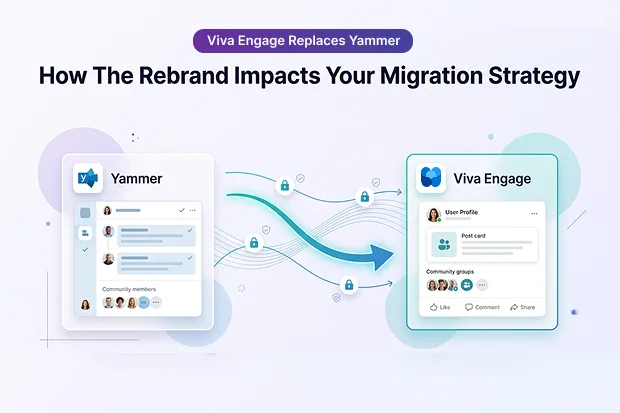
Viva Engage builds on the strengths of Yammer, giving your organization a more modern, engaging experience without forcing you to relearn tenant to tenant migration from scratch.
If you are planning a Microsoft 365 tenant consolidation, merger, or divestiture, this article shows how that evolution affects your plans so you can confidently protect conversations, communities, and files during Viva Engage migration.
- From Yammer To Viva Engage: Rebrand Or Rewrite?
- What’s New: Experience Upgrades That Raise The Stakes
- What Hasn’t Changed: The Hard Truth About Native Migration
- Tenant To Tenant Projects: Why Viva Engage Now Sits At The Executive Table
- Semantic Bridge: Capturing Both “Yammer” And “Viva Engage” In Your Strategy
- What The Rebrand Really Means For Your Migration Plan
- Where To Go Deeper: Recommended Reading Across Apps4.Pro
- FAQs: Yammer to Viva Engage Rebrand Impacts
- Supercharge Your Viva Engage Transition!
From Yammer To Viva Engage: Rebrand Or Rewrite?
When Microsoft renamed Yammer as Viva Engage, it was easy to wonder if you needed a completely new migration strategy. In practice, the branding moved faster than the architecture.
Despite the Yammer rebrand migration impact, your communities, conversations, and file locations continue to operate in familiar ways. Therefore, most of your tenant to tenant migration challenges remain unchanged.
- The data model and Graph API endpoints are still consistent.
- You still need a dedicated Viva Engage migration tool to keep history.
- People around you will keep saying “Yammer” while Microsoft talks about “Viva Engage.”
What’s New: Experience Upgrades That Raise The Stakes
Viva Engage builds on everything Yammer already did well and gives it a more modern experience. That refresh also means even more critical conversations and stories now live here.
Highlights that change how valuable the data feels:
- Viva Engage branding in the Microsoft 365 app launcher and UI.
- A stronger spotlight on Storylines and leadership conversations.
- Updated service plans and admin experience under the Viva brand.
Behind that experience:
- Communities still map to Microsoft 365 Groups and SharePoint for files.
- Core conversation types like questions, praise, polls, and discussions are still the backbone of engagement.
- Core tenant binding and Internal Network concepts are still in place, while external collaboration is moving from legacy External Networks to modern, Entra based experiences.
So, while the interface feels new, your Viva Engage migration story is still rooted in the same working parts you knew as Yammer.
What Hasn’t Changed: The Hard Truth About Native Migration
Even with the rebrand, Microsoft still does not give you a complete Viva Engage tenant to tenant migration path. The native network consolidation moves identities, not the engagement history that people rely on.
With Microsoft’s native options:
- Users move, but conversations, communities, and files are not.
- There is no supported way to retain praise, polls, or full threaded discussions across tenants.
With a purpose-built Viva Engage migration tool like Apps4.Pro Migration Manager:
- Internal and external networks can move to the new tenant.
- Communities, members, group icons, and external memberships can be preserved.
- Message types such as discussions, praise, questions, and polls plus replies, announcements, likes, best reply, mentions, tags, links, and closed conversations can move with author and timestamp metadata.
- Files from SharePoint Document Libraries and legacy Yammer storage can follow those conversations into the target tenant.
Some elements still usually do not migrate, like text formatting, topics, bookmarks, events, storylines, and user profile details.
For the complete scope and step by step guidance on how to configure connectors, map networks, and migrate communities, conversations, and files, you can follow the detailed Viva Engage (Yammer) Tenant to Tenant Migration Guide.
What Would It Cost To Lose This:
You can pick one important community, scroll through a few months of posts, and ask yourself what it would mean for that group if every thread and poll vanished after tenant consolidation.
Tenant To Tenant Projects: Why Viva Engage Now Sits At The Executive Table
Most large Viva Engage moves happen because of mergers, acquisitions, divestitures, or wide Microsoft 365 tenant consolidation. In those moments, Viva Engage is not a side app, it is where everyday conversations and decisions have been living.
During Microsoft 365 tenant consolidation, mergers and acquisitions:
- Viva Engage holds institutional memory, project conversations, and informal decisions that never reached a formal document or slide.
- Praise, leadership updates, and storylines carry sensitive sentiment you cannot rebuild after a cutover.
- Losing these data in a post-merger Yammer migration can damage trust and break continuity for newly combined teams.
Because of this, during mergers & acquisitions, Viva Engage and Yammer migration, deserve their own line in your plan alongside Exchange Online Mailboxes, Microsoft Teams, SharePoint, and User Identity.
Semantic Bridge: Capturing Both “Yammer” And “Viva Engage” In Your Strategy
Search habits and real conversations move slowly, and you probably see that every week. Admins still type “migrate Yammer to another tenant” more often than “Viva Engage tenant to tenant migration” when they look for help.
To keep everyone connected to the same story:
- You can use “Yammer to Viva Engage” as a bridge phrase in slides, runbooks, and FAQs.
- You can explain in simple language that Yammer renamed as Viva Engage is mostly a change in name and experience, not a total rebuild of how data lives behind the scenes.
- You can keep both Yammer and Viva Engage terms in your internal documentation, so people find what they need using the terms they know.
By using this method, you not only align with Microsoft’s current naming conventions but also ensure your team can relate the familiar terms to the new ones, making the transition smoother.
This helps everyone speak the same language as you move towards mapping Yammer terminology to Viva Engage, as shown in the table below.
Terminology Mapping: From Yammer To Viva Engage
| Old term (Yammer) | New term (Viva Engage) | What it means for you |
|---|---|---|
| Yammer | Viva Engage | Same underlying service with a new name and experience |
| Yammer Network | Viva Engage Network | Still bound to a Microsoft 365 tenant |
| Internal Network | Internal Viva Engage Network | Same Internal Community scope |
| External Network | Modern External collaboration in Viva Engage | Moving from legacy external networks to modern, Entra based external options. |
| Yammer group | Viva Engage community | Still backed by Microsoft 365 Groups |
| Yammer conversations | Viva Engage conversations | Threads, replies, and reactions remain the same |
| Yammer files | Viva Engage files in SharePoint | Files are still stored in SharePoint libraries |
| Yammer Storylines (originally introduced in Yammer) | Viva Engage Storylines | Now positioned as a Viva Engage only feature. |
You can reference this table in project calls, so people do not get stuck on names while you focus on the actual migration work.
What The Rebrand Really Means For Your Migration Plan
Once you look past the rebrand, the core message is simple. The data you care about and the way it moves between tenants has not been reinvented.
For your migration plan, that means:
- You are still working with the same data objects: networks, communities, conversations, and files, with the same relationships between them.
- You can follow the same proven tenant to tenant migration process you used for Yammer, including discovery, scoping, mapping, testing, and cutover.
- You can rely on the same specialized Viva Engage Yammer migration tools like Apps4.Pro Migration Manager to preserve conversations, files, and community history instead of starting from scratch.
So, while you will update your language to match Viva Engage, you do not need to redesign your migration engine. You refine it, you communicate the rebrand clearly, and you keep using the toolset that already knows how to handle this workload end to end.
Where To Go Deeper: Recommended Reading Across Apps4.Pro
If you want to turn this overview into a real migration plan, these resources give you more detail and examples to work with.
- For a deeper walkthrough of network consolidation and tenant to tenant patterns, see our Complete Viva Engage Migration Guide.
- If you are planning a data move across Data cen ters with strict data residency requirements, our step by step guide on Reprovisioning your Viva Engage Enterprise Network to the EU Geo will help.
- To better understand how Storylines works and why it matters for engagement during and after migration, you can explore our detailed Storylines Overview article.
- If you are evaluating license impact and admin roles as part of your migration planning, this article on New Service Plans & New Admin Experience for Viva Engage is a useful companion.
FAQs: Yammer to Viva Engage Rebrand Impacts
Using a specialised Viva Engage migration tool like Apps4.Pro Migration Manager, elements such as conversations, files, history, mentions, tags, and engagement records are usually preserved. This tool helps maintain continuity and context during tenant moves or mergers.

Supercharge Your Viva Engage Transition!
See how Apps4.Pro Migration Manager moves Viva Engage communities, conversations, and files between tenants without losing history.
















