

Key Takeaways
- The strongest BitTitan alternatives for Microsoft 365 migration are Apps4.Pro, ShareGate, Quest, AvePoint, Cloudiway, CloudFuze, CloudM, and Microsoft’s own native tooling.
- Most teams look elsewhere over per-user licensing, the 12-month license validity window, or workload gaps like Planner, Power Platform, and Viva Engage.
- BitTitan MigrationWiz has been an Idera product since 2021, prompting some buyers to reassess their options.
- Microsoft’s native tooling now moves mailbox, OneDrive, SharePoint, and, in preview, Teams chats, but not Teams channels, Planner, or Power Platform.
- Apps4.Pro Migration Manager covers the widest workload set, including Planner Premium, Power Automate, Power BI, Forms, Viva Engage, and Bookings.
- Choose by scope: the right tool depends on which workloads move, project size, and whether you need coexistence or audit trails.
- Run a pre-migration inventory before buying any licence, so your workload list, not a sales page, drives the decision.
- Cloudiway pairs tenant-to-tenant migration with coexistence tools (GAL sync, free/busy, mail routing) and Intune and device migration.
BitTitan MigrationWiz is one of the most widely used Microsoft 365 (M365) migration tools, and for mailbox-heavy projects it earns its reputation. Yet many IT teams, Managed Service Providers (MSPs), and merger and acquisition (M&A) project leads still look for an alternative. The reasons are usually practical: the cost adds up across users and workloads, licenses expire on a 12-month clock, and some workloads that matter during a full consolidation, such as Microsoft Planner and the Power Platform, sit outside the core product.
This guide compares the alternatives worth shortlisting, explains what separates them, and gives you a way to choose based on your actual migration rather than a feature checklist. Every tool here is a real, current option for M365 tenant-to-tenant (T2T) and cloud migration work. Pricing and feature details change often, so treat this as a starting point and confirm specifics with each vendor before you commit.
Why IT Teams Look For A BitTitan Alternative
BitTitan MigrationWiz is a software-as-a-service (SaaS) migration platform that moves email, documents, and other workloads between a wide range of sources and destinations. It has been part of Idera, Inc. since 2021. The product is mature and well supported, so the reasons people move on are rarely about reliability. They tend to cluster around four themes.
Licensing model and cost: BitTitan sells per-user licenses by workload bundle, and MigrationWiz licenses are valid for 12 months from the purchase date. That model fits clean, project-based work with a known user count. It fits less well when the environment keeps changing, when you run frequent smaller moves, or when unused licenses expire before you can deploy them. As published on BitTitan’s pricing page in 2026, the Mailbox license is US$14 per user, the User Migration Bundle is US$17.50 per user, and the Tenant Migration Bundle is US$57 per user, with Teams Collaboration priced at US$48 per team. For a large or recurring programme, the per-user total can climb quickly. Confirm the current figures on BitTitan’s own pricing page before budgeting.
Workload coverage: MigrationWiz handles mailboxes, documents, SharePoint, OneDrive, and Teams well, and its bundles now include Teams private chat migration. Several collaboration and Power Platform workloads still fall outside its scope, including Microsoft Planner, Planner Premium, Power Automate, Power BI, Microsoft Forms, Viva Engage (formerly Yammer), and Microsoft Bookings. If your project is mailbox and document focused, this rarely matters. If you are consolidating two organisations after a merger, it often does.
Ownership changes: The move into Idera’s data tools group left some long-time buyers wanting to reassess the market, compare pricing, and confirm the product still fits their roadmap. That is normal procurement hygiene rather than a red flag.
Fit for the specific job: BitTitan is strong for cross-tenant mailbox and document moves. A SharePoint-heavy restructuring, an enterprise coexistence scenario with Global Address List (GAL) synchronisation, or a project that leans on Planner and the Power Platform may be better served by a tool built around that need.
None of this makes BitTitan a poor product. It makes the case for matching the tool to the migration in front of you.
What To Evaluate In A BitTitan Alternative
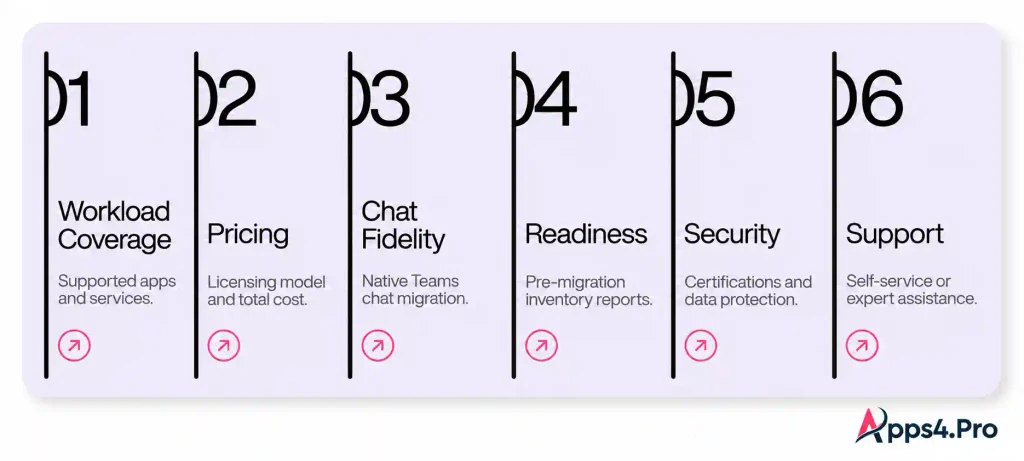
Before comparing names, fix your evaluation criteria. These six questions decide the shortlist faster than any feature grid.
- Which workloads actually move? List them precisely: Exchange Online mailboxes, SharePoint sites, OneDrive, Teams channels, Teams chat, Planner, Planner Premium, Power Automate, Power BI, Forms, Viva Engage, and Bookings. The list, not the brand, should drive the choice.
- How does the tool license and price? Per user, per workload, per gigabyte, flat subscription, or one-time. Map this to your project shape and whether you expect repeat migrations.
- How faithfully does it move Teams chat? Some tools export chat history to static files. Others inject messages so they appear as native Teams posts. The difference matters a great deal to end users after cutover, so compare fidelity rather than a yes or no.
- Is there a pre-migration inventory or readiness report? A reliable inventory of what exists in the source tenant prevents surprises and helps size the work honestly.
- What are the security and compliance credentials? Check certifications such as ISO 27001, data residency handling, and how admin credentials are used across source and target tenants.
- What support model comes with it? Self-service versus guided migration, and whether professional consulting is available for complex moves.
Bittitan Alternatives At A Glance
|
Tool |
Best for |
Workload coverage |
Licensing model |
Watch-outs |
|---|---|---|---|---|
|
Apps4.Pro Migration Manager |
Best for Multi-workload M365 tenant-to-tenant moves and M&A consolidations |
Workload coverage Widest: Exchange, SharePoint, OneDrive, Teams, native Teams chat, Planner and Planner Premium, Power Automate, Power BI, Forms, Viva Engage, Bookings |
Licensing model Annual licenses for 1, 5, or 20 machines, valid for 12 months; custom licensing by workload or user count available |
Watch-outs Built for M365 destinations rather than broad cloud-to-cloud or legacy on-prem sources |
|
ShareGate |
Best for SharePoint, OneDrive and Teams structural moves and restructuring |
Workload coverage SharePoint, OneDrive, Teams, Exchange Online T2T |
Licensing model Subscription |
Watch-outs Planner, Power Platform, and Viva Engage are not the core strength |
|
Quest On Demand Migration |
Best for Enterprise and regulated industries needing audit trails and reporting |
Workload coverage Mailboxes, OneDrive, SharePoint, Teams, plus Active Directory via related Quest tools |
Licensing model Enterprise, quote-based |
Watch-outs Depth comes with enterprise pricing and setup |
|
AvePoint (Fly) |
Best for Enterprise tenant restructuring, consolidation and governance |
Workload coverage Microsoft 365: Exchange Online (and on-prem Exchange), SharePoint, OneDrive, Microsoft 365 Groups, Teams, Teams chat, shared-channel-to-shared-channel, plus Power Apps and Power Automate flows |
Licensing model Enterprise, quote-based (SaaS and server editions) |
Watch-outs More platform than a simple one-off move requires; not built for Google Workspace sources or GAL sync coexistence |
|
Cloudiway
|
Best for
M365 tenant moves that need coexistence, plus Intune and device migration
|
Workload coverage
Exchange Online mailboxes and archives, OneDrive, SharePoint, Teams (channels, private channels, 1:1 and group chats), Intune, Entra ID-joined laptops; also Google Workspace, Slack, Google Chat, Box, Dropbox
|
Licensing model
Exchange Online mailboxes and archives, OneDrive, SharePoint, Teams (channels, private channels, 1:1 and group chats), Intune, Entra ID-joined laptops; also Google Workspace, Slack, Google Chat, Box, Dropbox
Prepaid bundles; Tenant Migration bundle €500 (US$580) for 20 licenses; licenses never expire |
Watch-outs
Current pages don’t list Planner, Power Automate, Power BI, Forms, Viva Engage, or Bookings; coexistence tools quoted separately; laptop migration not in the Tenant Migration bundle
|
|
CloudFuze |
Best for Heterogeneous cloud-to-cloud (Google, Dropbox, Box, Slack to M365) |
Workload coverage 40-plus cloud platforms, content, chat and tenant migration |
Licensing model Quote-based |
Watch-outs Fidelity varies by workload for deep M365-native scenarios |
|
CloudM |
Best for Google Workspace and legacy-platform moves to or from M365 |
Workload coverage Mail, files, contacts, calendars and archives from 20-plus sources; SaaS or self-hosted |
Licensing model Subscription, quote-based |
Watch-outs Not built for M365 collaboration workloads like Teams channels, Planner, or Power Platform |
|
Microsoft native tooling |
Best for Mailbox and OneDrive moves for organisations with the right licensing |
Workload coverage Cross-tenant mailbox (generally available), OneDrive (add-on), SharePoint sites (preview), Teams chats and meetings via the Migration Orchestrator (preview) |
Licensing model Per-user Cross-Tenant User Data Migration add-on; both tenants need Microsoft 365 E3 or E5 |
Watch-outs No native Teams channels, Planner, Power Automate, Power BI, Forms, or Viva Engage; PowerShell-driven, no graphical interface |
Pricing and capability details change regularly. Confirm the current position with each vendor before you budget.
Bittitan Alternatives Compared In Detail
Apps4.Pro Migration Manager: best for multi-workload M365 tenant-to-tenant moves and M&A consolidations
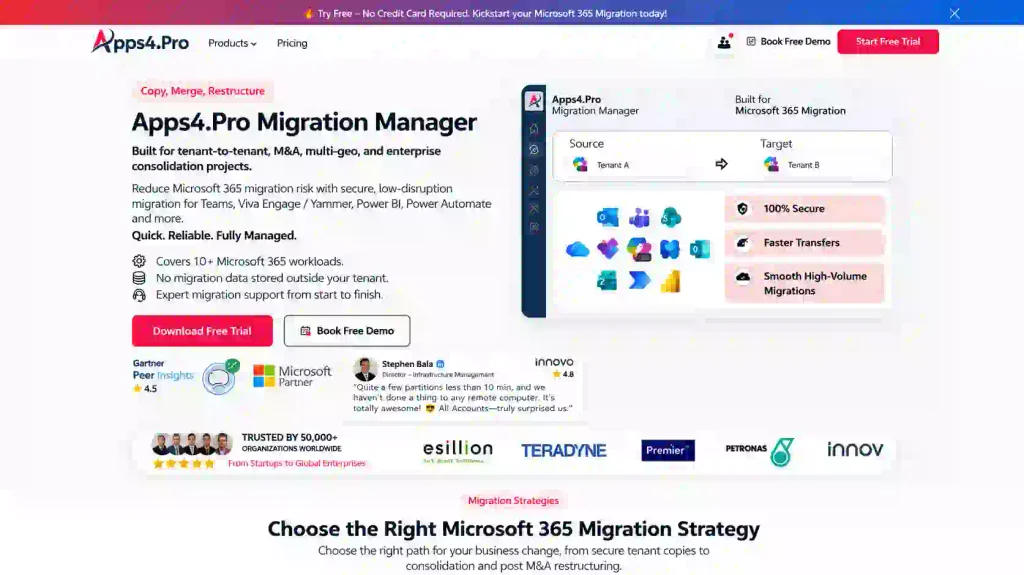
Apps4.Pro Migration Manager is a tenant-to-tenant migration tool built specifically for Microsoft 365. It is the alternative that covers the widest workload set, and that breadth is the main reason teams shortlist it against BitTitan.
It moves core workloads (Exchange Online, SharePoint Online, OneDrive for Business and Teams) and then extends into the areas many tools skip: Microsoft Planner and Planner Premium, Power Automate, Power BI, Microsoft Forms, Microsoft Bookings, and Viva Engage. For Teams chat, it performs native migration, so migrated one-to-one, group, and meeting conversations appear inside Teams as real messages rather than static exports. BitTitan now includes Teams private chat migration in its bundles as well, so compare chat fidelity and scope for your scenario rather than assuming a gap either way.
On licensing, Apps4.Pro sells annual licenses by machine rather than by migrated user, in three tiers: 1 machine, 5 machines, or 20 machines. Each license is valid for 12 months. Where a project is easier to price another way, Apps4.Pro also offers custom licensing based on the workloads in scope or the number of users, so the commercial model can match the shape of the migration. The tool also generates a free pre-migration inventory report, so you can see what exists and assess readiness before you spend anything.
Apps4.Pro is developed by JiJi Technologies, which has built software for the Microsoft ecosystem since 2007. The platform is a Microsoft Solutions Partner for Modern Work and is certified to ISO 27001 and ISO 27701 for information security and privacy management. A 15-day free trial is available without a credit card.
Best suited for: organisations running multi-workload M365 tenant-to-tenant migrations, especially mergers, acquisitions, and divestitures, where Teams, Planner, the Power Platform, and Viva Engage all need to move together.
Worth knowing: Apps4.Pro is purpose-built for Microsoft 365 destinations. If your project is a broad cloud-to-cloud consolidation across many non-Microsoft platforms, or a legacy on-premises Exchange source migration, weigh it against a tool built for that specific scope. A detailed, side-by-side view is available on the Apps4.Pro vs BitTitan MigrationWiz comparison.
Sharegate: best for SharePoint and Teams restructuring
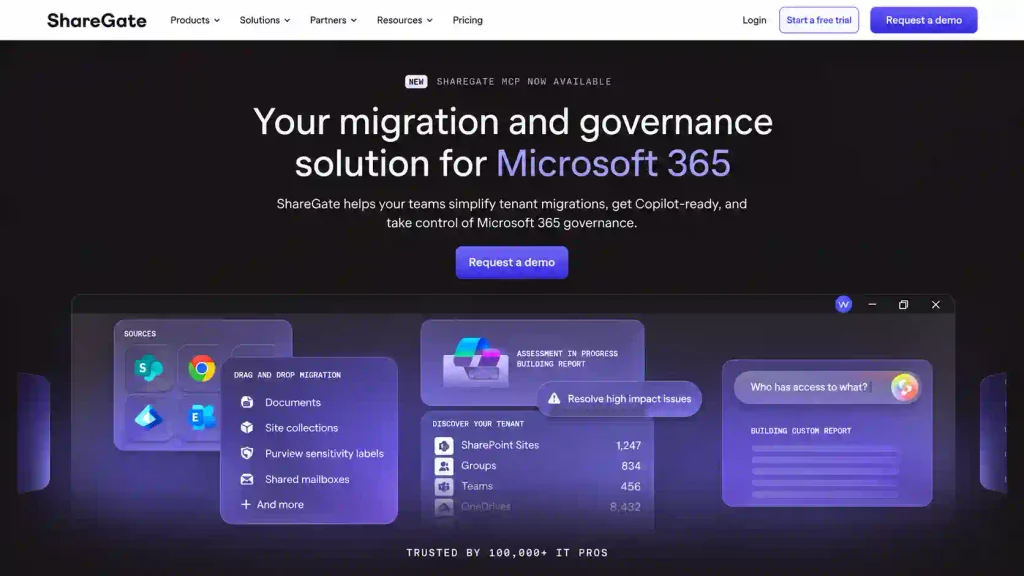
ShareGate is a long-established name for SharePoint, OneDrive, and Teams work, sold as two products: ShareGate Migrate for moving content and ShareGate Protect for ongoing governance. Migrate is a downloadable Windows tool that runs on a machine you control, which keeps your data within your own environment rather than on ShareGate’s servers.
It handles SharePoint, OneDrive, Teams, Exchange Online mailboxes, and Planner across on-premises-to-cloud, tenant-to-tenant, and same-tenant restructuring. Its real strength is structural work: fine-grained permission mapping, incremental migrations rather than a single “big bang” cutover, Entra ID user and group migration with automatic provisioning at the destination, and a PowerShell module for repeatable, scriptable projects. Pre-migration discovery and post-migration validation reporting are built in, and higher tiers add Microsoft Purview sensitivity-label migration.
Pricing is flat and based on machine activations rather than per user, in three tiers: Essentials (one activation, around US$5,995), Pro (up to five, around US$9,995) and Enterprise (up to 25, around US$17,995), billed annually. A fully featured 15-day trial is available. Confirm the current figures and tier contents with ShareGate before you budget.
If your migration is centred on SharePoint and Teams, with permission mapping as a priority, ShareGate is a natural fit. It is less oriented towards Planner Premium, the Power Platform, and Viva Engage, and some legacy SharePoint page types and settings may need manual handling, so a project that depends heavily on those workloads will need to look wider. See the Apps4.Pro vs ShareGate comparison for a workload-by-workload view.
Best suited for: SharePoint, OneDrive, and Teams structural moves, permission mapping, and same-tenant or cross-tenant restructuring.
Worth knowing: ShareGate is billed per machine activation rather than per user, making it predictable for large document and site moves, but it is less focused on non-SharePoint workloads like Planner Premium, Power Platform, or Viva Engage.
Quest On Demand Migration: best for regulated enterprises
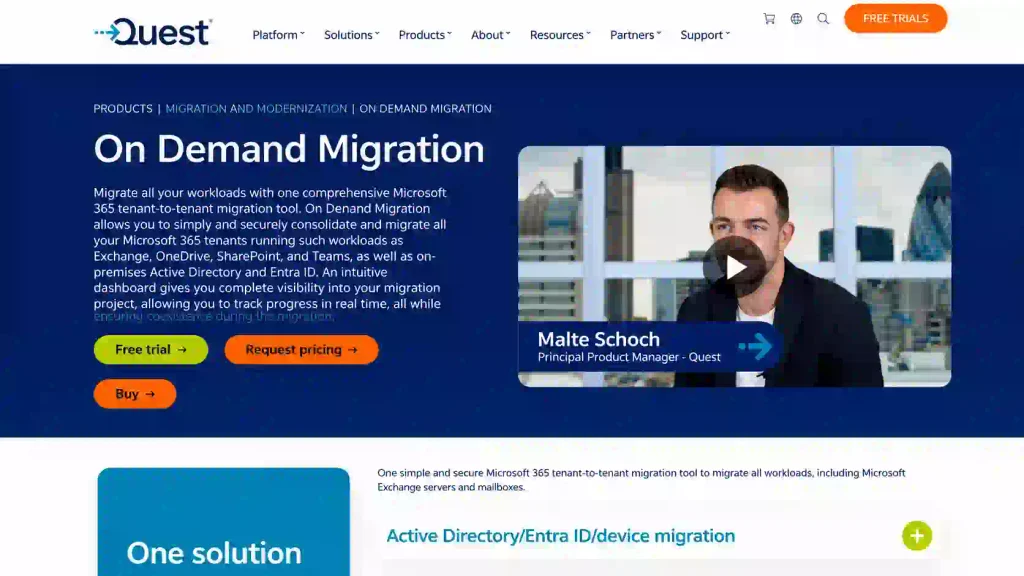
Quest On Demand Migration is a SaaS platform aimed at enterprise and regulated environments, and it sits inside a wider On Demand suite that also covers auditing, recovery, and group and license management. For buyers in finance, healthcare, and other compliance-heavy sectors, the draw is detailed reporting, audit trails, and governance around the move, backed by Quest’s long migration heritage and ISO 27001 certification.
Its coexistence story is a particular strength. Quest acquired Binary Tree and folded the Power365 capabilities into On Demand Migration, so the platform now delivers Day One coexistence between tenants, a unified Global Address List (GAL), free/busy calendar sharing, and directory synchronisation. (Binary Tree Power365 itself reached end of support on 1 September 2024, with customers moved onto On Demand Migration.) The platform also ties tenant-to-tenant migration to Active Directory and Entra ID work and domain consolidation, and it is proven on very large, phased programmes.
Quest focuses on Microsoft 365 tenant-to-tenant scenarios rather than Google Workspace sources. Pricing is quote-based and licensed per user in tiers, so it suits larger programmes rather than quick, single-workload moves, and the depth comes with enterprise setup. The Apps4.Pro vs Quest On Demand Migration comparison breaks down where each lands.
Best suited for: enterprise and highly regulated environments requiring full audit trails, compliance reporting, and multi-tenant coexistence.
Worth knowing: On Demand Migration relies on custom quote-based enterprise licensing and dedicated configuration, making it best suited for larger, phased projects rather than rapid single-workload moves.
AvePoint Fly: best for enterprise restructuring and governance
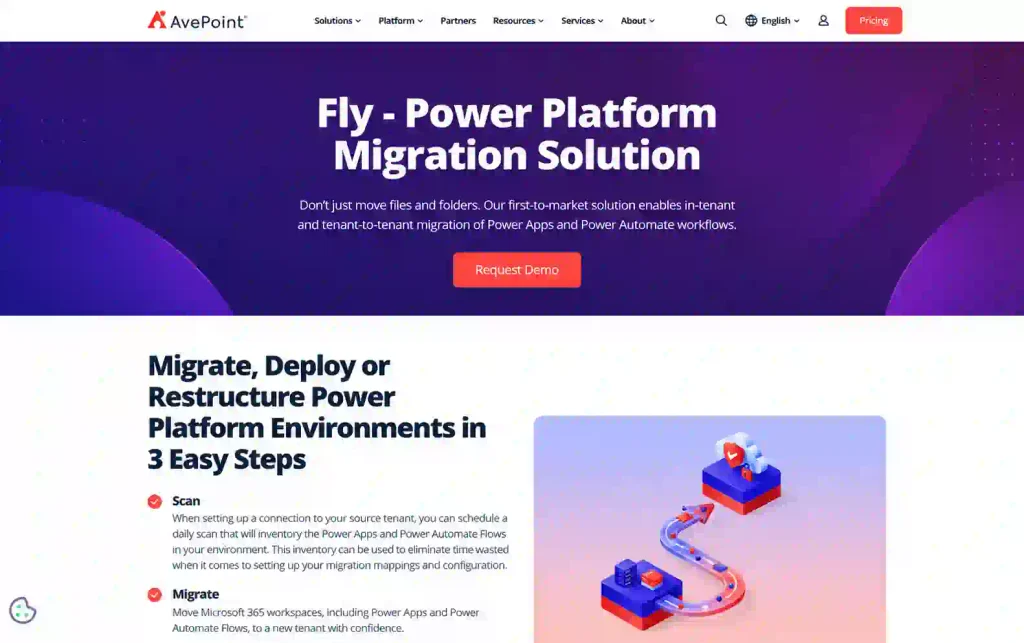
AvePoint handles Microsoft 365 tenant migrations through Fly, available as a 100% Azure-hosted SaaS edition (Fly SaaS) and a server edition. It pairs well with AvePoint’s broader governance and management tooling, which is why it tends to appear on shortlists for multi-phase enterprise programmes rather than one-off moves.
Fly migrates Exchange Online (and on-premises Exchange), SharePoint Online, OneDrive, Microsoft 365 Groups, Teams, Teams chat and shared-channel-to-shared-channel moves, plus Power Apps and Power Automate flows, with full-fidelity restructuring and consolidation across or within tenants. It includes free, unlimited pre-migration tenant discovery, along with mapping, filtering, scheduling, and either real-time or staged “lift and shift” rollouts, and a monitoring dashboard that reports status and emails updates to stakeholders. A 30-day free trial is available.
For a straightforward tenant-to-tenant move, AvePoint can be more platform than you need. For a merger or divestiture that also calls for data clean-up, architecture changes, and governance, its breadth is the point. Compare the specifics in Apps4.Pro vs AvePoint.
Best suited for: enterprise tenant restructuring, consolidation, and post-migration governance.
Worth knowing: Fly is part of a broader enterprise data management suite, which can introduce extra administrative overhead if you only need a simple, one-off mailbox or document move.
Cloudiway: Best for tenant moves that need coexistence and device migration
Cloudiway is a browser-based migration and coexistence platform, so there is no software to install or server to maintain. It connects to the source and target tenants through OAuth 2.0 and copies data rather than moving it. That leaves the source tenant intact until you are ready to retire it.
For Microsoft 365 tenant-to-tenant work, it moves Exchange Online mailboxes (mail, calendars, contacts, tasks, archives, and permissions), OneDrive, SharePoint sites, and Teams, including private channels, one-to-one chats, and group chats. It also migrates Intune configurations and policies. It can move Entra ID (Azure AD) joined or registered laptops between tenants, which helps when devices need to follow users into the new organisation. Beyond Microsoft-to-Microsoft moves, the same platform handles Google Workspace, Slack, Google Chat, Box, Dropbox, and legacy mail systems such as Lotus Notes and Zimbra.
Coexistence is the other reason Cloudiway makes shortlists. GALSync keeps address books aligned across Microsoft 365, Exchange on-premises, and Google Workspace. Free/Busy lets users check each other’s calendar availability across tenants. Mail Routing keeps mail flowing during a phased cutover. These tools are priced on request, separately from the migration bundles.
Pricing is published as prepaid bundles rather than annual subscriptions. The Tenant Migration bundle costs €500 (US580) for 20 migration licenses and covers all tenant workloads except laptop migration. That works out to about US$ 29 per license before volume discounts. Cloudiway states that its licenses never expire, unused credits can be converted to another license type, and every bundle includes unlimited delta passes. A free trial is available, and licenses can be bought through Azure Marketplace against an existing Microsoft Azure Consumption Commitment (MACC). Cloudiway displays ISO 27001 certification and states compliance with GDPR, SOC 2, and HIPAA.
Best suited for: Microsoft 365 tenant-to-tenant moves during mergers and divestitures where users on both sides need to keep working together, and projects that must also carry Intune settings and devices across. It also covers Google Workspace and Slack moves into Microsoft 365.
Worth knowing: Cloudiway’s current tenant-to-tenant pages do not list Planner, Power Automate, Power BI, Microsoft Forms, Viva Engage, or Bookings, so confirm coverage if those workloads are in scope. Coexistence tools are quoted separately, and laptop migration is not included in the Tenant Migration bundle.
CloudFuze: best for mixed-cloud and cross-suite moves
CloudFuze is a broad cloud migration platform, founded in 2012, whose migration engine (formerly called X-Change) supports more than 40 cloud platforms. It is the tool to reach for when the job is not a clean Microsoft-to-Microsoft move, but a consolidation across several different clouds.
It moves files and folders, email, chat messages, users, permissions, hyperlinks, and metadata, and covers tenant-to-tenant migration for both Microsoft 365 and Google Workspace. Chat coverage is a particular strength: alongside Teams and Google Chat, it handles Slack, which makes it a common pick for cross-suite moves such as Slack-to-Teams or Microsoft 365-to-Google Workspace. CloudFuze offers a fully managed migration service for large enterprises, encrypts data in transit, and carries compliance-oriented controls for regulated industries.
Best suited for: heterogeneous, multi-cloud consolidations and cross-platform moves where files, email, and chat need to land in Microsoft 365 from a mix of sources.
Worth knowing: CloudFuze is not built to migrate the full set of Microsoft 365-native collaboration and Power Platform workloads, such as Teams channels, Planner, or Power Automate. If those are in scope, confirm fidelity workload by workload rather than assuming full coverage.
CloudM: best for Google Workspace and legacy-platform moves
CloudM focuses on migrations into and out of Google Workspace and Microsoft 365, drawing from more than 20 source platforms, including Exchange (online and on-premises), Box, Dropbox, Zimbra, GroupWise, Lotus Notes and IMAP. It is a popular choice with MSPs running Google and Microsoft 365 projects.
It moves mail, files, archives (Google Vault, Microsoft 365 archives, PST and MBOX/EML), contacts and calendars, and can migrate Teams chat into Gmail. CloudM ships as both a hosted SaaS version and a self-hosted build, so teams that need data to stay in their own environment have that option. Practical features include a free pre-migration environment scan, multi-server high-speed migration, and preserved permissions and folder structures, with AES-256 encryption and ISO 27001 certification underpinning it.
Best suited for: Google Workspace to or from Microsoft 365 migrations, and consolidations that pull in legacy mail and file platforms.
Worth knowing: like CloudFuze, CloudM is not designed for full Microsoft 365 collaboration workloads such as Teams channels, Planner, or the Power Platform, so check scope carefully if your project depends on them.
.
Microsoft native tooling: best for low-cost mailbox and OneDrive moves
Microsoft now ships its own cross-tenant migration capability, which keeps data inside the Microsoft cloud and is the lowest-cost route for the workloads it covers.
Cross-tenant mailbox migration is generally available. It uses familiar interfaces—Exchange Online PowerShell and the Mailbox Replication Service (MRS)—and moves user-visible mailbox content (email, contacts, calendar, tasks, and notes) to the target tenant, after which the source user mailbox is converted to a MailUser that routes mail to the new location. Cross-tenant OneDrive migration is available as an add-on, and cross-tenant SharePoint site migration is in preview. Microsoft’s Migration Orchestrator, announced in December 2025 and still in public preview, coordinates mailboxes, OneDrive, and Teams chats and meetings into a single, dependency-ordered workflow driven by Microsoft Graph PowerShell commands.
There are real constraints. The capability requires the per-user Cross-Tenant User Data Migration add-on license, and the Orchestrator requires both source and destination tenants to hold Microsoft 365 E3 or E5 (or equivalent) licenses, with SharePoint site moves licensed separately. It does not natively move Teams channels and their connected sites, Microsoft 365 Groups, Planner, Power Automate, Power BI, Forms, or Viva Engage, and there is no graphical interface. In short, Microsoft native tooling is a strong, economical option for a mailbox, OneDrive, and Teams-chat move run by a capable admin team, and it leaves a clear gap for everything collaboration-heavy or Power Platform-related.
Best suited for: direct cross-tenant mailbox, OneDrive, and Teams chat moves where both source and target tenants carry Microsoft 365 E3 or E5 licensing.
Worth knowing: Requires PowerShell administration and separate add-on licenses, and lacks native coverage for Teams channels, Planner, or Power Platform objects.
How To Choose The Right Bittitan Alternative
Match the tool to the migration using these scenarios.
- Mailbox, OneDrive, and Teams chat move, both tenants on E3 or E5, skilled admins: start with Microsoft’s native tooling. It is the cheapest path when the data stays in the Microsoft cloud, and you can run PowerShell-driven moves.
- SharePoint and Teams restructuring with detailed permissions: ShareGate.
- Enterprise coexistence with GAL sync, free/busy, and mail routing over a long migration window: Quest On Demand Migration where audit trails and regulated reporting lead, or Cloudiway for a browser-based option that also moves Intune settings and devices.
- Tenant restructuring, consolidation, and post-migration governance: AvePoint Fly.
- Google Workspace, mixed clouds, or legacy platforms into or out of Microsoft 365: CloudFuze or CloudM, or Cloudiway when users on both platforms need to share calendars and address books during the move.
- Full multi-workload M365 consolidation, including Planner, the Power Platform, Viva Engage and Forms, often during a merger: Apps4.Pro Migration Manager, which covers the broadest workload set in one tool.
- Simple mailbox-only move on a tight budget: a specialized mailbox migration tool or native Exchange features.
The single most useful step before buying anything is to run a pre-migration inventory of the source tenant. Once you can see every workload that actually exists, the shortlist narrows itself.
Common Mistakes To Avoid
- Scoping by brand, not by workload. Teams decide on a tool, then discover Planner, Forms, or Viva Engage was never in scope. List the workloads first.
- Treating Teams chat as a tick box. Several tools now move Teams chat, but fidelity differs. Static exports frustrate users, so confirm whether chat arrives as native Teams messages before you commit.
- Ignoring license expiry. With per-user, time-limited licenses, buying ahead of a slipping project timeline can waste spend. Match the licensing model to how your project really runs.
- Skipping the inventory and the trial. A readiness report and a trial run on a small batch catch path-length issues, permission gaps, and sharing-link breakage before they affect users.
- Forgetting the identity and cutover plan. The migration tool moves data. Domain verification, identity mapping, and the cutover sequence still need their own plan.
Conclusion
There is no single best BitTitan alternative, only the best fit for a specific migration. Microsoft’s native tooling is the economical route for mailbox, OneDrive, and Teams chat moves. ShareGate, AvePoint, and Quest each own a clear enterprise niche. Cloudiway suits tenant moves that need coexistence and device migration. CloudFuze and CloudM handle Google Workspace and mixed-cloud consolidation. And where a project needs the full Microsoft 365 workload set moved together, including Planner Premium, Power Automate, Power BI, Forms, and Viva Engage, Apps4.Pro Migration Manager covers the widest ground in one tool.
Start by listing the workloads that actually move, run a pre-migration inventory, then test your shortlist on a small batch. If your migration spans the full Microsoft 365 stack, you can book a free migration demo or start a 15-day free trial of Apps4.Pro to see how the workloads move before you decide.
Frequently Asked Questions
It depends on scope. For a full multi-workload Microsoft 365 tenant-to-tenant move, Apps4.Pro Migration Manager covers the widest workload set. For mailbox and OneDrive only, Microsoft’s native tooling is the lowest-cost route. ShareGate, AvePoint, and Quest suit SharePoint-heavy, restructuring, and regulated-enterprise projects respectively. Cloudiway fits tenant moves that need coexistence or Intune and device migration, while CloudFuze and CloudM handle Google Workspace and mixed-cloud moves.