


- Why are M&A tenant migrations harder? The deal sets the deadline, not IT
- What can Microsoft’s native tools migrate? Content, not identities or Teams channels
- What types of M&A migration providers are there? Four, and each fits a different deal
- Which migration tools should your provider use? The one that fits each workload
- How long does an M&A tenant migration take? 4 weeks to 9 months, driven by seats and coexistence
- What does a tenant migration cost? Price licensing, tools and services separately
- How do you select the best Microsoft 365 consulting partner for an M&A migration? Demand proof on nine points
- What derails M&A tenant migrations? Planning gaps, not tool failures
- Frequently asked questions
- About the author
- Need expert help with your Microsoft 365 tenant-to-tenant migration? Talk to Apps4.Pro
- Sources
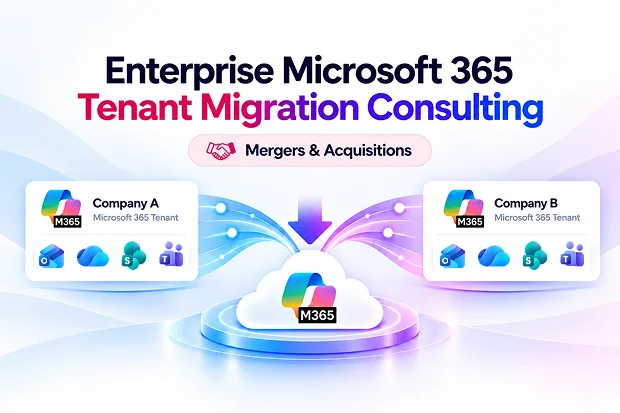
You have a deal closing and two Microsoft 365 tenants that must become one. This guide is for the IT leader who has to choose a tenant migration consulting provider and defend that choice to the integration office. It covers what Microsoft’s tools can and cannot move, the four types of M&A migration providers, what a complete engagement delivers, realistic timelines and costs, and the questions that expose inexperienced providers.
Quick answer: Enterprise Microsoft 365 tenant migration consulting moves users, mailboxes, OneDrive, SharePoint, Teams and identities from one tenant to another after a merger, acquisition or divestiture. Choose a provider that has delivered your deal type at your seat count, uses native and third-party tools on merit, designs coexistence for Day 1, and dates every migration wave backward from your close and TSA milestones.
Key takeaways
- Microsoft’s native tools move mailbox, OneDrive and SharePoint content, but not identities, devices or Teams channels, so most enterprise deals still need a third-party platform.
- Native moves require the Cross-Tenant User Data Migration add-on, a one-time per-user license Microsoft introduced in March 2026.
- Four provider types serve M&A migrations: specialist migration firms, tool vendors’ services teams, global systems integrators and managed service providers.
- Plan for 4 to 12 weeks under 500 seats and 4 to 9 months above 5,000 seats, with coexistence running throughout.
- Insist on a dated wave plan, an itemised quote and a pilot before you sign.
Why are M&A tenant migrations harder? The deal sets the deadline, not IT
An M&A tenant migration must finish by dates that lawyers and the deal team set, while both workforces keep working. That is the core difference from any other Microsoft 365 migration.
Each Microsoft 365 tenant is its own security boundary, and two tenants share no admin trust by default. Every cross-tenant step, from mail routing to file moves, needs configuration on both sides. Meanwhile, employees of both companies expect to email, meet and share files as one business from Day 1.
Three pressures stack on top of the technical work:
Fixed deal dates: Legal closing date, Day 1, and the TSA end date are already fixed. TSA means an agreement where the seller continues to manage IT for the separated business for some time. If migration is delayed, the seller may have to pay extra fees.
Hidden scope: During the initial review, some details may be missed, such as tenant settings, data retention rules, guest access, and too many SharePoint files and sites. After checking everything, the amount of data to migrate may change. So, the plan and cost estimate should allow for these changes.
Different deal types:
- Full acquisition: Move the acquired company’s data into the buyer’s Microsoft 365 tenant.
- Carve-out or divestiture: Move only the required part of the tenant, carefully selecting which data should be transferred.
- Merger of equals: Two companies join together and may create a completely new Microsoft 365 tenant with a new company name or brand.
These pressures are why most enterprises hire a specialist partner rather than run the migration with internal staff alone.
What can Microsoft’s native tools migrate? Content, not identities or Teams channels
Microsoft’s native cross-tenant tools move mailbox, OneDrive and SharePoint content, and the Migration Orchestrator adds Teams chats and meetings in preview. Accounts, devices, Teams channels, Planner and Microsoft 365 Groups stay out of scope. Microsoft’s own planning guide points complex projects to partners and third-party tools.
|
Workload |
Native option |
Limit to plan around |
|---|---|---|
|
Exchange Online mailboxes and archives |
Native option Cross-tenant mailbox migration (generally available) |
Limit to plan around Mailboxes on litigation or retention hold may not move |
|
OneDrive |
Native option Cross-tenant OneDrive migration |
Limit to plan around PowerShell only; one pass, no incremental delta sync |
|
SharePoint sites |
Native option Cross-tenant SharePoint migration |
Limit to plan around Status has shifted between preview and GA; no delta passes; not available for GCC or GCC High |
|
Teams chats and meetings |
Native option Migration Orchestrator (preview) |
Limit to plan around Meetings move only after the mailbox moves |
|
Teams channels, tabs and apps |
Native option None |
Limit to plan around Third-party tool or rebuild |
|
Microsoft 365 Groups and Planner |
Native option None |
Limit to plan around Third-party tool or rebuild |
|
User accounts, groups and devices |
Native option None |
Limit to plan around Identity tool, Entra ID work and device re-enrolment |
Since March 2026, native mailbox and OneDrive moves require the Cross-Tenant User Data Migration add-on, a one-time, per-user license. If it is not assigned, the migration fails.
What this means for your provider choice: if your scope is mostly mail and OneDrive and both tenants cooperate, native tools can carry much of the load. If identities, Teams channels, coexistence or compliance holds matter, as they do in most enterprise deals, your provider needs a third-party platform and the skill to combine it with native tools. One quick test: the SharePoint Migration Tool (SPMT) does not move content between tenants, so a provider who proposes it for tenant-to-tenant work has not done this before.
What types of M&A migration providers are there? Four, and each fits a different deal
Four kinds of firms deliver Microsoft 365 tenant migrations for mergers and acquisitions. Match the type to your seat count, deal complexity and how much of the wider integration you want one firm to own.
|
Provider type |
Best fit |
Strength |
Trade-off |
|---|---|---|---|
|
Specialist Microsoft 365 migration firm |
Best fit 500 to 20,000 seats where the tenant migration is the critical path |
Strength Most repetitions of cross-tenant work; tool-agnostic; fixed-fee pricing common |
Trade-off Does not run ERP, finance or HR system integration |
|
Tool vendor professional services (for example Quest, AvePoint, CloudFuze) |
Best fit Projects already committed to that vendor’s platform |
Strength Expert in its own product, with direct product support |
Trade-off Tends to recommend its own product for every workload |
|
Global systems integrator (for example Accenture, Avanade, Deloitte) |
Best fit Large deals where Microsoft 365 is one of many integration workstreams |
Strength One accountable firm across the whole integration |
Trade-off Highest day rates; tenant work is often subcontracted to specialists |
|
Managed service provider or regional Microsoft partner |
Best fit Under 500 seats with simple, cooperative tenants |
Strength Low cost and ongoing support after cutover |
Trade-off Limited experience with coexistence, holds and large waves |
Microsoft’s own consulting arm also takes on large, complex migrations, mainly for its biggest enterprise accounts. For most mid-market and enterprise deals, a specialist firm is the strongest fit, because the tenant migration usually sits on the integration’s critical path.
Which migration tools should your provider use? The one that fits each workload
A strong provider picks a platform per workload and explains why. Use this table to check whether a proposal’s tool choice matches your scope.
|
Platform |
Choose it when |
Watch for |
|---|---|---|
|
Choose it when Identity-led migrations over 500 seats. Moves Exchange (including public folders), OneDrive, SharePoint, Teams, Microsoft 365 Groups, Power BI and Entra ID accounts. Coexistence covers cross-tenant mail flow, free/busy, address rewriting and directory sync, and a desktop agent reconfigures Outlook and Office after cutover |
Watch for Quote-only pricing; needs an experienced migration architect; SharePoint component has had template gaps |
|
|
Choose it when Broad SaaS migrations covering Exchange, SharePoint, OneDrive, Teams private channels and chats, Microsoft 365 Groups, Planner, Power Apps and Power Automate. Preserves permissions, version history and sensitivity labels; supports GCC High and a self-hosted option for regulated environments |
Watch for Quote-only pricing; more platform than simple projects need |
|
|
Choose it when SharePoint-centred work: lists, libraries, permissions and metadata, with a permissions matrix report and incremental passes. Also moves OneDrive, Teams standard and private channels, Planner Basic, and Exchange on higher tiers |
Watch for Pro tier $9,995 per year flat (May 2026); no Teams private chats or shared channels; Planner Premium not supported; channel posts lose reactions and mentions |
|
|
Choose it when Mailbox-heavy moves from many sources (Google Workspace, Box, Dropbox). Covers Exchange, OneDrive, SharePoint and Teams, with private chats through its User Migration Bundle and an agent for device moves |
Watch for Per-user pricing scales with seat count; shared and room mailboxes consume licenses; lighter SharePoint restructuring |
|
|
Choose it when One tool for Exchange, OneDrive, SharePoint, Teams and Intune, with built-in GAL sync and mail routing for coexistence. Delta passes are included in licensing and support runs 24×5 |
Watch for Bundles from about $475 for 50 mail licenses, quote-based above; less third-party validation |
|
|
Apps4.Pro Migration Manager (our product) |
Choose it when Workload breadth: Exchange, OneDrive, SharePoint (modern, classic, communication and hub sites with pages, lists, permissions, metadata and version history), Teams channels and chats (1:1, group and meeting) as native messages, Planner Basic and Premium, Power BI, Power Automate, Forms, Viva Engage and Bookings. Multiple delta passes and a free pre-migration inventory and risk report |
Watch for Does not migrate Entra ID identities, so pair it with an identity tool or pre-create target users; per-machine tiers from $5,995 to $17,995 |
|
Choose it when Mail- and OneDrive-heavy scope, cooperative tenants, tight budget |
Watch for No restructuring or granular mapping; the gaps listed in the native tools section |
For Teams chats, ask each provider one question: do migrated chats arrive as native, searchable Teams messages, or as an HTML archive attached to the user? The answer differs by tool and is the clearest test of Teams fidelity.
Beyond the platform name, ask each provider to confirm in writing what their chosen tools preserve for your tenant:
- SharePoint and OneDrive: permissions, metadata, version history, timestamps, sharing links and sensitivity labels
- Teams: standard, private and shared channels; posts with reactions and mentions; tabs and apps; 1:1, group and meeting chats
- Productivity apps: Planner (Basic and Premium, including tasks, buckets and dependencies), Forms, Power Automate flows, Power Apps, Power BI workspaces, Viva Engage communities and Bookings
- Exchange: archives, shared and room mailboxes, public folders and mailbox rules
- Devices and endpoints: Intune enrolment, Outlook profiles and OneDrive sync clients
What should a consulting engagement include? Eight phases, with a deliverable to approve at each stage
A complete migration project starts with checking both tenants and ends with shutting down the old tenant. Ask your provider to deliver specific results at every stage. This helps you track the actual progress instead of relying only on status updates.
|
Phase |
What the provider delivers |
What you approve |
|---|---|---|
|
1. Discovery and assessment |
What the provider delivers A report showing the users, mailboxes, archives, SharePoint sites, Teams, Planner plans, Forms, Power Automate flows, Power BI workspaces, licenses, data retention rules, sensitivity labels and admin settings in both tenants. It also identifies risks. |
What you approve Final migration scope, a list of items not included and a risk register. |
|
2. Target architecture and identity |
What the provider delivers A plan for how the new environment will be set up, such as merging tenants, creating a new tenant or keeping multiple tenants. It includes user mapping, target account setup and UPN and domain changes. |
What you approve The architecture plan, naming rules and user-mapping file. |
|
3. Coexistence |
What the provider delivers Email flow between tenants, address rewriting, Global Address List (GAL) sync, calendar availability and Teams communication set up before users are moved. |
What you approve Confirmation that users can communicate and collaborate on Day 1. |
|
4. Tools and licensing |
What the provider delivers The right migration tool for each workload, along with the required Microsoft licenses and migration tool licenses. |
What you approve An itemised budget covering all tools and licenses. |
|
5. Pilot |
What the provider delivers A test migration of 25–50 representative users. It should include large mailboxes, complex SharePoint sites, an active Team and a Planner Premium plan. |
What you approve A pilot report covering migration speed, data accuracy, errors and user feedback. |
|
6. Migration waves |
What the provider delivers Users moved in batches based on business units. The provider prepares data in advance, schedules migration jobs, runs tasks in parallel, manages throttling and performs repeated delta migrations before the final switch. |
What you approve A report for each batch showing completed items, validation results and audit logs. |
|
7. Cutover |
What the provider delivers The final data sync, domain and DNS changes, identity switch, Outlook and Office reconfiguration, OneDrive client setup, Intune device re-enrolment and application updates. |
What you approve A go/no-go checklist to decide whether the new environment is ready. |
|
8. Hypercare and decommission |
What the provider delivers Two to four weeks of user support, checks on permissions and compliance data, and a plan to shut down the old tenant safely. |
What you approve Final approval to retire the old tenant. |
Sequence matters: Teams content depends on mailboxes, and OneDrive and SharePoint share a permissions model, so they move together.
How long does an M&A tenant migration take? 4 weeks to 9 months, driven by seats and coexistence
Seat count, data volume and how long the two tenants must coexist set the timeline. The ranges below are planning estimates for a provider-led project; discovery findings will tighten them.
|
Seats moving |
Typical duration |
Usual approach |
|---|---|---|
|
Under 500 |
Typical duration 4 to 12 weeks |
Usual approach One or two waves; native tools are often enough |
|
500 to 5,000 |
Typical duration 2 to 4 months |
Usual approach 4 to 10 waves; third-party platform plus coexistence |
|
Over 5,000 |
Typical duration 4 to 9 months |
Usual approach 10 or more waves; identity-led platform and long coexistence |
Three factors push a project to the top of its range: mailboxes on legal hold, heavy Teams usage, and a carve-out that needs content filtering. Start discovery before legal close if the deal terms allow it, because that is the cheapest time to find surprises.
What does a tenant migration cost? Price licensing, tools and services separately
Total cost has three parts, and each scales differently. Ask every provider to price them on separate lines so you compare like with like.
|
Cost line |
How it is priced |
What drives it |
|---|---|---|
|
Cross-Tenant User Data Migration add-on |
How it is priced One-time fee per migrated user |
What drives it Users moved with native tools |
|
Target-tenant Microsoft 365 licenses |
How it is priced Per user per month |
What drives it Seats added to the buyer’s tenant |
|
Third-party migration platform |
How it is priced Per machine (ShareGate Migrate Pro $9,995 per year; Apps4.Pro $5,995 to $17,995 by number of machines), per user (BitTitan), bundled licenses (Cloudiway from about $475 for 50 mailboxes) or quote-based (Quest, AvePoint, CloudFuze) |
What drives it Workloads, data volume, metered items such as Forms or Power Automate flows, coexistence features |
|
Consulting services |
How it is priced Fixed fee, per user, or time and materials |
What drives it Scope, number of waves, compliance work, hypercare length, support hours (24×5 or 24/7) |
Choose a fixed price for each project phase and clearly document how extra costs will be handled if the scope changes. With time-and-materials pricing, unexpected work can increase your costs.
How do you select the best Microsoft 365 consulting partner for an M&A migration? Demand proof on nine points
Choose a provider that has experience with your type of deal, your number of users, and your deadline. Ask them to prove their experience. Compare each provider using these nine points.
|
Criterion |
Question to ask |
Strong answer |
|---|---|---|
|
M&A experience |
Question to ask How many similar tenant-to-tenant migration projects have you completed in the past two years? |
Strong answer Customer references, including a divestiture project if your deal involves separating a business. |
|
Tool independence and workload coverage |
Question to ask Which migration tools will you use, and which workloads can they migrate? |
Strong answer A separate plan for Planner, Forms, Power Automate, Power BI, and Viva Engage, as well as email and files. |
|
Coexistence |
Question to ask How will users in both tenants work together before migration? |
Strong answer Mail routing, address rewriting, GAL sync, calendar availability (free/busy), and Teams federation must work before the first migration wave. |
|
Data accuracy |
Question to ask What happens to permissions, version history, metadata, sharing links, Teams channels, tabs, and chats? |
Strong answer A written list of what will migrate, what must be rebuilt, and what will be lost. The pilot migration must confirm this. |
|
Compliance |
Question to ask How will you handle legal holds, retention policies, and sensitivity labels? |
Strong answer Review legal holds during discovery and provide records showing how data was handled, along with downloadable audit logs. |
|
Timeline |
Question to ask How will your plan meet our deal closing and TSA deadlines? How many delta syncs will you run before cutover? |
Strong answer A schedule based on deal deadlines, with extra time for delays and repeated delta syncs to capture recent changes. |
|
Pricing |
Question to ask Do you charge a fixed fee, per user, per machine, or by time and materials? What costs are excluded or charged extra? |
Strong answer Separate prices for licenses, tools, and services, with clear rules for extra charges when the scope changes. |
|
Security |
Question to ask How will you limit and remove admin and migration accounts? Which security certifications do you have? |
Strong answer Accounts have only the permissions they need and are removed when the migration is complete and the source tenant is decommissioned. The tool and provider should have ISO 27001 or SOC 2 Type II certification. |
|
Post-migration support |
Question to ask What support will users receive after cutover, and during which hours? |
Strong answer A clearly defined support period, 24×5 or 24/7 coverage, helpdesk instructions, and measurable success criteria. |
A Microsoft Solutions Partner designation for Modern Work provides extra confidence that the company meets Microsoft’s standards for technical skills and service delivery.
Red flags in a proposal
- No pilot, or a pilot of fewer than 10 users
- One tool proposed for every workload, with no mention of native options
- No coexistence plan before the first user moves
- Waves not dated against your close or TSA milestones
- Teams described only as “migrated”, with no detail on channels, tabs or chats
- The SharePoint Migration Tool proposed for tenant-to-tenant moves
What derails M&A tenant migrations? Planning gaps, not tool failures
Most failed migrations trace back to decisions made, or skipped, before the first mailbox moves.
- Treating it as a mailbox project. Email is one workstream among identity, domains, OneDrive, SharePoint, Teams and devices.
- Forgetting holds. Mailboxes under litigation or retention hold may not migrate natively. Review holds with legal before wave planning.
- Assuming native tools cover Teams. Channels are out of scope for Microsoft’s tools. Tell users early what will change.
- Skipping the license budget. The Cross-Tenant User Data Migration add-on and target-tenant seats must be bought and assigned before wave 1.
- No delta strategy. Native OneDrive and SharePoint moves are one pass. Files changed after the move need a catch-up plan.
- Moving the domain too early. A domain moved before identities and coexistence are ready breaks mail flow for the acquired company.
- Ignoring endpoints and apps. Outlook profiles, OneDrive sync clients, Intune enrolment and app integrations all still point at the old tenant.
- Thin communications. Users need to know what moves, when, and what they must do on cutover day.
Example: [industry] acquisition, [N] users merged in [N] weeks
Replace this block with a real, anonymised project before publishing. One first-party result is the strongest proof on the page.
- Situation: [Acquirer type] acquired [target type] with [N] users, [N] TB of OneDrive and SharePoint data and [N] Teams. Day 1 was [N] weeks after signing.
- Approach: [Native mailbox migration plus tool X for Teams and SharePoint]; coexistence live in [N] days; [N] waves by business unit.
- Result: [N] users migrated with [N] priority-1 tickets; domain cutover completed [N] days before the TSA deadline.
Frequently asked questions
About the author
Narasima Perumal Chandramohan is Co-Founder of JiJi Technologies, the company behind Apps4.Pro, and a Microsoft MVP for Microsoft 365. Since 2008 he has led the development and delivery of Microsoft 365 migration and identity management solutions, and his team has implemented and supported hundreds of projects for clients across industries and regions. He holds three active Microsoft certifications: Microsoft 365 Certified: Administrator Expert, Microsoft 365 Certified: Teams Administrator Associate and Microsoft Certified: DevOps Engineer Expert. He shares Microsoft 365 guidance through blogs, forums, webinars and community events. Connect with him on LinkedIn.
Need expert help with your Microsoft 365 tenant-to-tenant migration? Talk to Apps4.Pro
Apps4.Pro provides Microsoft 365 migration services and its own migration tools, so one team can plan your tenant-to-tenant migration and carry it through to cutover. Contact Apps4.Pro to discuss your migration requirements, deal timeline and workloads, and get expert help from planning to hypercare.
What Apps4.Pro brings to an M&A tenant migration:
- Services and tools from one team: migration planning and consulting, plus Apps4.Pro Migration Manager to run the move
- Workload coverage: Exchange Online, OneDrive, SharePoint, Teams channels and chats (1:1, group and meeting, migrated as native messages), Planner Basic and Premium, Power BI, Power Automate, Forms, Viva Engage and Bookings
- SharePoint fidelity: modern, classic, communication and hub sites with pages, lists, libraries, permissions, metadata and version history
- Cutover control: multiple delta passes, parallel execution across machines and no scripting required
- Visibility: a free pre-migration inventory and risk report, item-level reports, validation summaries and downloadable audit logs
- Assurance: ISO 27001 and ISO 27701 certified, Microsoft Solutions Partner, with 24/7 consulting and support
- Try before you commit: a 15-day trial with no credit card required
Sources
- Plan a Microsoft 365 tenant-to-tenant migration (Microsoft Learn)
- Microsoft 365 Cross-tenant User Data Migration (Schneider IT Management)
- Office 365 tenant to tenant migration: the complete 2026 guide (Apps4Rent)
- Tenant-to-tenant migration tools compared (EPC Group)
- Microsoft 365 tenant migration for credit union and bank mergers (ABT)
- Native cross-tenant OneDrive migration limitations (Apps4.Pro)
- Microsoft Office 365 migration tools compared (MedhaCloud)
















