


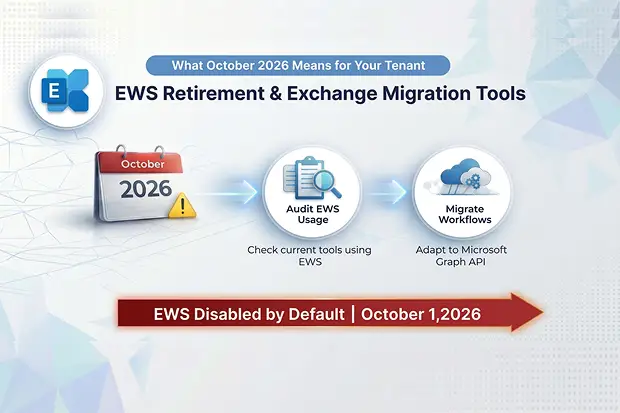
With less than six months until the EWS shutdown in October 2026, Exchange admins face a hard deadline. Microsoft is officially pulling the plug on Exchange Web Services (EWS) in Exchange Online, with EWS disabled by default starting October 1, 2026, and permanently removed by April 1, 2027. If your organization uses migration tools, third-party integrations, or custom scripts that depend on EWS, now is the time to act. This guide – part of our complete Microsoft 365 migration guide – covers the full timeline, which tools are affected, how to transition to Microsoft Graph API, and how Apps4.Pro is ready for this shift.
EWS Retirement Timeline
Microsoft’s phased approach gives admins a narrow window to prepare:
| Milestone | Date | What Happens |
|---|---|---|
| Preparation phase | Now – August 2026 | Audit EWS usage, migrate workflows to Graph, configure AllowLists |
| Kiosk/Frontline license block | End of June 2026 | EWS blocked for users without EWS license rights (e.g., Kiosk, Frontline Worker SKUs) |
| AllowList configuration deadline | End of August 2026 | Admins must set EWSEnabled=True and create an AppID AllowList to avoid auto-disablement |
| EWS disabled by default | October 1, 2026 | Tenants with EWSEnabled=Null are automatically switched to False, blocking all EWS access |
| Full EWS removal | April 1, 2027 | EWS permanently shut down in Exchange Online – no exceptions |
Important:
This retirement applies only to Exchange Online / Microsoft 365. On-premises Exchange Server is unaffected.
How the EWS Enabled Property Works
The EWSEnabled tenant-level property determines what happens to your organization on October 1:
- True - Only apps listed in the AppID AllowList can access EWS. Everything else is blocked.
- False - All EWS access is blocked entirely.
- Null (default) - Automatically flipped to False during the October rollout, blocking everything.
Admins who proactively set EWSEnabled=True and maintain a valid AllowList before end of August 2026 will not be auto-disabled in October. This buys temporary reprieve – but only until April 2027 when EWS is fully removed.
Check and Configure Your Tenant
Run these commands in Exchange Online PowerShell to check your current status and configure access:
# Check current EWSEnabled value

Get-OrganizationConfig | Format-List EwsEnabled

# Enable EWS with AllowList control

Set-OrganizationConfig -EwsEnabled $true

# Add an app to the AllowList (replace with your app's Client ID)

Set-OrganizationConfig -EwsAllowList @{Add="your-app-client-id-here"}
Which Migration Tools Are Affected?
Any migration or productivity tool that relies on EWS SOAP endpoints (outlook.office365.com/EWS/Exchange.asmx) will be impacted. This includes:
- Tenant-to-tenant mailbox migration tools that use EWS for reading/writing mailbox data
- Third-party backup and archiving solutions accessing mailboxes via EWS
- Custom PowerShell scripts and internal automation built on the EWS Managed API or the Microsoft.Exchange.WebServices NuGet package
- Calendar and contact sync integrations using EWS push/pull subscriptions – common in CRM platforms and scheduling tools.
- Legacy LOB (line-of-business) applications that were built before Graph API existed and never updated.
Tools that haven’t yet transitioned to Graph API will simply stop working after October 2026 unless the tenant admin configures an AllowList – and even that is temporary.
Transitioning to Microsoft Graph API
Microsoft Graph is the official replacement, offering a REST/JSON-based unified endpoint at https://graph.microsoft.com/. The migration isn’t just swapping API calls – it requires fundamental changes to authentication and permissions.
Key Differences: EWS vs. Graph API
| Aspect | EWS (Retiring) | Microsoft Graph |
|---|---|---|
| Protocol | SOAP/XML | REST/JSON |
| Authentication | Basic, NTLM, Kerberos, OAuth | OAuth 2.0 only |
| Endpoint | outlook.office365.com/EWS/ | graph.microsoft.com |
| On-premises support | Yes | No – Exchange Online only |
| Azure AD app required | No (Basic Auth) / Yes (OAuth) | Yes – always |
| Scope | Exchange data only | Unified access to Exchange, Teams, OneDrive, Azure AD, etc. |
Migration Steps
- Register an Azure AD (Entra ID) application with appropriate Graph permissions (Mail.Read, Mail.Send, Calendars.ReadWrite, etc.)
- Choose your auth flow - authorization code for user-context apps; client credentials for daemon/service apps
- Map EWS operations to Graph endpoints - Microsoft provides an EWS code analyzer and AI-assisted migration tutorials to assist
- Handle token lifecycle - access tokens expire in 60–75 minutes; refresh tokens vary by app type (90 days for public clients, until revoked for confidential clients)
- Request admin consent for application-level permissions
The Hybrid Reality
During the transition window (now through April 2027), many organizations will run a hybrid configuration - Azure AD apps registered with both Graph API permissions and EWS AllowList entries. This is necessary when some workflows have migrated to Graph while others still depend on EWS. The key is ensuring your Azure AD app registration includes Graph scopes for new functionality while maintaining EWS access via the AllowList for legacy operations that haven’t been ported yet.
Here’s what a hybrid Azure AD app registration looks like in practice:
- Graph API permissions (already migrated): Mail.ReadWrite, Calendars.ReadWrite, User.Read.All
- EWS AllowList entry (still needed): App’s Client ID added via Set-OrganizationConfig -EwsAllowList @{Add=”<client-id>”}
- Result: The same app authenticates via OAuth 2.0 for both Graph and EWS calls, with EWS access restricted to the AllowList window until April 2027
Microsoft has also released the Graph Export-Import APIs (public preview) specifically to replace EWS-based mailbox migration and content-copying scenarios. These APIs let applications discover, export, and import Exchange Online mailbox content with full fidelity – directly addressing the migration tool use case.
Apps4.Pro Readiness
Apps4.Pro Migration Manager is a comprehensive Microsoft 365 migration platform handling Exchange Online, SharePoint Online, Teams, OneDrive, Planner, Power Automate, and more. The tool already leverages Microsoft Graph API for core platform operations.
Current EWS Dependency
Apps4.Pro’s Exchange mailbox migration currently utilizes EWS for high-performance mailbox data transfer. The support guide explicitly documents the step to disable EWS throttling in both source and target tenants for optimal migration speed. This is standard practice for any tool performing large-scale mailbox moves.
Graph API Transition Roadmap
As Microsoft rolls out the Graph Export-Import APIs and closes remaining feature gaps between EWS and Graph, Apps4.Pro is positioned to transition its Exchange migration engine to Graph-based endpoints. Here’s what this means for your migration timeline:
- Before August 2026: If migrating using EWS-dependent tools, configure EWSEnabled=True and add the tool’s AppID to the AllowList
- October 2026 – March 2027: Continue EWS-based migrations only with an active AllowList; begin testing Graph-based migration paths
- After April 2027: All migrations must use Graph API – no EWS access will be available
Apps4.Pro’s multi-workload approach – covering not just Exchange but also Teams, SharePoint, OneDrive, and Planner migrations – means organizations consolidate their migration tooling rather than managing separate solutions for each workload. Start a free 15-day trial to test your migration workflow before the October deadline.
What Admins Should Do Right Now
- Audit your EWS usage - Use the Microsoft 365 Admin Center (Reports > Usage > Exchange > EWS usage) or Microsoft’s published scripts to identify every app making EWS calls
- Contact your vendors - Confirm Graph API migration timelines for every third-party tool in your environment
- Configure the AllowList by August 2026 - Set EWSEnabled=True and add AppIDs for any tools that still need EWS access
- Start Graph API testing now - Register Azure AD apps, configure permissions, and validate functionality before the October deadline
- Plan your mailbox migrations accordingly - If you have tenant-to-tenant migrations scheduled for Q4 2026 or later, ensure your migration tool supports Graph API or has a documented transition plan

















 Migrate
 Manage
 Migrate Microsoft 365








