


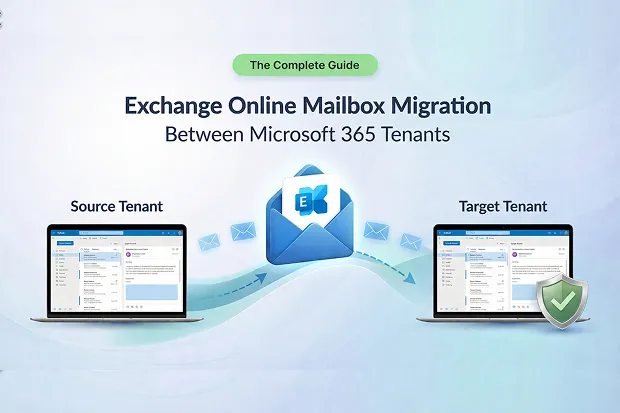
Every Exchange Online mailbox migration starts the same way, someone says “just move the mailboxes.” What they don’t say is that permissions, inbox rules, archive mailboxes, retention policies, and cross-domain reply chains all need to land correctly on the other side.
This guide maps the full landscape of tenant to tenant Exchange Online mailbox migration and connects you to dedicated deep-dive articles for each challenge. Whether your organization is navigating a merger, divestiture, or Microsoft 365 tenant consolidation, use this page as your starting point.
What This Guide Covers
| Section | Why It Matters |
|---|---|
| What Is Exchange Online Mailbox Migration? | Scope, triggers, and why this is harder than a PST move |
| Prerequisites | Target tenant setup, Organization Relationship, and Azure AD app registration |
| What Data Migrates (and What Doesn’t) | The scope table that prevents post-cutover surprises |
| Server-Side Rules and Cross-Domain Migration | When domains and usernames both change, most tools break |
| Mailbox Permissions in Tenant-to-Tenant Migration | The invisible glue behind collaborative workflows |
| Shared Mailbox Migration | No conversion, no broken team workflows |
| Archive Mailbox Migration | The most overlooked and licensing-complex workstream |
| Retention Policy Migration – MRM to Purview | The compliance clock resets if you’re not careful |
| Microsoft To Do Tasks in Mailbox Migration | Your tasks live in Exchange – but not everything survives |
| EWS Retirement: What It Means for Migration Tools | October 2026 shuts down the API your tools depend on |
- What Is Exchange Online Mailbox Migration?
- Prerequisites
- What Data Migrates (and What Doesn’t)
- Server-Side Rules and Cross-Domain Migration
- Cross-Domain UPN Rewriting
- Mailbox Permissions in Tenant-to-Tenant Migration
- Shared Mailbox Migration
- Archive Mailbox Migration
- Retention Policy Migration – MRM to Purview
- Microsoft To Do Tasks in Mailbox Migration
- EWS Retirement: What It Means for Migration Tools
- Frequently Asked Questions
- Start Your Exchange Mailbox Migration
What Is Exchange Online Mailbox Migration?
Exchange Online mailbox migration moves a user’s entire mailbox such as emails, calendar, contacts, tasks, rules, permissions, and archive content from one Microsoft 365 tenant to another. Unlike a PST export, it must preserve server-side automation, delegation relationships, and compliance configurations across Entra ID (formerly Azure AD) identity boundaries.
Organizations trigger this migration during mergers, acquisitions, divestitures, tenant consolidation, or compliance-driven restructuring. The complexity comes not from moving data, but from keeping everything around it functional.
Prerequisites
Before starting any tenant to tenant mailbox migration, ensure the following are in place:
- MailUser objects in the target tenant – Each source mailbox needs a corresponding MailUser (with ExternalEmailAddress pointing to the source) provisioned in the target Entra ID tenant.
- Organization Relationship – A trust relationship must be established between source and target tenants, with the mailbox migration capability enabled.
- Azure AD application registration – Register an application in the target tenant with the required EWS or Graph API permissions, and consent to it from the source tenant. See Microsoft’s setup guide for the native configuration steps or follow the Apps4.Pro migration setup guide for a walkthrough using Apps4.Pro.
- Licensing – Target mailboxes require appropriate Exchange Online licenses (Plan 1 or Plan 2) assigned before migration. Archive mailboxes require Exchange Online Plan 2 or an Exchange Online Archiving add-on.
- DNS and domain verification – If you’re moving domains between tenants, plan the domain cutover sequence carefully. A domain can only be verified in one tenant at a time.
What Data Migrates (and What Doesn’t)
Knowing your Exchange Online mailbox migration scope upfront prevents post-cutover surprises. The short version:
| ✅ Migrates | ❌ Does Not Migrate |
|---|---|
| Inbox, Sent, Drafts, custom folders | Retention tags & MRM policies |
| Calendar, contacts, tasks, notes | Client-side Outlook rules |
| Server-side inbox rules | Transport rules (mail flow) |
| Mailbox permissions (when mapped) | Meeting response tracking metadata |
| Archive mailboxes (when enabled on target) | OneDrive-linked attachment URLs |
Items exceeding the default 150 MB message size limit for MRS-based moves are skipped. Third-party migration tools may enforce lower limits (commonly ~35 MB) unless they are adjusted via PowerShell before migration. The full scope breakdown – including workarounds for each gap is covered in the what migrates and what doesn’t article.
Server-Side Rules and Cross-Domain Migration
Inbox Rules
Server-side rules migrate with the mailbox, but only when folder structures are replicated and recipient addresses are correctly remapped to the target domain. Client-side rules (PST-based, script-dependent) break and must be rebuilt manually.
Exchange Online’s rules quota (32–256 KB) can also silently disable rules post-migration, an issue covered in detail in the inbox rules migration guide, which also includes PowerShell audit scripts and the server-side vs. client-side vs. transport rule comparison.
Cross-Domain UPN Rewriting
When both usernames and domains change (e.g., john.doe@companyA.com → jdoe@companyB.com), most tools fail. Microsoft’s native migration moves data but does not rewrite UPNs inside mail headers, causing Reply and Reply All to bounce to defunct addresses.
Apps4.Pro automatically rewrites From, To, CC, BCC, calendar attendees, and inbox rule targets across all four mapping scenarios, as documented in the cross-domain mailbox migration guide with before/after header comparisons and CSV mapping workflows.
Mailbox Permissions in Tenant-to-Tenant Migration
Permissions are the invisible glue behind collaborative workflows. Microsoft’s native T2T migration has significant gaps: Full Access and Send As require same-batch migration, Send on Behalf is explicitly excluded, and folder-level ACLs often render as “Unknown user” in the target Entra ID tenant. These failures and their real-world impact from executive assistants losing access overnight to helpdesk ticket spike are documented in the preserving mailbox permissions guide.
The recommended approach: Apps4.Pro for folder-level permissions with correct user mapping + PowerShell scripts for Full Access, Send As, and Send on Behalf – independent of migration wave sequencing. The guide includes a four-step PowerShell playbook and the complete seven-step migration sequence.
Shared Mailbox Migration
Shared mailboxes (support@, billing@) serve entire teams and carry three permission types – Full Access, Send As, and Send on Behalf. Native migration requires an eight-step convert → migrate → convert back → reassign workflow that risks permission loss at every stage. Apps4.Pro migrates shared mailboxes directly – no conversion, no temporary licensing, no manual permission reassignment.
The shared mailbox guide covers the full conversion workflow for teams using native tools, licensing rules (no license needed under 50 GB), and a 12-point post-migration validation checklist.
Archive Mailbox Migration
In-Place Archive mailboxes are one of the most overlooked workstreams in tenant-to-tenant migration. They require manual enablement on the target, proper licensing (Exchange Online Plan 2 or Archiving add-on), and separate planning for auto-expanding archives up to 1.5 TB, where each 100 GB increment can take up to 30 days to provision.
The Archive GUID also changes during migration, silently breaking scripts that reference the old value. The archive migration guide walks through licensing tables, the pre-migration PowerShell checklist, Apps4.Pro step-by-step instructions, and performance benchmarks (1 GB/hour per mailbox).
Retention Policy Migration – MRM to Purview
Retention policies do not migrate between Microsoft 365 tenants and the transition from Exchange MRM to Microsoft Purview adds a compliance layer most IT teams underestimate. When you remove MRM tags, the retention clock resets: an email 350 days into a 365-day deletion period restarts from zero under Purview. MRM personal tags like “Never Delete” can override organization-wide Purview policies, creating compliance gaps.
The recommended approach is a four-phase migration (assess → design → execute → validate), always deploying Purview policies before stripping MRM tags. The one feature MRM still offers that Purview cannot replicate is moving items to an online archive as detailed in the MRM to Purview migration guide alongside PowerShell scripts and a validation checklist. See also the Microsoft Purview Data Lifecycle Management documentation.
Microsoft To Do Tasks in Mailbox Migration
Microsoft To Do stores all tasks as Outlook tasks in your Exchange Online mailbox, so core task data such as titles, dates, reminders, categories, attachments – migrates with the mailbox. What doesn’t survive are app-layer features: task steps (checklists), custom list ordering, list sharing, and My Day history. These are not Exchange fields and cannot be migrated by any tool. The To Do migration guide includes a practical before/after playbook for end users and a limitations sheet admins can include in migration communications.
EWS Retirement: What It Means for Migration Tools
Microsoft is disabling EWS by default on October 1, 2026 and permanently removing it by April 1, 2027, as per the official deprecation timeline. Any migration tool using EWS SOAP endpoints must transition to Microsoft Graph API or configure an Allow List before end of August 2026.
| Deadline | Action Required |
|---|---|
| Before August 2026 | Set EWSEnabled=$True + create AppID AllowList |
| October 1, 2026 | Tenants with $Null auto-switch to $False – EWS blocked |
| April 1, 2027 | EWS permanently removed – Graph API only |
If your organization has migrations scheduled for Q4 2026 or later, the EWS retirement guide covers PowerShell commands to audit your tenant, the hybrid Azure AD app registration pattern, and Apps4.Pro‘s Graph API transition roadmap.
⏰ October 2026 is less than 6 months away. If your migration tool depends on EWS, your project timeline just got a hard deadline.
Frequently Asked Questions
Start Your Exchange Mailbox Migration
You’ve seen the challenges – permissions that break, rules that fail silently, archives that need separate planning, and a ticking clock on EWS. The right migration tool handles all of it without workarounds.
Apps4.Pro Migration Manager is purpose-built for tenant-to-tenant Exchange Online migrations. From single-batch pilots to multi-wave enterprise rollouts, thousands of organizations have migrated with confidence.
Start your free 15-day trial →
Running a large-scale or complex migration? Apps4.Pro also delivers Microsoft 365 Migration as a Service – fully managed, end to end. Book a free demo to discuss your environment and timeline.

















 Migrate
 Manage
 Migrate Microsoft 365








