


A Cleaner, Smarter Exchange Online
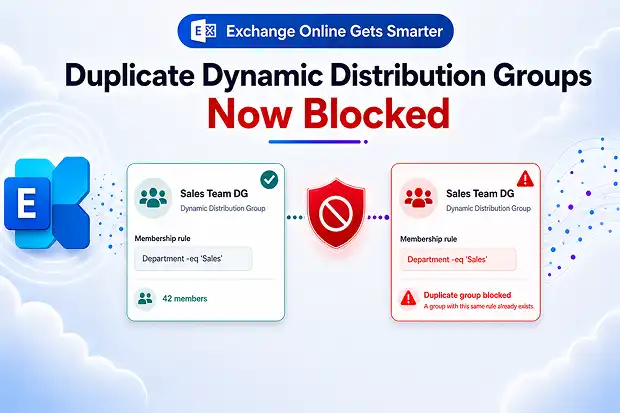
You rely on Exchange Online to keep your communications organized, targeted, and reliable. This new Microsoft update focuses on making Dynamic Distribution Groups (DDGs) cleaner and more efficient by preventing exact duplicates from being created.
With this change, you can reduce clutter in your tenant, stay closer to the DDG limit, and maintain a more predictable and manageable mail flow environment.
- What’s Changing In Exchange Online
- How This Update Impacts Admin’s Day To Day Work
- Who Needs To Care About This Update
- How Exchange Online Handles Duplicate DDGs
- Admin Checklist For Handling Duplicate Dynamic Distribution Groups
- Broader Context: DDG Limits And Performance Updates
- How This Update Pairs With Compliance And Governance
What’s Changing In Exchange Online
Microsoft is updating Exchange Online so that when you try to create a Dynamic Distribution Group, the service checks whether an identical DDG already exists.
If every key configuration matches another DDG, the new one is blocked, and you receive an error stating that a matching group is already present.
A DDG is considered as a duplicate when all the below settings are the same as an existing group:
- Recipient filter
- Delivery management settings
- Message approval or moderation settings
- Delegation settings
- Message visibility settings
If any one of these settings differs, the new DDG is allowed. Existing DDGs are not changed by this behavior and will continue working as they do today, because this enforcement happens only at creation time.
How This Update Impacts Admin’s Day To Day Work
If you have managed Exchange Online for a while, you know how quickly DDGs can multiply when different teams request similar lists.
Duplicate DDGs add no real value but still consume administrative time and count toward tenant limits.
This new behavior helps you:
- Avoid wasting DDG capacity on redundant groups
- Reduce confusion from multiple DDGs serving the same audience
- Keep mail routing simpler and easier to troubleshoot
- Maintain a healthier overall governance posture in Microsoft 365
By blocking exact duplicates, Microsoft is helping you keep your DDG estate focused on unique and purposeful use cases.
Who Needs To Care About This Update
This change will matter most to you if you actively manage Dynamic Distribution Groups or rely on automation to create them.
If you own or maintain scripts for Exchange Online, this update is something you will want to account for.
You are directly affected if you:
- Work as an Exchange administrator creating or updating DDGs
- Use Exchange Online PowerShell to create DDGs through New-DynamicDistributionGroup
- Depend on DDGs for organization wide announcements, regional broadcasts, or role-based communication
This behavior applies across the platforms/services you already use:
- Exchange Online
- Exchange Admin Center
- Exchange Online PowerShell
How Exchange Online Handles Duplicate DDGs
When you create a Dynamic Distribution Group, Exchange Online evaluates the new group against existing DDGs using the defined set of conditions.
If another DDG already has the same recipient filter and the same delivery, moderation, delegation, and visibility settings, the creation attempt fails.
In practical terms, this means:
- You receive an error stating that a matching Dynamic Distribution Group already exists
- The new DDG is not created and does not consume any quota
- If any setting is different, the new DDG continues to be created as usual
- Existing DDGs are untouched, because the logic applies only at the moment you create a new one
In many situations, you can rely on the existing DDG instead of attempting to introduce another group with the same behavior.
💬 “Spot The Duplicate” Admin Challenge
You can turn this update into a short, focused clean up initiative for your admin team.
Plan a “Spot The Duplicate” challenge that runs over a week or a sprint.
Here is one way to structure it:
- Ask admins to review the Dynamic Distribution Group report in the Exchange Admin Center
- Encourage them to find redundant or overlapping DDGs with similar filters or names
- Set a realistic goal to retire the most genuinely redundant DDGs
- Share anonymized screenshots before and after to show how many DDGs were cleaned up
This approach lets you use the update as a trigger to build better habits without turning it into a heavy process.
Admin Checklist For Handling Duplicate Dynamic Distribution Groups
You may not need sweeping changes to adapt to this update, but a few focused steps will help you avoid surprises and take advantage of the new protection.
1. Review And Update Automation Scripts
If you use automation to create DDGs, this is a good time to revisit your scripts.
Handling duplicate failures explicitly makes your automation more resilient.
Consider the following practices:
- Before calling New-DynamicDistributionGroup, check for an existing DDG with the same recipient filter and relevant settings
- Add error handling that captures and logs duplicate error messages instead of letting the script fail silently
- Where possible, choose to reuse an existing DDG by adjusting filters instead of creating a nearly identical new group
By designing your scripts with this behavior in mind, you can avoid repeated failures and unexpected outcomes.
2. Standardize DDG Naming And Creation Rules
If multiple teams create or request Dynamic Distribution Groups, inconsistent naming can make duplication harder to spot and governance harder to maintain.
Create a simple naming standard for DDGs and review it with the admins or stakeholders involved in group creation.
You can include practices such as:
- Define a consistent naming pattern based on region, department, or use case
- Set clear rules for when an existing DDG should be reused instead of creating a new one
- Add blocked words or prefixes and suffixes where a naming policy fits your environment
- Document ownership and intended purpose so each DDG is easier to identify later
This makes duplicate requests easier to catch early and helps keep your DDG environment cleaner over time.
3. Audit Existing DDGs For Redundancy
An audit of your current DDG estate can show you where duplication already exists and where consolidation is possible.
The Exchange Admin Center provides a Dynamic Distribution Group report that you can use as a starting point.
You can:
- Open the Exchange Admin Center and go to Reports ➜ Mail flow ➜ Dynamic distribution group report
- Filter and sort to see which DDGs are used frequently, and which are rarely or never used
- Look for DDGs with similar or overlapping filters, names, or descriptions
- Retire or merge DDGs where multiple groups serve the same purpose
Treat this as part of your regular hygiene routine rather than a one-off task, so you keep your environment tidy over time.
4. Communicate The Change To Your Team
Even if you understand the update thoroughly, your colleagues might encounter it first through unexpected errors.
A short, clear communication can prevent confusion.
You can:
- Share a brief internal announcement summarizing the duplicate prevention behavior
- Highlight how it affects script based DDG creation and manual creation in EAC
- Provide recommended practices on when to reuse an existing DDG and when to create a new one
- Include links to Microsoft documentation so your team can dive deeper when needed
This helps ensure that everyone handles the new behavior consistently and avoids unnecessary support noise.
Broader Context: DDG Limits And Performance Updates
This duplicate prevention feature aligns with broader work Microsoft has done around Dynamic Distribution Groups. If you manage medium or large tenants, some of these changes may already be familiar to you.
Key points to be aware of :
- Microsoft enforces a limit of 3,000 DDGs per tenant to keep the service performant and predictable
- Modern DDGs cache and refresh membership lists periodically, reducing latency, improving visibility, and making behavior more predictable than real time calculation.
- Recent enhancements make DDG membership available faster. Groups with 5,000 or fewer members update immediately, while larger groups update in the background within about 2 hours.
Understanding the broader direction helps you plan for long term usage rather than viewing this update as an isolated change.
How This Update Pairs With Compliance And Governance
Although the update itself does not introduce new compliance requirements, it supports your existing governance goals.
Cleaner and more intentional DDG usage reduces the risk of misdirected messages and simplifies audits.
From a governance perspective, you gain:
- Fewer redundant lists that might accidentally be used for the wrong audience
- A clearer mapping between business needs and the DDGs that serve them
- Reliable reporting using the Dynamic Distribution Group report in Exchange Admin Center
- A more maintainable structure for internal communications inside Microsoft 365
By enforcing uniqueness at creation time, Exchange Online nudges you toward a better managed communication environment.
Official Microsoft Resources and Reference Links
If you want deeper technical details, step by step instructions, or reference screenshots, you can rely on the official Microsoft documentation:
- Create and manage distribution groups in Exchange Online
- Create and manage dynamic distribution groups in Exchange Online
- Dynamic Distribution Groups report in the new Exchange admin center
- Modern dynamic distribution groups in Exchange Online | Microsoft Learn
These resources provide up to date guidance and examples that you can align with your own environment and processes.

















 Migrate
 Manage
 Migrate Microsoft 365








