


Introduction
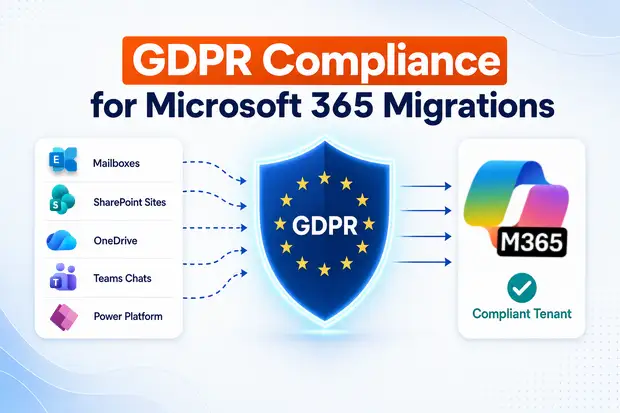
A merger was completed on Friday. By Monday morning, the CISO expects all of the acquired company’s mailboxes, SharePoint sites, OneDrive accounts, and Teams chats to be migrated into your Microsoft 365 tenant. At the same time, the expectation is that the next GDPR (General Data Protection Regulation) audit should not produce any compliance findings.
Creating the migration plan is usually the easier part. The bigger challenge is handling the GDPR documentation and compliance requirements, which is where many teams make mistakes. Failing to manage this correctly can have serious consequences. Under GDPR, fines can reach up to €20 million or 4% of a company’s global annual turnover. For example, Meta was fined €1.2 billion in 2023 for transferring data from the EU to the US without the required safeguards.
This guide explains what GDPR requires when migrating personal data into, out of, or between Microsoft 365 tenants. It covers topics such as data residency, Data Protection Impact Assessments (DPIAs), Article 28 contracts, record-keeping, breach notifications, and the security controls that should be in place before and after the migration cut-over.
- What Is GDPR Compliance?
- What GDPR Counts as Processing in a Migration
- Data Residency: Where Will the Data Actually Live?
- When You Need a DPIA, and What Goes In It
- The Article 28 Contract Chain
- Records of Processing: Update the ROPA Before the Cut-Over
- Technical and Organisational Measures During the Cut-Over
- Breach Notification: The 72-Hour Clock Runs During the Migration Too
- Your GDPR Migration Checklist
What Is GDPR Compliance?
The General Data Protection Regulation is the EU law that governs how organisations handle personal data of people in the EU and EEA. It has applied since 25 May 2018.
GDPR compliance comes down to three key principles:
1. Have a valid reason for using personal data
Every time an organization collects, stores, shares, or processes personal data, it must have a legitimate legal reason for doing so. This could be the person’s consent, a contract, a legal requirement, protection of someone’s vital interests, a public duty, or a legitimate business need.
2. Be able to prove compliance
Organisations must keep clear records showing how they handle personal data and the steps they take to protect it. This includes maintaining documentation, conducting risk assessments when necessary, having appropriate contracts with service providers, and implementing security and governance controls.
3. Respect people’s privacy rights
Individuals have rights over their personal data. Organisations must allow people to access their information, correct inaccuracies, request deletion where applicable, transfer their data, restrict certain uses, object to processing in some cases, and understand how automated decisions affect them.
For a Microsoft 365 migration, GDPR compliance means proving that the data you move keeps every one of those protections from the moment it leaves the source tenant to the moment it lands on the destination.
What GDPR Counts as Processing in a Migration
Migration is not a new purpose. You are simply moving personal data that you are already processing from one infrastructure to another. However, under GDPR, this migration is still considered a processing activity.
Therefore, even during a migration:
- There must be a valid lawful basis for processing the data (a legal reason for moving and processing it).
- The processor relationship must be properly documented (for example, your organization and the migration vendor should have an appropriate agreement in place).
- Appropriate security measures must be implemented, such as encryption, access controls, and secure data transfer safeguards.
Three roles matter on the day:
- Controller is your organization. You decide why the data is being moved (M&A integration, tenant consolidation, geo-relocation,) and how.
- Processor is Microsoft Ireland Operations Limited, which provides the destination Microsoft 365 service (Microsoft GDPR overview).
- Sub-processor or additional processor is your migration tool vendor, any consulting partner running the cut-over, and anyone else touching mailboxes or files in transit.
That last role is where teams stumble. If a third-party tool reads from a source tenant and writes to a destination tenant, that vendor is a processor of yours.
Data Residency: Where Will the Data Actually Live?
Where data sits at rest is the first question a European auditor asks. Microsoft 365 has four layered residency commitments, and they don’t all behave the same way.
Commitment | What it gives you |
Default Geography | Assigned from the country of your first subscription. Stores core customer data (Exchange, SharePoint, OneDrive, Teams, Copilot) at rest in that Geo (Microsoft data residency PDF). |
Advanced Data Residency (ADR) | An add-on for eligible countries (Australia, Brazil, Canada, France, Germany, India, Japan, UK, and others). Commits in-scope data to that country at rest. Requires ADR licences for 100% of paid licences (Microsoft Learn). |
Multi-Geo | Stores user-level data across multiple Geos in one tenant. Useful for multinationals, but Multi-Geo tenants are not in scope for the EU Data Boundary. |
EU Data Boundary (EUDB) | Stores and processes Customer Data and pseudonymised personal data in EU/EFTA datacentres. Available to tenants with an EU or EFTA sign-up location (Microsoft Learn). |
Four details that catch teams off guard:
- Microsoft completed the EU Data Boundary in February 2025. It now covers Microsoft 365, Dynamics 365, Power Platform, and most Azure services, including pseudonymised personal data in system logs and Professional Services Data from support tickets (Microsoft On the Issues, Feb 2025). It’s the strongest residency story Microsoft offers, but it isn’t absolute. Some services are still excluded (Services excluded from the EU Data Boundary).
- Microsoft Defender XDR, Azure Front Door, CDN, pre-2019 Viva Engage tenants, and some Sentinel configurations still transfer limited data outside the EU.
- Multi-Geo and EUDB don’t combine. Turn on Multi-Geo, and you drop out of EUDB.
- The Data location card in the M365 admin center shows Committed Geography vs Current Geography. A mismatch usually means an ADR migration is in progress or licence coverage has lapsed.
Before sign-off, pull the Data location card for both source and destination tenants. Drop the Committed Geography into your DPIA (Data Protection Impact Assessment) and ROPA (Record of Processing Activities). That’s the residency picture your auditor will challenge.
When You Need a DPIA, and What Goes In It
A Data Protection Impact Assessment (DPIA) helps identify and manage privacy risks when a project could create a high risk to people’s privacy and data protection rights. For many Microsoft 365 tenant migrations, a DPIA is strongly recommended and may be required, especially when large volumes of personal data, sensitive data, or new migration tooling are involved.
For most Microsoft 365 tenant migrations, a DPIA is usually needed because:
- Large amounts of personal data are being moved.
- Sensitive information may be included, such as health records, HR data, or criminal record information.
- A migration tool or new technology is being used to transfer the data.
In simple terms, a DPIA helps identify privacy risks before the migration starts and ensures appropriate measures are in place to protect personal data.
NHS England publishes a template DPIA for O365 migrations that works well outside healthcare too. At minimum, your DPIA should answer:
- Why are we migrating? M&A, consolidation, platform exit, or geo-relocation. Purpose drives the lawful basis.
- What data and data subjects are in scope? Mailboxes, OneDrive, SharePoint, Teams chats and recordings, Planner, Loop, Stream, OneNote. Map each to the data subjects (employees, customers, patients, students).
- What’s the data flow? Source tenant → migration tool (where hosted?) → destination tenant. Diagram every hop, including staging.
- What residency applies at each hop? Source Geo, tool host region, destination Geo.
- What are the risks? Tool admin access, in-transit interception, audit gaps, residual data, accidental over-sharing on permission re-map.
- Who is the DPO signing off? requires DPO consultation.
If high residual risks remain after mitigations, consult your supervisory authority under Article 36 before the cut-over. Skipping that step is one of the most common ways a migration turns into an enforcement case.
The Article 28 Contract Chain
Article 28 says a controller can only use processors who provide sufficient guarantees, and the relationship has to be in writing (GDPR.eu). For an M365 migration, the chain looks like:
You ↔ Microsoft
Your company uses Microsoft 365, and Microsoft processes your data as part of providing the service. There is an official agreement in place that governs this relationship.
You ↔ Migration Vendor
If you hire a third-party company to perform the migration, you will sign a contract with that vendor. You should not sign it without reviewing it carefully. Make sure to check how the vendor will handle your data and what measures they will use to protect it.
Vendor ↔ Sub-processors
If the migration vendor hires another company to assist with the migration, that company must also follow the same data protection requirements and obligations.
This section explains what you should check in a migration vendor’s Data Processing Agreement (DPA) before allowing them to handle your Microsoft 365 data.
Article 28(3) clause | What to look for in the vendor’s DPA | ||
Subject matter and duration | The agreement should clearly specify that the processing relates to a “Microsoft 365 tenant migration.” The duration should cover both the active migration period and any post-cutover support. | ||
Nature and purpose | Reading source, transforming, writing to destination. No secondary use for analytics, model training, or marketing. | ||
Type of data and data subjects | Mailboxes, files, chats, calendars, tasks. Subjects: employees, contractors, and customers. | ||
Documented instructions | Vendor acts only on written instructions. No verbal change requests. | ||
Confidentiality | Staff under written confidentiality obligations. | ||
Security (Article 32) | Appropriate security measures should be implemented, including TLS 1.2 or higher, encryption of data at rest, Role-Based Access Control (RBAC), and Multi-Factor Authentication (MFA) for administrative access. | ||
Sub-processor authorisation |
| ||
Data subject rights assistance | Vendor helps you respond to SAR (Subject Access Request), erasure, and portability requests during the migration window. | ||
Breach notification | The vendor should notify the Controller within 24 hours of becoming aware of a data breach and provide enough information to support GDPR’s 72-hour reporting obligations. | ||
Deletion at end | Staging stores, logs, metadata deleted within 30 days. Deletion certificate at project close. | ||
Audit rights | Annual audit or current ISO 27001 / SOC 2 Type 2 attestation. |
If the migration involves transfers outside the EU/EEA (say, consolidating into a US-headquartered tenant), Standard Contractual Clauses plus a Transfer Impact Assessment aren’t optional.
The two largest transfer-related GDPR fines on record – Meta €1.2bn (2023) and TikTok €530m (2025) for EEA-to-China transfers – show how costly inadequate safeguards get.
Records of Processing: Update the ROPA Before the Cut-Over
Article 30 requires every controller and processor to keep a written record of processing activities. A migration changes several ROPA fields at once: storage location, processors, security measures, and recipients.
For each affected activity, update:
- Recipients — add Microsoft Ireland and the migration vendor as processors.
- Third-country transfers — note any Geo change, plus the SCCs or adequacy decision relied on.
- Deletion timelines — confirm Exchange retention tags, SharePoint labels, and Purview retention policies survive the migration.
- Security measures — Conditional Access, MFA, audit log retention, encryption, sharing controls on the new tenant.
Importance of Timing
The timing of updating the Record of Processing Activities (ROPA) is very important.
If a Data Protection Authority or Supervisory Authority conducts an inspection during the migration, they will want to see what the ROPA looked like on the first day of the cut-over.
If you update the ROPA only after the migration is completed, it may appear as though the records were changed retrospectively (backdated). Therefore, it is considered best practice to review and update the ROPA before the cut-over begins, ensuring that it accurately reflects the processing activities from day one.
Technical and Organisational Measures During the Cut-Over
Article 32 calls for appropriate technical and organisational measures. The cut-over weekend is the riskiest moment in any M365 tenant’s life, privileged credentials are active across two tenants, audit logs may not align, and large volumes of personal data are moving across the wire.
Control area | What good looks like |
|---|---|
Encryption in transit | Every connection that transfers data during the migration must use TLS version 1.2 or higher for encryption, and this requirement should be documented in writing |
Encryption at rest | Microsoft-managed keys minimum. For high-sensitivity tenants, Customer Key or Double Key Encryption. |
Privileged access | Service accounts hold minimum roles, use PIM for just-in-time elevation, sit behind Conditional Access with MFA from named locations. |
Audit logging | Unified audit log on for both tenants. Retention covers the full migration window plus your standard compliance period. |
Data minimisation | Don’t migrate stale mailboxes, abandoned OneDrives, or orphaned SharePoint sites by default. Discover, sign off, then migrate. |
External sharing | After cut-over, re-validate external sharing, Teams guest access, and OneDrive/SharePoint sharing policies before users return. |
Sensitivity labels and DLP | Re-publish Purview sensitivity labels and DLP policies on the destination before content lands. |
These are also the Complementary User Entity Controls Microsoft expects you to run for SOC 2 inheritance to hold up. Get them right for GDPR, and you’ve done most of the SOC 2 work too.
Breach Notification: The 72-Hour Clock Runs During the Migration Too
Article 33 gives you 72 hours from becoming aware to notify the supervisory authority. During a migration, the breach surface is wider than usual: privileged credentials, staging stores, accidental over-sharing on permission re-map, and exposed audit trails all count.
Put four things in your runbook:
- A named incident commander on the migration team, with a deputy. The 72-hour clock starts when the controller becomes aware.
- A pre-agreed channel to your DPO and supervisory authority. Don’t go looking for the form on hour 65.
- A breach notification template pre-filled with the migration’s specifics: data subjects, approximate numbers, likely consequences, mitigations.
- A working definition of “aware.” A spike in failed sharing operations is a signal. Confirmed unauthorised access is awareness. Document the line so the clock starts at the right moment.
Microsoft, as a processor, must notify you without undue delay when it becomes aware of a breach (Microsoft GDPR). Your vendor’s contract should mirror that with a specific SLA — 24 hours from the vendor becoming aware is the industry standard. Anything over 48 leaves you less than a day on your own 72-hour clock once you’ve triaged.
Your GDPR Migration Checklist
Microsoft proves the platform. You prove the tenant and the migration. Before any M365 cut-over:
- Run a DPIA, get DPO sign-off, and consult the supervisory authority if high residual risks remain.
- Confirm the Committed Geography on source and destination, and check whether EUDB applies.
- Sign or refresh the Article 28 DPA with your migration vendor, including sub-processor transparency and deletion-at-end terms.
- Update your Article 30 ROPA before the cut-over date.
- Pre-publish Purview sensitivity labels, DLP policies, retention labels, and Conditional Access on the destination.
- Brief the migration team on Article 33 breach response — named incident commander, 72-hour playbook.
If you’re planning a Microsoft 365 tenant migration where GDPR, data residency, and audit evidence matter, the migration approach must be designed with compliance from day one. Apps4.Pro Migration Manager helps teams move Microsoft 365 workloads with controlled access, migration logs, flexible deployment options, and the visibility needed to support compliance reviews.

















 Migrate
 Manage
 Migrate Microsoft 365








