


Health Insurance Portability and Accountability Act(HIPAA)
The U.S. healthcare privacy law that sets strict rules for how you protect and manage patient health information, including data stored or shared through email, documents, chats, and cloud platforms.
As the person responsible for healthcare IT, you now have patient records, lab results, and clinical chats flowing through Exchange Online, Microsoft Teams, SharePoint, and soon Microsoft 365 Copilot and other AI agents.
The question is simple but critical: Is Microsoft 365 HIPAA compliant out of the box? The meaningful answer is no, not automatically. Microsoft 365 can meet HIPAA requirements, but Microsoft handles the platform, while you handle configuration, policies, and proof.
This article explains what the Microsoft HIPAA Business Associate Agreement covers, which Exchange, Teams, and SharePoint controls you must turn on, and how to extend HIPAA governance into the world of Microsoft 365 Copilot and AI agent governance.
- What HIPAA Actually Requires From a Cloud Platform
- Microsoft 365 Includes a HIPAA BAA, But There’s a Catch
- The Shared Responsibility Line Most Teams Miss
- Exchange Online: Locking Down Clinical Email
- SharePoint and OneDrive: Where PHI Actually Sleeps
- Microsoft Teams: HIPAA for Clinical Collaboration
- Microsoft Entra ID and Conditional Access: The Identity Layer
- Microsoft Purview: Your HIPAA Audit Evidence Engine
- The New Frontier: Microsoft 365 Copilot and AI Agent Governance
- Your 10-Step Microsoft 365 HIPAA Readiness Checklist
- So, Is Microsoft 365 HIPAA Compliant?
What HIPAA Actually Requires From a Cloud Platform
HIPAA’s Privacy, Security, and Breach Notification Rules apply to any system that creates, receives, stores, or transmits electronic Protected Health Information (ePHI).
For a cloud platform like Microsoft 365, that boils down to three things you need in place:
- A signed Business Associate Agreement (BAA) between Microsoft and your organization.
- Technical safeguards: encryption, access control, audit logging, and integrity controls.
- Administrative safeguards: documented policies, workforce training, and breach response.
The moment ePHI enters Microsoft’s cloud services, Microsoft becomes a business associate of your organization. That relationship is governed by the BAA, and it’s the foundation of every HIPAA conversation you’ll have inside Microsoft 365.
📌 Learn more: HIPAA and HITECH Act compliance | Microsoft Learn
Microsoft 365 Includes a HIPAA BAA, But There’s a Catch
The good news: Microsoft offers a standard HIPAA Business Associate Agreement to every covered entity and business associate using a qualifying Microsoft 365 plan. You don’t have to chase legal for it.
Here are the key facts you should walk away with:
- The BAA is automatically incorporated into the Microsoft Products and Data Protection Addendum (DPA) Services the moment you accept the Online Services Terms.
- You do not need to negotiate it separately or request a custom version.
- It covers Microsoft 365 Business Standard, Business Premium, every Enterprise plan (E3/E5), Education, and Government plans.
- It does not cover free, trial, or consumer plans like personal Outlook.com or free OneDrive.
In-scope services typically include Exchange Online, SharePoint Online, OneDrive for Business, Microsoft Teams, Microsoft Defender, Microsoft Purview, Intune, and Microsoft Entra ID.
Learn more:
Reader Reality Check: “Do We Even Have a BAA?”
Take 60 seconds right now. Open your Microsoft 365 admin center, head to Billing → Your products, and confirm your plan sits on the in-scope list above. If it does, your BAA is already live. If it doesn’t, you’re processing PHI without legal cover.
The Shared Responsibility Line Most Teams Miss
Signing the BAA is the easy part. HIPAA compliance is a shared responsibility model, and the line between Microsoft’s job and yours is sharper than most teams realize.
Microsoft is responsible for:
- Physical datacenter security plus ISO 27001, SOC 2, and HITRUST certifications.
- Platform-level encryption at rest (BitLocker, service encryption) and in transit (TLS 1.2+).
- Patching, infrastructure availability, and breach notification to you as the customer.
Your organization is responsible for:
- Identifying where ePHI lives across Exchange, SharePoint, OneDrive, and Teams.
- Configuring the 45+ technical and administrative safeguards mapped to the HIPAA Security Rule.
- Workforce training, access reviews, and incident response procedures.
- Proving all of the above to auditors with logs, reports, and policy documentation.
The translation is simple. Microsoft gives you a HIPAA-capable platform. You still have to build a HIPAA-compliant tenant on top of it.
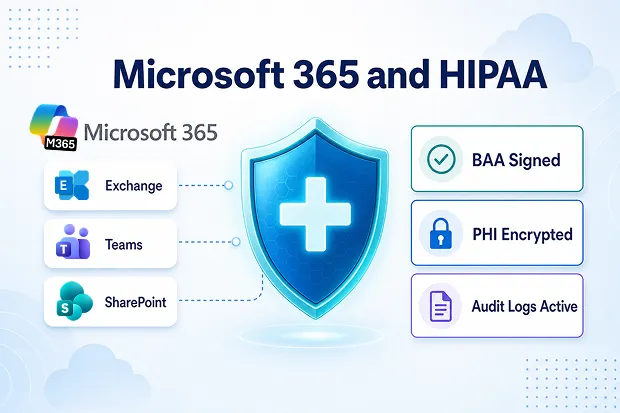
HIPAA compliance in Microsoft 365 depends on how each workload is configured, from encrypted email in Exchange to access-controlled PHI storage in SharePoint, governed collaboration in Teams, and audit-ready oversight in Purview.
Exchange Online: Locking Down Clinical Email
Email is still the number one channel for accidental PHI disclosure in your environment. Exchange Online gives you every control you need, but most of them are off by default.
Here’s the baseline you should configure:
- Mail flow rules that auto-encrypt outbound messages containing PHI keywords, ICD-10 codes, or medical record numbers.
- Microsoft Purview Data Loss Prevention (DLP) policies that block or warn on PHI sent to external domains.
- In-Place Hold and Litigation Hold so clinical correspondence is preserved for the HIPAA-required retention period.
- Anti-phishing and Safe Links in Microsoft Defender for Office 365 to stop the credential theft behind most healthcare breaches.
- Mailbox audit logging enabled tenant-wide with a minimum 365-day retention.
📌 Learn more: Microsoft Purview DLP for Exchange and Exchange Online auditing
SharePoint and OneDrive: Where PHI Actually Sleeps
If you really go looking, most ePHI in your Microsoft 365 tenant won’t be sitting in mailboxes. It’ll be quietly living in SharePoint document libraries, OneDrive folders, and Teams-connected sites.
Here’s your SharePoint and OneDrive HIPAA checklist:
- Sensitivity labels with a “Highly Confidential, PHI” tier that enforce encryption, watermarking, and block download or print.
- Auto-labelling policies that scan documents for HIPAA-specific sensitive information types (medical record numbers, health plan beneficiary numbers, DEA, ICD-10, CPT).
- External sharing controls set to “Existing guests” or stricter for any site containing ePHI.
- Conditional Access policies that require compliant devices and MFA for every PHI-labelled site.
- Retention labels aligned to your state’s medical record retention laws (often 6 to 10 years).
Permissions sprawl is the silent killer here. A single overshared library can quietly expose thousands of records before anyone notices.
📌 Learn more: Sensitivity labels in Microsoft Purview and SharePoint external sharing overview
🩺 Admin Pulse Check: “The 5-Minute PHI Hunt”
Pick one SharePoint site you suspect is hiding clinical data. Run a Microsoft Purview content search for “MRN”, “patient”, or “diagnosis”. How many hits did you get? Who actually has access? Explore all these details to know more.
Microsoft Teams: HIPAA for Clinical Collaboration
Teams is where modern healthcare actually happens for you, from virtual visits to multi-disciplinary case reviews. It’s also the place where your compliance team probably has the least visibility.
A HIPAA-grade Teams configuration must look like this:
- End-to-end encryption for one-to-one calls involving clinicians.
- Meeting recording and transcription policies that store output only in OneDrive locations carrying PHI sensitivity labels.
- Information Barriers to segment clinical staff from non-clinical departments and prevent accidental cross-talk.
- Communication Compliance policies that scan Teams chat for inappropriate PHI disclosure.
- Guest access controls that prevent external accounts from joining any channel touching ePHI.
- Retention policies for chats and channel messages aligned to your record-retention schedule.
📌 Learn more: Microsoft Teams security and compliance overview and Information barriers
Microsoft Entra ID and Conditional Access: The Identity Layer
Every HIPAA technical safeguard eventually leans on identity. Get this layer wrong, and the rest of your work is mostly theatre.
These are the identity controls you can’t afford to skip:
- Multi-factor authentication enforced for every user with access to ePHI. No exceptions.
- Conditional Access policies that require compliant or hybrid-joined devices, block legacy authentication, and restrict risky sign-ins.
- Privileged Identity Management (PIM) for just-in-time admin access to Exchange, SharePoint, and Purview.
- Quarterly access reviews for every group with permissions to ePHI sites or mailboxes.
- Microsoft Entra ID Protection to flag and remediate identity risk in real time.
📌 Learn more: Configure Microsoft Entra HIPAA safeguards
Microsoft Purview: Your HIPAA Audit Evidence Engine
When the OCR comes knocking, you’ll need evidence, not opinions. Microsoft Purview is where you build that paper trail.
Stand up these Purview workloads first:
- Compliance Manager with the HIPAA / HITECH assessment template to track your control posture.
- Audit (Premium) with at least 365-day log retention so you can actually demonstrate access trails.
- eDiscovery (Premium) for breach investigations and OCR data requests.
- Insider Risk Management to surface unusual PHI access patterns by employees.
- Data Lifecycle Management for defensible retention and disposition of clinical records.
Compliance Manager on its own can shave weeks off your next audit prep cycle.
📌 Learn more: Microsoft Purview Compliance Manager and the HIPAA / HITECH assessment template
📋 Mini Workshop: “Build Your HIPAA Scorecard in 15 Minutes”
Open Compliance Manager. Add the HIPAA assessment. Note your starting score. Pick the three lowest-scoring improvement actions and assign owners by the end of the week. Share your before-and-after score with your stakeholders.
The New Frontier: Microsoft 365 Copilot and AI Agent Governance
This is where most 2024-era HIPAA guides quietly fall apart. Microsoft 365 Copilot, Copilot Studio agents, and third-party AI agents now read directly from the same SharePoint, OneDrive, Teams, and Exchange data where your ePHI lives.
Here’s what you need to know about AI agent governance inside a HIPAA tenant:
- Microsoft states that certain Microsoft 365 Copilot experiences may be covered under its standard HIPAA BAA when used within eligible commercial Microsoft 365 tenants, but organizations should verify the exact service scope before enabling it for clinical use.
- Customer prompts and responses stay within your tenant boundary and are not used to train foundation models.
- Not every “Copilot” is in scope. Consumer Copilot, Bing Chat, and some web-grounded experiences sit outside the BAA. Verify each surface before you turn it on for clinical users.
- Copilot inherits your existing permissions. If a user can already see overshared PHI, Copilot will just surface it faster. Fix permissions first.
- Apply sensitivity labels with encryption so Copilot respects “do not extract” and “do not summarize” rules on PHI content.
- Use Purview Communication Compliance and Insider Risk to monitor prompts that try to extract or exfiltrate PHI.
- Inventory and govern Copilot Studio agents and third-party AI agents with the same rigor as your human users: identity, access reviews, audit logs, and DLP.
In January 2025, HHS OCR proposed the first major HIPAA Security Rule update in more than 20 years, with explicit attention to AI systems that process ePHI. Treat AI agent governance like a board-level risk, not a feature toggle.
📌 Learn more: Microsoft 365 Copilot data protection and privacy and Data, Privacy, and Security for Microsoft 365 Copilot
📌 Explore more in our article “AI Agent & Copilot Governance In Microsoft 365: What Matters Most”.
Your 10-Step Microsoft 365 HIPAA Readiness Checklist
Print this. Tape it next to your monitor.
- Confirm your Microsoft 365 plan sits on the BAA in-scope list.
- Document your workforce HIPAA training and policies.
- Map where ePHI actually lives across Exchange, SharePoint, OneDrive, and Teams.
- Deploy HIPAA sensitivity labels with auto-labelling.
- Roll out DLP policies for Exchange, SharePoint, Teams, and endpoints.
- Enforce MFA and Conditional Access for every user who touches PHI.
- Enable Purview Audit with at least 365-day retention.
- Configure Communication Compliance and Insider Risk for your clinical workspaces.
- Stand up Compliance Manager with the HIPAA / HITECH template.
- Govern Copilot and AI agents with the same rigor you give human identities.
Knock these out and you move from “we think we’re compliant” to “we can prove we’re compliant.” Big difference when an auditor is sitting across the table.
So, Is Microsoft 365 HIPAA Compliant?
Microsoft 365 is HIPAA-capable, BAA-backed, and trusted by some of the largest health systems in the world. But compliance, for you, is a posture, not a product.
The platform hands you world-class encryption, identity, and audit tooling. Your team still has to turn it on, tune it, and prove it.
Get the BAA in place. Lock down Exchange, SharePoint, and Teams. Extend governance into Copilot and AI agents. Document everything in Purview. Do that, and your next OCR audit becomes a paperwork exercise instead of a panic attack.
Keep Learning: Official Microsoft relevant Resources

















 Migrate
 Manage
 Migrate Microsoft 365








