


Introduction
Microsoft 365 makes collaboration easy. Users can create Teams, share files, invite guests, build workflows, and open project spaces without long approval cycles.
But without governance, that speed can create risk. Teams become inactive, SharePoint sites lose owners, Microsoft 365 Groups multiply, guest users remain unchecked, and sensitive files sit in unmanaged locations.
Data governance helps organizations control how Microsoft 365 data is created, stored, shared, protected, reviewed, retained, archived, migrated, and deleted.
This guide covers the key data governance best practices and policies every Microsoft 365 environment should have.
- What Is Data Governance in Microsoft 365?
- Why Data Governance Matters in Microsoft 365
- Data Governance Is More Than a Policy Document
- Build Governance Around the Data Lifecycle
- Key Microsoft 365 Data Governance Policies
- Microsoft 365 Data Governance Best Practices
- How to Implement Data Governance in Microsoft 365
- Common Data Governance Mistakes to Avoid
- Where Apps4.Pro Fits in Microsoft 365 Governance
- Final Thoughts
What Is Data Governance in Microsoft 365?
Data governance is the way an organization manages data across its full lifecycle.
In Microsoft 365, that data can live across SharePoint, OneDrive, Teams, Exchange, Microsoft 365 Groups, Planner, Viva Engage, Power BI, Power Automate, and Forms.
A good data governance strategy answers key questions: who owns the data, who can access it, whether it can be shared externally, how long it should be retained, and whether it should be migrated, archived, or deleted.
When these answers are clear, Microsoft 365 becomes easier to secure, audit, manage, and migrate.
Why Data Governance Matters in Microsoft 365
Microsoft 365 is built for fast collaboration. But collaboration without governance creates security, compliance, and operational risk.
Inactive Teams, stale SharePoint sites, unmanaged permissions, old guest accounts, and ownerless Groups reduce visibility and increase exposure.
This becomes more serious during tenant migration, where weak governance decisions become visible before cutover.
That is why Microsoft 365 data governance should be part of everyday security, compliance, and lifecycle management – not a one-time cleanup.
Data Governance Is More Than a Policy Document
A policy document alone does not create control.
Governance works only when policies are connected to real Microsoft 365 activity: workspace creation, file storage, guest access, retention, review, cleanup, and migration.
Modern data governance works best when policy, process, ownership, and technology work together.
The goal is to help users collaborate safely while giving IT, security, and compliance teams enough control to reduce risk.
Build Governance Around the Data Lifecycle
Effective governance starts with the data lifecycle.
Every file, conversation, workspace, report, and workflow moves through stages: creation, storage, sharing, protection, review, retention, archive, deletion, or migration.
|
Lifecycle Stage |
Governance Focus |
|---|---|
|
Create |
Define purpose, owner, and naming rules |
|
Store |
Keep data in the right Microsoft 365 location |
|
Share |
Control internal and external access |
|
Protect |
Apply classification and security rules |
|
Review |
Check activity, ownership, and permissions |
|
Retain |
Keep data based on business or compliance need |
|
Archive or Delete |
Remove data that no longer has value |
|
Migrate |
Move only what should continue in the new tenant |
This lifecycle model helps IT decide what should stay, what should be cleaned up, and what should move during migration.
Key Microsoft 365 Data Governance Policies
A strong data governance strategy needs clear policies for ownership, workspace creation, naming, access approval, external sharing, classification, retention, archive, deletion, review, and migration.
These policies should also connect to the Microsoft 365 controls your IT team already uses, such as Microsoft Purview, sensitivity labels, retention policies, access reviews, and SharePoint or Teams lifecycle settings.
Without these policies, each team makes its own decisions. That leads to inconsistent permissions, unmanaged sprawl, weak accountability, and higher compliance risk.
Governance policy should not slow down collaboration. It should make collaboration secure, consistent, and auditable.
Microsoft 365 Data Governance Best Practices
Once the policy foundation is defined, governance must be applied through daily Microsoft 365 operations.
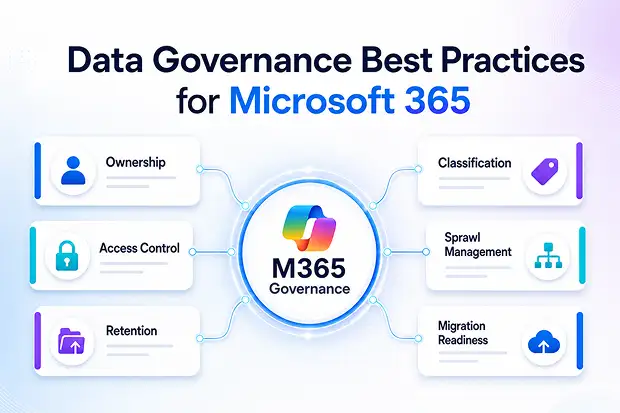
These best practices help IT, security, compliance, and business teams control ownership, access, external sharing, retention, lifecycle, and migration readiness.
1. Assign Clear Ownership for Every Workspace
Every Team, SharePoint site, Microsoft 365 Group, Planner plan, Power BI workspace, and important data location should have an accountable owner.
The owner should understand the workspace purpose, access needs, guest access rules, and whether the data should be retained, archived, migrated, or deleted.
A strong ownership policy should include a primary owner, backup owner, business purpose, and review responsibility.
Clear ownership improves accountability and turns governance from an IT-only task into a shared business responsibility.
2. Control Microsoft 365 Groups, Teams, and SharePoint Sprawl
Microsoft 365 sprawl often starts with uncontrolled workspace creation.
A Team may be created for a short project. A similar Team may be created elsewhere. A SharePoint site may stay active long after the business need ends.
The risk is not only clutter. Unmanaged workspaces can contain sensitive files, active guest users, inherited permissions, and business records.
To reduce this risk, define who can create Teams, Groups, and SharePoint sites. Add naming standards, ownership requirements, expiry rules, and inactive workspace reviews.
Good governance ensures every workspace has a clear purpose, owner, and lifecycle.
Cost of Microsoft 365 Sprawl
Microsoft 365 sprawl creates more than clutter. It increases admin effort, permission reviews, compliance checks, storage usage, and migration complexity.
Old Teams, unused SharePoint sites, duplicate Microsoft 365 Groups, and unmanaged guest access can all hide data that no one actively owns or reviews.
During tenant migration, this becomes costly because IT must decide what should move, what should be archived, and what should be removed.
Controlling sprawl early helps organizations reduce risk, simplify governance, and avoid carrying old problems into the target tenant.
3. Classify Data Based on Risk and Business Value
Not all Microsoft 365 data carries the same level of risk.
A public brochure, internal meeting note, customer contract, and legal document should not be governed in the same way.
Data classification helps IT and security teams decide how content should be accessed, shared, retained, monitored, and migrated.
|
Classification |
Governance Approach |
|---|---|
|
Public |
Minimal restriction |
|
Internal |
Available only to employees |
|
Confidential |
Limited access and regular review |
|
Highly Confidential |
Strict access and monitoring |
|
Regulated |
Retention, audit, and compliance controls |
Once data is classified, access, sharing, retention, and migration decisions become more consistent.
It also connects data strategy and governance by linking the right controls to the right type of information.
4. Manage Access, Permissions, and External Sharing
Access risk grows when permissions are not reviewed regularly.
Employees change roles, projects end, vendors complete work, and guests no longer need access. But in many Microsoft 365 environments, permissions remain unchanged.
An access policy should define how access is requested, approved, reviewed, and removed. It should also follow least privilege, so users only have the access they need, only for as long as they need it.
External sharing should follow the same discipline. Every guest user should have a business reason, an internal owner, and a review date.
This keeps collaboration open while reducing unnecessary access risk.
5. Apply Retention, Archive, and Deletion Rules
Keeping everything forever is not a safe governance strategy.
Old files, inactive Teams, outdated conversations, and unused workspaces increase storage, complicate search, and create compliance exposure.
A retention policy helps organizations keep the right data for the right period. Some content must be retained for legal, audit, or regulatory reasons. Other content should be archived or deleted when it no longer has business value.
Archive and deletion policies define what happens when data reaches the end of its useful life.
The goal is controlled retention, defensible cleanup, and reduced long-term risk.
6. Review and Monitor Governance Regularly
Data governance cannot be a one-time setup.
Microsoft 365 changes every day. New Teams are created, files are shared, guests are invited, users change roles, and projects reach completion.
A governance review policy keeps control active by defining how often owners, permissions, external users, inactive workspaces, and sensitive data locations are reviewed.
|
Review Activity |
Suggested Frequency |
|---|---|
|
Guest access review |
Monthly or quarterly |
|
Inactive Teams review |
Quarterly |
|
SharePoint permissions review |
Quarterly |
|
Workspace ownership review |
Quarterly |
|
Retention policy review |
Yearly |
|
Migration readiness review |
Before every migration wave |
This review rhythm helps IT identify stale access, inactive workspaces, and unmanaged data before they become larger risks.
7. Prepare Governance for Microsoft 365 Copilot and Search
Microsoft 365 Copilot and AI-powered search make governance more important.
AI does not fix poor governance. It can expose it.
If content is overshared, outdated, duplicated, or stored in the wrong location, users may discover information they should not access or rely on content that is no longer accurate.
Before expanding Copilot or enterprise search, review SharePoint permissions, OneDrive sharing links, guest access, inactive Teams, old Groups, and sensitive files in open locations.
Strong governance improves security, search quality, and trust in AI-generated answers.
8. Make Governance Part of Migration Planning
Tenant migration is one of the best opportunities to improve Microsoft 365 governance.
If the source tenant contains unmanaged data, the target tenant inherits the same risk.
Before migration, review which Teams are active, which SharePoint sites still matter, which Groups are duplicates, which guests still need access, and which data should be archived instead of moved.
Treating migration as a governance checkpoint rather than a straight copy is what keeps the target tenant clean from day one. (More on how Apps4.Pro supports this below.)
A successful migration should not only move data. It should leave the new tenant cleaner, safer, and easier to govern.
How to Implement Data Governance in Microsoft 365
Start with visibility. Build a clear inventory across Teams, SharePoint, OneDrive, Microsoft 365 Groups, Exchange, Planner, Power BI, Power Automate, Forms, and Viva Engage.
Then assign ownership and define core policies for creation, naming, access, external sharing, classification, retention, archive, deletion, review, and migration.
Next, map those policies to Microsoft 365 controls. Use Microsoft Purview for classification, retention, and compliance policies. Use sensitivity labels to protect sensitive content. Use access reviews and lifecycle controls to keep permissions, guests, Teams, Groups, and SharePoint sites under regular review.
After that, establish a recurring governance review. Inactive Teams, old SharePoint sites, broad sharing links, guest users, and sensitive content locations should be checked on a defined schedule.
Finally, connect governance to migration planning. Before moving data to another tenant, decide what should move, what should be archived, and what should be removed.
This makes governance practical, measurable, and easier to maintain over time.
Common Data Governance Mistakes to Avoid
The first mistake is treating governance as an IT-only responsibility. IT can configure policies, but business teams must own the purpose, value, and lifecycle of the data.
Another mistake is allowing unlimited creation of Teams, Groups, and SharePoint sites without naming standards, ownership rules, or lifecycle reviews.
Organizations also often ignore inactive workspaces, even though unused Teams and SharePoint sites may still contain sensitive files, guest users, inherited permissions, and business records.
Keeping everything forever is another risk. Retention should be based on business, legal, and compliance requirements – not fear of deletion.
Finally, tenant migration should not be treated as a simple copy project. It should be used as a governance checkpoint to clean up stale, risky, or unnecessary data before it reaches the target tenant.
Where Apps4.Pro Fits in Microsoft 365 Governance
Microsoft 365 governance becomes especially important during tenant migration. If the source tenant contains duplicate Groups, stale Teams, unmanaged SharePoint sites, old guest users, and unclear permissions, those problems can easily move into the target tenant.
Apps4.Pro helps organizations approach Microsoft 365 tenant migration with better visibility into workloads, structure, permissions, ownership, and business context.
This helps IT teams decide what should move, what should be archived, and what should be cleaned up before migration.
For mergers, acquisitions, divestitures, and tenant consolidation projects, this reduces migration complexity and helps keep the target tenant cleaner from day one.
The goal is simple: move what matters, preserve business continuity, and avoid carrying Microsoft 365 sprawl into the new tenant.
Final Thoughts
Data governance in Microsoft 365 is not about adding more rules.
It is about creating a secure, controlled, and manageable environment where collaboration can continue without unnecessary risk.
The best governance strategies define ownership, manage access, control sprawl, protect sensitive data, apply retention rules, and support lifecycle decisions.
When these policies are active, Microsoft 365 becomes easier to secure, audit, manage, and migrate.
Good governance keeps Microsoft 365 usable, compliant, and ready for change.

















 Migrate
 Manage
 Migrate Microsoft 365








