


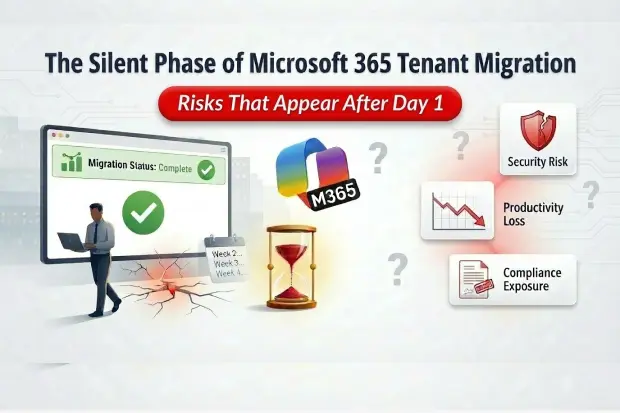
Most Microsoft 365 tenant migrations are declared “green” at cutover. Email flows, users sign in, and the war room closes. Yet the real story often begins afterwards in the quiet weeks when no dashboards are flashing red, but risk, productivity loss, and compliance exposure begin accumulating unnoticed.
This blog looks at that “silent” phase through an enterprise lens: CIO, CISO, program lead. It focuses on very specific failure modes that don’t raise tickets, but absolutely show up in board conversations, audits, and employee sentiment.
The failures that don’t raise tickets
In a large enterprise, the most damaging issues rarely look like classic outages. They show up as subtle breaks in business flow, degraded trust, and one off “exceptions” that keep reappearing.
Typical postmigration silent failures include:
- Service principal OAuth token expiry
A few days after cutover, line of business apps and integrations begin returning “access denied” or mysterious errors. The root cause is simple, service principal tokens tied to the old tenant or consent model, but the symptoms present as scattered user complaints and confused app owners. No central alert announces, “critical automation is about to stop.”
- Scheduled Power BI refresh failures
Dashboards appear normal until someone realizes the numbers have not moved for days. At that point, executives may already be making decisions based on stale data. Refresh failure notifications may not be configured or may be routed to unattended mailboxes especially dangerous during the first post-close reporting cycles when everyone assumes “the new tenant is live, so the data must be current.”
- Power Automate flows in suspended state
Approval workflows, notifications, and reconciliations appear to “just slow down” or “get missed.” Under the hood, migrated or repointed flows are suspended, running under invalid connections, or waiting on prompts no one monitors. There is usually no default alert. The problem usually surfaces only after real business damage occurs – invoices not sent, approvals stalled, or SLAs missed.
- Retention policy gaps in Purview
Compliance configurations do not always map onetoone between tenants, particularly in complex M&A scenarios. Certain locations, workloads, or populations may lose expected retention or supervision coverage. These gaps are often discovered only during a legal hold, eDiscovery request, or regulatory review exactly when the organization must prove compliance – precisely the worst moment to find out that “we thought those policies were still in place.”
- Broken or degraded SharePoint search index
Immediately after migration, search results may feel wrong: documents that “always used to show up” are buried or missing while indexes and relevance signals rebuild. Technically, things will improve over a few days, but users experience this as “the new platform doesn’t find anything.” That perception lingers long after the underlying index has caught up.
- Orphaned Teams app configurations
Teams channels and chats survive the move, but tabs, bots, and embedded lineofbusiness apps lose configuration, permissions, or connectivity. On the surface, the team looks fine; only when people try to use a specific approval tab, project dashboard or integration do they realize that the work surface they rely on has quietly broken.
- Stale DNS cache and mail loops
Mail records may be correctly updated, but external DNS caches and intermediate systems continue to operate on old information for hours or days. The result is intermittent delivery issues, loops, or unexpected NDRs that impact a subset of partners or customers. Operations teams can spend significant time chasing issues “in the tenant” when the real culprit is DNS and TTL behavior in the wild.
- Conditional Access policy gaps
Over years, the source tenant often evolves a rich Conditional Access posture: layered MFA, device requirements, locationaware rules. The target tenant, by contrast, may start with a thinner baseline. For a period, some users authenticate with less friction than security leaders expect. The user experience seems “better,” but it represents a temporary weakening of Zero Trust that is easy to underestimate.
- External sharing permissions reset
Partner, vendor, and auditor access to SharePoint sites or files can be disrupted even when internal access looks perfect. External users might only return to those resources days or weeks later, at which point projects stall, thirdparties escalate, and the organization appears unreliable even though “everything was fine on Day1” from an internal perspective.
- Private channel compliance data gaps
Teams private channels, associated sites, and their data may not fall under the same retention or supervision scope as expected in the new tenant. These gaps are almost never discovered by a casual check. They tend to surface in periodic compliance audits or investigations, when the expectation of coverage collides with an incomplete reality.
Each of these failures is individually solvable. The real risk comes from their combined effect: a growing surface of invisible issues that undermine trust, resilience, and compliance in the weeks after everyone thought the project was finished.
Day1 “success” versus real readiness
Most migration runbooks are built around a binary question: “Did we make it through cutover without major downtime?”
Enterprise leaders, however, live with a different set of questions:
- Can we close the quarter, bill, and recognize revenue on time in the new tenant?
- Are legal, audit, and compliance teams still able to find and preserve what they need, across all relevant locations and channels?
- Are customerfacing and highvalue internal workflows running without surprise manual workarounds?
When programs optimize only for technical cutover, they often discover hidden dependencies at exactly the wrong time: during quarterclose, customer escalations, or integration milestones. The migration is “done,” yet the organization is forced into an unplanned recovery project often with emergency spending, change fatigue, and reputational strain.
A healthier framing treats Day1 as a business readiness checkpoint, not just a technical milestone. That means:
- Defining a small set of nonnegotiable business journeys (for example, quotetocash, incident response, procurement approvals, regulatory reporting) and validating them endtoend in the target tenant.
- Conducting a Day1 dress rehearsal where those journeys are exercised in realistic conditions, not just “can we sign in and send an email.”
- Making the go/nogo decision based not only on server metrics and message traces, but on whether these business journeys behave predictably.
This shift from “is the tenant up?” to “is the business ready?”, aligns the migration with how executives actually experience risk.
The engineered productivity dip
There is another reality many organizations feel but rarely plan for explicitly: the postmigration productivity dip.
From the user’s point of view, several things happen at once:
- Search and discovery change while indexes and signals rebuild. Finding familiar mail, files, or chats takes longer, just when people are under pressure to prove business continuity.
- AI assistants and Copilotstyle features lose tenantspecific history and context. They must relearn usage patterns, content relationships, and prompts in the new environment.
- Small differences in URLs, access patterns, and policies mean that muscle memory no longer works. Tasks that used to be effortless suddenly require deliberate thought.
On a dashboard, everything looks healthy: no outages, latency within bounds, error rates acceptable. On the ground, there is often a 1–4 week period where productivity drops and confidence declines before recovery begins.
In revenue-critical teams such as sales or operations, even a short productivity dip can delay deals, slow customer response times, and create the perception that the migration harmed the business.
The question is not whether this dip exists; it is whether it is:
- Anticipated and explained to leadership and users as a bounded adjustment period, with targeted support; or
- Ignored and treated as an unexpected failure, inviting frustration, blame, and flight to shadow tools.
High maturity programs treat the productivity dip as an engineering problem: they identify which populations and processes are most sensitive, plan hyper care, adjust KPIs for a short window, and monitor the recovery curve instead of pretending the curve does not exist.
Security and compliance in the least observable window
From a security and compliance perspective, tenant migration creates a uniquely uncomfortable period.
Several things tend to coincide:
- Fragmented audit trail
Unified audit logs and other telemetry do not simply follow users from one tenant to another. For a time, meaningful activity is spread across two environments with different baselines and histories. If an incident occurs in this window, forensic investigation becomes significantly more complex.
- Reset insiderrisk and anomaly baselines
Models and rules that had learned “normal” behavior in the old tenant effectively start over. At the same time, real human behavior is atypical: employees are exploring new patterns, access paths are changing, and organizational structures may be shifting due to M&A. The combination of new baselines and noisy behavior can hide genuine risk.
- Temporary weakening of identity and access controls
Conditional Access, MFA policies, device compliance rules, and legacy exception paths may not carry over precisely. In practice, that can result in some accounts experiencing less stringent controls than policy owners believe, particularly in the early days of the new tenant.
- Unintended compliance gaps
Retention and DLP policies may be incomplete in certain locations, new workloads, or edge cases such as private channels and guest users. The organization might not notice until a discovery request or regulator inquiry exposes the discrepancy.
For CISOs, audit leaders, and risk owners, this is the uncomfortable truth: the organization is at heightened risk precisely when visibility and control certainty are at their weakest. That scenario demands explicit design compensating controls, temporary guardrails, and clear monitoring rather than implicit trust that “the defaults will be fine.”
The missing discipline: postmigration validation as a firstclass phase
Most enterprises have detailed premigration planning and cutover runbooks. Far fewer have an equally welldefined postmigration validation phase.
A mature approach treats the 30–60 days after Day1 as a distinct phase with its own goals, activities, and success criteria:
- Endtoend validation of real journeys
Instead of only checking that individual services are up, validation focuses on representative user journeys. Examples include: a user authenticating with expected Conditional Access prompts, opening a critical SharePoint site, accessing key Teams channels and apps, running core Power BI reports, triggering essential Power Automate flows, and verifying that external collaborators and private channels behave as intended.
- Continuous probing for silent failures
Health is not judged by the absence of incidents alone. Regular, automated checks are run to detect token issues, failed refreshes, suspended flows, search index anomalies, permission drift, and policy coverage gaps. The aim is to discover subtle failures before they disrupt real business events.
- Testable security and compliance expectations
Security and compliance requirements are captured as checks, not just as documents. For example: confirm that specific highrisk groups have correct retention and supervision; that critical Conditional Access policies are enforced; that external sharing is within defined boundaries; and that audit logging is functioning as expected in both old and new environments during transition.
- Shared visibility for technology, security, and business stakeholders
Rather than a purely technical dashboard, there is a concise view that answers: Which key journeys are validated? Where are known limitations and workarounds? What is today’s residual postmigration risk surface, and how is it trending?
Thinking in terms of a “postmigration validation suite” turns tenant migration from a onetime event into an institutional capability. Over time, organizations can standardize these checks, reuse them across projects, and build confidence that each subsequent move carries less uncertainty than the last.
Why this matters now
For today’s enterprise leaders, tenant migrations are no longer novel. Many organizations have gone through at least one major M365 move, often tied to acquisitions, divestitures, or global restructuring. What has changed is the context:
- Core business processes now depend on a layered M365 ecosystem: Entra ID, Exchange, SharePoint, Teams, Power Platform, and analytics.
- AI and Copilotstyle capabilities sit on top of that ecosystem, increasing both potential value and the cost of misconfiguration.
- Regulatory expectations around auditability, retention, and data access have only grown stricter.
- Boards and executive teams are more attuned to technology risk, especially when it intersects with reputation and revenue.
Against that backdrop, the question is no longer “Can the organization move tenants?” but:
- Can it move without accepting weeks of invisible operational and security risk?
- Can it demonstrate control and readiness to executives, auditors, and regulators, not just assert it?
- Can it make tenant moves a predictable, repeatable part of transformation instead of a oneoff gamble?
Enterprises that treat tenant migration as a technical cutover often discover these silent failures weeks later, when business teams, auditors, or customers encounter them first.
The organizations that avoid this outcome design migration programs differently. They treat post-migration validation as a critical phase, continuously verifying identity, automation, data flows, and compliance coverage before declaring success.
In modern Microsoft 365 environments, the real measure of migration success is not whether systems came online on Day 1 but whether the business, security posture, and compliance controls continue operating exactly as expected in the weeks that follow.
Many of these risks don’t start post-migration – they already exist before signing, just not surfaced. Explore Microsoft 365 M&A Due Diligence Framework and M&A Data Room Request Checklist to identify them earlier.

















 Migrate
 Manage
 Migrate Microsoft 365








