


Picture this: it’s Day One of a $2 billion acquisition. The CEO opens Outlook to prepare for the first joint leadership meeting and finds an empty calendar, no access to her shared inbox, and three board members reporting bounced emails. Within an hour, the CIO is fielding calls from the C‑suite. What was supposed to signal a new beginning has become a credibility crisis before lunch.
This scenario isn’t hypothetical. It plays out in some form during nearly every large‑scale merger where Exchange Online migration is treated as a routine IT task rather than a strategic initiative. Email, calendar, and collaboration tools aren’t just infrastructure. They are how the combined organization communicates, decides, and operates from the moment the deal closes. Among all integration challenges, migrating Exchange Online across Microsoft 365 tenants remains one of the most complex, most visible, and highest‑impact steps.
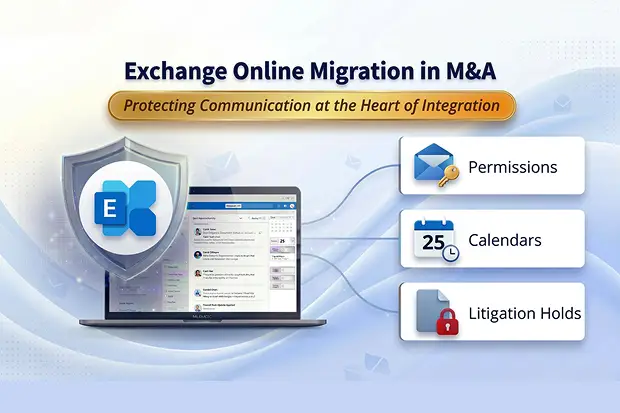
This blog examines the recurring challenges large enterprises encounter during M365 cross tenant Exchange Online Mailbox migrations, from disappearing permissions and broken calendars to compliance holds that can stall entire programs and the strategies that keep transitions smooth, compliant, and invisible to the end user.
Doing pre-LOI Exchange due diligence?
Most Day-One email disasters trace back to gaps that should have been caught before signing. See The M365 Pre-Deal Due Diligence Problem: Why You’re Pricing What You Can’t See for the framework that prevents them.
- When Exchange Online Mailbox Permissions Disappear
- The Calendar Conundrum — Partial Fidelity Challenges
- Delegation That Doesn’t Survive the Move
- When Office 365 Mailboxes Are Too Large to Move
- The Case of the Missing In Place Archives
- Litigation Holds That Stop Everything
- Hybrid Exchange Edge Cases
- When the Domain Itself Breaks Mail Flow
- Bringing Control and Visibility to Exchange Online Mailbox Migration
- Building a Reliable, TrustCentered Migration
When Exchange Online Mailbox Permissions Disappear
In nearly every microsoft cross tenant migration, permissions like Send As, Send on Behalf, and Full Access are the first casualties. These rights are tied to source tenant identities and don’t automatically translate when mailboxes move to a new organizational boundary. The result is immediate and visible: executive assistants lose the ability to manage their leaders’ inboxes, and shared workflows break overnight.
What Makes This Hard
Permissions in Exchange Online are bound to directory objects within a single tenant. When a mailbox moves across M365 tenants, the original identity no longer exists in the target environment. Standard migration tools do not automatically recreate these trust relationships and there is no builtin mechanism to detect what was lost.
How to Get Ahead of It
- Export all mailbox permission assignments (Send As, Send on Behalf, Full Access) before migration begins.
- Map each permission to the corresponding targettenant identity using a validated crossreference table.
- Reapply permissions immediately after each mailbox cutover, not in a followup sprint.
Run a postmigration validation script against every migrated mailbox. In practice, a single automated check can prevent the majority of Day One executive escalations.
The Calendar Conundrum — Partial Fidelity Challenges
Calendars may look simple, but they’re among the most fragile components of an Exchange migration. During a O365 crosstenant move, recurring meeting metadata often disappears, shared calendars stop functioning, and room bookings fail to transfer. Pilot migrations consistently show that recurring meetings are among the first casualties – series metadata is lost, and each occurrence reverts to a standalone event with no link to the original pattern.
Why It Happens
Calendar events, recurring elements, and resource links depend on tenantspecific object IDs that don’t survive across organizational boundaries. Exchange treats these references as internal pointers; when the tenant changes, the pointers break. The business impact is significant: missed meetings, double bookings, and confusion that undermines leadership productivity during the period when stability matters most.
A Practitioner’s Approach
- Notify users in advance that calendar sharing will need to be reestablished postmigration because existing sharing links point to identities in the source tenant.
- Rebuild recurring meetings for leadership and highvisibility teams before golive, not after complaints surface.
- Export and restore room booking data where feasible, particularly for heavily utilized conference resources.
- Run pilot migrations with a representative sample of complex calendars to surface issues before full rollout.
Proactively addressing calendar fidelity ensures that when Day One arrives, the organization keeps operating without missing a beat.
Delegation That Doesn’t Survive the Move
Delegated access is the subtle backbone of many executive workflows and it often fails quietly after migration. Managerdelegate relationships and shared mailbox access depend on carefully preserved directory attributes that standard crosstenant migration tools don’t always carry over.
What makes this particularly dangerous is the silence. Unlike a bounced email or a missing calendar event, a broken delegation doesn’t generate an error message. An assistant simply discovers they can no longer see their executive’s calendar or send on their behalf often at the worst possible moment, like the morning of a board meeting.
The Fix
- Inventory all delegation relationships (managerdelegate pairs, shared mailbox members, department coordinators) before migration.
- Validate each relationship postcutover using automated scripts, not manual spot checks.
- Prioritize executive and sharedservice mailboxes for early validation — these are the accounts where broken delegation has the highest blast radius.
It’s the difference between a flawless Day One and a highvisibility crisis.
When Office 365 Mailboxes Are Too Large to Move
Enterprise Office 365 mailboxes continue to grow. When they exceed 50 GB, Microsoft’s service throttling can bring migrations to a halt. Transfer times stretch batches far beyond planned windows, and what was scheduled as a weekend cutover becomes a multiday event. Left unchecked, these delays can extend Transition Service Agreement (TSA) periods by weeks and add significant cost to integration timelines.
Smart Sequencing Makes All the Difference
- Identify oversized mailboxes early and push archival cleanup before the migration window opens.
- Stagger heavy users across multiple migration waves rather than grouping them in a single batch.
- Use checkpoint recovery to resume interrupted transfers without restarting from zero.
- Set clear targets: even a meaningful reduction in average mailbox size can noticeably improve throughput and reliability.
The Case of the Missing In Place Archives
In Place Archive mailboxes often sit outside standard migration plans. They’re easy to overlook because they don’t generate daily user activity but forgetting them can have serious consequences. Losing in‑place archives means losing historical records, and that introduces compliance risk, audit exposure, and potential regulatory violations that surface months or years after the migration is complete. For regulated industries, this can directly impact obligations under frameworks such as HIPAA, FINRA, or SEC‑driven record‑retention rules, where an inability to produce historical communications on demand becomes a serious liability.
A Simple but Critical Step
- Explicitly include archive mailboxes in every migration scope document not as an afterthought, but as a line item.
- Verify archive data integrity and retention policy settings after the move.
- Confirm that compliance search and eDiscovery tools can locate archived content in the target tenant.
It’s a quick addition to the migration plan that prevents years of potential exposure.
Litigation Holds That Stop Everything
Even with perfect planning, compliance constraints can block progress and Litigation Hold is one of the biggest roadblocks. Microsoft’s native crosstenant migration tool will completely fail when the source mailbox is under Litigation Hold, InPlace Hold, or Restrictive Hold.
This is by design. These holds preserve mailbox data for legal discovery and cannot be altered or moved across tenant boundaries without breaking chain of custody. While this protects legal defensibility, it can paralyze migration activity at scale. A single mailbox under hold can stall an entire batch, especially when those accounts belong to legal counsel or executive staff.
Navigating the Constraint
- Coordinate with legal and compliance teams early to identify every mailbox under any form of hold.
- Define a formal mitigation plan: this may include temporarily lifting holds under documented approval or using thirdparty migration utilities capable of maintaining legal preservation during transfer.
- Build holdrelated dependencies into the migration schedule – don’t discover them during execution.
In complex integrations, legal readiness is as critical as technical readiness. Addressing compliance constraints early protects both the program timeline and the organization’s legal integrity.
Hybrid Exchange Edge Cases
Many enterprises still run hybrid Exchange environments during transition periods. These configurations come with delicate dependencies, and if directory attributes like msExchMailboxGUID or proxy addresses are misaligned between onpremises Active Directory and Azure AD, they can spawn duplicate mailboxes or break mail coexistence entirely. Problems like these are often architectural rather than operational — see Architecture Mismatches That Block M365 M&A
The Right Sequence Matters
- Synchronize directory attributes correctly between onpremises and cloud environments.
- Migrate onpremises users to Exchange Online within their current tenant first.
- Only then perform the crosstenant move to the target organization.
Skipping or reordering these steps is a common source of costly downtime. Validation before execution is essential and the sequence is nonnegotiable.
When the Domain Itself Breaks Mail Flow
The final hurdle is often the most visible: Day One domain cutover. During that critical window, MX records must shift between tenants, and DNS propagation can delay mail delivery for hours. Some messages bounce; some queue indefinitely. Because a domain can exist in only one Microsoft 365 tenant at a time, orchestration must be precise.
Making Cutover NearSeamless
- Reduce MX record TTLs to 300 seconds (5 minutes) several days before cutover to ensure rapid DNS propagation.
- Enable dualwrite mail flow for the transition period so messages route correctly regardless of propagation state.
- Monitor NonDelivery Reports (NDRs) in real time during and immediately after the switch.
- Have a documented rollback procedure ready in case of unexpected routing failures.
These measures can transform what is inherently a risky cutover into a nearseamless switch
Bringing Control and Visibility to Exchange Online Mailbox Migration
Even with the right strategy, executing a cross-tenant Exchange Online migration at enterprise scale requires more than native tooling. Gaps in permission mapping, limited visibility into failures, and manual validation efforts can introduce risk at exactly the moment precision is critical.
This is where purpose-built migration platforms make a measurable difference.
Solutions like Apps4.Pro Migration Manager are designed to address the real-world complexities of Exchange Online tenant-to-tenant migration in M&A scenarios. Instead of relying on fragmented scripts and post-migration fixes, they provide a structured, controlled approach across the entire lifecycle.
What this enables in practice
- Automated permission mapping and reapplication
Ensures Send As, Full Access, and delegation relationships are preserved without manual rework
- Pre-migration discovery and dependency analysis
Identifies large mailboxes, archive gaps, and compliance constraints before execution
- End-to-end visibility and reporting
Tracks migration progress, failures, and validation status in real time
- Support for complex scenarios
Including hybrid environments, large-scale batches, and compliance-sensitive mailboxes
- Reduced reliance on manual validation
Minimizing Day-One escalations and post-migration cleanup efforts
In high-stakes M&A integrations, the goal isn’t just to migrate mailboxes. It’s to ensure business continuity without disruption. Having the right tooling in place transforms migration from a reactive exercise into a controlled, predictable process.
Building a Reliable, TrustCentered Migration
Crosstenant Exchange Online migration is as much about trust management as technology. Every permission missed, every calendar broken, and every email lost chips away at organizational confidence during one of the most visible phases of integration.
Enterprises that succeed take a disciplined, proactive approach built on three principles:
The Migration Readiness Framework
- Discover Early – Map all dependencies, holds, hybrid configurations, and oversized mailboxes at least 8 weeks before the first migration wave – and ideally before the deal closes, when you still have leverage to price the risk in
- Test Deeply – Run pilot migrations with representative user profiles (executives, shared mailboxes, heavy calendar users, held accounts) and validate every permission, delegation, and calendar series.
- Communicate Actively – Set clear expectations with end users about what will change, what they need to do, and who to contact when something doesn’t work as expected.
When executed well, the transition becomes invisible. Employees log in the next morning, their mail just works, and the business keeps moving, proof that technology, when managed with precision, can unify organizations at the exact moment they need it most.
In M&A, migrating systems is inevitable. Preserving communication is leadership.

















 Migrate
 Manage
 Migrate Microsoft 365








