


Most tenant-to-tenant migration plans cover identity, collaboration, and file movement in detail. But in many M&A programs, one critical dependency gets serious attention too late: Teams Voice.
Leadership often assumes telephony will come across with the wider Microsoft 365 environment. In practice, it does not. Numbers, routing logic, service configuration, and devices all have to be rebuilt, often under carrier timelines your project team does not control.
That is what makes Teams Voice one of the most underestimated risks in a Microsoft 365 tenant migration. If it is planned too late, the impact is not limited to IT.
It can quickly become a business continuity issue the organization feels immediately. In many programs, the problem starts with a basic misunderstanding.
- The Assumption That Creates the Risk
- Why Teams Voice Becomes a Problem So Quickly
- Call Routing Does Not Migrate – It Has to Be Rebuilt
- One Voice Migration Can Mean Several Different Projects
- The Porting Window Creates Real Downtime Risk
- Your Most Important Numbers Are the Most Exposed
- Device Cutover Is a Larger Operational Task Than It Looks
- A More Realistic Five-Stage Approach
- What Your Steering Committee Needs to Understand
- Why This Needs Early Attention
The Assumption That Creates the Risk
One of the most common planning mistakes in this kind of migration is assuming Teams Voice will come across with the rest of Microsoft 365.
At a high level, that sounds reasonable. Teams is already part of the Microsoft stack, so non-technical stakeholders often assume telephony will come across with the wider environment.
It does not.
Microsoft does not provide a native path for transferring Teams Voice configuration between tenants. Phone numbers, auto attendants, call queues, resource accounts, device registrations, and routing logic all have to be rebuilt in the target tenant.
That changes the nature of the work. This is not a simple migration activity. It is a service reconstruction exercise with real operational risk attached to it.
And once that is clear, the next issue appears quickly: Teams Voice is not only complex, it is also exposed to dependencies and business impact outside your project team.
Why Teams Voice Becomes a Problem So Quickly
The challenge is not just technical complexity. Teams Voice is visible to the business, dependent on third parties, and often tied to customer-facing services that cannot afford disruption.
When it is treated as a secondary workstream inside a wider Teams migration, the warning signs usually appear late:
- Porting timelines run longer than expected
- Call flows are not fully documented
- Devices remain tied to the old tenant
- Key business numbers turn out to be much closer to cutover than anyone realized
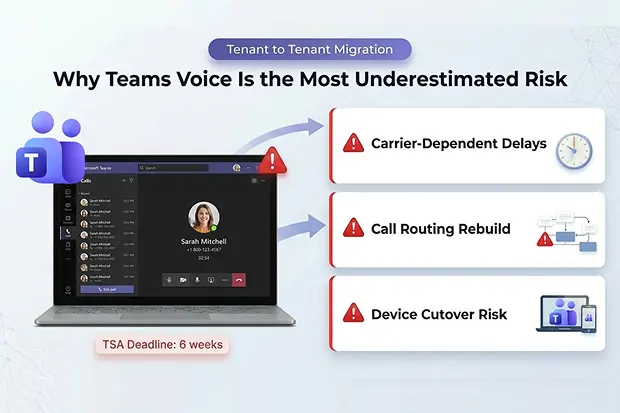
Carrier dependency is what makes that risk harder to absorb. Phone numbers do not move through Microsoft migration tooling. They move through telecom providers and porting processes, which means your cutover timeline is shaped not only by internal readiness, but also by carrier lead times, country-specific number rules, and the PSTN model in use.
If you are staying within Microsoft Calling Plans, some ports may complete within hours. If Direct Routing is involved and a carrier change is required, timelines can stretch into weeks or longer. Depending on the carrier and country, porting can range from hours to several weeks, and in some cases from 1 to 30 days. In some countries, number ranges must move together, which means selective porting may not be possible.
For you, the practical issue is simple: a telephony deadline in the TSA may look achievable on paper but fail as soon as carrier reality is introduced. By that point, the project is no longer choosing between good options. It is choosing which risk to absorb.
That is why telephony cannot be left for late validation. If carrier dependencies are not confirmed early, you may discover that the remaining migration window is already shorter than the porting timeline itself.
And even if the numbers move on time, the caller experience still depends on the routing and service logic behind them.
Call Routing Does Not Migrate – It Has to Be Rebuilt
This is where many teams underestimate the effort.
Auto attendants and call queues do not move from one tenant to another in any meaningful automated way. Every routing rule, business hours schedule, greeting, agent assignment, overflow rule, and escalation path has to be captured, reviewed, and recreated.
If those configurations have evolved over time, there may not even be a clean record of how they work today. In practice, that means part of the migration effort becomes discovery before rebuild can even begin.
That matters because voice failures are rarely subtle. If routing logic is incomplete or rebuilt incorrectly, the impact is immediate. Callers reach the wrong queue. Calls ring out. Main numbers fail. Support lines break. Reception does not behave as expected.
Unlike a back-end failure, this becomes visible as soon as cutover begins.
The next complication is that many enterprises are not dealing with one voice environment, but several.
One Voice Migration Can Mean Several Different Projects
Your migration path depends heavily on the PSTN connectivity model in use.
An organization using different Teams Phone connectivity models across regions for example, Microsoft Calling Plans in one region, Direct Routing through its own carrier setup in another, and Operator Connect in a third does not have a single Teams Voice migration. It has multiple telephony migrations running under one program.
Each model brings its own porting mechanics, carrier involvement, cutover risk, and operational dependencies. So even if the broader migration is being managed globally, voice does not always follow the same migration path.
For you, this is as much a planning issue as a technical one. If the schedule assumes one clean global telephony event, but the underlying connectivity models do not support that, the project plan is already carrying hidden risk.
That risk becomes most obvious during the porting window itself.
The Porting Window Creates Real Downtime Risk
During number porting, there can be a live gap between service in the source tenant and activation in the target tenant. In that window, inbound calling may fail.
Even where the port completes successfully, the period immediately after cutover often needs careful validation because voice service can remain unstable while routing and activation settle.
This is the part migration plans often reduce to a single line item: port numbers.
For you, it should be treated as a controlled business continuity event. This is not simply more work for IT. It means customers, partners, or critical external callers may not be able to reach your business during the transition.
If those lines support revenue operations, regulated services, or core support functions, even a short outage can have an outsized impact.
And the most exposed services are usually the ones the business depends on most.
Your Most Important Numbers Are the Most Exposed
The numbers that matter most are often the ones most sensitive to rebuild errors. That includes the main reception line, customer service numbers, sales hotlines, support queues, and conferencing-related service numbers.
These are rarely standalone services. They depend on routing logic, number assignments, resource accounts, and, in some cases, service-specific configurations that all have to be rebuilt correctly in the target tenant before cutover.
For you, this means the highest-value numbers need the most detailed validation, not the least.
If the rebuild behind your main line is incomplete, the issue is no longer a contained technical problem inside a migration wave. It becomes an immediate business-facing failure. That is why Teams Voice reconstruction needs attention far earlier than it usually gets.
There is also another risk that gets underestimated until very late: the physical endpoint estate.
Device Cutover Is a Larger Operational Task Than It Looks
There is a physical device layer to the migration that teams often do not size properly at the start.
Teams-certified desk phones, meeting room systems, and shared devices often need to be reset and re-registered in the target environment. If that work is not planned in detail, devices remain tied to the source tenant and fail when the new environment goes live.
At small scale, this is manageable. At enterprise scale, it becomes an operational rollout involving office coordination, local support, user timing, validation, and fallback planning.
For you, this means device migration should not be left to the end of the workstream as an afterthought. It needs to be planned as part of the cutover model from the start, especially if your estate includes many offices, shared rooms, or executive endpoints.
Taken together, these risks are manageable. But only if the work is structured early enough to influence the wider migration plan.
A More Realistic Five-Stage Approach
If you are responsible for migration planning, Teams Voice should be treated as its own business-critical workstream with defined stages.
- First, identify your PSTN model by region, catalogue every number and service dependency, document call queues and auto attendants, and separate customer-facing numbers from internal-only services.
- Next, engage carriers early to confirm realistic timelines, validate country-specific restrictions, and compare those dates against TSA commitments while there is still time to adjust.
- Then, document current-state routing, recreate it in the target tenant, and test with temporary numbers before any production cutover.
- You also need a Backup Plan. That includes temporary call forwarding where possible, fallback contact options, user communications, and a clear support model for live escalation.
- Finally, execute the cutover in logical batches, validate call flows in real time, and complete device reset and registration activities in a controlled sequence.
The important point is not just to do these things. It is to do them early enough that the results can still influence the migration plan.
What Your Steering Committee Needs to Understand
If Teams Voice has not yet been separated out as a distinct risk area, that conversation should happen now.
Your steering committee needs to understand three things clearly. Teams Voice is not a standard migration workstream; it requires reconstruction, coordination, and carrier dependency management. Carrier dependencies can make a committed telephony date unrealistic even when internal project work appears on schedule. And if voice cutover goes wrong, the consequences are immediate, external, and highly visible.
That is why this work should be treated as a service continuity issue, not just a technical configuration task.
If leadership misses that early, the failure pattern is usually predictable. Telephony gets grouped under the wider Teams workstream. Planning focuses first on collaboration and identity. Carrier conversations happen late. Call routing is only partially documented. Device effort is underestimated. Then the team realizes that the remaining TSA window is shorter than the actual voice migration timeline.
At that point, the program is already in recovery mode. The way to avoid that is not technical heroics late in the project. It is earlier recognition that Teams Voice is one of the few migration areas where a planning gap becomes immediately visible to the outside world.
Why This Needs Early Attention
Teams Voice is often underestimated because it looks like a feature inside Teams.
In a tenant-to-tenant migration, it is not.
It is a combination of telecom dependency, service reconstruction, operational coordination, and business continuity planning. If you treat it that way early in the program, the risks become manageable. If you treat it like just another migration task, it can become one of the most expensive surprises in the entire program.
Planning a tenant migration as part of an M&A? A structured approach to Teams Voice and telephony migration can prevent the most expensive post-close surprises.

















 Migrate
 Manage
 Migrate Microsoft 365








