


Introduction
Microsoft Loop is a next-generation collaboration app in Microsoft 365 designed to bring teams together in real time using portable, live content. Unlike traditional documents, Microsoft Loop enables dynamic collaboration through reusable components that sync instantly across Microsoft Teams, Outlook, Word (Web), Whiteboard, and Planner.
As hybrid work becomes the norm, organizations – and especially Managed Service Providers (MSPs) supporting Microsoft 365 environments – must understand how Microsoft Loop works, how it integrates with existing tools like SharePoint Online and OneNote, and how to govern it effectively.
- What Is Microsoft Loop?
- Key Licensing Requirements for Microsoft Loop
- Loop Components: The Core of Microsoft Loop
- Microsoft Loop vs SharePoint Online vs OneNote
- How Is Microsoft Loop Used in Real Workflows?
- Microsoft Loop with Other Microsoft 365 Apps
- Microsoft Loop and Copilot
- Limitations of Microsoft Loop
- Essential Governance Strategies for MSPs
- Final Thoughts
- Frequently Asked Questions
What Is Microsoft Loop?
Microsoft Loop is a collaborative workspace app built for modern, real-time teamwork within Microsoft 365. It allows users to create and share Loop components – dynamic content blocks that stay synchronized wherever they’re embedded.
Instead of emailing document versions back and forth, teams can:
- Edit content live
- Assign tasks in real time
- Track updates automatically
- Collaborate across apps without switching context
Key Licensing Requirements for Microsoft Loop
Access to different Loop features requires different Microsoft 365 licenses that include SharePoint and OneDrive for Business. Given below the licenses required to access different components of Microsoft Loop.
- Full Access (Create/Manage Workspaces): Requires Microsoft 365 E3, E5, A3, A5, Business Standard, or Business Premium.
- Limited Access (View/Edit): Users with other licenses (like Microsoft 365 Business Basic) can typically view or contribute to Loop components and pages shared with them, but cannot create new workspaces.
- Component Access: Loop components (tables, lists, notes) are generally available to users with access to Teams, Outlook, or Microsoft 365 apps.
- Personal Accounts: For personal use, Loop is currently available at no cost (in Public Preview), with storage counting against the user’s personal OneDrive/Outlook quota.
For more details, please refer: Loop access via Microsoft 365 subscriptions
1. Loop Components: The Core of Microsoft Loop
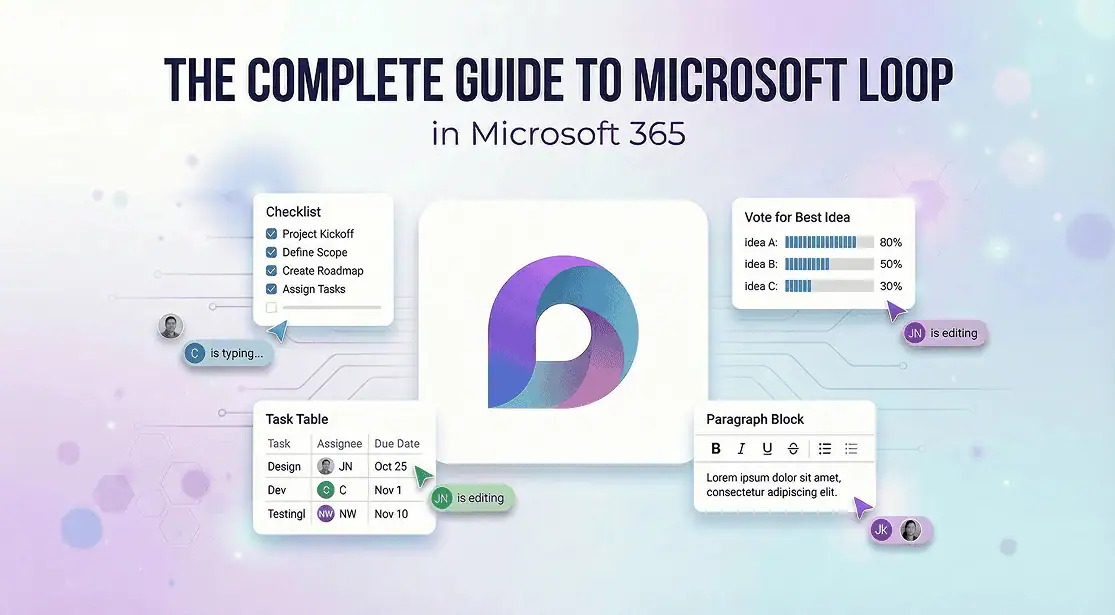
At the heart of Microsoft Loop are Loop Components – portable, live pieces of content that can be shared across apps.
Common Loop components include:
- Task lists
- Tables
- Checklists
- Voting tables
- Paragraph blocks
- Status trackers
For example, a task list created in Microsoft Teams chat can be edited directly inside Outlook email or Word (Web). Every update syncs instantly across all locations.
Why Microsoft Loop Components Matter for MSPs
Since Loop content is stored within the Microsoft 365 environment (leveraging OneDrive for business and SharePoint Online infrastructure), MSPs should:
- Align Loop with Microsoft Purview compliance policies
- Review retention and lifecycle management settings
- Ensure proper access controls
- Educate clients on appropriate usage scenarios
Loop is highly collaborative – but without governance, it can increase content sprawl.
2. Microsoft Loop vs SharePoint Online vs OneNote
A common question is: Does Microsoft Loop replace SharePoint or OneNote?
The short answer: No. It complements them.
| Feature | Microsoft Loop | SharePoint | OneNote |
| Primary Use | Real-time collaboration | Document & content management | Personal/team note-taking |
| Live Sync Across Apps | ✅ Yes | ❌ No | ❌ Limited |
| Structured Knowledge Base | ❌ No | ✅ Yes | ⚠️ Partial |
| Task & Component Reuse | ✅ Yes | ❌ No | ❌ No |
| Best For | Agile teamwork | Governance & records | Meeting notes |
When to Use Each Tool
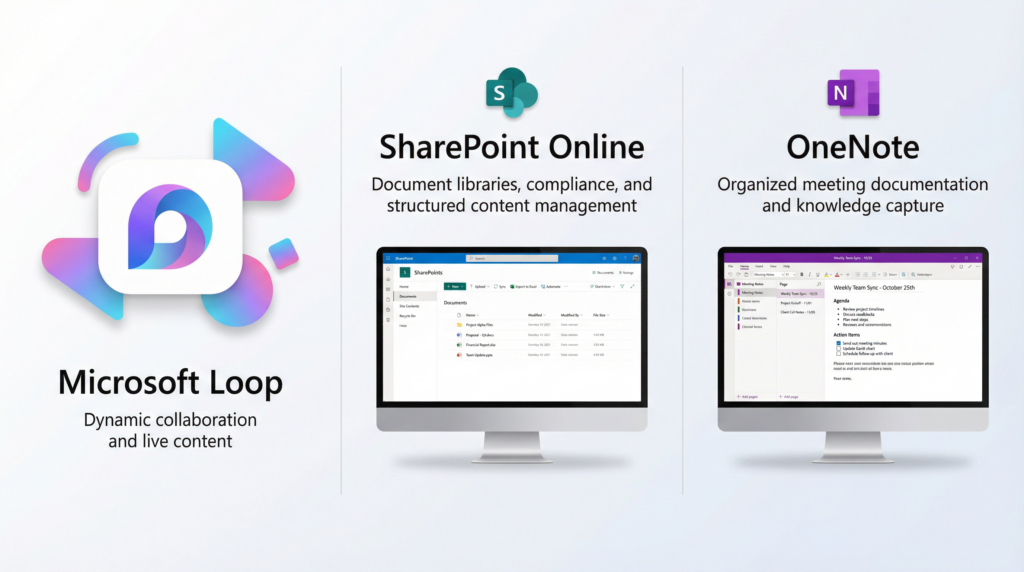
MSPs should help clients define a clear usage framework to prevent overlap and confusion.
3. How Is Microsoft Loop Used in Real Workflows?
Microsoft Loop fits naturally into everyday business operations.
Project Management
- Maintain shared status tables across Teams and Outlook
- Track deliverables in real time
- Reduce version conflicts
Meetings & Action Tracking
- Capture live meeting notes
- Assign tasks instantly
- Follow up without switching apps
Sales & Marketing Teams
- Collaborate on campaign plans
- Collect feedback via voting components
- Track proposal updates live
IT & Service Delivery (Ideal for MSPs)
- Coordinate incident response
- Manage onboarding checklists
- Share client task boards across M365 Teams and Outlook email
For MSPs, Loop can be positioned as part of a broader Microsoft 365 productivity optimization strategy.
4. Microsoft Loop with Other Microsoft 365 Apps
One of the biggest strengths of Microsoft Loop is its deep integration across Microsoft 365.
- Microsoft Teams – Insert Loop components in chats and channels
- Outlook – Collaborate on tables and task lists directly inside emails
- Word (Web) – Embed Loop components for live editing
- Microsoft Planner & To Do – Sync tasks created in Loop components
- Whiteboard – Brainstorm with synced Loop content
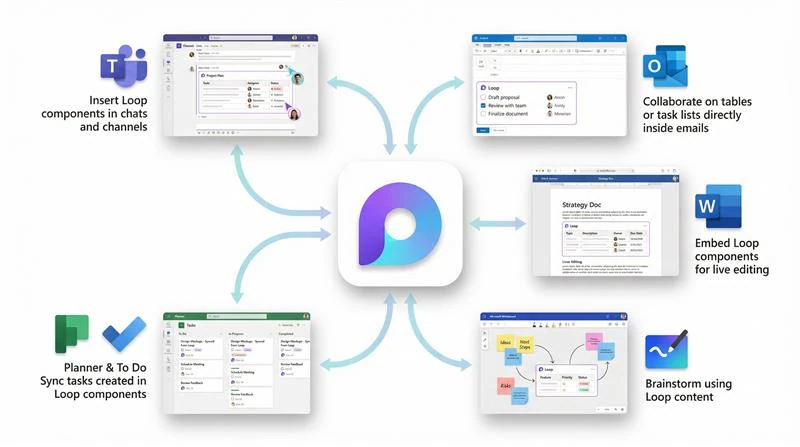
This cross-app collaboration reduces context switching and improves team efficiency.
For MSPs, this also means ensuring secure configuration across Microsoft 365 Teams, Exchange Online, and SharePoint Online.
5. Microsoft Loop and Copilot
When combined with Microsoft Copilot, Loop becomes even more powerful.
Copilot in Microsoft Loop can:
- Generate summaries of collaborative pages
- Extract action items automatically
- Create structured task lists
- Suggest content based on discussions
For MSPs offering Copilot readiness assessments, Loop should be included in AI governance planning.
AI-enhanced collaboration increases productivity – but requires compliance alignment.
6. Limitations of Microsoft Loop
While Microsoft Loop offers significant benefits, it is not without limitations:
- Limited offline support
- Not designed for long-term records management
- Governance features are still evolving
- Dependent on Microsoft 365 licensing
- Not a replacement for SharePoint Online document libraries
Organizations should use Loop strategically – as a collaboration layer, not a document repository.
MSPs should proactively educate clients to avoid misuse.
Essential Governance Strategies for MSPs
For Managed Service Providers (MSPs) managing and supporting Microsoft 365 environments, Microsoft Loop introduces a powerful productivity layer – along with new governance and compliance considerations that must be proactively addressed.
- Review Loop storage architecture
- Apply Microsoft Purview retention policies
- Monitor sharing and guest access
- Include Loop in backup strategies
- Provide end-user adoption training
Proactive governance positions MSPs as strategic advisors rather than reactive support teams.
Final Thoughts
Microsoft Loop represents the evolution of collaboration within Microsoft 365. By enabling live, portable components that work across M365 Teams, Outlook, Word, and Planner, it empowers organizations to collaborate faster and smarter.
However, successful adoption requires governance, lifecycle management, and clear usage guidelines – especially in enterprise environments.
For MSPs, Microsoft Loop is both an opportunity and a responsibility.
Frequently Asked Questions
No, the availability depends on licensing and tenant configuration. The key Licensing Requirements for Microsoft Loop include:
- Full Access (Create/Manage Workspaces): Requires Microsoft 365 E3, E5, A3, A5, Business Standard, or Business Premium.
- Limited Access (View/Edit): Users with other licenses (like Microsoft 365 Business Basic) can typically view or contribute to Loop components and pages shared with them, but cannot create new workspaces.
- Component Access: Loop components (tables, lists, notes) are generally available to users with access to Teams, Outlook, or Microsoft 365 apps.
- Personal Accounts: For personal use, Microsoft Loop is currently available at no cost (in Public Preview), with storage counting against the user’s personal OneDrive/Outlook quota.

















 Migrate
 Manage
 Migrate Microsoft 365








