


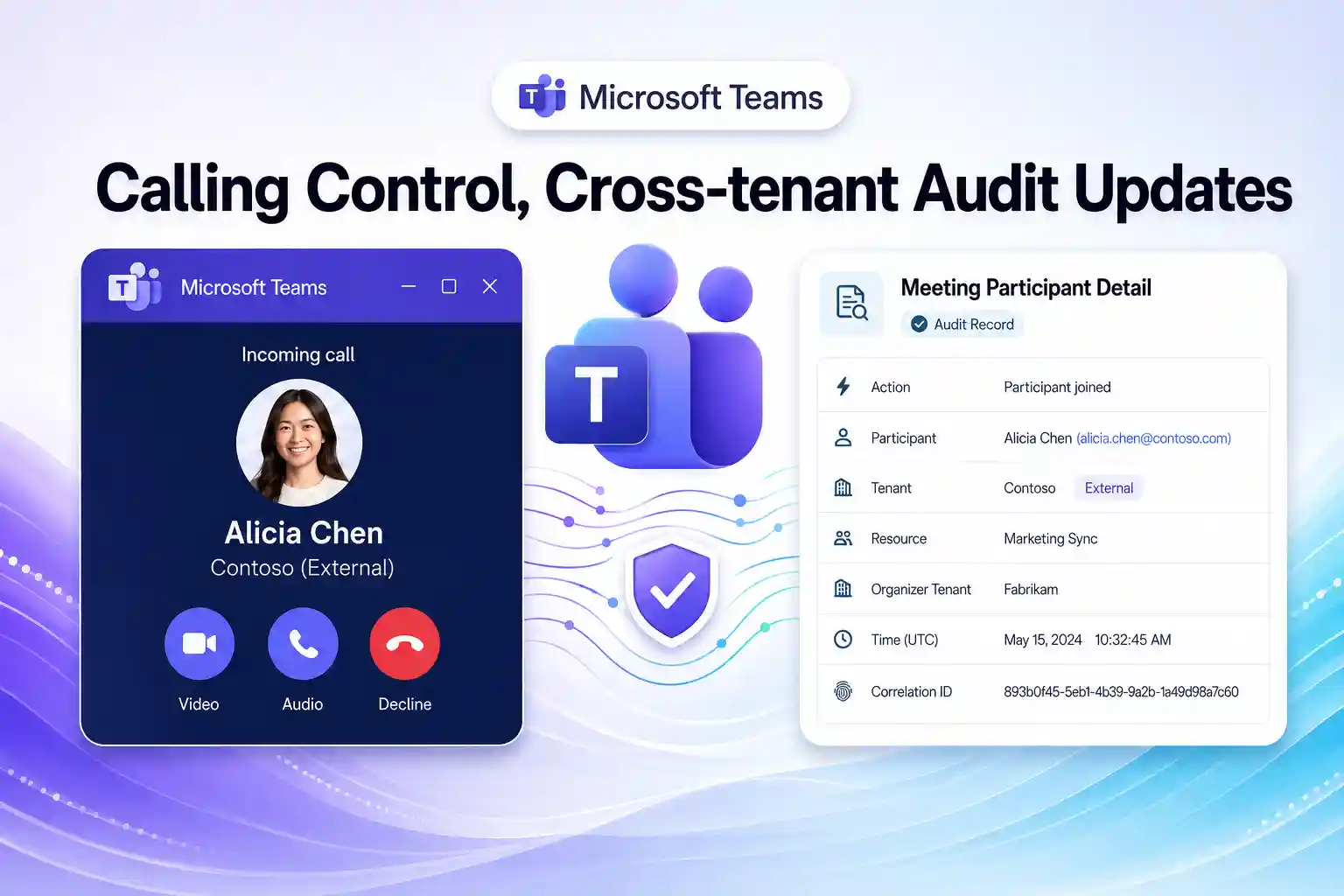
Microsoft Teams continues to evolve as the collaboration hub for Microsoft 365 organizations, and these latest updates are designed to remove daily user friction while strengthening compliance and audit visibility.
In this article, you will explore two new Microsoft Teams capabilities that matter to you as an IT admin, governance lead, or end user working in a Microsoft 365 environment. One improves how incoming calls appear on your screen, and the other gives you richer Meeting Participant Detail audit records for cross-tenant scenarios.
Update 1: View Incoming Calls in a Small Window
Microsoft is introducing a new user setting in Teams that lets you view incoming calls in a small, resizable window instead of seeing a large, disruptive notification that takes over your screen. This new experience is built to reduce interruptions and help you stay focused on your current work.
This update applies across Microsoft Teams on Windows and Mac desktop, Teams for the web, and Teams for iOS and Android. It fits into Microsoft’s broader effort to refine call and meeting experiences as part of the Microsoft 365 collaboration stack.
Why this matters for your organization
Before this update, an incoming call could occupy a large portion of the screen and break your focus in the middle of an important task.
After this update:
- You can turn on a setting that shows incoming calls in a small window.

- Both the large and small call windows are resizable, giving you more control over how calls appear.
- The new experience is enabled by default to support quicker adoption in your organization.

This change helps create a smoother Microsoft Teams calling experience for you and your colleagues, especially if you multitask across chats, channels, meetings, and documents throughout the day.
Key benefits for Microsoft Teams users
- Less disruptive incoming calls while you work in Teams apps and shared documents.
- Better productivity and focus for knowledge workers and contact center agents.
- More consistent call experience across desktop, web, and mobile clients.
🔔 Poll Your Users on Call Experience
You can turn this update into an engagement opportunity by asking your users how they feel about the new incoming call experience in Teams and whether the small-window view improves their daily work.
You might:
- Run a quick Teams channel poll or Microsoft Forms survey focused on call notifications.
- Include the screenshot of the new setting to increase awareness.
Steps to operationalize this update
There is no configuration change required for this feature to appear, but as a Microsoft 365 or Teams administrator, you can add value by:
- Updating internal user documentation and training content related to Teams calling.
- Including the new calling setting in your “Getting started with Microsoft Teams calls” guide.
- Communicating the change in advance so helpdesk teams and users know what to expect.
📌Learn more
To track this Microsoft Teams update and its roadmap details, you can refer to:
Update 2: Meeting Participant Detail Audit Records for Participating Tenants
Microsoft is also enhancing Microsoft Teams audit logging to improve visibility for cross-tenant meetings. With this change, Meeting Participant Detail audit records will be shared with all participating tenants for their own users, not just with the tenant that organizes the meeting.
If your organization frequently collaborates with external customers, partners, or suppliers using Teams meetings, this update gives you a more complete picture of meeting participation for your users and supports stronger audit trails for compliance and investigations.
What is changing in Teams audit logging
With this enhancement:
- Participating tenants will receive Meeting Participant Detail audit records for their own users who attend Teams meetings organized by another tenant.
- Each audit record includes organizer information, which helps you determine whether the meeting was hosted by your organization or by an external tenant.
- Only audit records for users from the local tenant are shared, so you do not see audit data about attendees from other organizations.
This update aligns with Microsoft Purview Audit capabilities and provides cross-tenant visibility while preserving tenant-level data boundaries and privacy controls.
Strategic value for Microsoft 365 admins
If you manage Microsoft 365, this change can have a direct positive impact on your audit and compliance workflows. This new approach:
- Improves visibility into cross-tenant Teams meetings that your users join.
- Helps your security and compliance teams investigate meeting-related incidents more effectively.
- Strengthens audit reporting and evidence collection for regulatory compliance and internal policies.
Key impacts for you include:
- Enhanced Microsoft Teams audit logs available in Microsoft Purview.
- More complete meeting participation data for internal users across external collaboration scenarios.
- Stronger support for governance policies related to Teams meetings and guest access.
✅ Audit Readiness Workshop in Teams
You can increase adoption and understanding of this update by running a short “Audit Readiness in Microsoft Teams” workshop for relevant stakeholders.
You can:
- Invite compliance officers, security analysts, and Microsoft 365 admins who work with Purview.
- Demonstrate how to search and interpret Meeting Participant Detail records in Microsoft Purview Audit.
- Share best practices for retention policies, incident response workflows, and reporting.
Organization-level impact and next moves
This update mainly affects you and your peers if you are responsible for:
- Managing Microsoft 365 and Microsoft Teams audit capabilities.
- Supporting organizations where users often join meetings hosted by external tenants.
- Handling compliance, risk, and security functions that rely on Purview Audit data.
After this update reaches your tenant, you can:
- Access Meeting Participant Detail audit records for your internal users in cross-tenant meetings.
- Determine whether a Teams meeting was organized by your tenant or by an external organization.
- Use the expanded audit data to support monitoring, reporting, and compliance investigations.
Recommendations for admins and compliance teams
Even though you do not need to change any settings to receive these new records, it is still helpful to:
- Review existing audit log collection and monitoring processes that rely on Meeting Participant Detail records.
- Assess whether additional audit data will impact your storage, analytics, or reporting tools.
- Align audit and retention policies with your organization’s regulatory and internal compliance requirements.
- Confirm that role-based access control, licensing, admin UI, PowerShell, and group-level access controls are configured so that the right people can view and use audit data.
🔍 Cross-Tenant Meeting Governance Checklist
You can support your governance and security stakeholders by creating a concise “Cross-Tenant Meeting Governance Checklist.”
That checklist can cover:
- How to handle cross-tenant Teams meetings from a compliance and security perspective.
- What to look for in Meeting Participant Detail audit records during investigations.
- How to align Microsoft Purview Audit settings with your organization’s policies and expectations.
Share this checklist via your Teams governance channel, internal SharePoint site, or knowledge base to help everyone understand the practical value of these newly available audit records.
Compliance and data residency considerations
Based on Microsoft guidance, this change:
- Expands Purview-related audit capabilities by increasing visibility into meeting participation for your users.
- Continues to store customer data in the same location as the parent service and respects existing data residency commitments.
- Uses Role Based Access Control(RBAC), licensing, admin experiences, PowerShell, and group-level controls to manage who can access audit data.
- Supports user opt-in or opt-out controls through the parent service where applicable.
This means you can adopt these richer audit records while remaining within the existing Microsoft 365 security, compliance, and data residency framework.
📌Learn more
For official documentation and deeper technical details, you can review, Audit log activities – Microsoft Purview
Final thoughts for Microsoft 365 admins
These two updates highlight Microsoft’s continued investment in both user experience and compliance capabilities within Microsoft Teams.
For you as a Microsoft 365 administrator, governance leader, MSP professional, or power user:
- The small-window incoming call setting can reduce user frustration and help your organization improve productivity in everyday calling scenarios.
- The expanded Meeting Participant Detail audit records for cross-tenant meetings strengthen your ability to monitor activity, support investigations, and demonstrate compliance.
If you communicate these changes clearly, update your Teams and Purview documentation, and integrate the new capabilities into your broader Microsoft 365 governance strategy, you will be better positioned to deliver a smoother collaboration experience and a more resilient compliance posture for your organization.

















 Migrate
 Manage
 Migrate Microsoft 365








