


Viva Engage Evolves Into Your AI Powered Communications Hub
The June 2026 wave of Microsoft Viva Engage innovations gives you a more intelligent, connected, and trusted way to run internal communications across Microsoft 365.
These updates focus on turning everyday conversations into organizational knowledge for AI, strengthening leadership visibility, and making engagement feel natural in your daily flow of work.
As you explore these changes, you will see how Copilot in Viva Engage, community agents, deeper Teams integration, richer events, and analytics all work together to improve employee experience and communication outcomes.
Intelligence: AI Powered Engagement And Copilot Experiences
Copilot In Viva Engage For Smarter Communication
If your organization uses Microsoft 365 Copilot, Copilot in Viva Engage helps you quickly catch up and contribute with more confidence.
Smart catch-up surfaces what you missed across communities and your network, scoped search finds the right information inside Engage, and writing assistance helps you draft and refine posts with stronger organizational context.
Available now features include:
- Smart catch up view showing recent activity across your communities and connections
- Scoped search within Viva Engage that focuses on internal conversations and content
- Writing assistance in Engage that helps you draft and improve posts using Copilot
📌 Learn more:
Agents In Communities With Grounded Answers
If you are a community admin or subject matter expert, agents in communities can reduce the pressure of answering repeated questions.
These agents respond using content from community conversations and SharePoint sites so answers are grounded in your organization’s context rather than generic information.
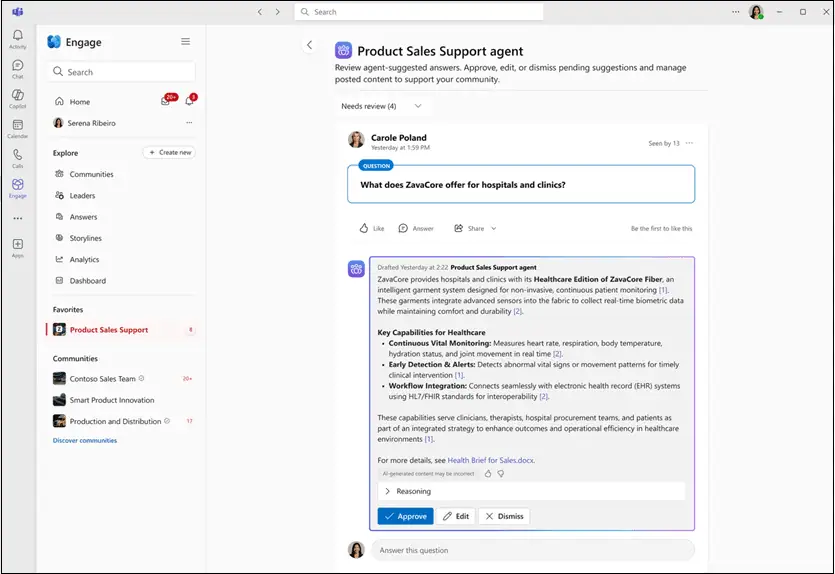
Key capabilities:
- Answers based on community and SharePoint content to reflect internal reality
- Admins and experts review, edit, or verify answers before they are posted
- Practical support for communities that handle repeated or complex questions
Communities To Support AI And Copilot Adoption
To help you scale AI usage, Microsoft provides a Copilot Adoption Community blueprint that turns AI adoption into a social, peer driven effort.
Employees use this space to ask questions, share prompts, compare experiences, and build sustainable habits instead of relying only on one way communication.
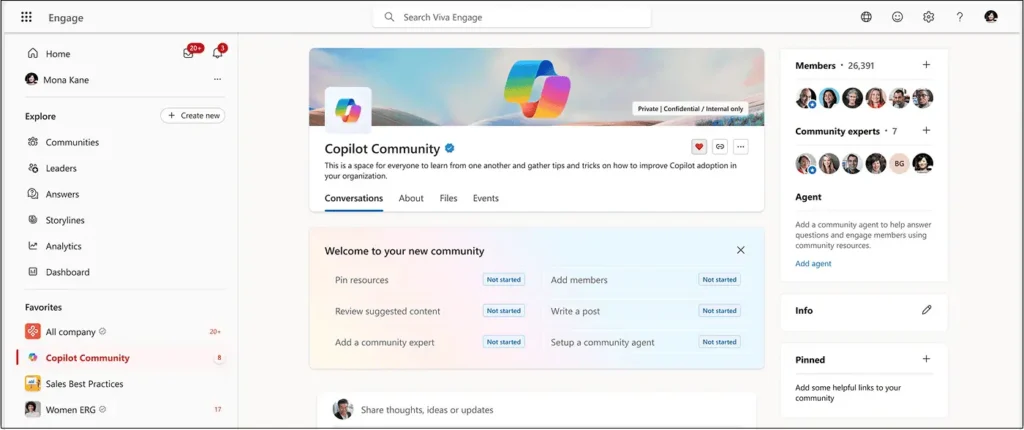
Highlights:
- A central destination for Copilot questions and shared learning
- Peer conversations that convert individual experiments into collective best practices
- A richer knowledge base that Copilot can draw from over time
📌 Learn more:
- The Copilot adoption community in Viva Engage
- Scaling Copilot adoption with the Copilot Adoption Community in Viva Engage
Context: Engage Embedded In Teams And Targeted Communication
Communities In Microsoft Teams
One of the biggest context updates is the move to bring Viva Engage communities into Microsoft Teams.
This change makes leadership dialogue, knowledge sharing, and community engagement part of your everyday collaboration experience so you do not have to switch tools to participate.
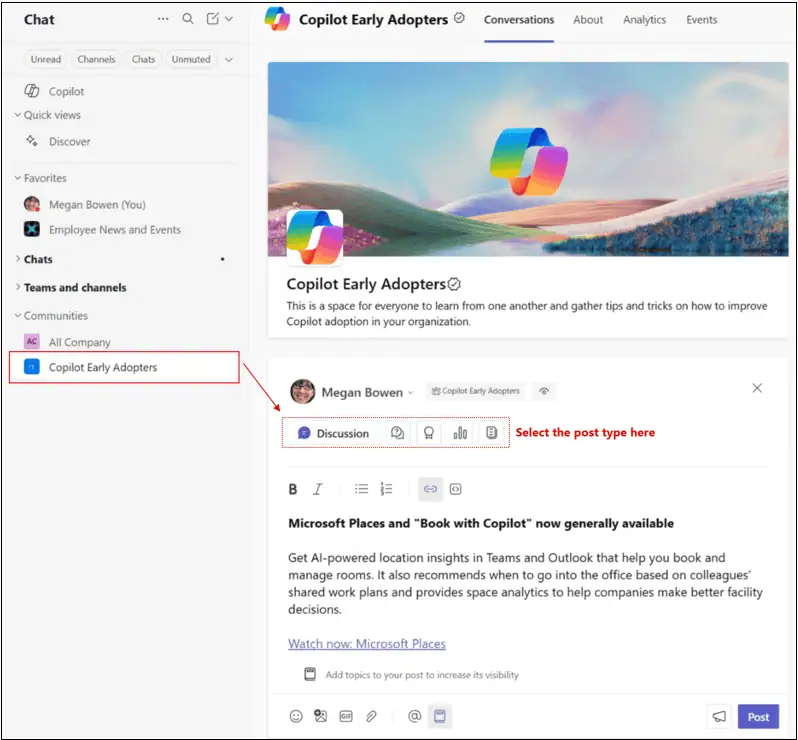
Benefits for you:
- Leadership communication appears where you already spend time in Teams
- Knowledge sharing becomes a normal part of channels and communities
- Expertise and conversations are easier to find while you work
📌 Learn more:
Smarter Targeting, Notifications, And Delivery Tracking
Communicators now get smarter tools to reach specific audiences while reducing message noise.
Audience based storyline announcement targeting lets you aim posts using organizational data such as reporting structure, department, country, role, and group membership.
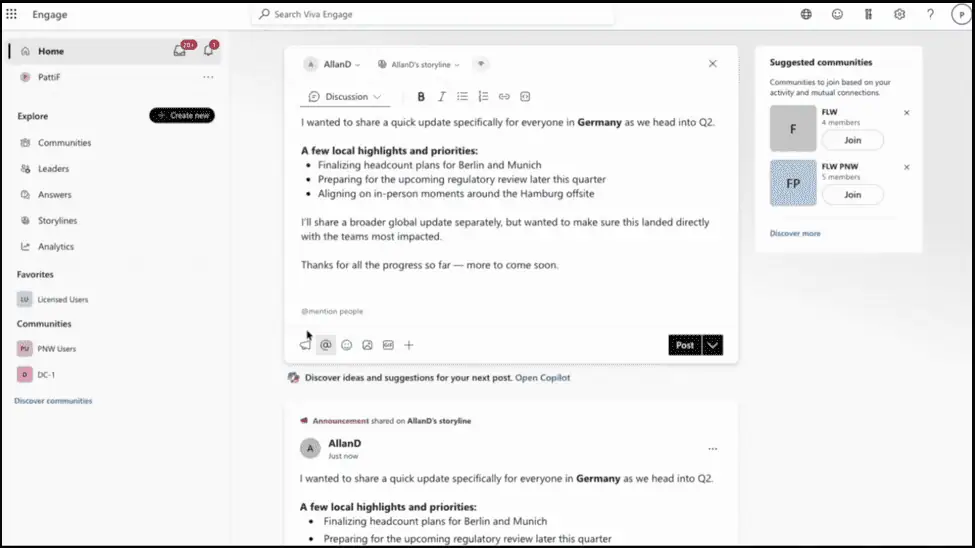
- Smart notifications for announcements, replies, and reactions in communities
- Notifications start in the channel you use most and move to a secondary one if needed
- Delivery tracking shows whether announcements were sent across Teams, Outlook, and Engage
These updates make communication more relevant and measurable so you can see where your messages land and how they perform.
📌 Learn more:
Events That Extend Beyond The Moment
The new events experience in Viva Engage supports conversation before, during, and after an event.
Events hosted in communities or storylines give employees one place for updates, discussions, questions, and follow ups that stay connected to broader community conversations.
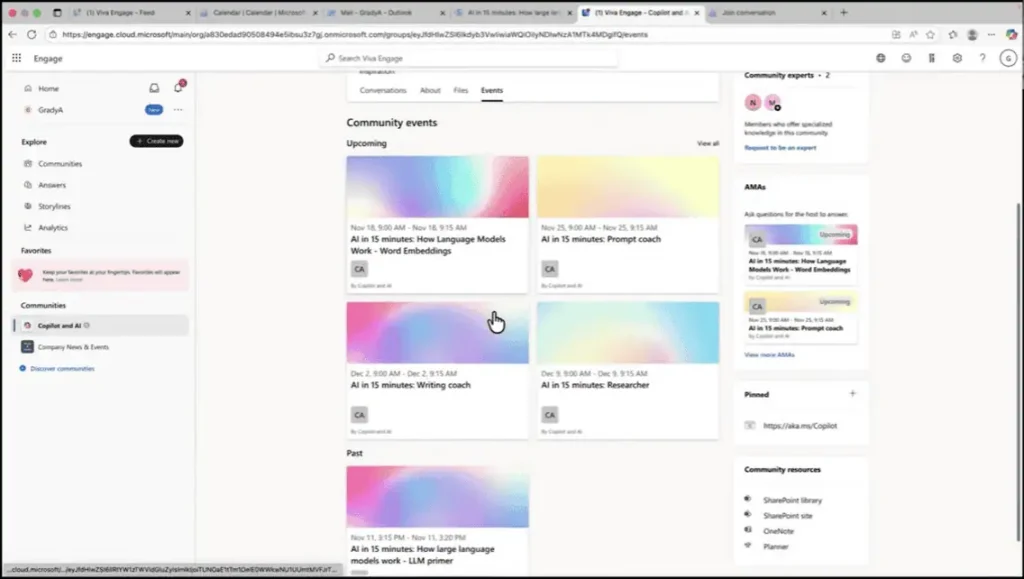
Available event features:
- Central event page for pre-event information, live discussion, and post event recap
- Easier discovery and revisiting of event content after the session ends
- Stronger link between events and the wider community knowledge base
📌 Learn more:
Analytics And Article Improvements
New Analytics And Contributor Insights
New Viva Engage analytics give you clearer views of how communication performs.
Frequent contributors view highlights individuals who drive conversation, and click through rate reporting shows how audiences respond to link-based calls to action.
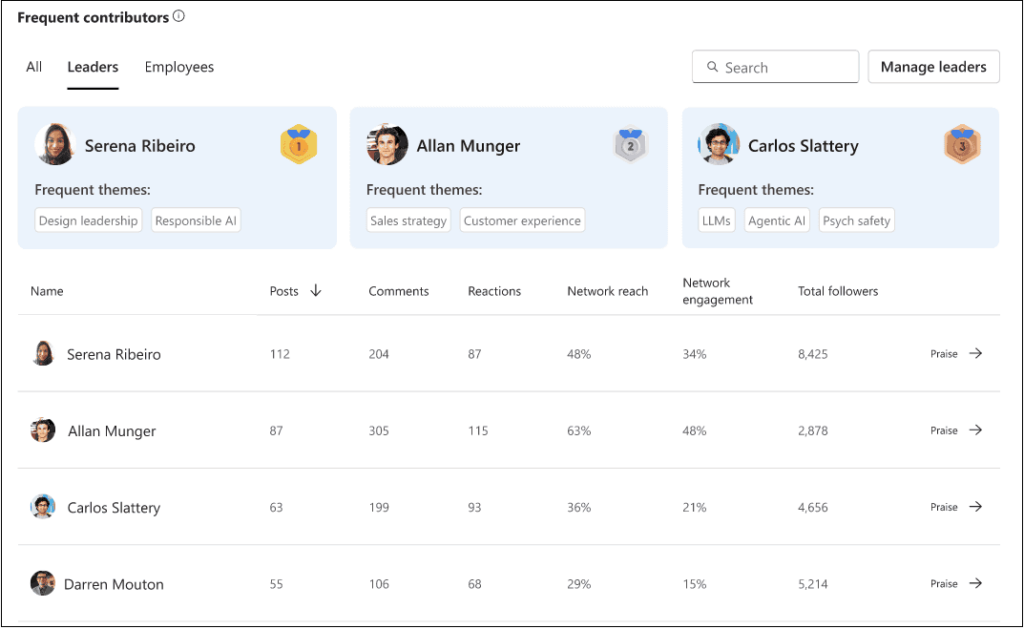
Available analytics features:
- Frequent contributors’ insights to track leadership and employee participation
- Click through rate metrics for link-based calls to action in announcements and posts
Premium licensing note
Network analytics frequent contributors, announcement delivery tracker, click through rates, predictive analytics, and guided flows for leader posts and cascades are available with a Premium Viva Engage license such as Viva Employee Communications & Communities or Viva Suite.
Improved Article Creation And Reading Experience
Articles in Viva Engage now offer a more refined reading and publishing experience.
Enhancements include table of contents, improved previews, multi column layouts, and inline media that make long form content easier to scan, search, and revisit.
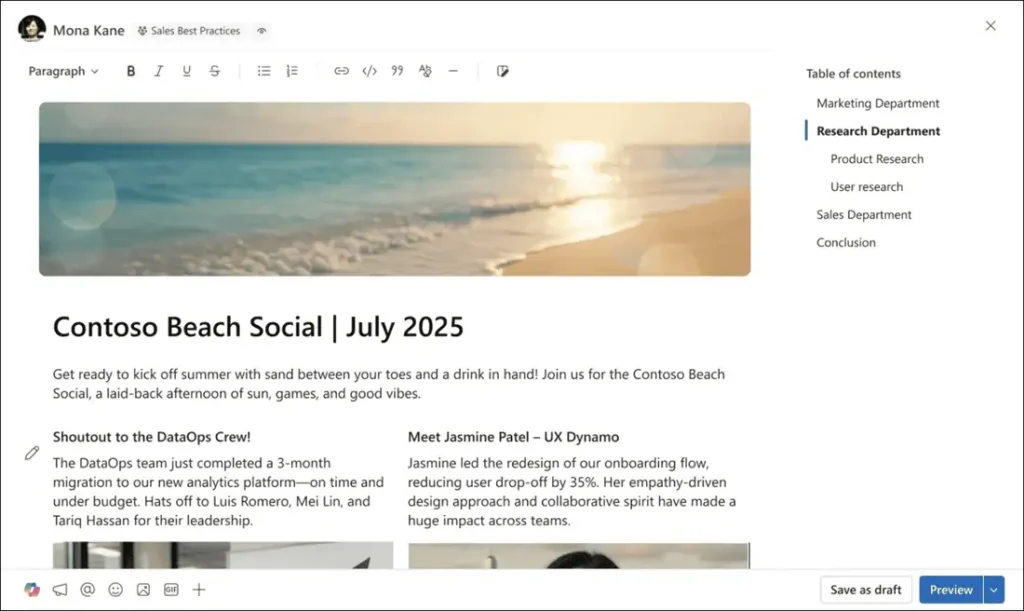
Available article improvements:
- Table of contents for quicker navigation in longer articles
- Improved previews when articles are shared across Viva Engage
- Multi column layouts for clearer structure and visual design
- Support for inline images, videos, and other rich media
📌 Learn more:
Trust: Governance, Admin Experience, And Branding
Updated Admin Experiences And Governance
Admins receive a more modern and consistent way to manage Viva Engage.
New capabilities include support for sensitivity labels, a dedicated Engage email domain, improved admin workflows, and stronger governance controls.
Available admin updates:
- Sensitivity labels to protect and classify communication
- New email domain to make Engage messages more recognizable
- Governance friendly admin workflows for confident oversight
Coming Soon: Next Wave Of Viva Engage And Company Branding
Microsoft is developing additional Viva Engage capabilities that connect content, communities, and communication workflows across Microsoft 365 while also strengthening visual identity.
These upcoming features will help you manage membership, orchestrate campaigns, reuse content, extend communication reach, and make Viva Engage feel even more aligned with your brand.
Planned features and branding capabilities:
- Community membership auto enrollment using organizational data so members stay up to date
- End to end leader communications to plan, draft, and coordinate complex campaigns and cascades with Copilot support
- SharePoint News cross posting into Engage, allowing employees to engage with a single conversation across SharePoint, Teams, and Viva Engage
- Custom colours for Viva Engage surfaces that match your brand guidelines
- Company logos across web and mobile experiences for a familiar, on brand look and feel
- A more visually consistent employee engagement hub that reflects your culture
📌 To stay current, explore Viva Engage Blog latest updates
















