


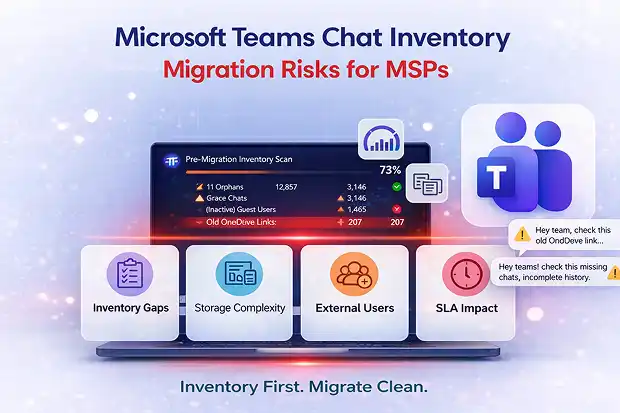
- Are You Sure Your Teams Chat Migration Is Really Scoped?
- What Makes Teams Chats So Tricky
- What Poor Teams Chat Inventory Really Looks Like
- Domain and UPN Changes: The Link Problem Nobody Notices
- Why Teams Chats Aren’t “Per User” Objects
- How Mid-Migration Surprises Kill Your Timelines
- SLA and Margin Impact for MSPs
- Using Better Inventory to Protect Timelines and SLAs
- Turning Inventory into Predictable Migration with Apps4.Pro
- Final Thought
Are You Sure Your Teams Chat Migration Is Really Scoped?
You’ve counted users, reviewed licenses, validated workloads, and your Microsoft 365 migration plan looks solid.
On paper, everything lines up: timelines are clear, effort is estimated, SLAs (Service Level Agreement) are agreed, and cutover dates are set.
But here’s the uncomfortable question: are you really confident about what’s actually sitting inside all those Teams chats you’re about to move?

For many MSPs, the honest answer is “not really.”
And that’s usually when things start slipping.
That includes years of Teams chat conversation history that users expect to remain intact after migration.
The moment private chats start moving, jobs slow down, errors appear, and the schedule you promised starts drifting.
Teams chats don’t behave like mailboxes or SharePoint sites. And when you don’t inventory them properly, they don’t fail loudly. They quietly chip away at your timelines, your estimates, and eventually your SLAs.
What Makes Teams Chats So Tricky
It’s easy to think of Teams chats as “just a few messages between people.”
In reality, they’re anything but simple.
Behind the scenes, there’s a lot more going on than most people expect:
- 1:1, group, and meeting chat threads that can stretch back years
- Messages packed with attachments, inline images, GIFs, reactions, and formatting
- Embedded links pointing to files scattered across Microsoft OneDrive and SharePoint
And none of this lives in one neat place.
Many MSPs don’t fully understand where Teams chat is stored, across Exchange, OneDrive, and other backend services, which makes migration planning even more complex.
To users, it’s still “just chat.”
That’s exactly why it gets underestimated during discovery.
If your Teams chat inventory stops at basic usage counts, you’re only seeing the surface, not the workload you’re about to inherit.
What Poor Teams Chat Inventory Really Looks Like
Poor pre-inventory doesn’t mean you skipped discovery.
It usually means you stopped at the surface.
On the report, you might see:
- Total number of users
- Confirmation that “Teams is heavily used”
- Maybe even a few high-level usage metrics
It looks thorough.
But you’re missing the details that actually determine how hard this migration is going to be.
In reality, poor Teams private chat inventory looks more like this:
- No count of total Teams chats per user or across the tenant
- No clear sense of how many messages, attachments, and media objects you’re actually moving
- No way to spot long-running threads packed with years of Teams chat conversation history
- No visibility into chats where users have left, but their history (and files) still remain
- No clarity on external or guest participants inside conversations, especially when Teams chat invites external users into private threads
- No early warning signs about which chats are going to slow you down later
- No clear understanding of who effectively “owns” each conversation
- No mapping of files shared by users who are no longer in the company
At that point, you’re not really scoping a migration.
You’re guessing.
You’re planning blind and hoping Teams chat behaves like everything else.
It won’t.
Domain and UPN Changes: The Link Problem Nobody Notices
Tenant to tenant projects make this even riskier.
Teams chat attachments usually live in the sender’s OneDrive. And inside the chat message? There’s a link, one that includes the user’s UPN and domain.
So, when you change domains at cutover, for example:
user@oldco.com → user@newco.com
Those old OneDrive links don’t always survive the move. If URL changes and redirection aren’t planned properly, they simply stop working.
And users don’t care about UPN structures or URL mapping. They just know the file in their chat doesn’t open anymore.
Without proper inventory, you don’t actually know:
- How many chat messages contain file links
- Which users are affected by domain or UPN changes
- How many of those links point to OneDrive locations that are being renamed or moved
So, pre-inventory isn’t just about counting messages and attachments.
It’s about understanding link dependencies before cutover, so you can plan redirection, mapping updates, or post-migration fixes before users start saying, “All the files in my chats are 404.”
Why Teams Chats Aren’t “Per User” Objects
Another common mistake is thinking in terms of “this user’s chats,” as if each one is a separate thing.
But a Teams chat conversation isn’t owned by one person. It’s a shared conversation between multiple participants. What looks like separate chats from different users’ views is usually the same thread, just seen from different angles.
If you treat chats as independent per user and run migration jobs from multiple workers without a coordinated view, a few things can go wrong:
- The same conversation gets migrated more than once
- Object counts and processing time increase for no real reason
- You end up with duplicate messages or messy, out-of-order history in the target tenant
And to users, that doesn’t look like a technical nuance.
It looks broken.
Timelines don’t line up. Messages appear twice. History feels fragmented across devices.
From their perspective, the migration “broke” chat, even if technically the data is there.
That’s why pre-inventory and migration design have to treat each conversation as a single logical entity, moving it once, deliberately and in a coordinated way.
How Mid-Migration Surprises Kill Your Timelines
Once you start moving private chats, everything you missed during discovery stops being theoretical. It turns into real project pain.
You begin to see things like:
- Jobs running far longer than expected because there are more messages and media objects than your estimate ever accounted for
- High-volume chats create unexpected load and trigger throttling or failures
- Threads packed with attachments that require re-runs, scripting tweaks, or even manual repair
- Chats that can’t be fully exported because of permissions or API limits, forcing you to figure out workarounds in the middle of the project
On their own, each of these issues is manageable.
But multiply them across waves, across hundreds or thousands of users, and things start slipping.
Milestones move, cutover dates tighten, and UAT (User Acceptance Testing) windows shrink.
And suddenly, the project timeline doesn’t look anything like what your statement of work promised.
SLA and Margin Impact for MSPs
For you as an MSP, this isn’t just a technical inconvenience. It affects your business.
- Delayed migrations put agreed timelines and SLAs under real pressure
- Users start complaining about “missing chats,” incomplete history, or missing images and attachments, driving up tickets and escalations
- Your team ends up working evenings and weekends to catch up, slowly eating into margin on fixed-price or tightly scoped projects
- Leadership and customers begin questioning the migration plan, even though the real issue is hidden chat complexity, not your team’s capability
Most of this risk gets locked in early, long before cutover weekend.
Using Better Inventory to Protect Timelines and SLAs
Here’s the good news: most of this is avoidable.
When you treat Teams chats as a serious workload, not an afterthought, and inventory them properly, things start to shift.
With the right level of visibility, you can:
- Plan capacity and schedules based on real object counts instead of rough assumptions
- Isolate high-risk or high-volume chats into dedicated waves or special handling paths
- Spot UPN and domain-related link issues early and plan fixes before cutover
- Set expectations around known limitations before they turn into difficult client conversations
- Build SLAs that reflect what’s actually achievable for private chat migration, not generic “M365 migration” timelines
In simple terms, proper pre-inventory turns unknown risk into something you can see, measure, and manage.
Turning Inventory into Predictable Migration with Apps4.Pro
If you’re running into these issues, the gap usually isn’t your migration engine.
It’s visibility.
More specifically, visibility into Teams private chats.
That’s where Apps4.Pro Migration Manager fits in. It focuses on giving you the level of Teams chat inventory detail that native reporting simply doesn’t provide.
With Apps4.Pro, you can inventory private chats – 1:1, group, and meeting conversations – and see:
- Message and attachment counts
- Inline images and media objects
- External and guest participants
- Long running or high-volume threads
- Files shared by users who have already left
That means your scoping and sizing are based on actual numbers, not assumptions.
And once you have that clarity, you can move into migration with a realistic plan, so the timelines you committed to and the SLAs you signed are achievable, instead of being quietly undermined by hidden chat complexity.
Final Thought
Mid-migration surprises in Teams chats rarely appear out of thin air. They’re almost always the result of gaps in discovery.
If you want to protect your timelines, your SLAs, and your margin, treat Teams chat pre-inventory as a real deliverable on every Teams migration, not just another checkbox labelled “assessment complete.”

















 Migrate
 Manage
 Migrate Microsoft 365








